JSONata
Apply a JSONata query to select, reshape, and compute values from JSON. Use it when you need
more than simple field extraction: filtering, aggregation, mapping, or building a new JSON shape from an existing
payload. JSONata lives in the Data format category of the fx menu. For expression syntax and operators, see the
JSONata documentation.
Parameters
Section titled “Parameters”Input is the primary JSON document (previous step output or a literal).
Returned value
Section titled “Returned value”Limitations
Section titled “Limitations”- Input, Query, and Variable Bindings (when set) must be strings. Non-string input or query raises an error.
- Input and Variable Bindings must be valid JSON. Empty or malformed JSON raises
Invalid JSON format. - An empty or syntactically invalid Query raises
Invalid JSONata expression. See JSONata documentation for valid expression forms. - Variable Bindings must be a JSON object. A bindings document of
nullis rejected. - Large integer values in object results are preserved when the result is stringified (for example, BSON-style IDs).
Examples
Section titled “Examples”Select a field
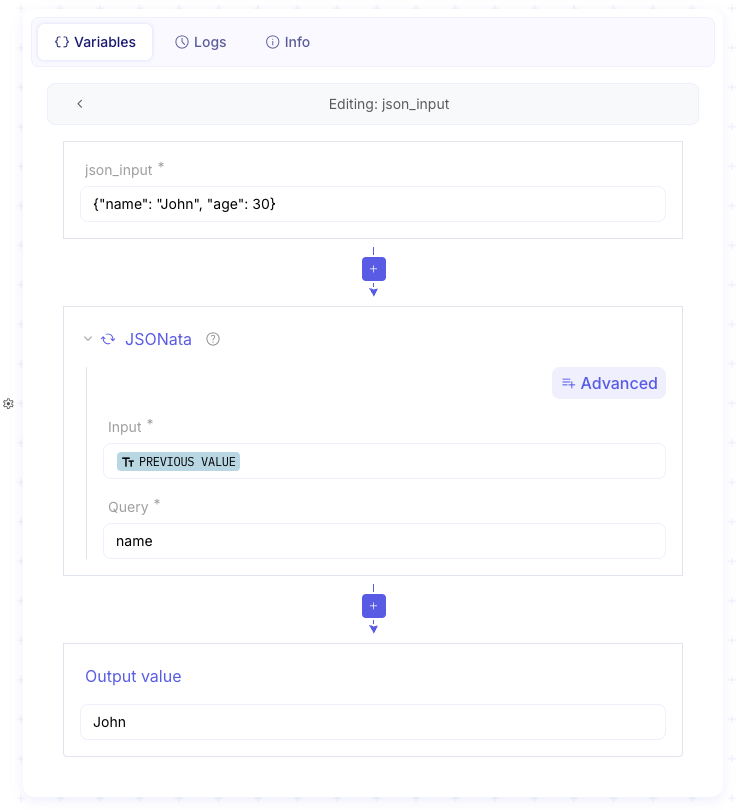
Extract a single property from a JSON object — the most common JSONata use in a flow. Pass the previous step’s JSON into Input, set Query to the field name, and read the string result under Output value.
-
Set Input to the JSON from the previous step (or a literal document).
-
Set Query to the field path. Paste:
Query name -
Confirm Output value shows the selected field.
Aggregate values
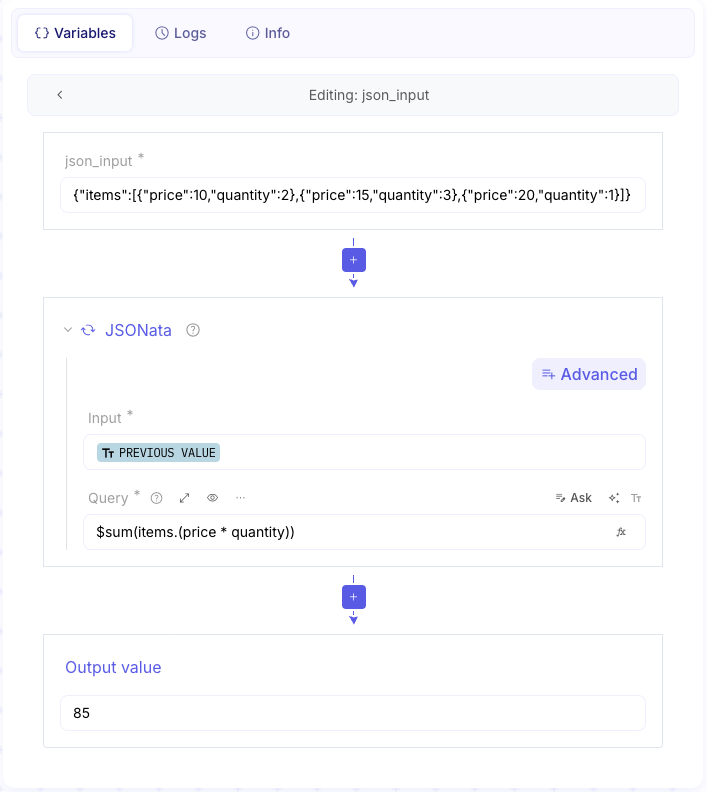
Compute a total or other aggregate over an array without leaving Studio. Use JSONata aggregation functions such as
$sum on nested fields — see aggregation functions in the JSONata
docs.
-
Set Input to a JSON document that contains the array to aggregate.
-
Set Query to the aggregate expression. Paste:
Query $sum(items.(price * quantity)) -
Confirm Output value is the numeric result as a string.
Filter with variable bindings
Reuse the same query with different filter values by binding variables instead of hard-coding them in Query. Use
this when the city (or other filter) comes from another step or should change without editing the expression. Bound
names are referenced as $name in the query — see
programming constructs in the JSONata docs.
-
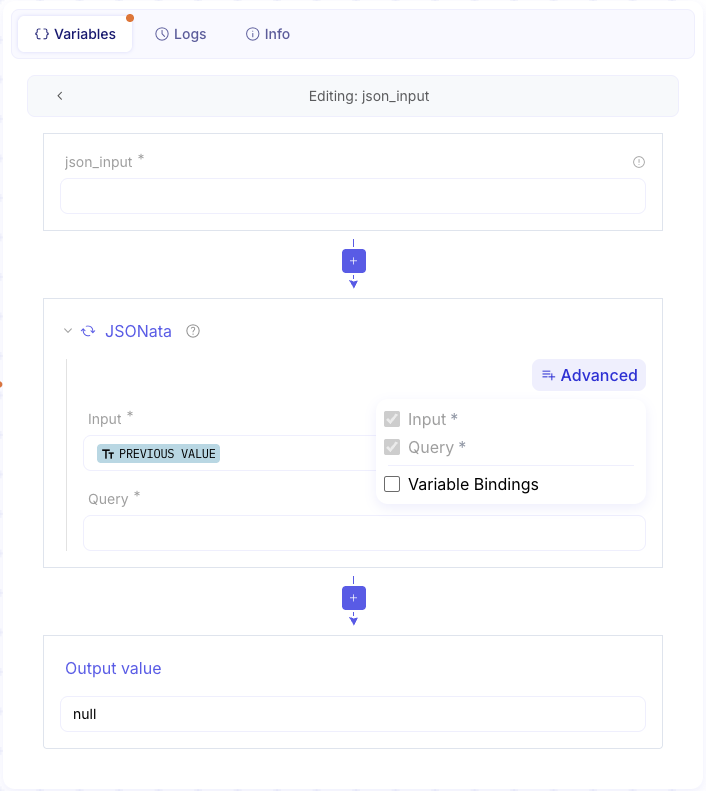
Open + Advanced and enable Variable Bindings.
-
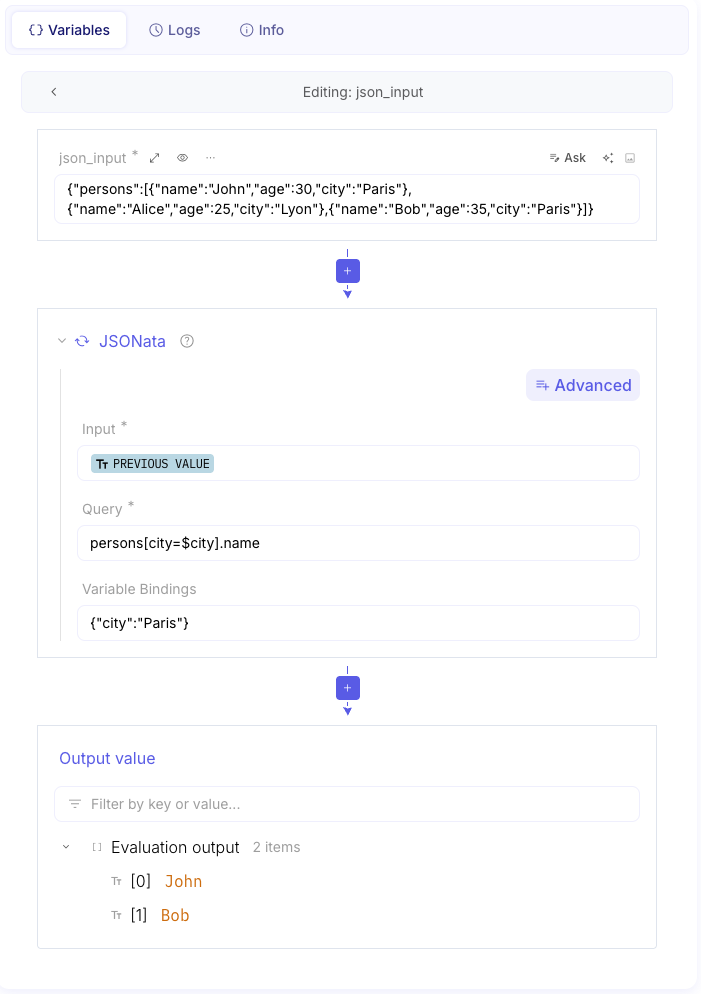
Set Input to the JSON document. Set Query to a filter that uses
$city. Paste:Query persons[city=$city].name -
Set Variable Bindings to a JSON object that defines
city. Paste:Variable Bindings {"city":"Paris"} -
Confirm Output value lists the matching names as a JSON string.