

Wait and resume a flow
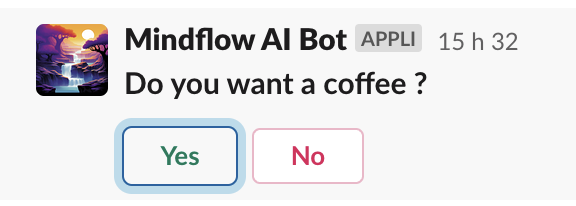
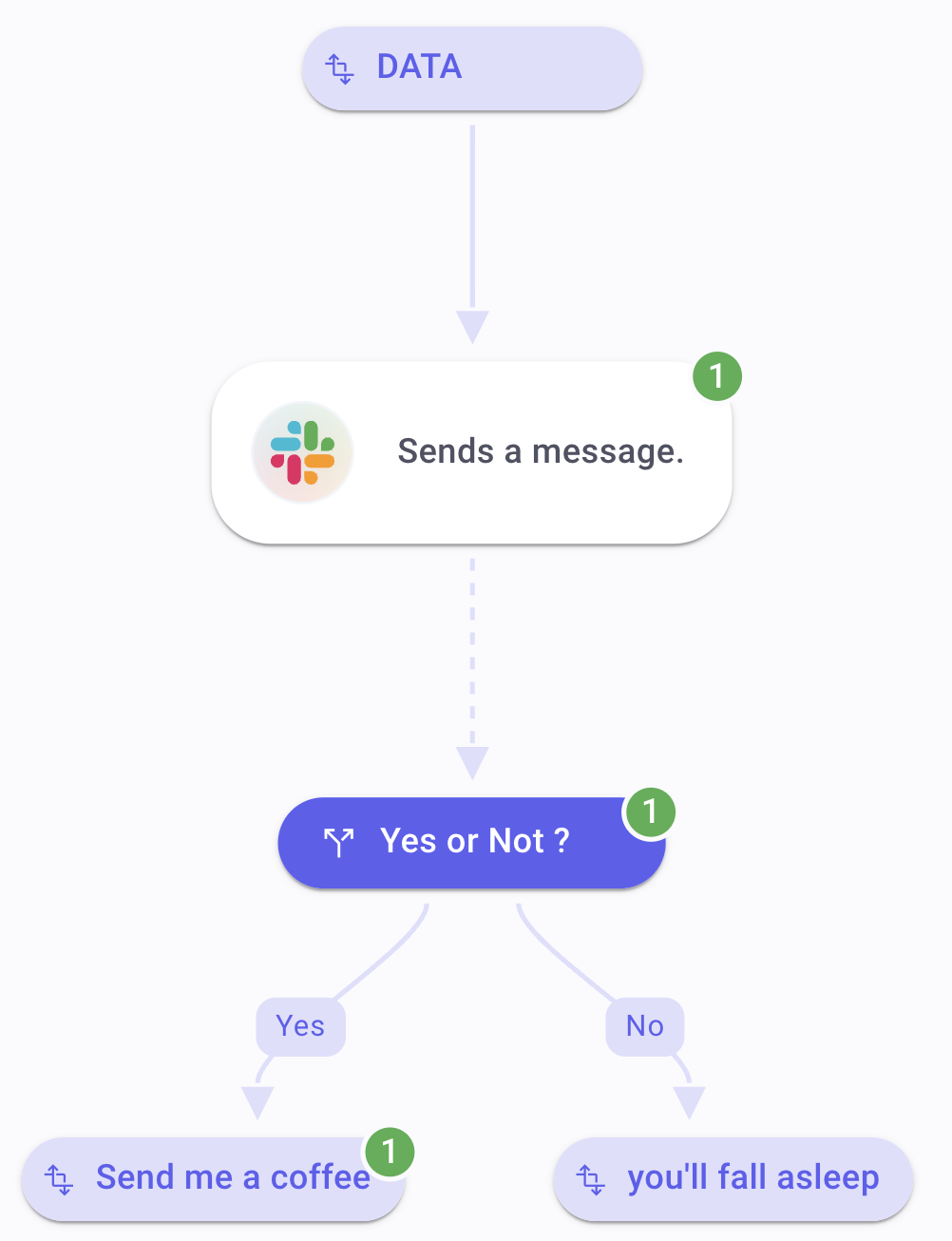
Wait-and-resume is not a separate Flow step. You insert a Resume value (Resume execution ID or Resume webhook URL) into a service step’s Input. That step pauses the run until something calls Mindflow’s resume endpoint—often a person clicking a link or a button in Slack, email, or another tool. Screenshots on this page use a sample Slack approval so you can see the Resume picker and a dashed link to the next step.
When to use
Section titled “When to use”- A person must approve, choose, or confirm before the flow continues.
- An external system finishes asynchronously and can POST (or GET/PUT) back to Mindflow when ready.
- Prefer Pause with Wait when you only need a fixed delay and nothing will “call back.”
- Prefer Handle timeout for ordinary HTTP step timeouts; resume timeout is separate (Resume timeout in seconds).
Before you begin, open the flow in the designer with permission to edit it. Use a service step (integration, HTTP Request, or SMTP email)—not a script or built-in Flow step other than those service operations.
Insert a Resume value
Section titled “Insert a Resume value”In the data picker, Flow → Resume offers two pills. Inserting either one makes the service step asynchronous: the outgoing canvas link becomes dashed, and Settings shows Resume timeout in seconds.
Select the service step that should pause (for example Slack Send a message or an HTTP request that notifies another system). Open the Input tab on the field that should carry the resume value (message text, blocks, URL query, and so on).
Open Resume. In the data picker, choose Flow, then Resume. The panel lists Resume execution ID and Resume webhook URL, and shows your tenant Resume endpoint URL for copy.
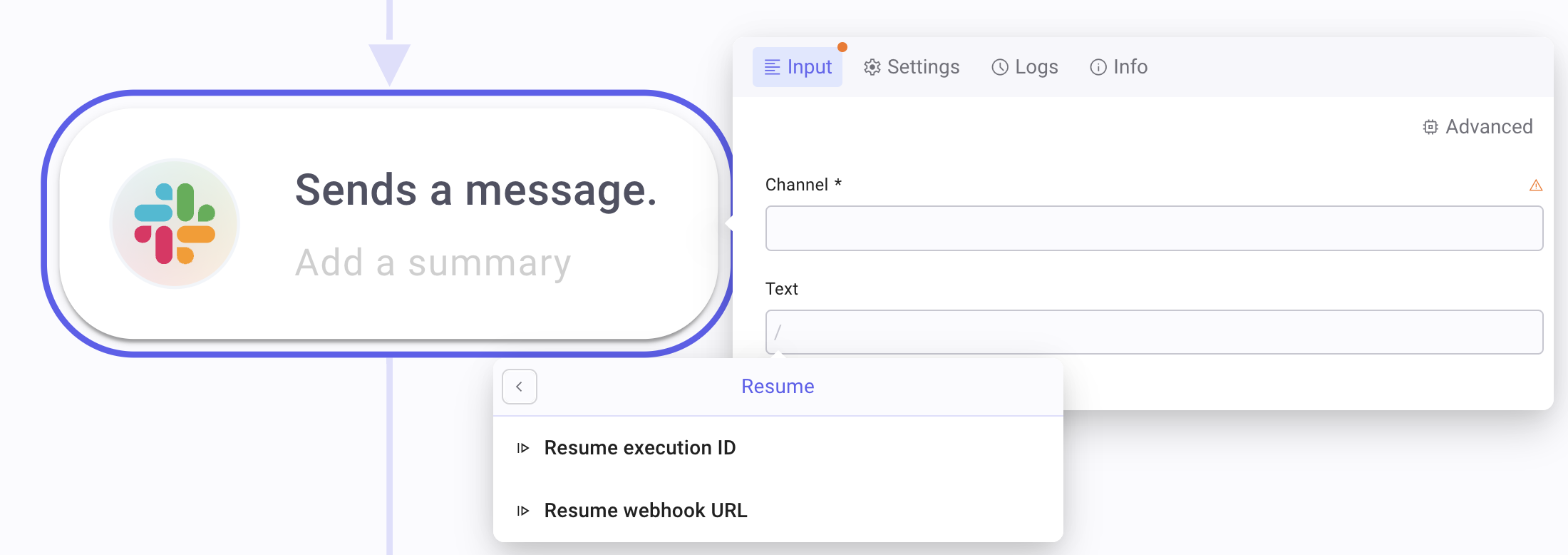
Insert one Resume pill into the field (see the tabs below). Deploy and run the full flow so the pause can take effect—design-time placeholders are not live resume targets.
Set Resume timeout in seconds on the step Settings tab (minimum 180; default 300). If nobody resumes before the timeout, the step follows On failure (Stop execution or Continue execution).
Choose how the run resumes
Section titled “Choose how the run resumes”Resume webhook URL generates a per-run HTTPS URL. Put it in a message or email so a person (or system) can open or call it. Supported methods include GET, POST, and PUT.
Insert Resume webhook URL into the field the recipient will use (link in Slack text, email body, ticket comment).
Run the flow. At run time the pill becomes a concrete URL for that execution (design time shows a placeholder).
Resume by requesting that URL. The run continues to the next step after the paused service step.
Resume execution ID is an identifier the third party includes in an HTTP call to your tenant resume endpoint (query parameter, header, or body). Use it when the other system owns the webhook shape and cannot open a Mindflow URL directly.
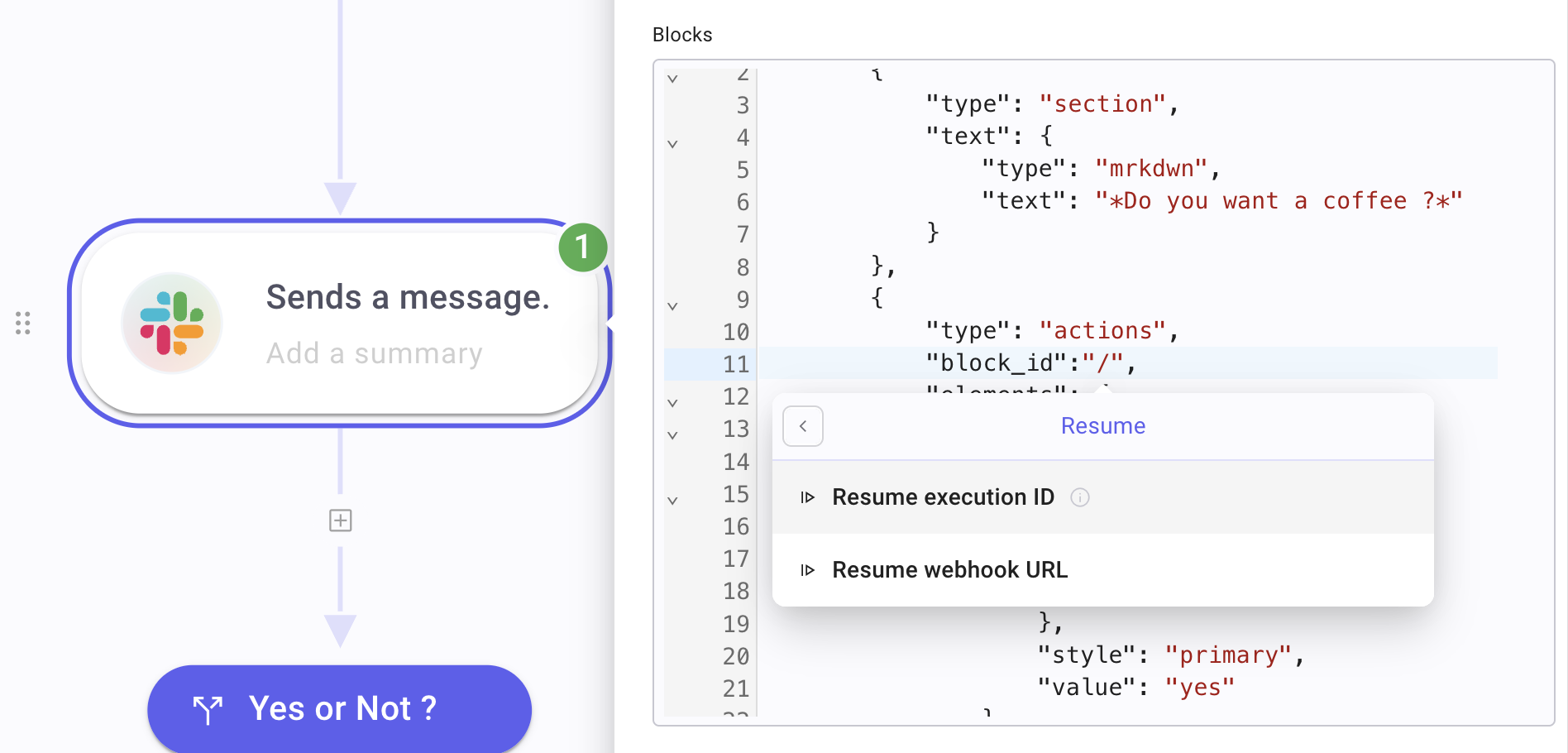
Insert Resume execution ID where the integration expects an opaque id (for example a Slack Block Kit
block_id, or a field your HTTP client will echo back).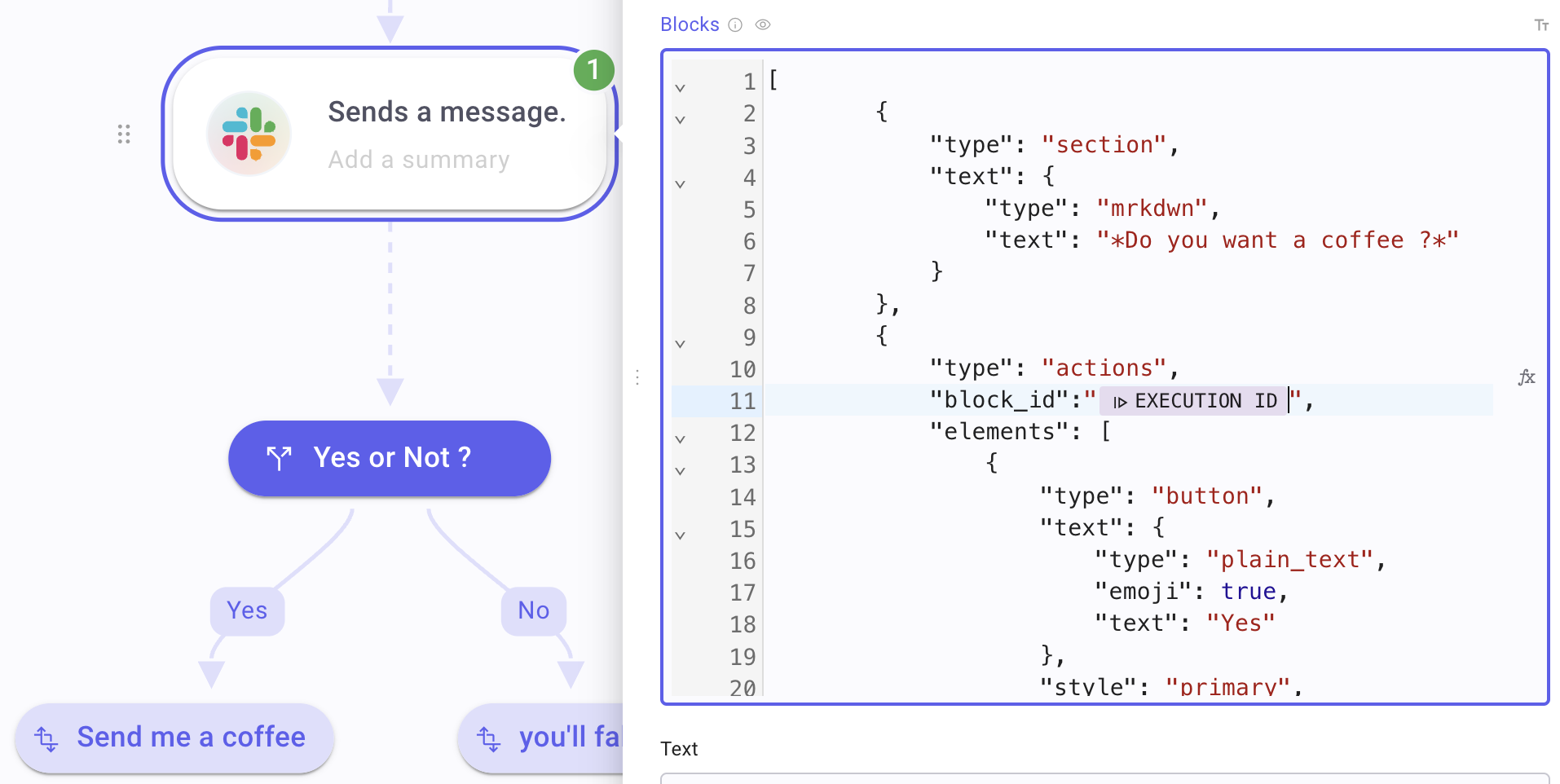
Note the Resume endpoint URL from the Resume panel (tenant-specific). At run time, call that endpoint with the execution id in a query parameter, a header value, or the body. Methods include GET, POST, and PUT.
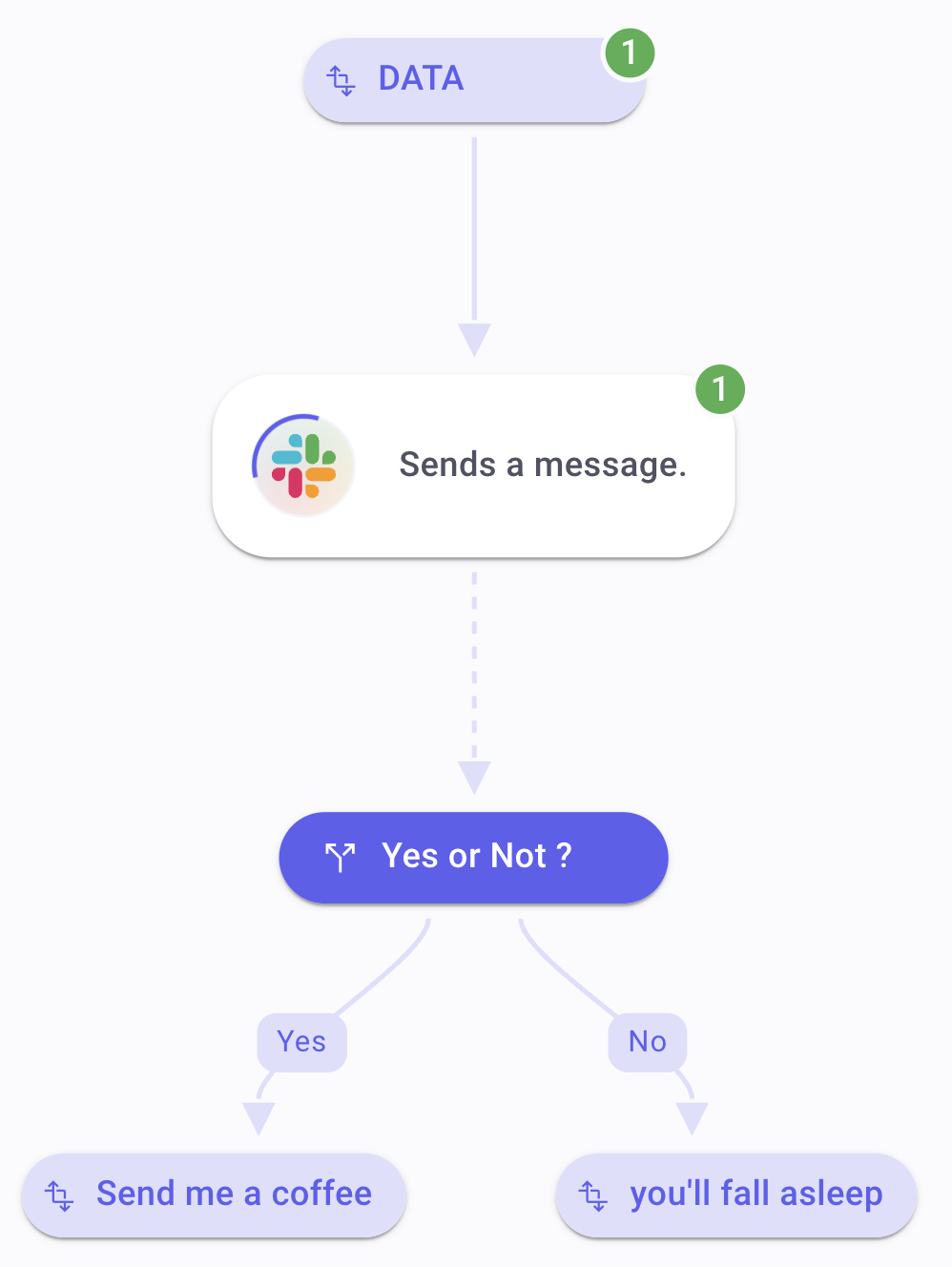
Confirm the pause. After the service step runs, the flow waits until the resume call arrives (or the resume timeout fires).
Example
Section titled “Example”A flow named Coffee approval sends a Slack interactive message (“Do you want a coffee?”) with Resume execution ID in the action payload, then continues only after someone chooses Yes or No.
- Add the Slack send-message step and build the interactive message (question + actions).
- Insert Resume execution ID into the field Slack uses to correlate the button click (for example
block_id). - Add the next steps after the Slack step (the link appears dashed while Resume is present).
- Set Resume timeout in seconds and On failure for what should happen if nobody answers.
- Run the flow, answer in Slack, and confirm the run continues.
Keep in mind
Section titled “Keep in mind”- Resume pills work on service steps only—not on scripts or most built-in Flow steps.
- Design-time placeholders are not callable; you must run the flow to get a live URL or id.
- Resume timeout in seconds is not the same as HTTP Timeout—see Handle timeout.
- Copy the Resume endpoint URL from Studio for your tenant; do not hard-code an old hostname from older docs.
Related: Pause with Wait, Handle timeout, Send emails, Scripts, errors, and run control.