

Use AI··Agent
An AI··Agent in a flow is another Mindflow flow with a Flowhook trigger and a Success output that you attach on an AI··Task Agents tab. The model decides when to call that agent, passes Flowhook parameters, and uses the Success payload to continue. This is different from integration Tools (vendor APIs) and from a fixed Call a flow step. Screenshots on this page use a Mathematics Teacher agent and a Draft remediation plan parent so you can see the agent contract and the Agents tab.
When to use
Section titled “When to use”- An AI··Task should choose whether (and when) to call a specialized subflow.
- You want a typed Flowhook input and Success output the model can reason about from the flow name and description.
- Prefer Call a flow when the parent must always call the other flow in a fixed place in the graph.
- Prefer AI··Task: A simple guide for service tools (VirusTotal, Workspace, and similar).
- Prefer AI··Swarms when several workers collaborate under one orchestrator.
Before you begin, you need permission to create and deploy flows in the environment. The Agents tab appears on AI··Task when agentic flow tools are enabled for your organization.
Build the AI··Agent flow
Section titled “Build the AI··Agent flow”The called flow needs a clear name and description (the model uses them), a Flowhook that defines input fields, the work steps (often an AI··Task), and a Success step that defines the returned schema.
Create the flow. Name and describe it for the job (for example Mathematics Teacher). Deploy it to the environment where the parent AI··Task will run.
Add Flowhook first. Define the parameters the orchestrator will pass (for example Problem).
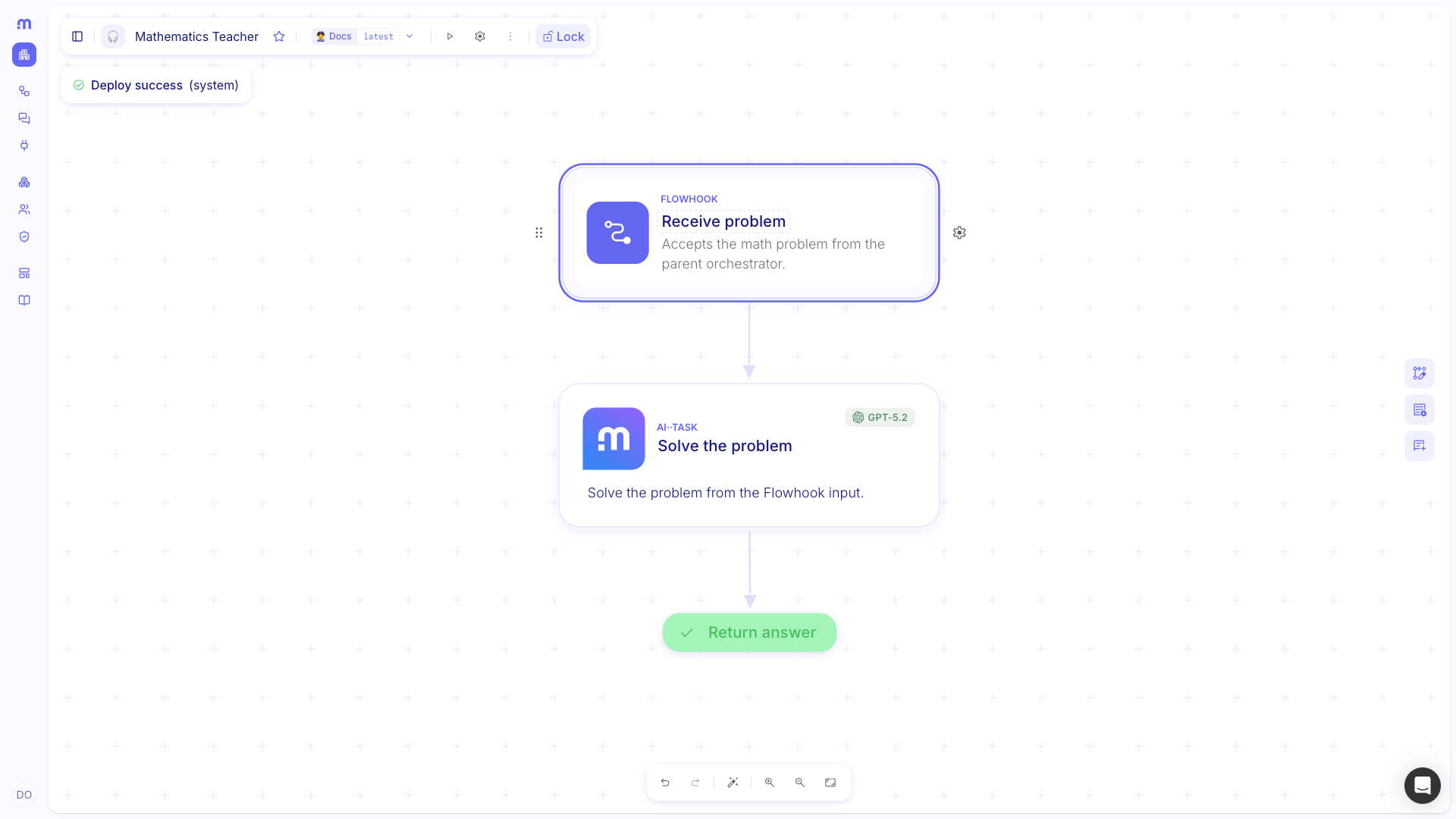
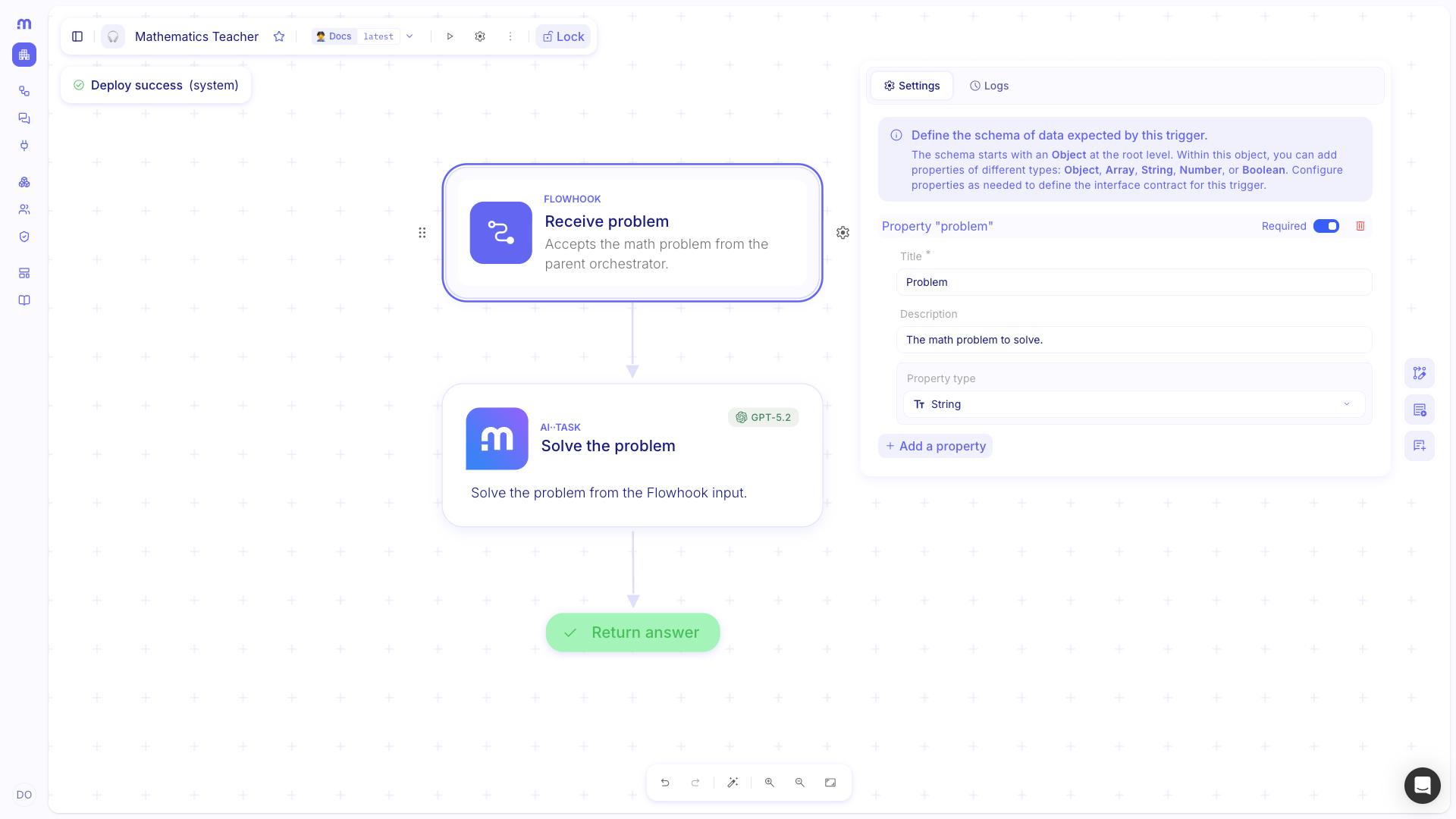
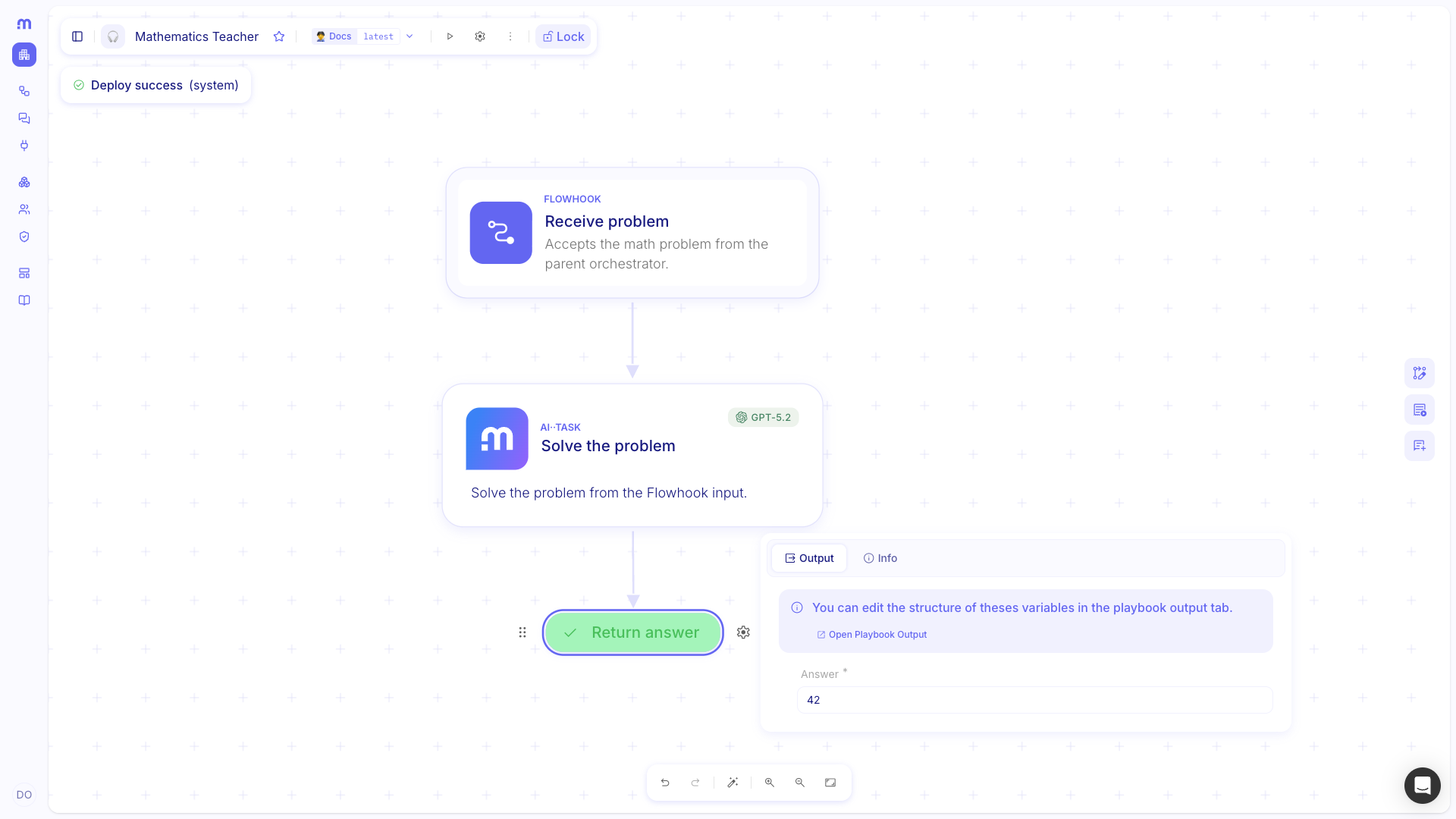
Add the work and Success. Complete the middle steps, then set Success so the returned fields match what the orchestrator should receive (for example Answer).
Attach the agent on an AI··Task
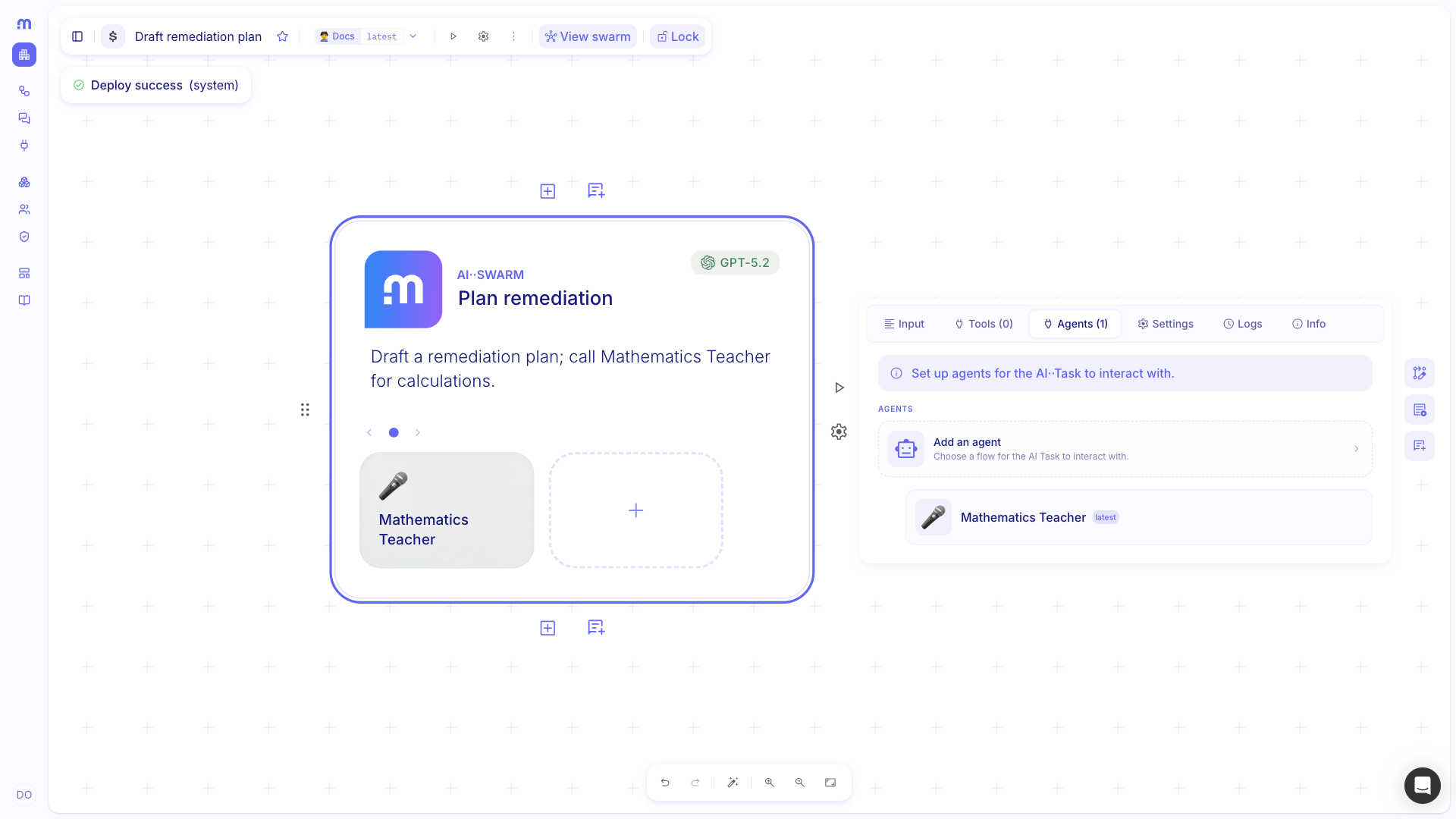
Section titled “Attach the agent on an AI··Task”On the parent flow, an AI··Task that can use tools lists an Agents tab. Only flows with a Flowhook appear in the picker (same rule as Call a flow).
Open Agents. Select the orchestrator AI··Task, then open the Agents tab.
Add an agent. Use Add an agent, pick the Flowhook-based flow and version, then save. Give the AI··Task a prompt that explains when to call that agent.
Run and inspect Logs. After a run, open Logs on the AI··Task to see agent invocations, the request sent to the Flowhook, and the Success response.
Example
Section titled “Example”A parent AI··Task on Draft remediation plan drafts a remediation plan and calls Mathematics Teacher only when the user message includes a calculation. The worker accepts Problem on its Flowhook, solves it in an AI··Task, and returns Answer from Success. The parent prompt lists the agent under resources and tells the model to call it for math, then continue with the remediation plan.
Keep in mind
Section titled “Keep in mind”- Name and describe the agent flow carefully—the model relies on that metadata when choosing tools.
- Attaching one or more agents puts the AI··Task into swarm-style coordination; see AI··Swarms for orchestrator/worker patterns.
- Service APIs stay on the Tools tab; agent flows stay on the Agents tab.