

Handle timeout
A timeout limits how long Mindflow waits before it stops a run or a step. The flow timeout caps the whole run. Each service step can also set its own timeout for that call. When a timeout is reached, Mindflow ends that scope and records a failure.
When to use
Section titled “When to use”- A vendor API is slow and the default step timeout is too short.
- A long flow needs more than the default five-minute run window.
- Prefer raising only the step that talks to the slow API when the rest of the flow is already fast enough.
Before you begin, open the flow in the designer and unlock it if needed.
Set the flow timeout
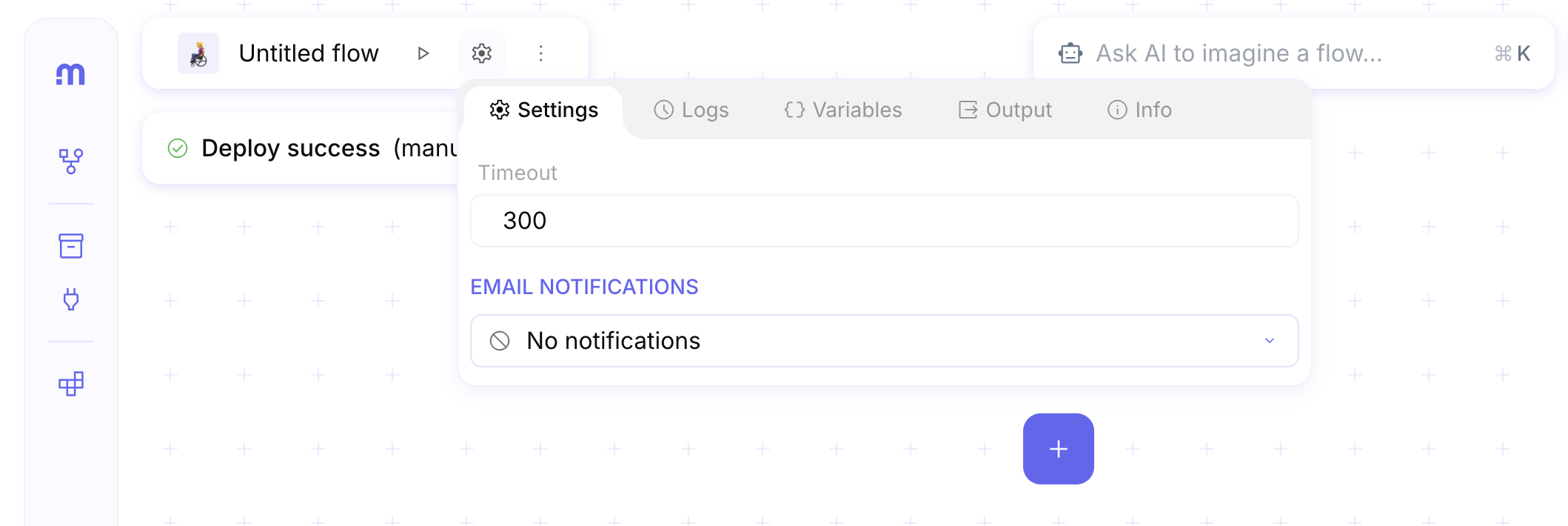
Section titled “Set the flow timeout”The flow Settings panel includes Timeout for the whole run. The default is 300 seconds (5 minutes). The maximum is one week (604800 seconds).
Open flow Settings. In the designer, open the flow inspector Settings tab (gear on the flow title area).
Set Timeout. Enter the maximum run duration in seconds (default 300).
Set a step timeout
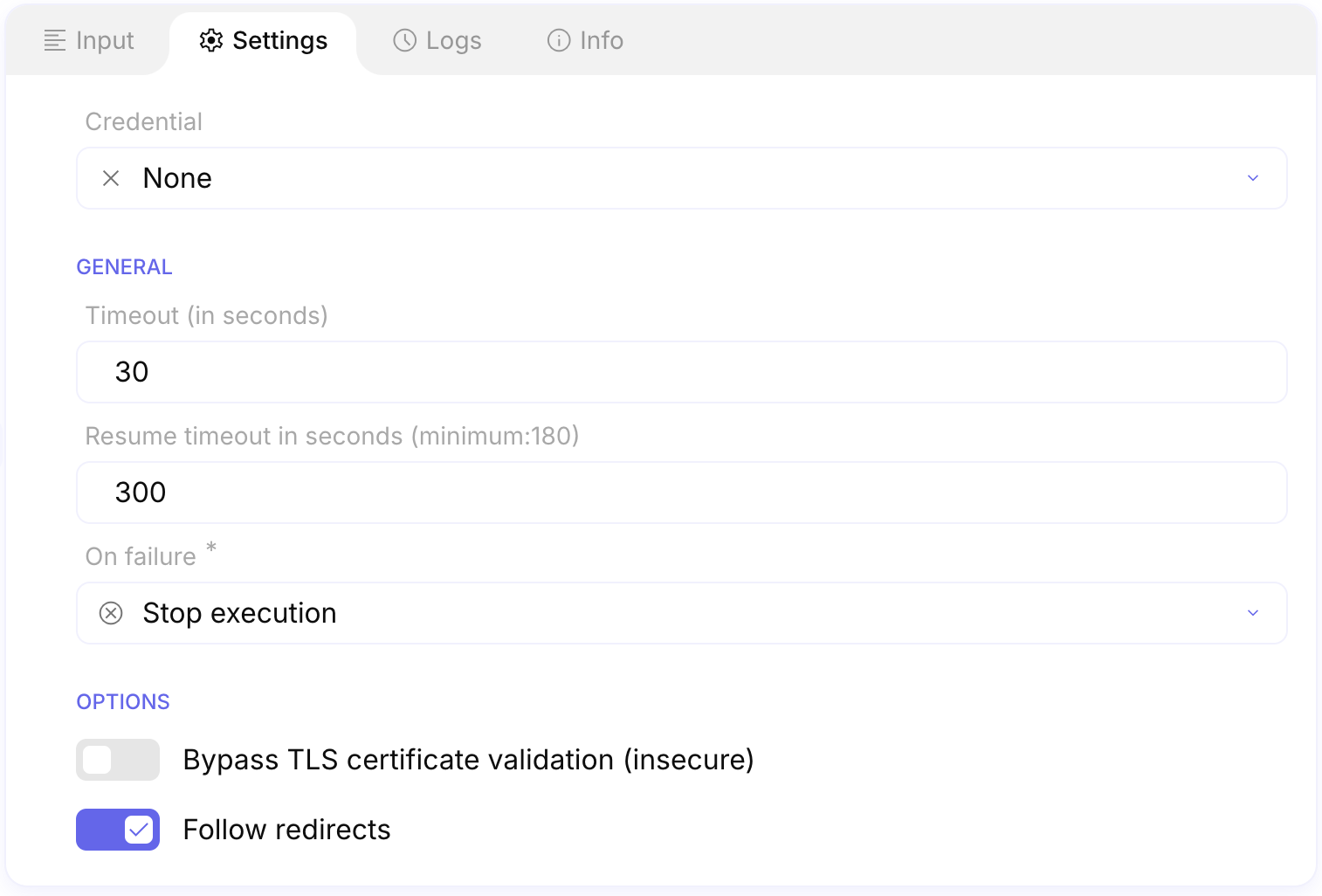
Section titled “Set a step timeout”Most HTTP and native integration steps expose Timeout (in seconds) on the step Settings tab. The default for a new service step is 30. Studio clamps the value between 1 and 480 seconds (8 minutes).
Open the step Settings. Select the service step, then open Settings.
Set Timeout (in seconds). Enter how long Mindflow should wait for that step (default 30, maximum 480).
Example
Section titled “Example”A flow that polls a slow ticket API keeps the flow Timeout at 300 and raises the HTTP step Timeout (in seconds) to 120 so only that call waits longer.
Keep in mind
Section titled “Keep in mind”- Flow timeout and step timeout are independent. A step can time out before the flow does; the flow can also end while a step is still waiting if the flow limit is lower.
- Step timeout maximum is 480 seconds. Raise the flow timeout when the whole run needs more than five minutes.
- Resume timeout in seconds (when shown) applies to wait-and-resume paths, not to ordinary HTTP wait time. See Wait and resume a flow.
Related
Section titled “Related”Send raw HTTP requests · Handle step errors · Reach out to services