

Sending emails over SMTP
Send email over SMTP is a built-in step that delivers mail with the SMTP protocol. Use it when you authenticate to your own SMTP server (client-to-server), or — when Mindflow support has enabled it — when you deliver by MX lookup without a credential (server-to-server). Optional emailtest subdomains help security teams exercise SPF, DKIM, and DMARC filters.
When to use
Section titled “When to use”- Mail must leave from your domain through your SMTP provider (username, password, host, and port).
- You assess an email gateway with controlled SPF/DKIM/DMARC configurations (on-demand feature).
- Prefer Send emails when Mindflow-hosted mail is enough and you do not need your own SMTP server.
Before you begin, confirm you can create credentials in the environment. For server-to-server or emailtest domains, contact Mindflow support — those paths are restricted and must stay within approved use.
Add a Send email over SMTP step
Section titled “Add a Send email over SMTP step”The step lives under Built in in Add a step.
Open Add a step. In the designer, choose Add a step, then under Built in select Send email over SMTP.
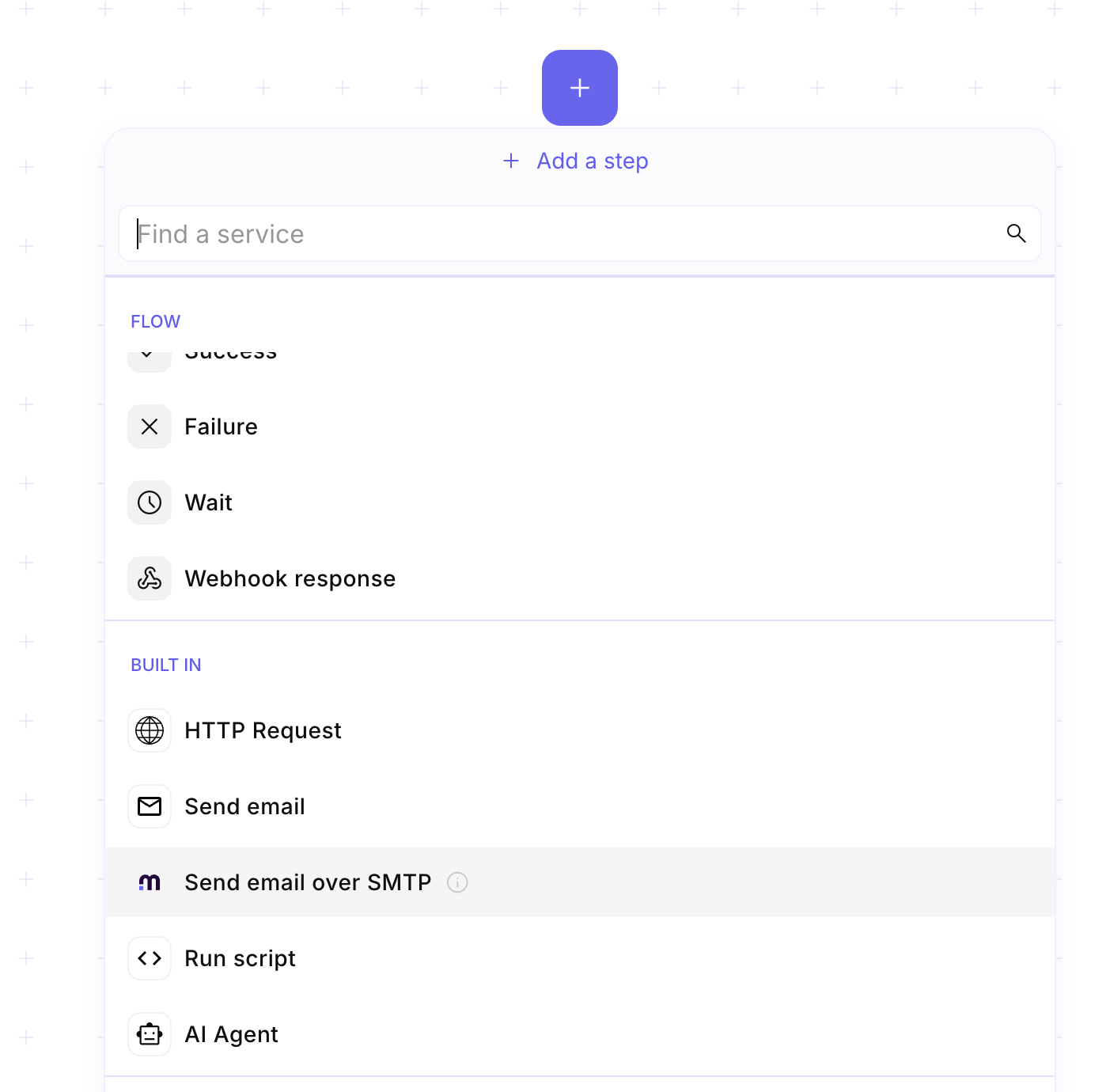
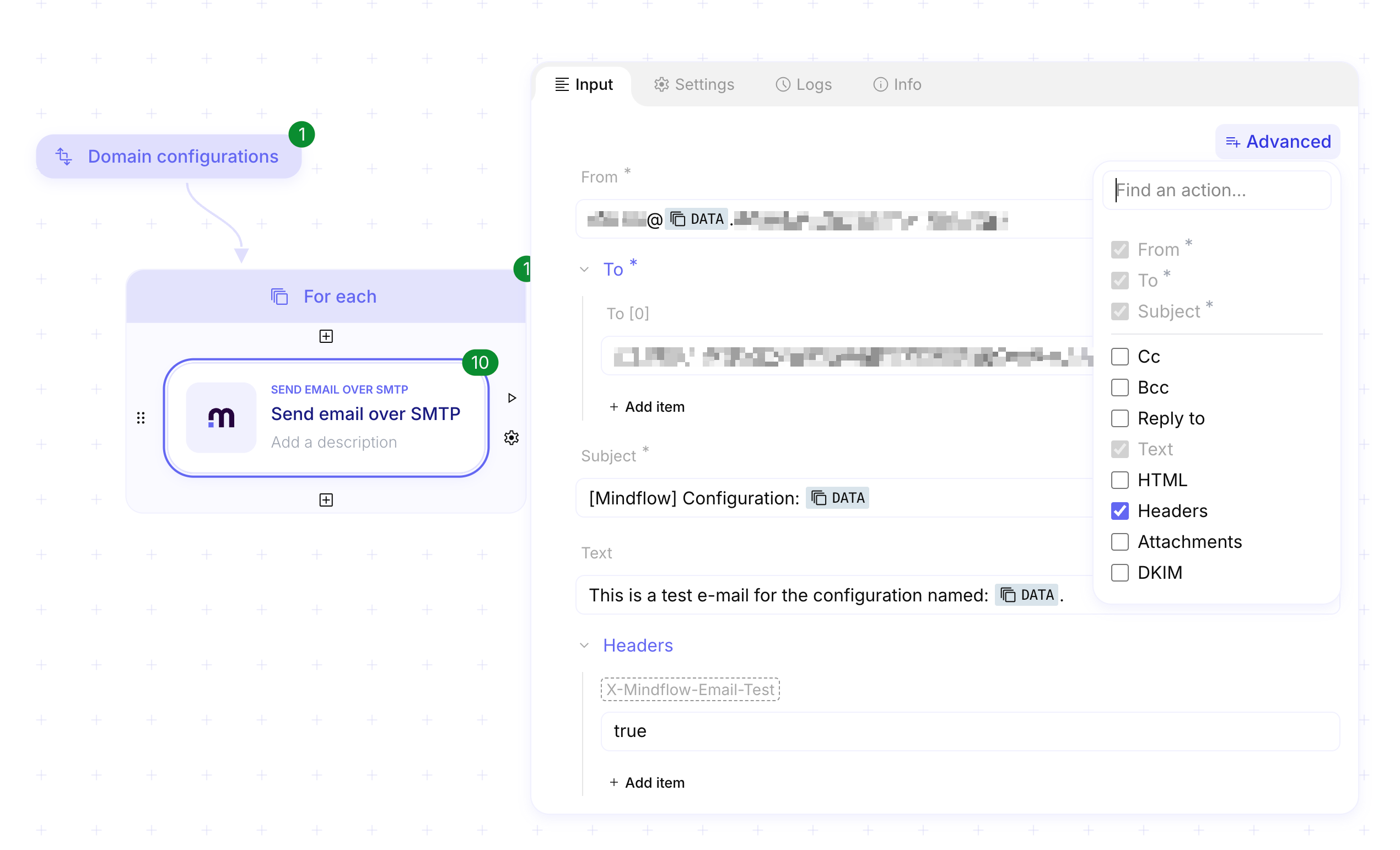
Confirm the step on the canvas. The flow can combine SMTP steps with other built-in or integration steps.
Create an SMTP Plain credential
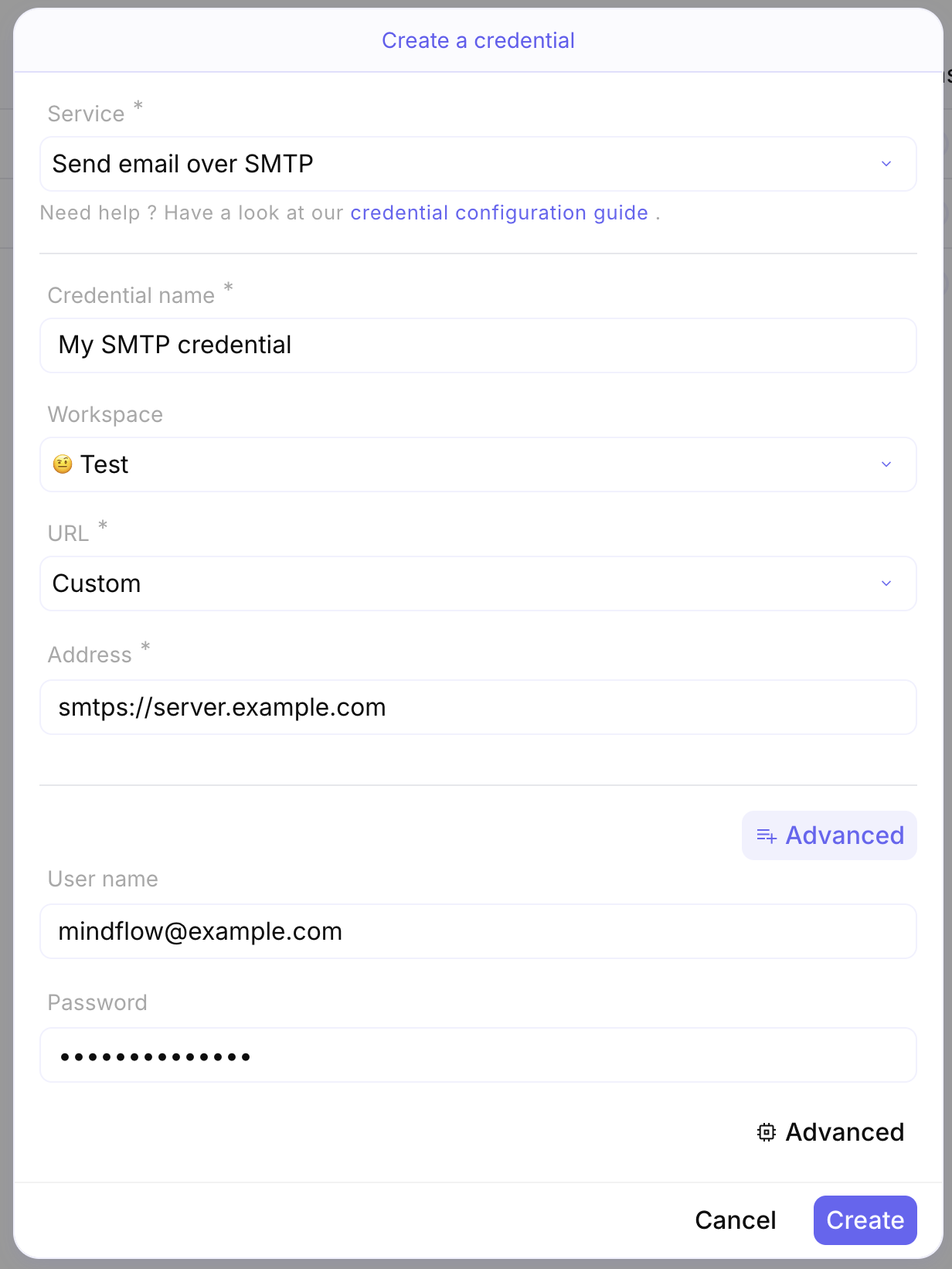
Section titled “Create an SMTP Plain credential”For client-to-server delivery, create an SMTP Plain credential for Send email over SMTP. Host and port come from the credential Address URL (common ports: 587 with STARTTLS, 465 for SMTPS, 25 for some server paths).
Open Environments. Open the environment that will run the flow, then choose Add credential.
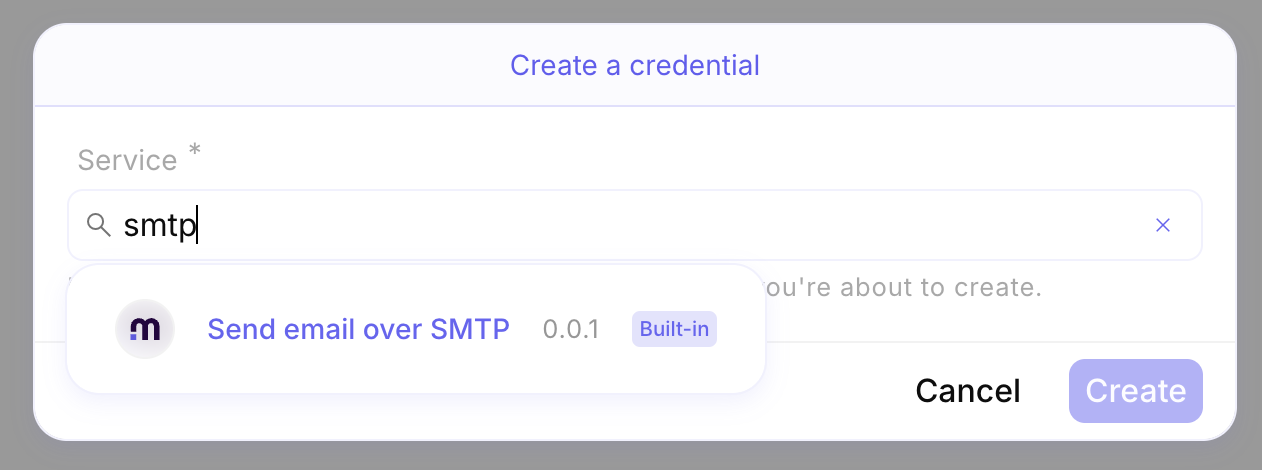
Search for the service. Choose Send email over SMTP as the credential service.
Fill the SMTP Plain fields. Set Credential name, keep URL as Custom, then fill Address, User name, and Password.
Send with a credential (client-to-server)
Section titled “Send with a credential (client-to-server)”Mindflow authenticates to your SMTP server with the credential, then sends the message fields from Input.
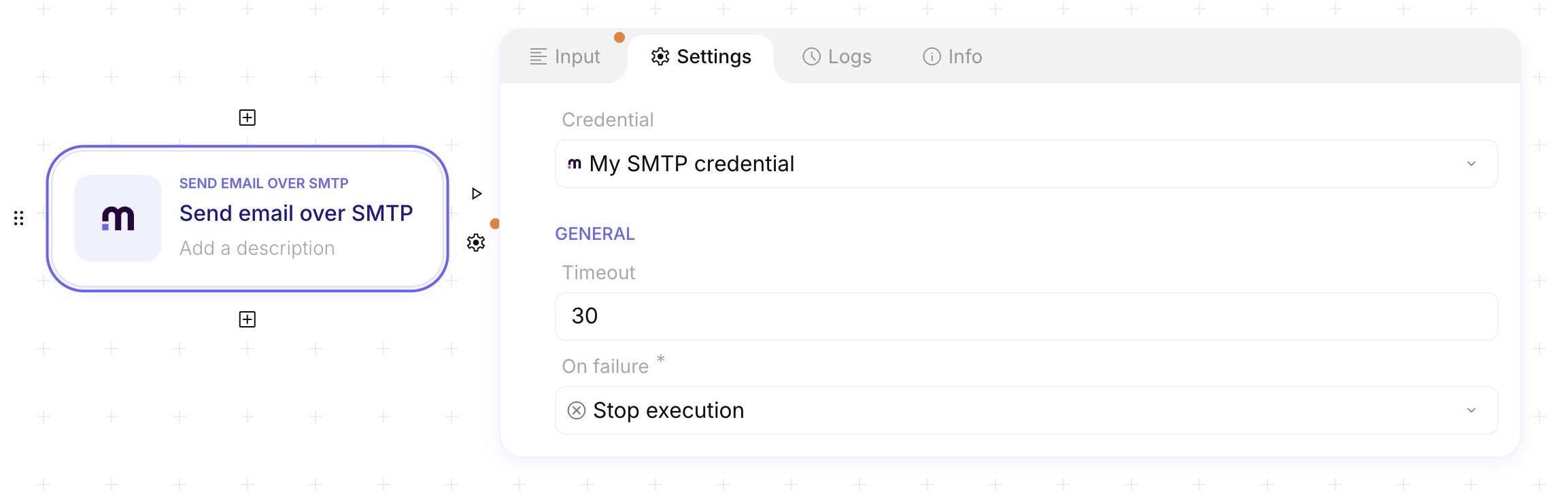
Open Settings on the SMTP step. Select the SMTP Plain credential you created.
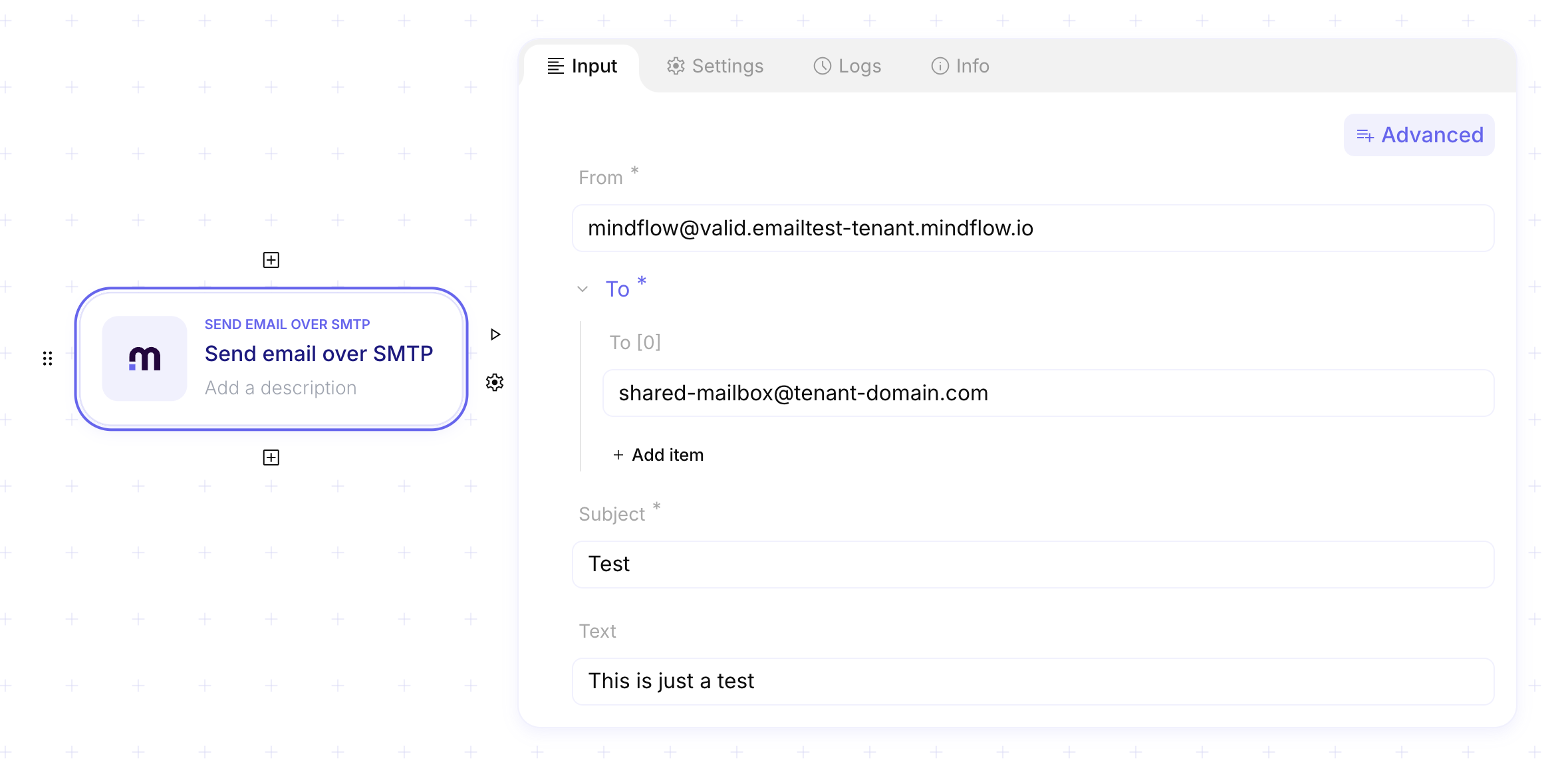
Fill Input. Set a full From address on your domain, recipients (To, optional Cc / Bcc), Subject, Text and/or HTML, and optional DKIM fields when you sign with your own key.
Send without a credential (server-to-server)
Section titled “Send without a credential (server-to-server)”With no credential on the step, Mindflow resolves MX records for the first To domain and delivers on the mail exchange path. This mode is restricted: Mindflow support must enable it, approve recipient domains, and you must use allowed From domains. Use it only for legitimate gateway assessment — not for phishing or unsolicited mail.
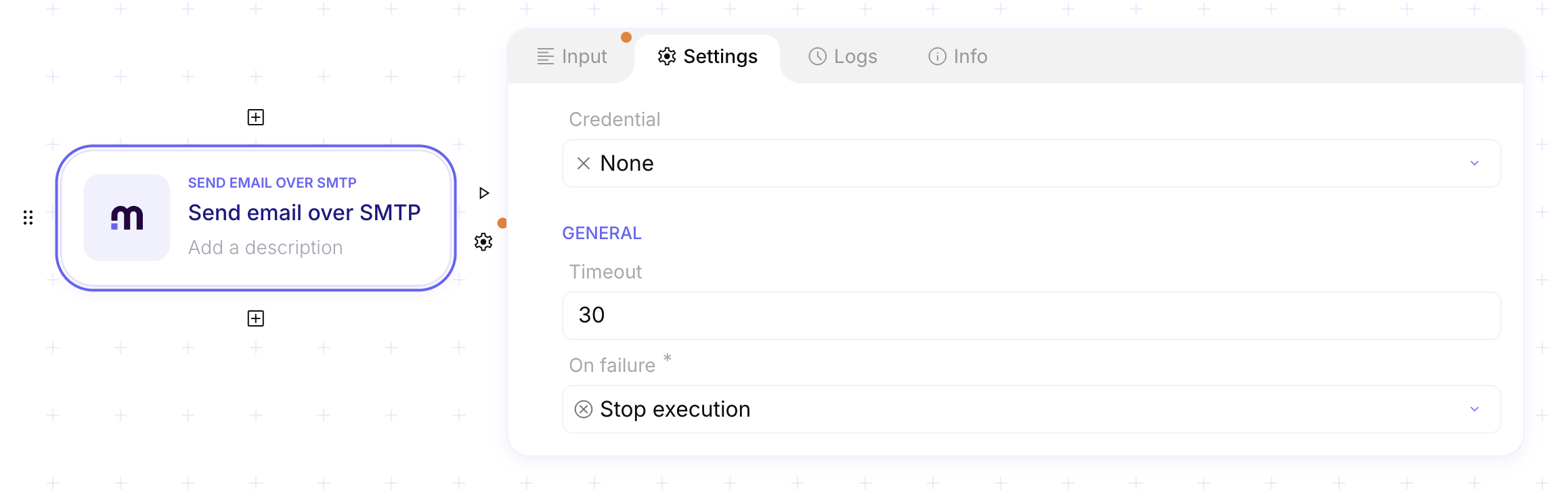
Leave Credential empty. On the step Settings, do not select an SMTP credential.
Use approved From and To domains. Set From and To only to domains Mindflow has authorized for your tenant.
Test email gateways with emailtest subdomains
Section titled “Test email gateways with emailtest subdomains”When Mindflow enables the email-gateway lab for your tenant, you can vary SPF, DKIM, and DMARC by choosing an emailtest subdomain in From:
<username>@<configuration>.emailtest-<your-tenant>.mindflow.dev
Example: support@valid.emailtest-acme123.mindflow.dev.
Emailtest subdomain configurations
| Configuration (subdomain) | Description | SPF | DKIM | DMARC |
|---|---|---|---|---|
| valid | Valid SPF, DKIM, and DMARC | v=spf1 ip4:[Mindflow_IP] -all | 2048-bit key, random selector | p=reject, sp=reject, pct=100 |
| no-spf | Missing SPF | None | Yes | Yes |
| no-dkim | Missing DKIM | Yes | None | Yes |
| no-dmarc | Missing DMARC | Yes | Yes | None |
| no-spf-no-dmarc-no-dkim | Missing SPF, DKIM, and DMARC | None | None | None |
| only-spf | SPF only | v=spf1 ip4:[Mindflow_IP] -all | None | None |
| only-dkim | DKIM only | None | Yes | None |
| only-dmarc | DMARC only | None | None | Yes |
| weak-spf-allow-all | Permissive +all | v=spf1 +all | Yes | Yes |
| weak-spf-neutral | Neutral ?all | v=spf1 ?all | Yes | Yes |
| weak-spf-softfail | Soft fail ~all | v=spf1 ~all | Yes | Yes |
| weak-spf-include | Many SPF includes | Outlook/Zendesk/Google/SendGrid/Amazon SES includes | Yes | Yes |
| weak-spf-invalid | Invalid SPF syntax | Invalid entry with Mindflow IP | Yes | Yes |
| weak-dmarc-none | Weak DMARC none | Yes | Yes | p=none, sp=none, pct=10 |
| weak-dmarc-quarantine | Quarantine with low pct | Yes | Yes | p=quarantine, sp=none, pct=1 |
| weak-dmarc-no-reports | Reject without reports | Yes | Yes | p=reject, no reports |
| weak-dmarc-mismatched | Subdomain policy mismatch | Yes | Yes | p=reject, sp=none, pct=100 |
| weak-dkim | 512-bit DKIM | Yes | 512-bit key | Yes |
| weak-dkim-selector | Predictable default selector | Yes | 2048-bit, default | Yes |
| weak-dkim-hash | SHA1 DKIM hash | Yes | SHA1 | Yes |
| weak-hg-zero-width-joiner | Zero-width joiner in domain | Yes | Yes | Yes |
| weak-hg-cyrillic-mix | Mixed Latin/Cyrillic domain | Yes | Yes | Yes |
| weak-spf-allow-all-no-dmarc-no-dkim | +all without DKIM/DMARC | v=spf1 +all | None | None |
| weak-spf-neutral-no-dmarc-no-dkim | ?all without DKIM/DMARC | v=spf1 ?all | None | None |
| weak-spf-softfail-no-dmarc-no-dkim | ~all without DKIM/DMARC | v=spf1 ~all | None | None |
| weak-spf-include-no-dmarc-no-dkim | Heavy includes without DKIM/DMARC | Many includes | None | None |
| weak-spf-invalid-no-dmarc-no-dkim | Invalid SPF without DKIM/DMARC | Invalid entry | None | None |
| weak-dkim-hash-no-dmarc-no-spf | SHA1 DKIM without SPF/DMARC | None | SHA1 | None |
| weak-dkim-low-key-size-no-dmarc-no-spf | 512-bit DKIM without SPF/DMARC | None | 512-bit | None |
| weak-dkim-predictable-selector-no-dmarc-no-spf | default selector without SPF/DMARC | None | default | None |
Configurations whose names start with weak-hg include special Unicode characters — keep them when you copy the
subdomain.
For a JSON list of configuration names you can map in a flow:
[ "valid", "no-spf", "no-dmarc", "no-dkim", "no-spf-no-dmarc-no-dkim", "only-spf", "only-dmarc", "only-dkim", "weak-spf-allow-all", "weak-spf-neutral", "weak-spf-softfail", "weak-spf-include", "weak-spf-invalid", "weak-dmarc-none", "weak-dmarc-quarantine", "weak-dmarc-no-reports", "weak-dmarc-mismatched", "weak-dkim", "weak-dkim-selector", "weak-dkim-hash", "weak-hg-zero-width-joiner", "weak-hg-cyrillic-mix", "weak-spf-allow-all-no-dmarc-no-dkim", "weak-spf-neutral-no-dmarc-no-dkim", "weak-spf-softfail-no-dmarc-no-dkim", "weak-spf-include-no-dmarc-no-dkim", "weak-spf-invalid-no-dmarc-no-dkim", "weak-dkim-hash-no-dmarc-no-spf", "weak-dkim-low-key-size-no-dmarc-no-spf", "weak-dkim-predictable-selector-no-dmarc-no-spf"]To inspect published DNS for your tenant (replace <tenant>):
dig +short TXT emailtest-<tenant>.mindflow.devExample
Section titled “Example”An operations team creates an SMTP Plain credential named Corporate SMTP for smtps://mail.example.com, binds
it on Send email over SMTP, and sends From noreply@example.com with a ticket summary in Text. Separately,
a security engineer — after support enables the lab — loops From addresses across valid and no-spf emailtest
subdomains to confirm the gateway quarantines unauthenticated mail.
Keep in mind
Section titled “Keep in mind”- Client-to-server needs an SMTP Plain credential. Server-to-server leaves Credential empty and requires Mindflow approval for domains and use.
- Common ports: 587 (STARTTLS), 465 (SMTPS), 25 (often server-to-server).
- Emailtest hosts use
emailtest-<tenant>.mindflow.dev, not a public open relay for arbitrary domains. - Unauthorized phishing or bulk abuse is prohibited.