

Handle step errors
By default, when a service step fails (for example a non-2xx HTTP response), Studio stops the run. On failure → Continue execution lets later steps run so you can branch with a Condition on the step result. Screenshots on this page use a Shodan host lookup so you can see filled settings and branches.
When to use
Section titled “When to use”- An API can return a client error (4xx) or empty result that is expected for some inputs, and you still want later steps to run.
- You need different paths for a successful response and a known failure (for example notify when a host is missing).
- Prefer End a flow with Success or Failure when you fail the run on purpose for a business rule, not because a step errored.
- Prefer Call a flow On failure when the failure comes from a nested flow, not from this step.
Before you begin, open a flow that includes the service step that might fail, with permission to edit it.
Allow the step to fail
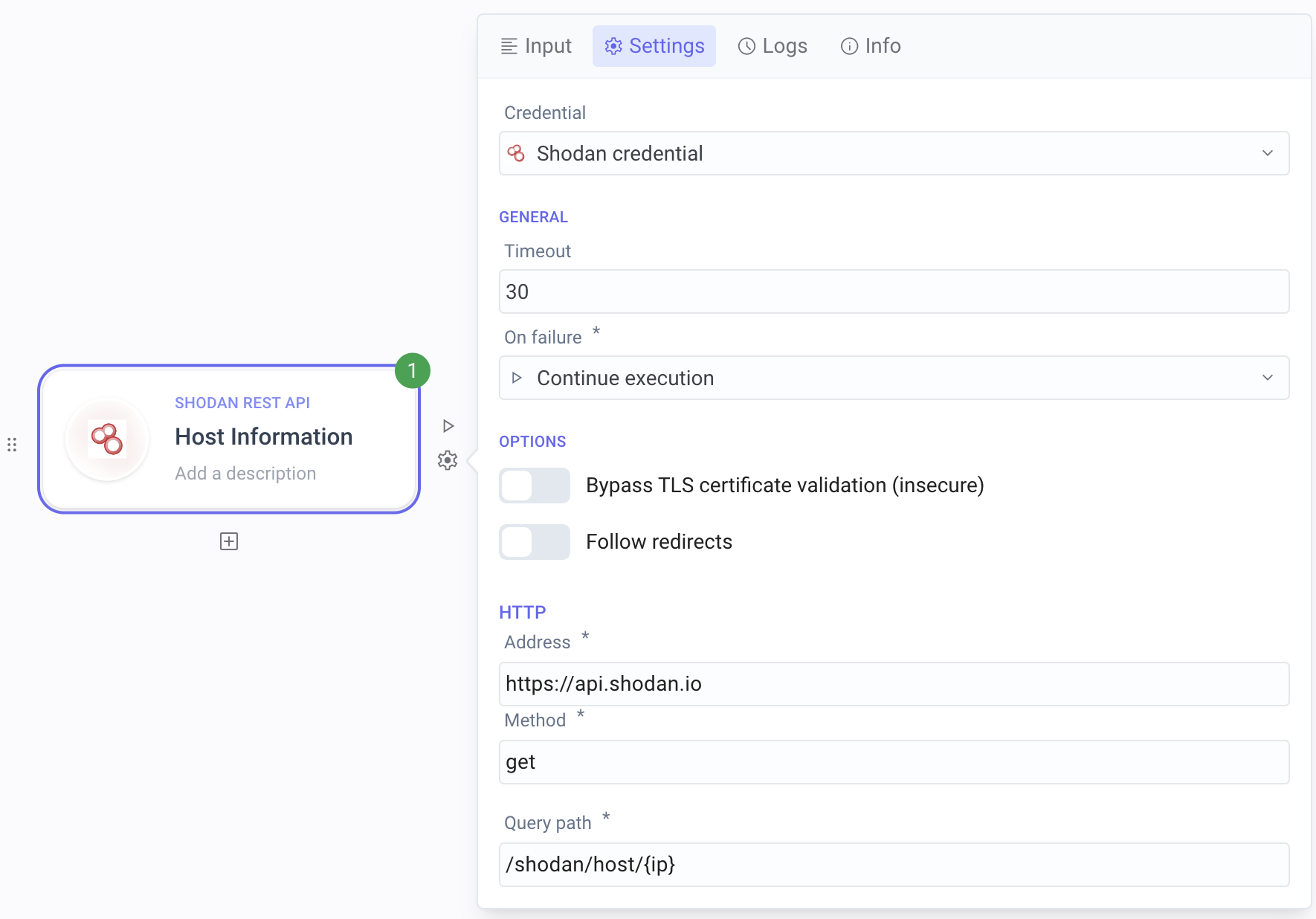
Section titled “Allow the step to fail”On failure lives on the step Settings tab. Stop execution (default) ends the run when the step fails. Continue execution keeps the run going so a later Condition can inspect the result.
Open Settings. Select the service step (for example an integration that looks up a host), then open the Settings tab.
Set On failure. Change On failure from Stop execution to Continue execution.
Branch on the step result
Section titled “Branch on the step result”After the step can fail without stopping the run, add a Condition that compares a value from that step—often the HTTP status code—so each path handles success or failure.
Add Condition. Open Add a step, choose Flow, then Condition. Place it after the service step. Rename it for the rule (for example a status-code check).
Set the rule. Compare a field from the previous step (for example status code equals
200) on the pass branch. Use else (or a matching fail rule) for the other path.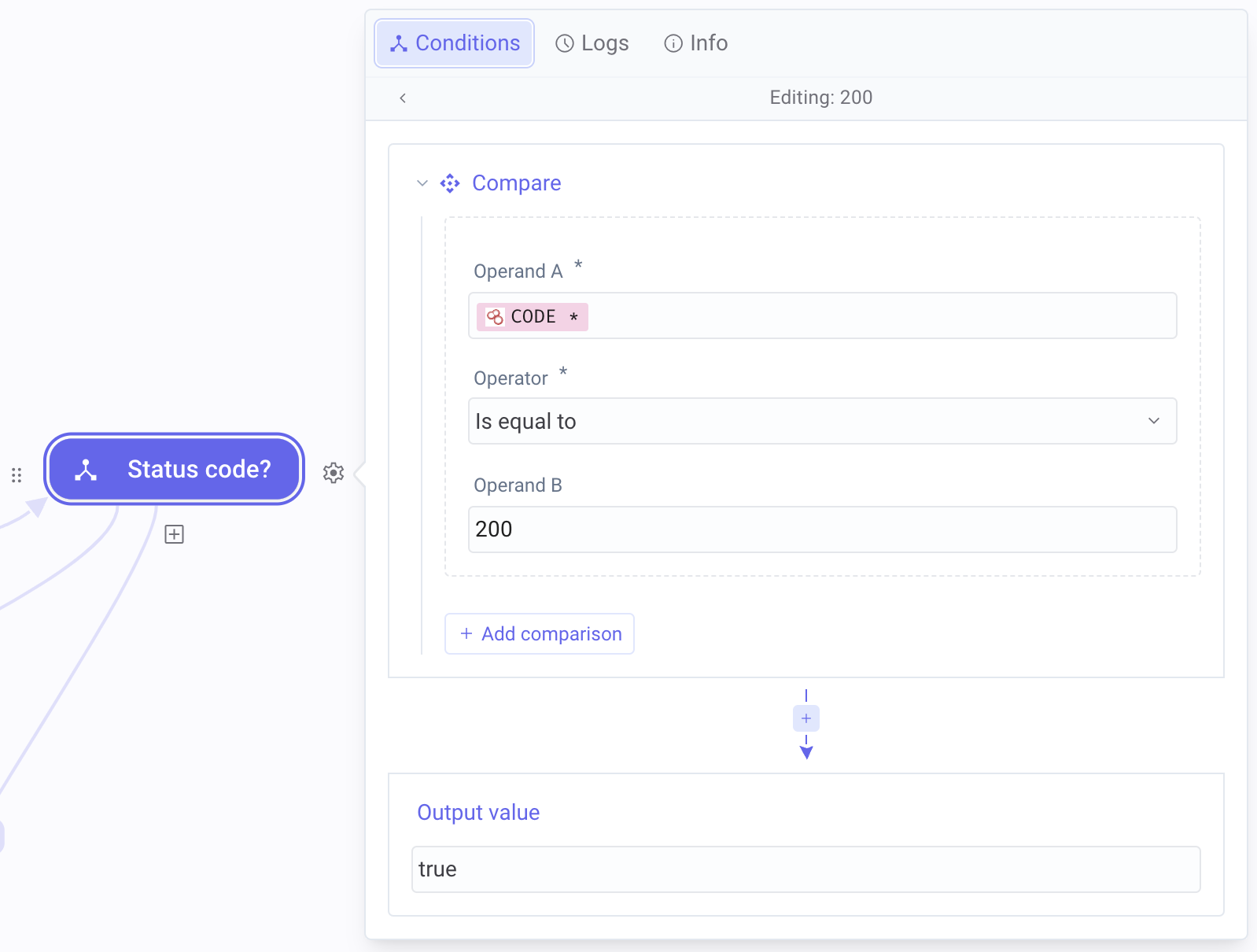
Handle success and failure paths
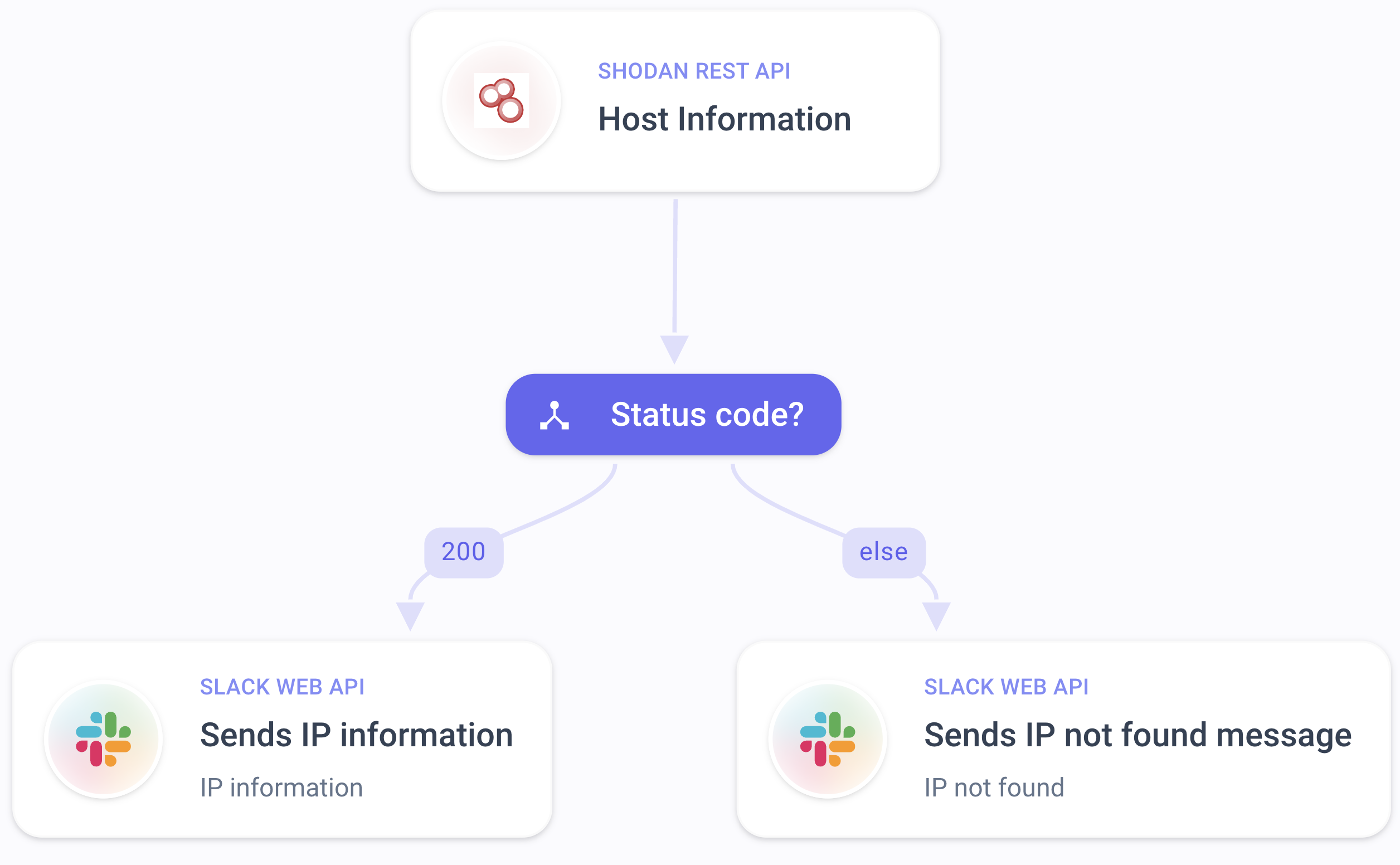
Section titled “Handle success and failure paths”On each branch, add the steps that should run when the call succeeded or failed—for example send a notification when the lookup fails, or continue with the payload when it succeeds.
Build the success path. On the branch where the status (or other rule) means success, add the steps that use the response.
Build the failure path. On the other branch, add the steps for the expected failure (for example a message that the resource was not found).
Example
Section titled “Example”A security operator looks up a host in Shodan. The flow queries host information for an IP. A previously scanned host
returns status 200 with details; an unscanned host returns a client error.
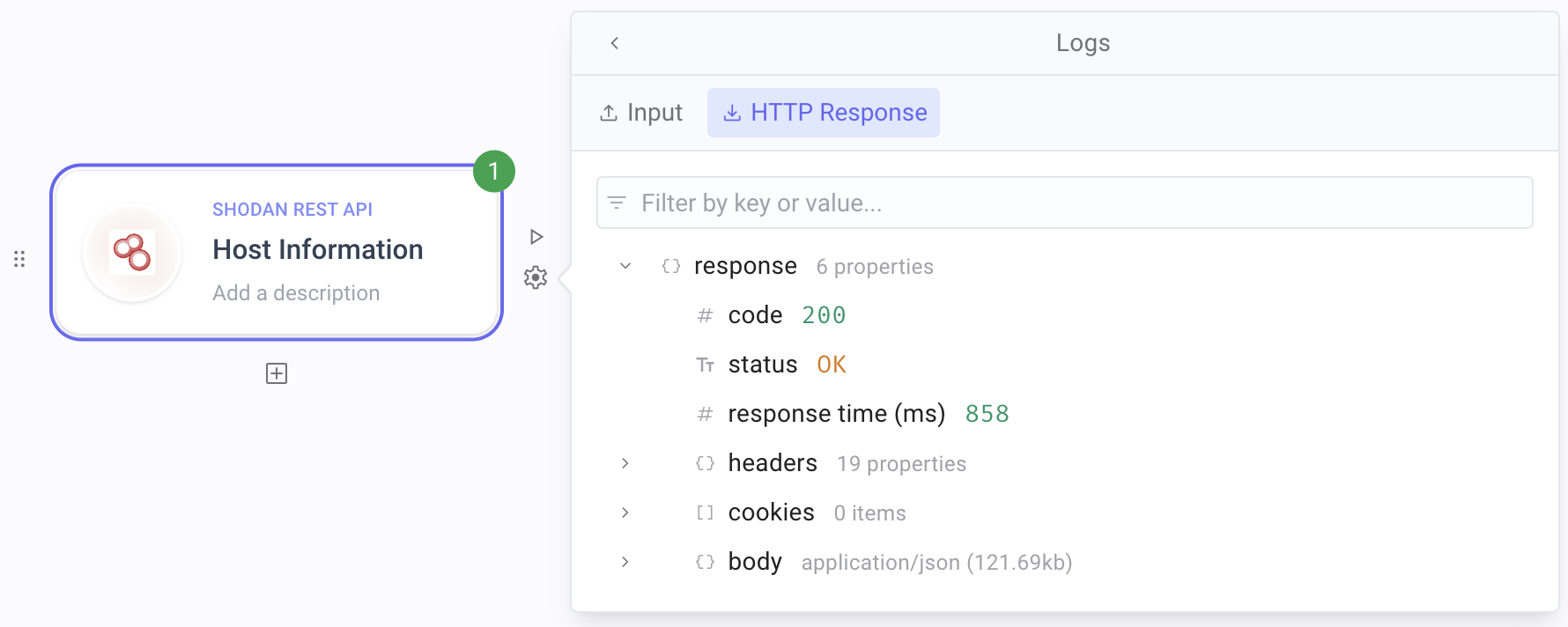
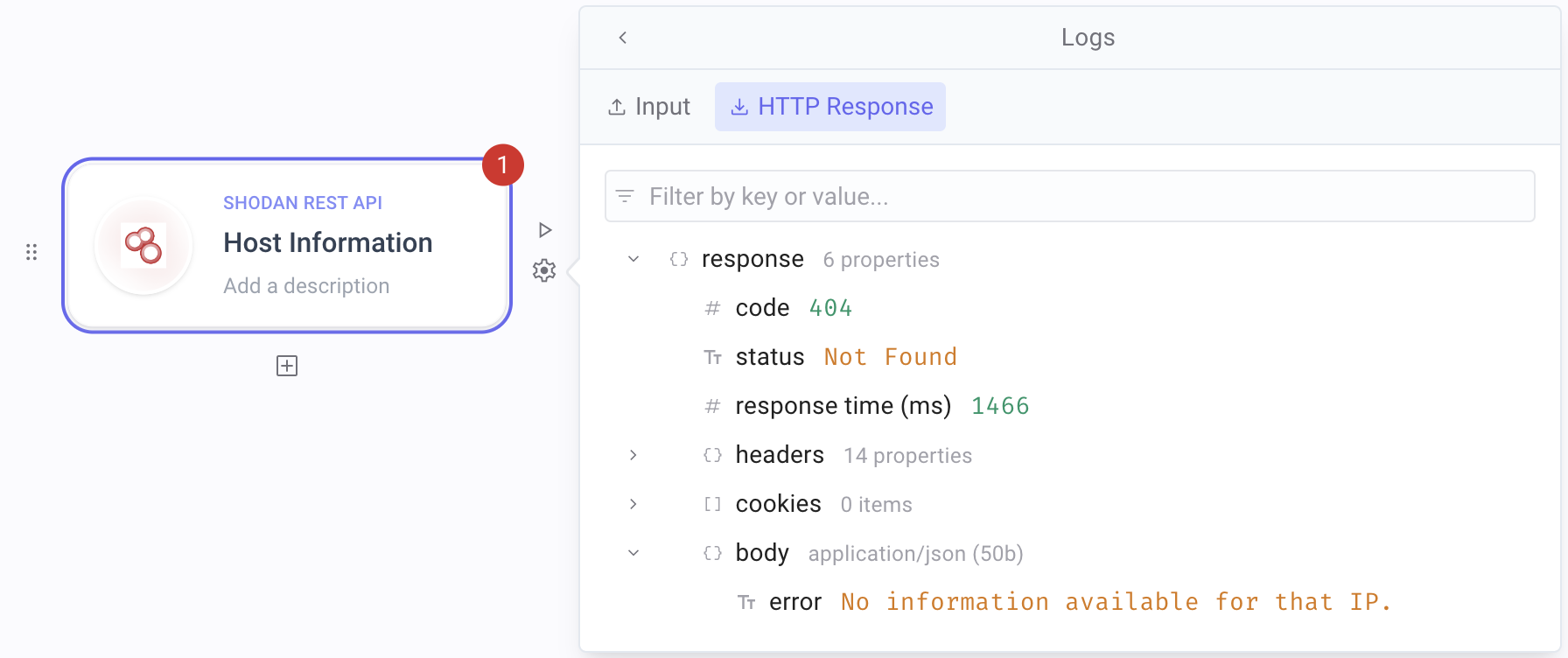
On failure is Continue execution. A Condition compares the status code. The success path continues with the host data; the failure path sends a notification such as “IP not found.”
Keep in mind
Section titled “Keep in mind”- Continue execution alone does not handle the error—you still need a Condition (or similar) so later steps do not treat a failed response as success.
- Many APIs return 4xx for “not found” or bad input; treat those as expected branches when that matches your job.
- Call a flow, Run script, and most service steps expose the same On failure setting.
Related
Section titled “Related”End a flow with Success or Failure · Call a flow · Scripts, errors, and run control