

Run a flow on a schedule
A Scheduler trigger starts a flow at a time you choose: once on a date, or on a recurring interval (daily, weekly, monthly, or yearly). Studio shows the next run and the time zone used for the schedule.
When to use
Section titled “When to use”- A report, sync, or cleanup should run without an external event.
- Prefer Run a flow through a webhook or Run a flow through email when an outside system should start the flow.
- Prefer Run a flow from an AI··Room when an operator should start the flow from chat.
Before you begin, you need permission to create and deploy flows in the environment. Deploy the flow so the schedule can run in that environment.
Add a Scheduler trigger
Section titled “Add a Scheduler trigger”A Scheduler is the trigger that runs the flow on a clock. Configure the schedule on the step Settings tab.
Open the flow. Create or open the flow in the designer. On an empty canvas, choose Add a step manually.
Choose Scheduler. In the step catalog, open Triggers, then choose Scheduler.
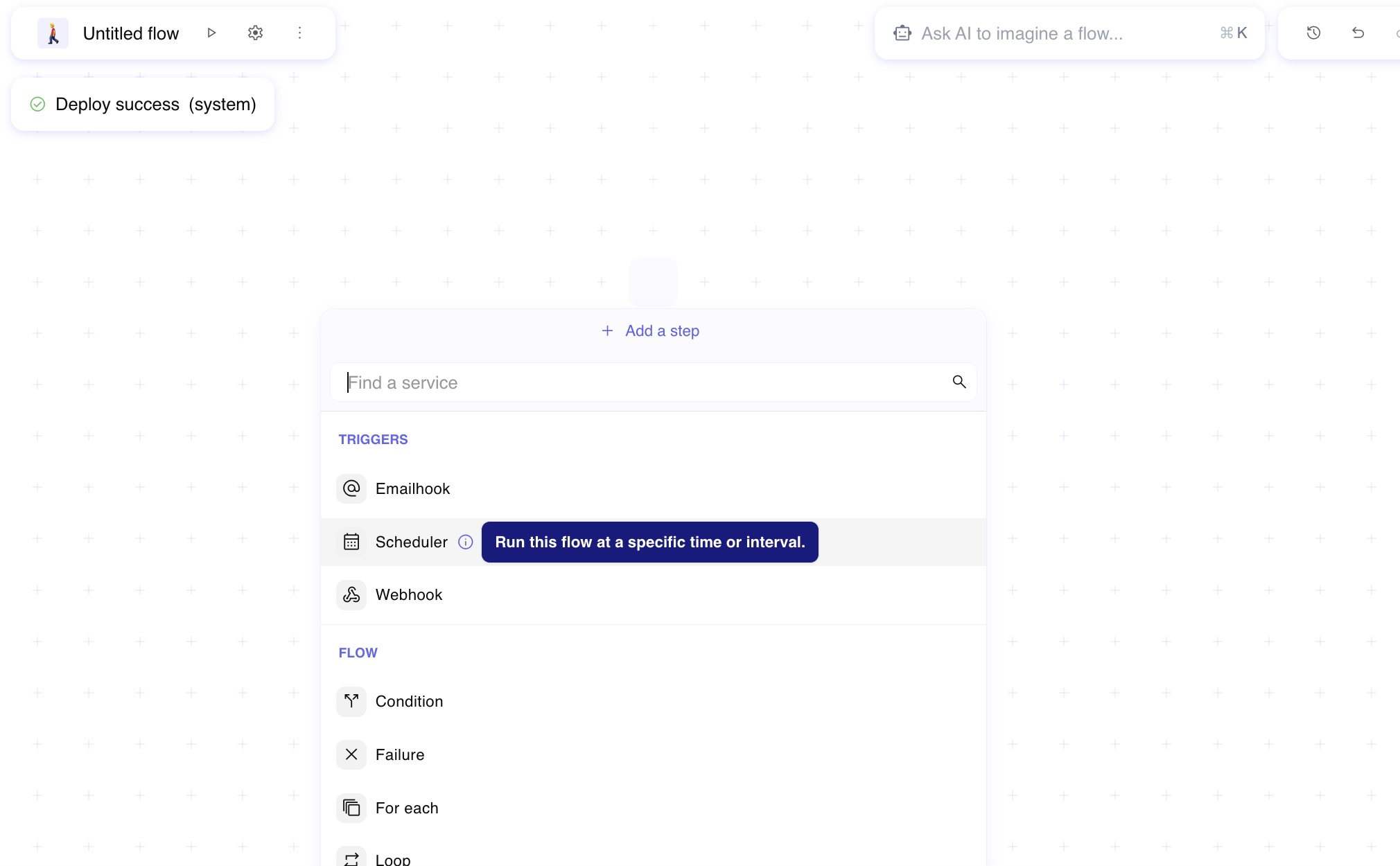
Rename and describe the step. Rename the Scheduler step and fill a description.
Open Settings. On the Scheduler step, open Settings to define the recurrence.
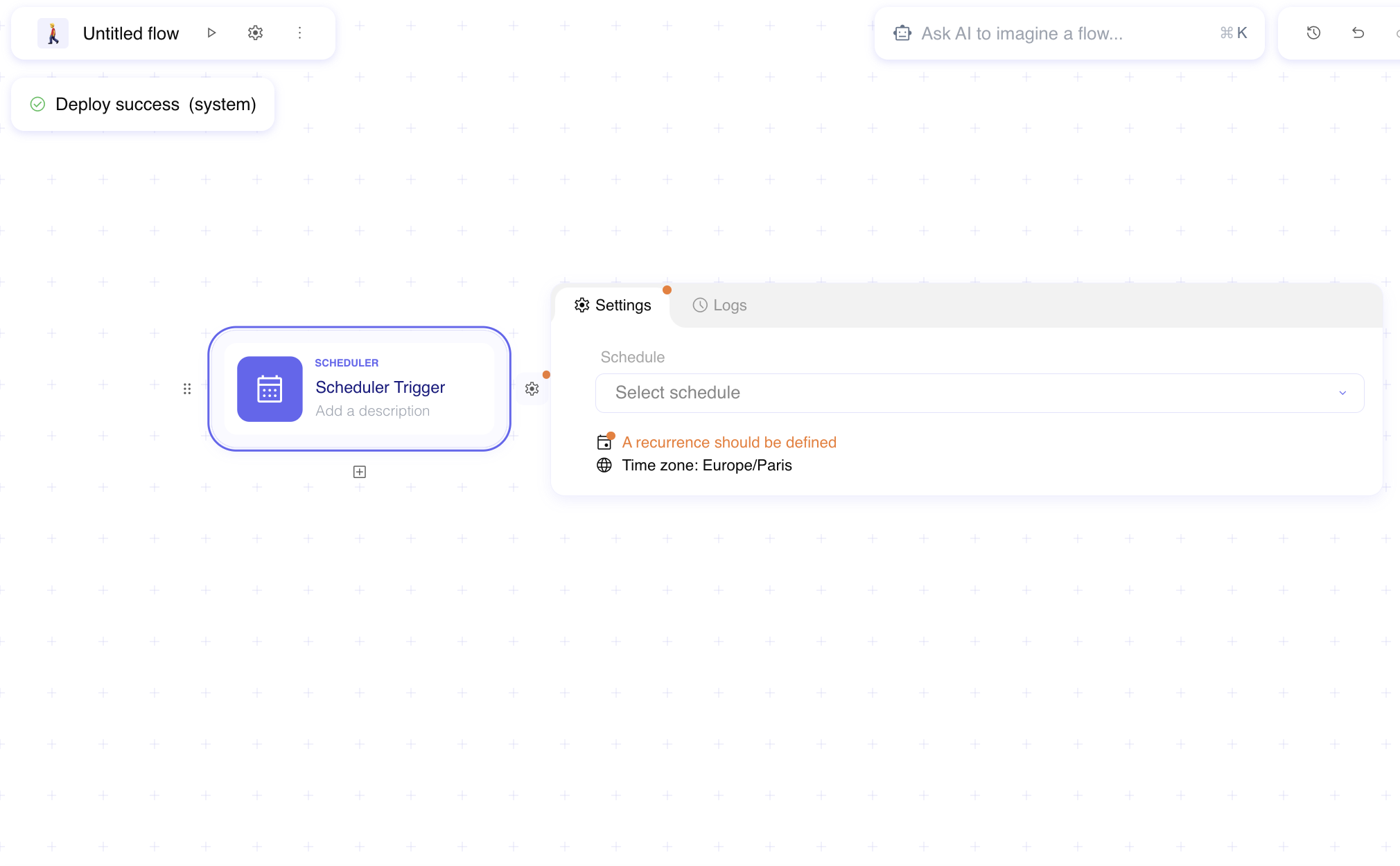
Configure the schedule
Section titled “Configure the schedule”Choose whether the flow runs once or on a repeating interval, then fill the time fields Studio shows for that mode.
Set Schedule. Choose At regular interval for a repeating run, or Once for a single date and time.
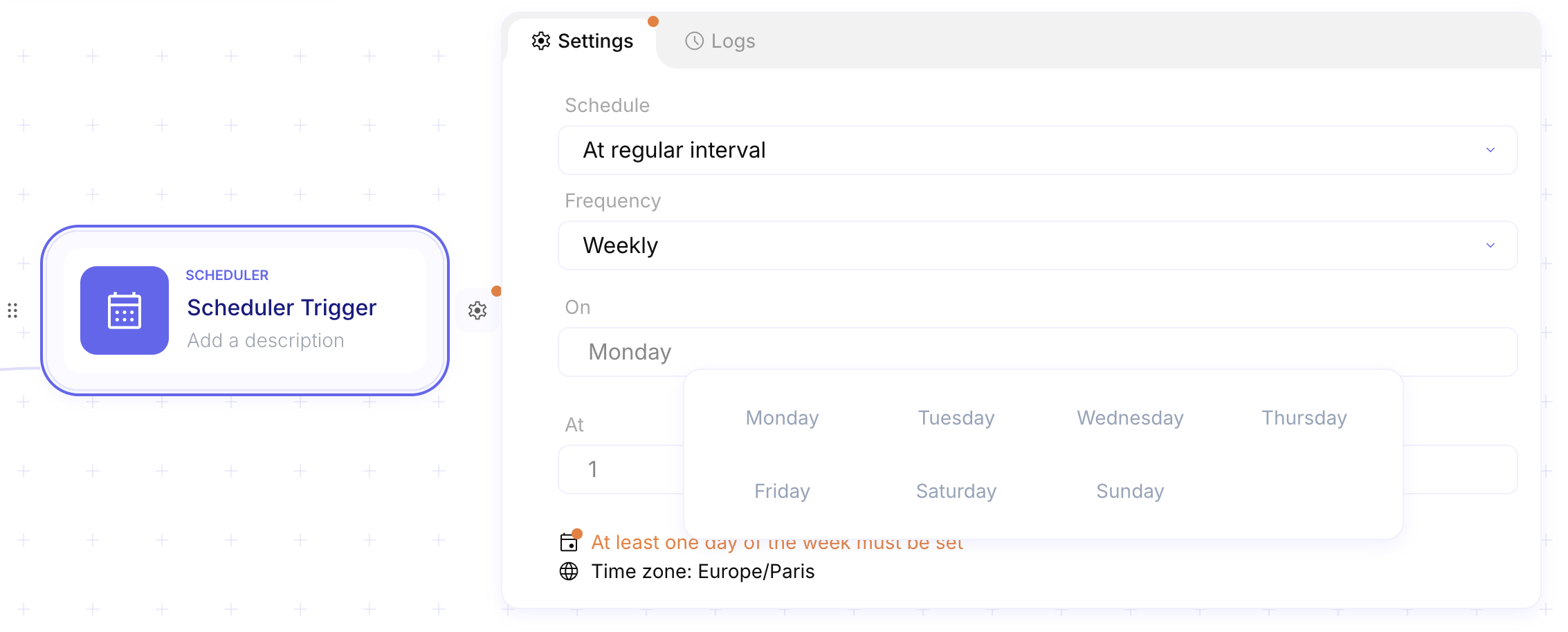
Set Frequency (recurring only). For At regular interval, choose Daily, Weekly, Monthly, or Yearly.
Fill the time fields. Set At (hour), Minutes, and any day or month fields Studio shows (for example On for weekdays on a weekly schedule, or On the for a one-time date). Confirm the footer Time zone matches the zone you intend.
Deploy the flow. Deploy so the schedule is active in the environment. See Manage version and deployments.
Example
Section titled “Example”A security team wants a weekly inventory refresh every Monday at 01:00 Europe/Paris. The flow Refresh asset
inventory starts with Scheduler Weekly inventory refresh. Settings use At regular interval, Weekly,
On Monday, At 1, and the footer shows Time zone: Europe/Paris. After deploy, Studio runs the flow on that
cadence without an external caller.
Keep in mind
Section titled “Keep in mind”- There is no free-form cron expression — use the Schedule and Frequency controls.
- The schedule uses the time zone shown in Settings (typically your browser time zone).
- Deploy the flow before you expect scheduled runs.