

Send raw HTTP requests
HTTP Request is a built-in step that sends an HTTP call to a URL you choose. Use it for REST APIs, private endpoints, and vendors that are not yet in the Integrations catalog. You set method, URL, query parameters, headers, and body on Input, then credential and runtime options on Settings.
When to use
Section titled “When to use”- You call a custom, private, or undocumented HTTP API.
- A vendor has no native integration yet, and an HTTP preset is not enough.
- Prefer Call native integrations when a native connector already covers the operation.
- Prefer Mock a service response when you need a fixed payload without calling the live API.
Before you begin, open a flow in the designer. Create a credential in the environment when the API requires auth. See Credentials.
Add an HTTP Request step
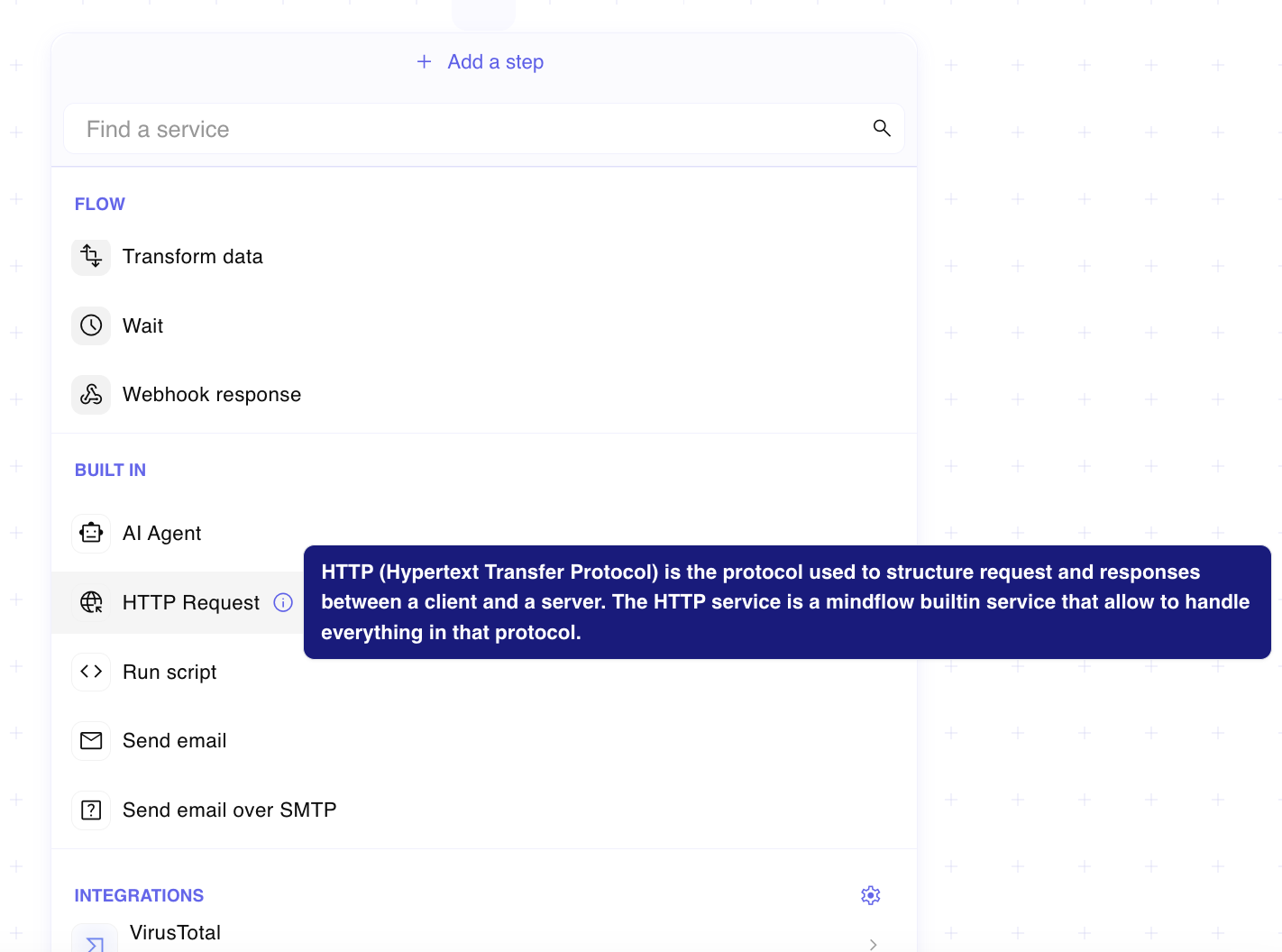
Section titled “Add an HTTP Request step”HTTP Request lives under Built in in Add a step.
Open Add a step. In the designer, choose Add a step, then under Built in select HTTP Request.
Configure the request on Input
Section titled “Configure the request on Input”On the step Input tab, set how the call is sent. Required fields are Method and URL.
Open Input. Select the HTTP Request step, then open the Input tab.
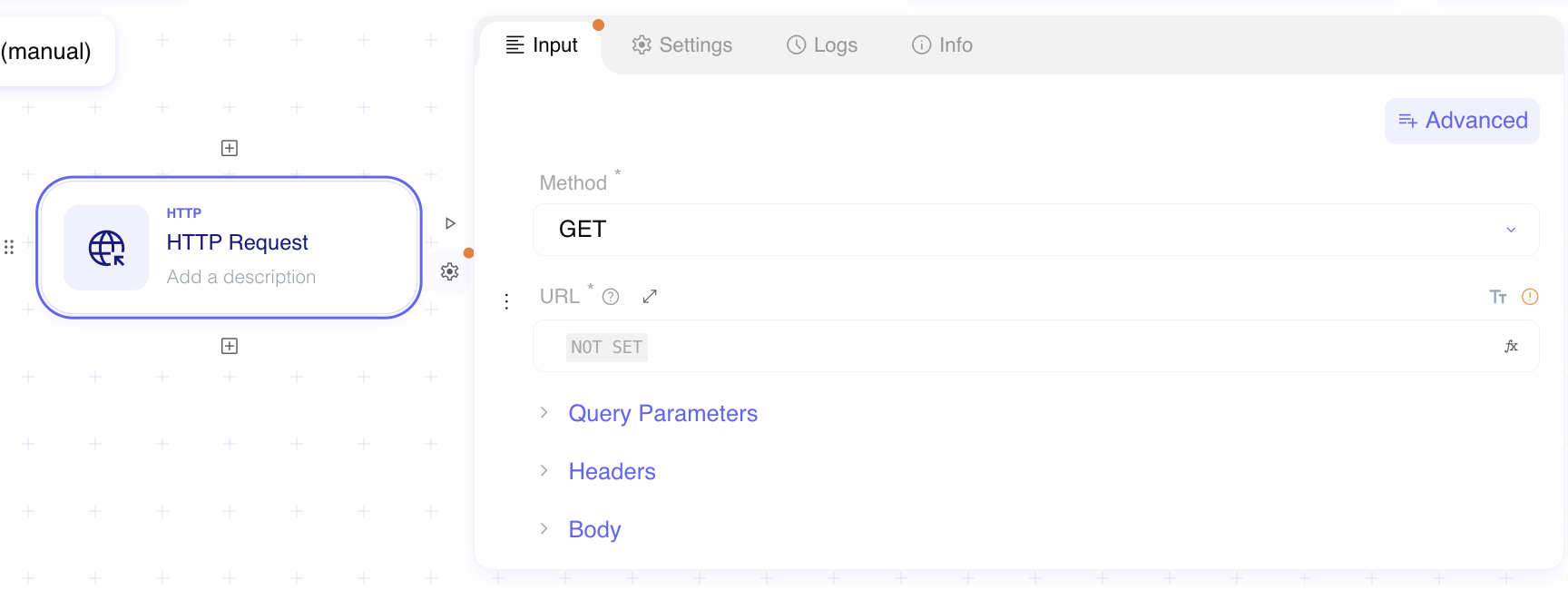
Choose Method. Pick the HTTP verb for the call (GET, PUT, POST, PATCH, DELETE, HEAD, OPTIONS, LINK, UNLINK, or PURGE). Default is GET.
Set URL. Enter the full request URL, or map it from an upstream value with a formula.
Optional: add Query Parameters, Headers, and Body. Expand each section to add items. For Body, choose the content type Studio offers (for example JSON, text, XML, URL-encoded, multipart, or octet stream) and fill the payload.
Configure Settings
Section titled “Configure Settings”On Settings, bind a credential and control timeout, failure behavior, retries, and TLS or redirect options.
Open Settings. Select the HTTP Request step, then open the Settings tab.
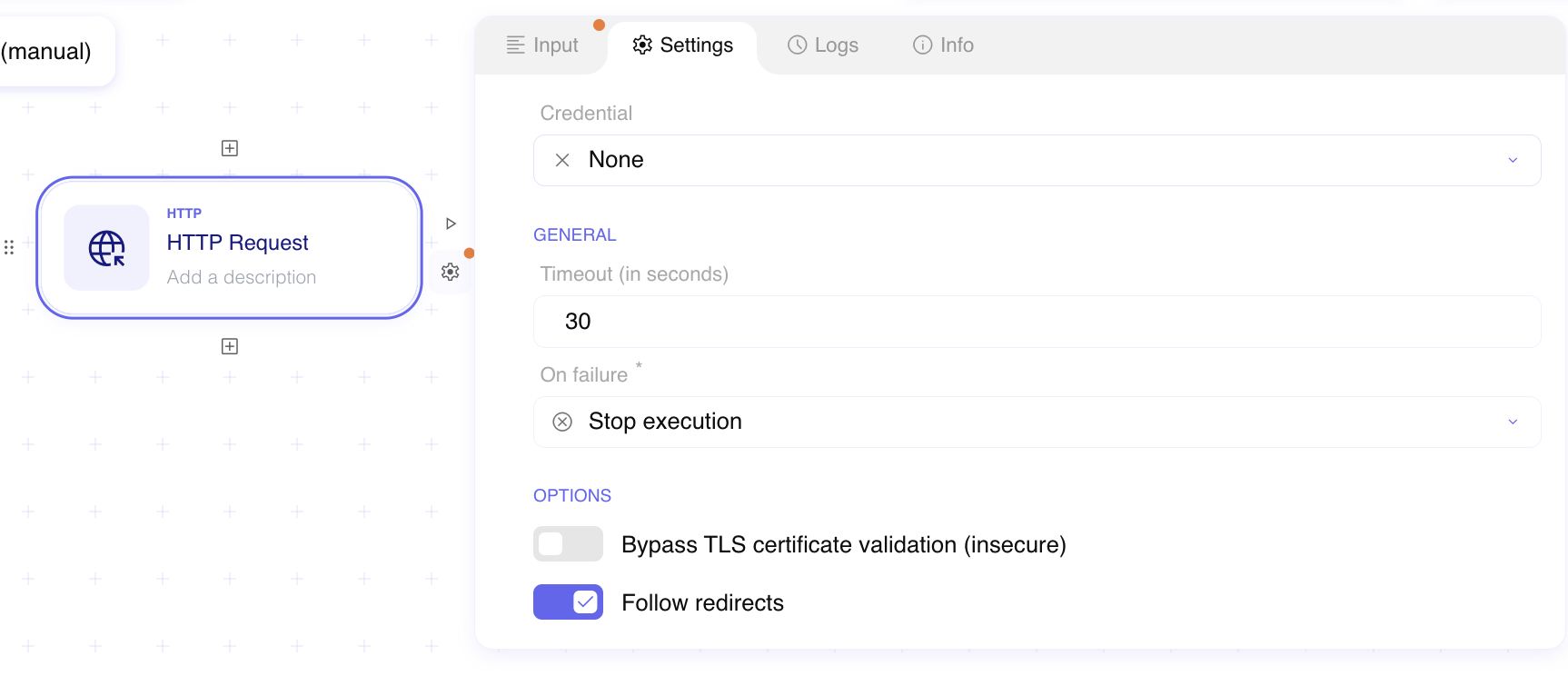
Choose Credential. Pick a stored credential when the API needs auth, or leave None for an unauthenticated call. Use Credential Lookup when the credential name must resolve at run time.
Set Timeout (in seconds). Default is 30. Studio accepts up to 480 seconds (8 minutes). If the API does not respond in time, the step fails.
Set On failure. Choose Stop execution (default) or Continue execution when the step fails.
Optional: set Retry attempts. Increase the count when transient failures should retry before the step fails.
Optional: set Bypass TLS certificate validation (insecure). Leave it off so Mindflow verifies the server certificate name and CA. Turn it on only when you must call a host with an untrusted certificate — this weakens transport security for that step.
Optional: set Follow redirects. Leave it on (default) so status codes in the
3xxrange with a Location header are followed. Turn it off to keep the redirect response.
Example
Section titled “Example”An analyst adds HTTP Request to call https://api.example.com/v1/alerts with GET, an Authorization header from
a credential, and Timeout 60. On failure they keep Stop execution so a missing alerts API does not continue
the remediation path.
Keep in mind
Section titled “Keep in mind”- Step timeout cannot exceed 480 seconds. For longer overall runs, raise the flow timeout as well.
- Prefer native integrations when the catalog already covers the operation.
- See Mock a service response to stub the response while you build.
Related
Section titled “Related”Call native integrations · Handle timeout · Mock a service response · Look up service credentials by name at runtime