

Transform functions
In Mindflow, you have the capability to perform a wide range of data transformations as data flows through the application. This enables you to utilize arithmetic functions, manipulate arrays, apply cryptographic and hashing techniques, extract valuable insights, and much more.
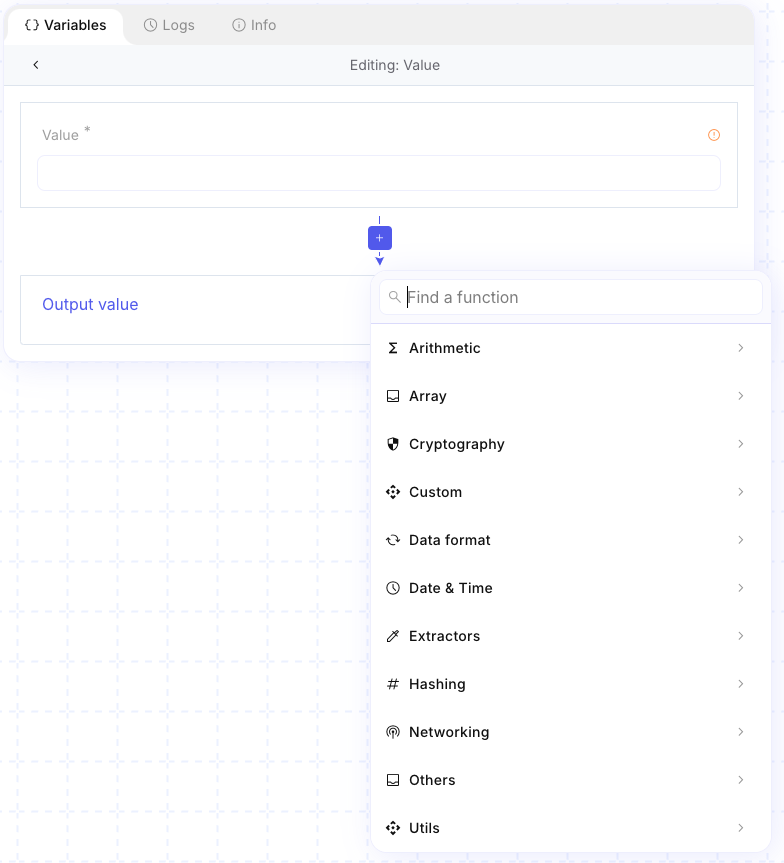
To access these transformation options, simply click on the fx icon and then choose the specific operation you wish to execute.

Example
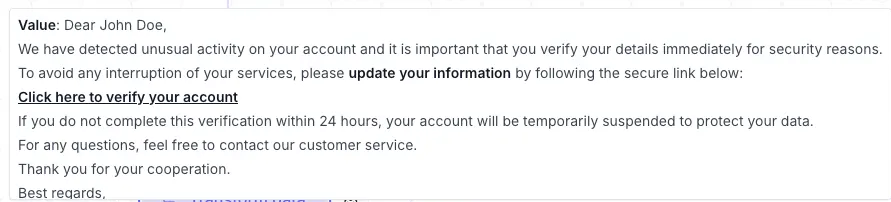
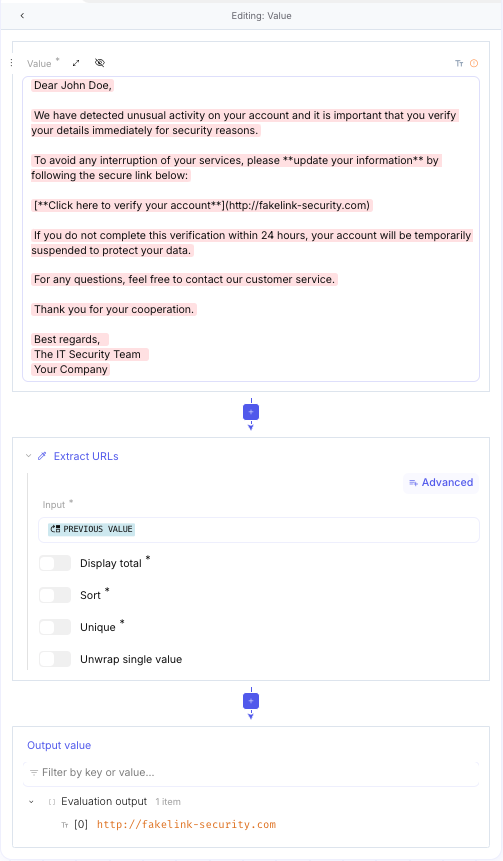
Section titled “Example”Extracting URLs from a previously received email message.
You can use the Extract URLs function found in the Extractors category. This function will produce an array containing the urls extracted from the previous message.
Arithmetic
Section titled “Arithmetic”Full parameter tables and examples: Arithmetic.
The Arithmetic module is the calculation engine of your Mindflow workflows. It allows you to perform mathematical operations, apply logical conditions, and manage complex data sets without writing code.
While simple data mapping moves data from point A to B, Arithmetic functions allow you to analyze and validate that data mid-flight:
- Metrics & Stats: Calculate average response times or total threat scores.
- Security Logic: Use bitwise operations or rotations (like ROT13) to decode or obscure strings.
- Comparison: Use “Set” operations to compare lists (e.g., comparing “detected IPs” against a “whitelist”).
- Input: Provide a number or a list of numbers/strings.
- Operation: Drag your desired function into the Recipe.
- Result: The output is automatically calculated for use in the next step.
Operation
Section titled “Operation”-
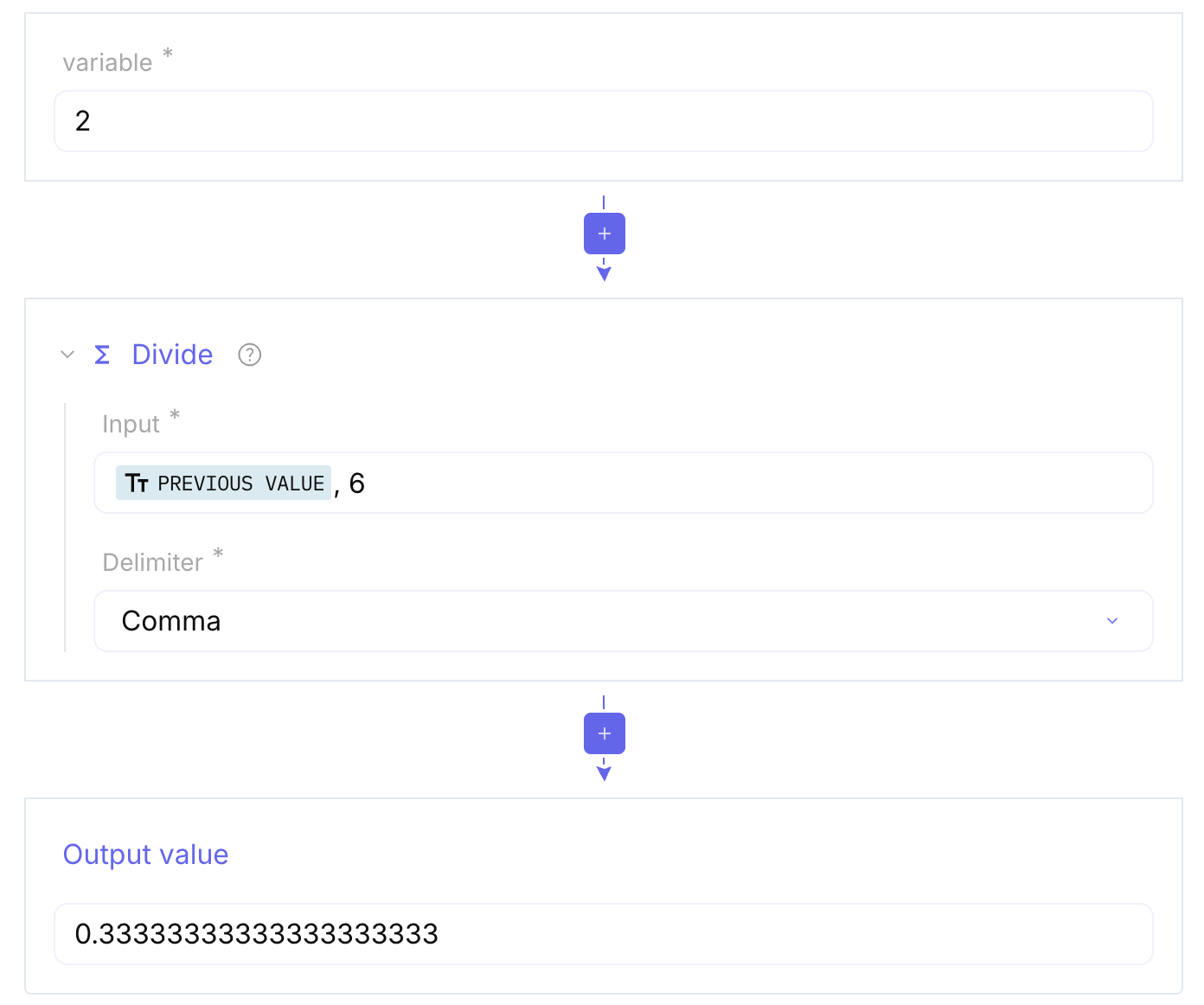
Sum / Divide / Substract / Multiply / Mean / Median / Standard Deviation: Basic math for calculating totals, percentages, statistics or quotas.
-
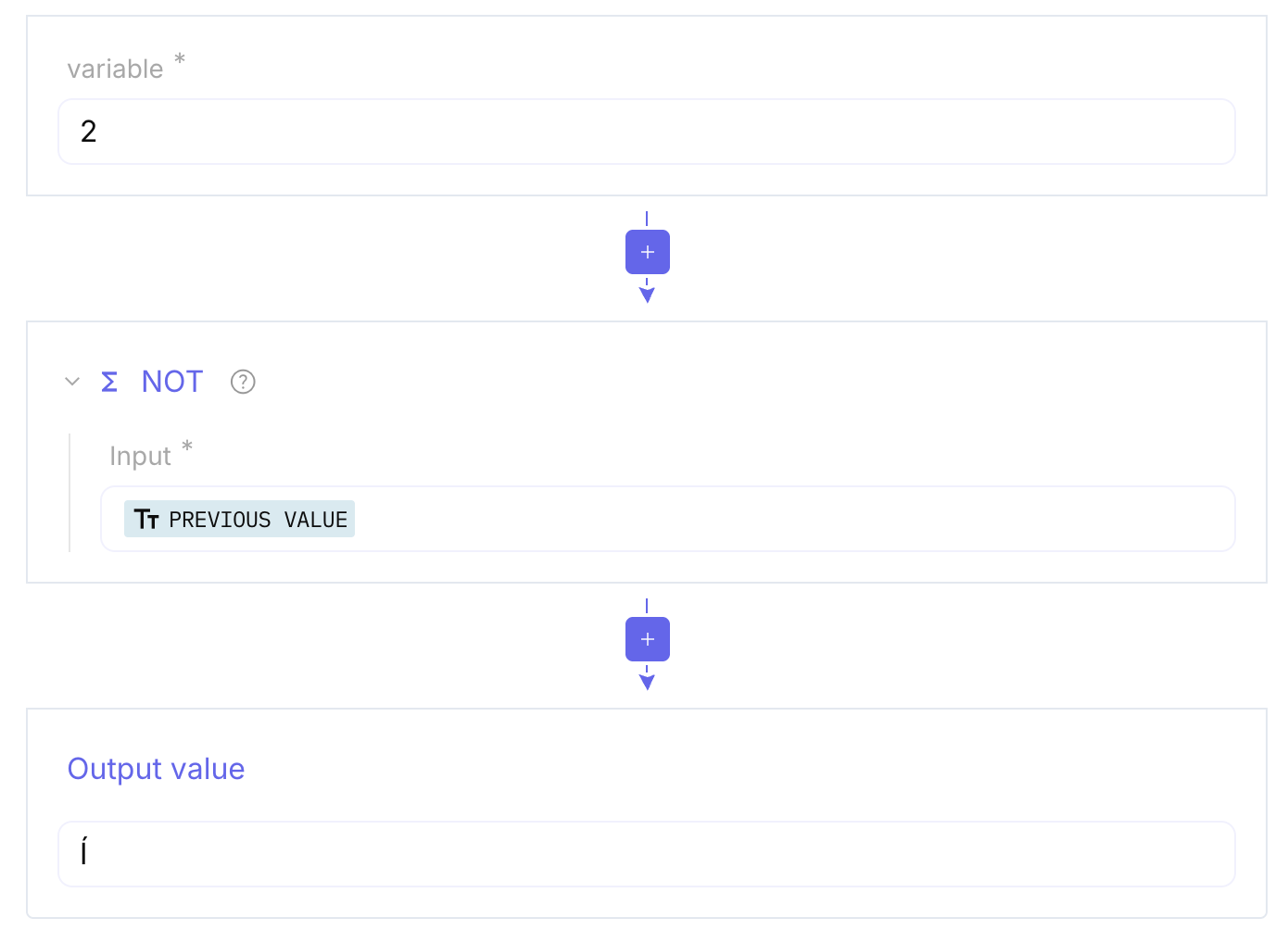
ADD / AND / OR / NOT: These functions operate at the bitwise (logic gate) level.
-
Bit shift (Left/Right) & Rotate: Used for low-level data manipulation, often found in custom encryption or legacy protocol decoding.
-
ROT13: A simple substitution cipher often used in security puzzles or to hide text.
-
Set Union: Merges two lists and removes duplicates.
-
Set Intersection: Returns only the items that appear in both lists.
-
Set Difference: Returns items found in the first list but not the second.
-
Cartesian Product: Creates every possible pair between two sets.
-
Power Set: Generates all possible subsets of a list.
Full parameter tables and examples: Array.
Within the tool, you have access to an array of formula functions that enhance user flexibility and efficiency when working with arrays. These functions streamline the tasks of manipulating and transforming arrays, simplifying the process of data management and analysis.
Within the list feature, you can perform a range of operations on an array, such as adding elements, retrieving its size, removing elements, sorting, searching for specific elements, and more.
-
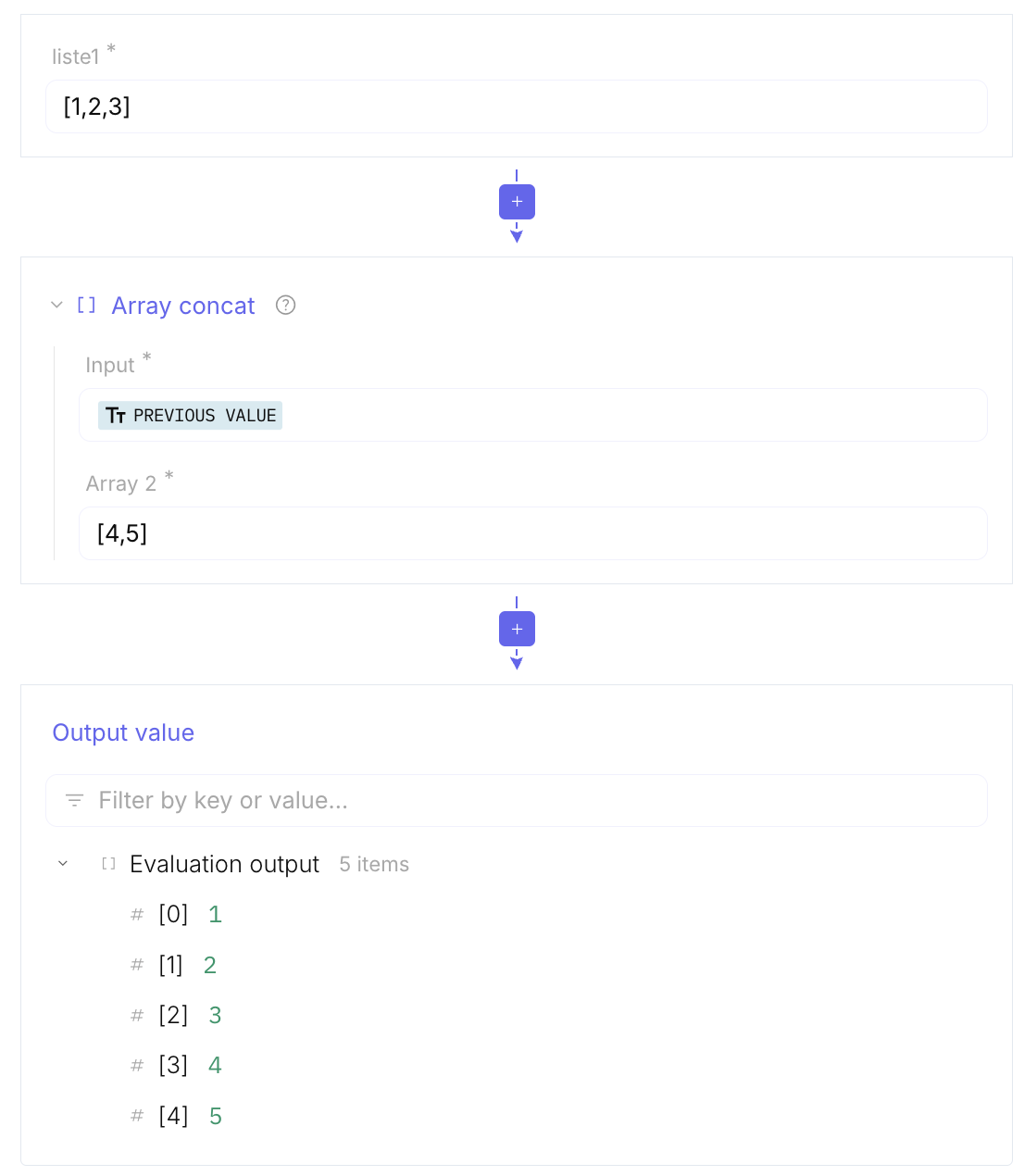
Array concat: Merges multiple arrays into one
-
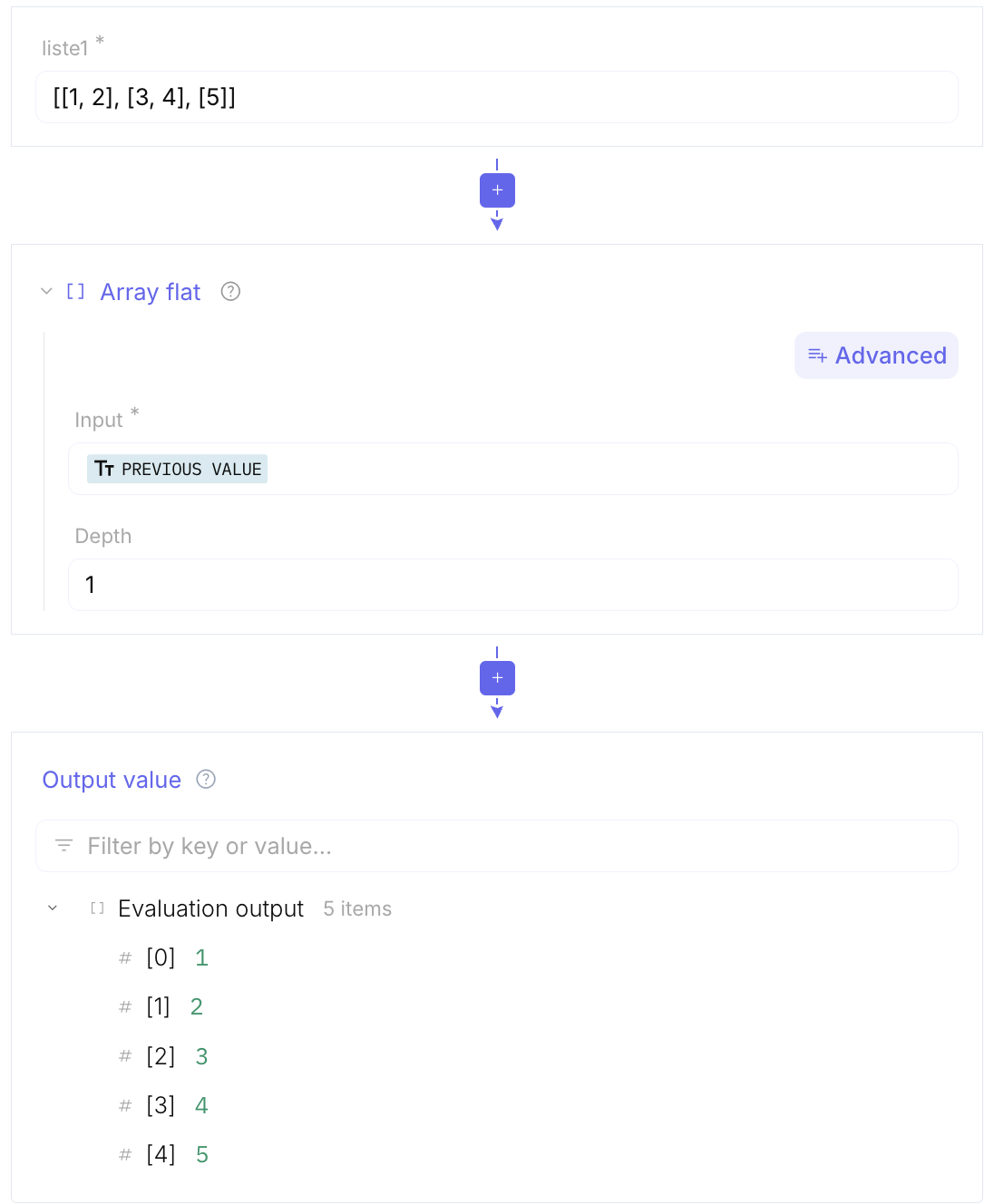
Array flat: Flattens nested arrays into a single array
-
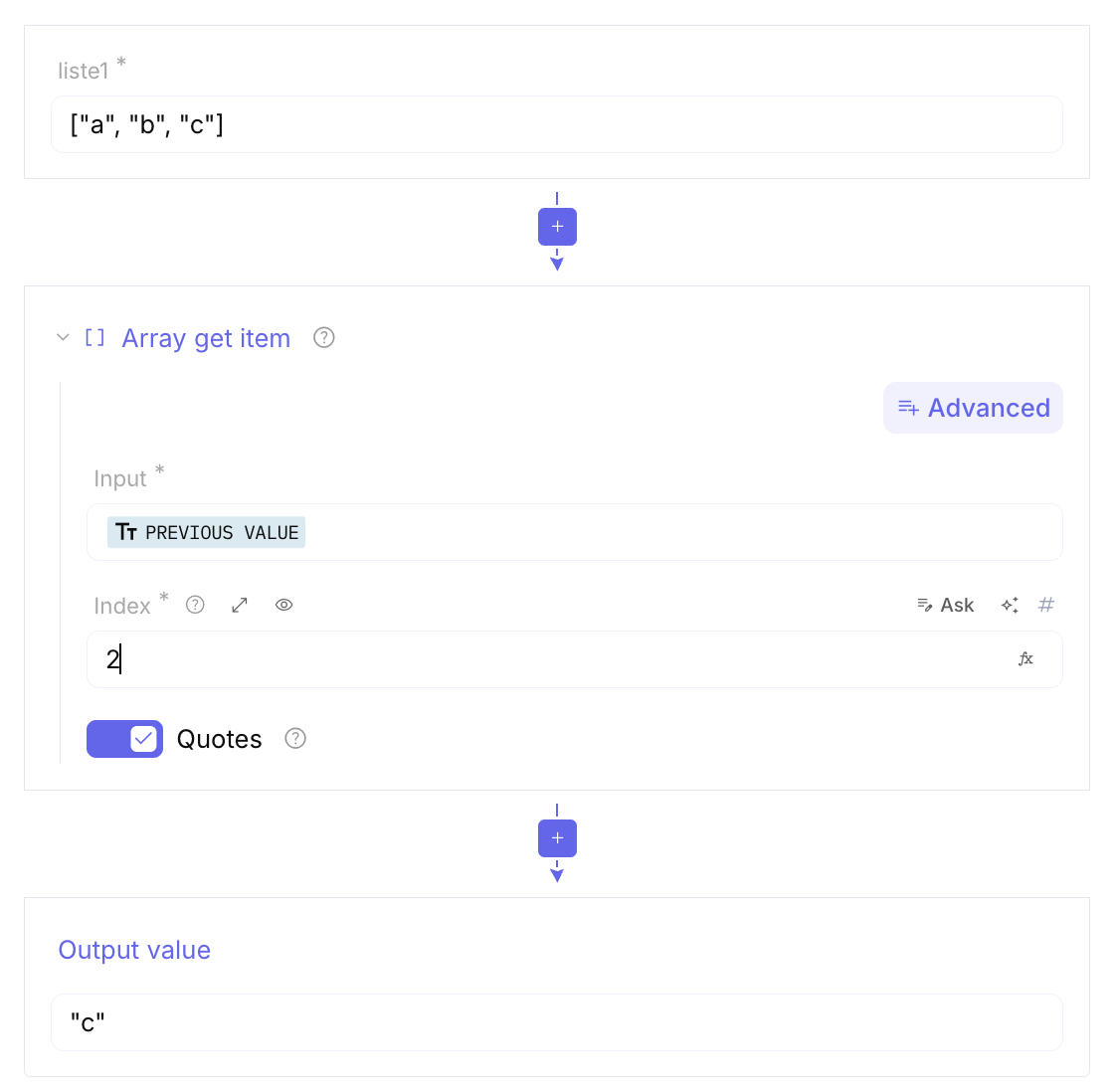
Array get item: Returns the element at a specific index
-
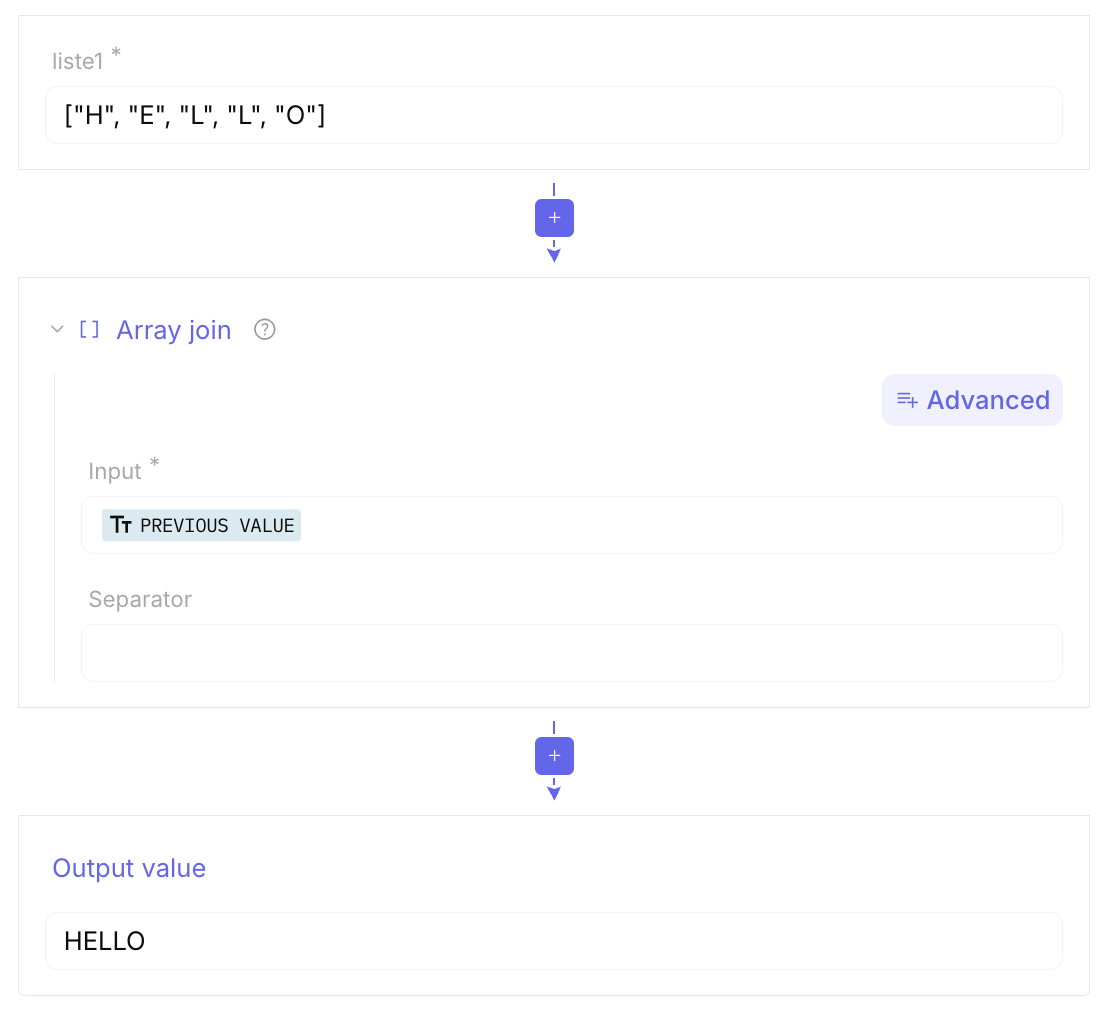
Array join: Converts an array into a string
-
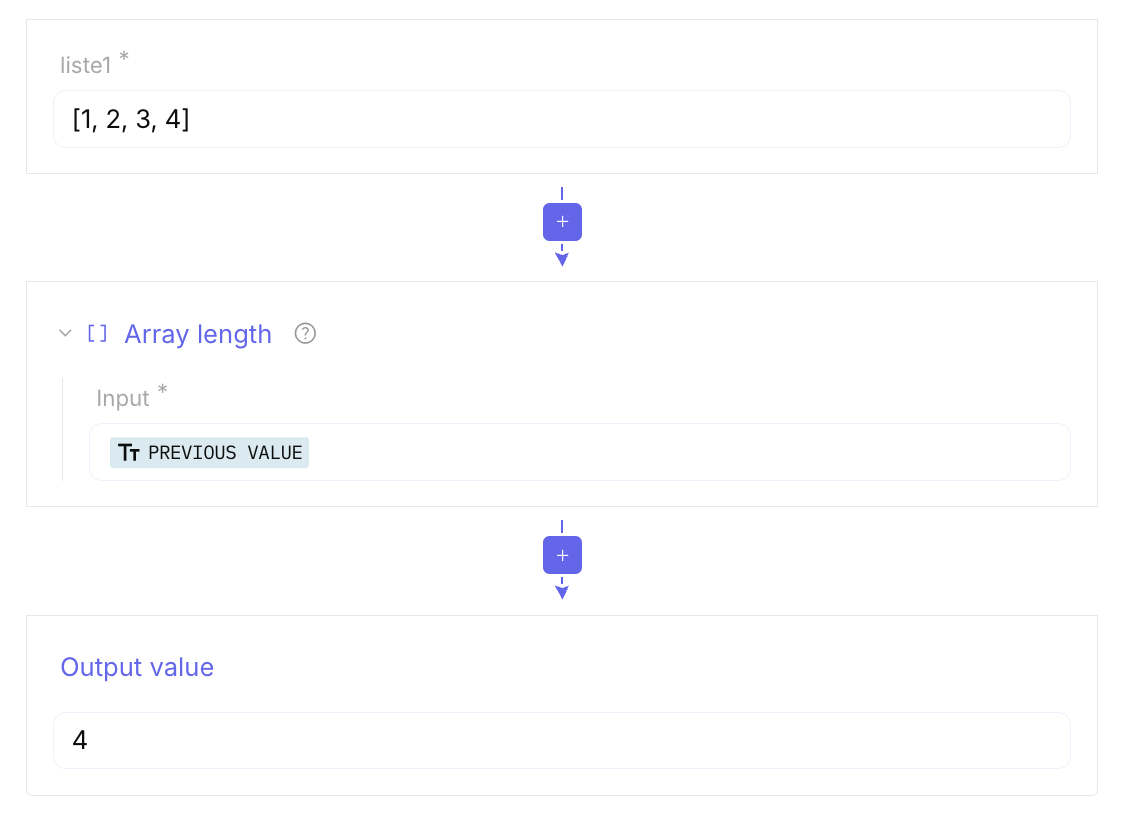
Array length: Returns the number of elements
-
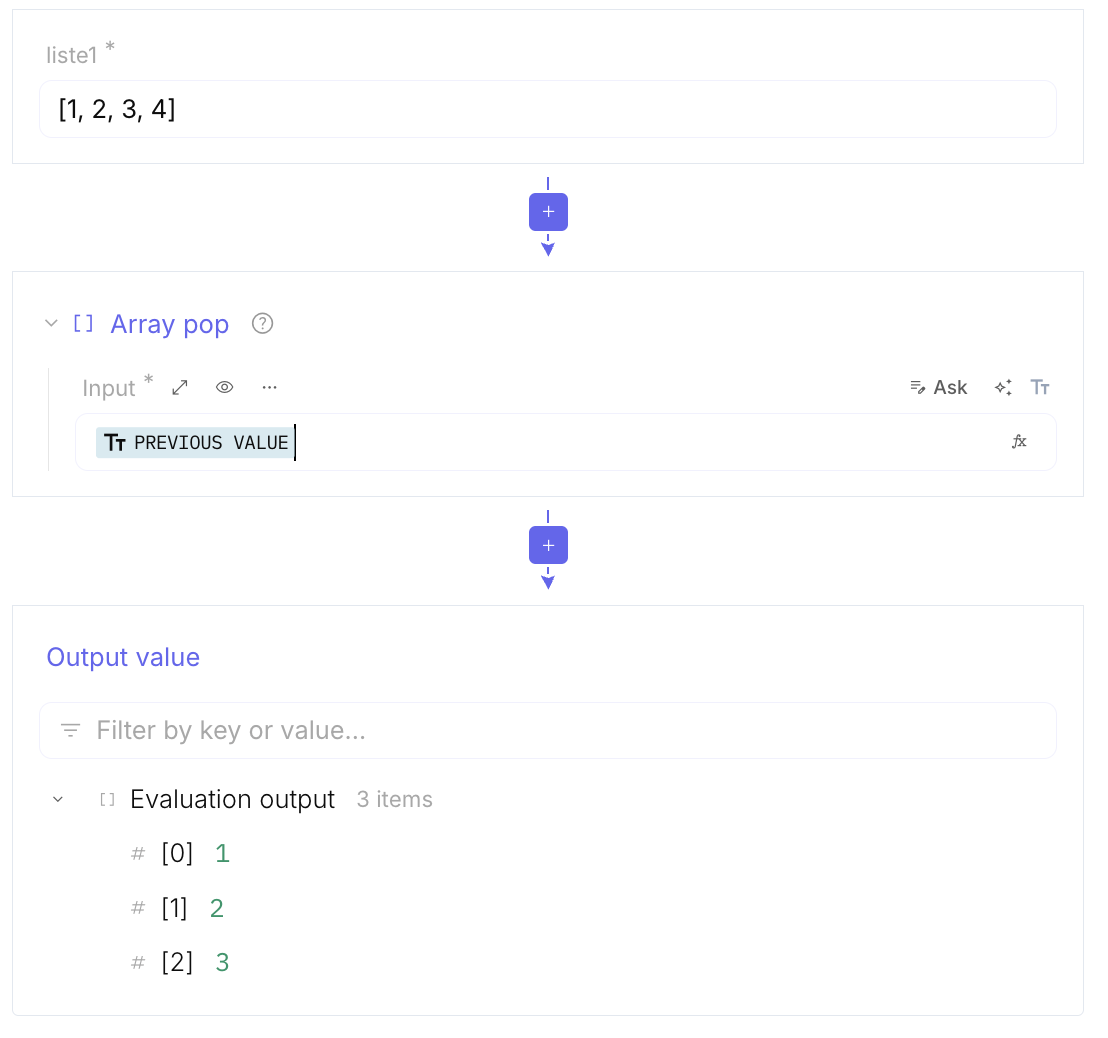
Array pop: Removes the last element of the array
-
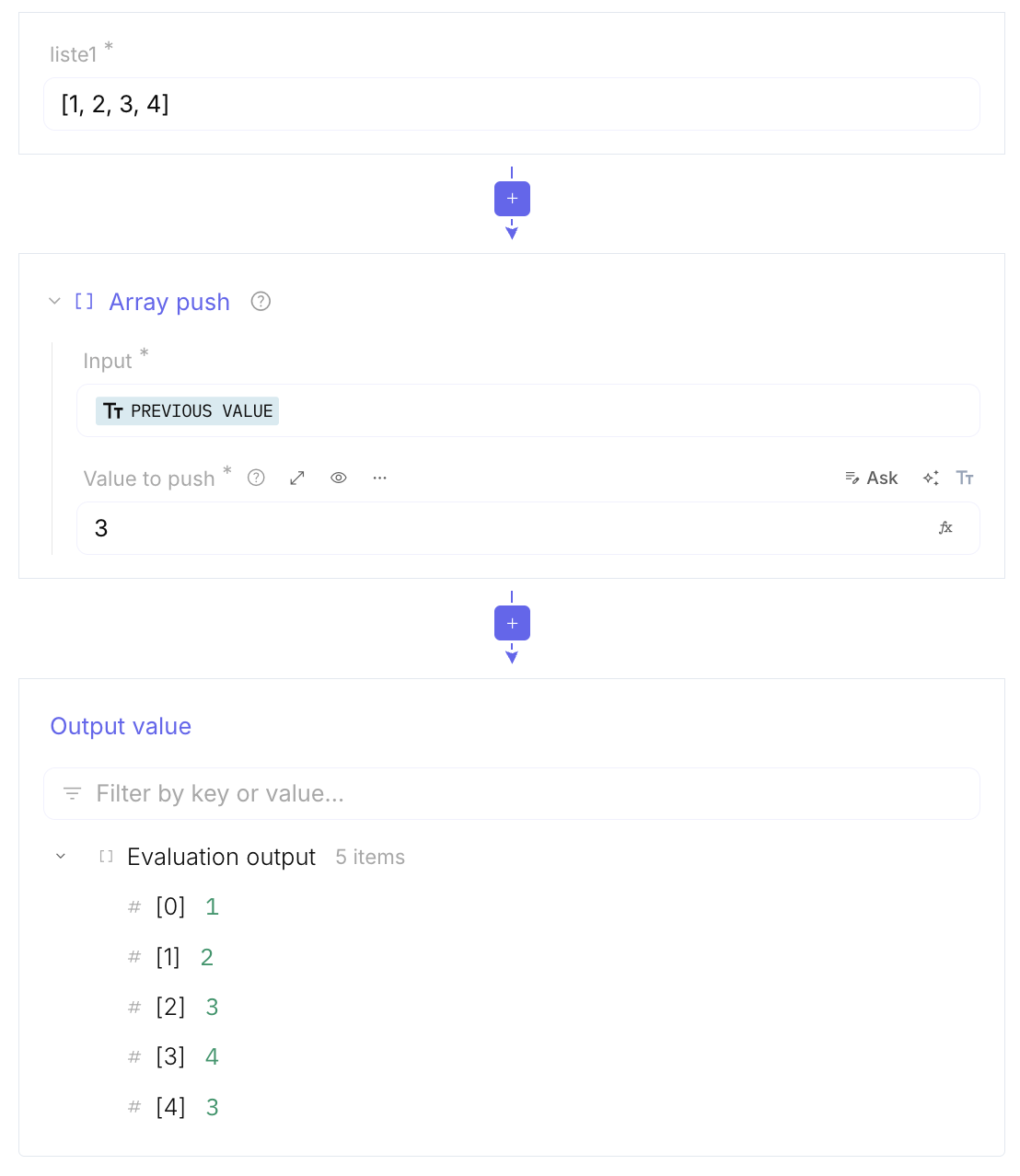
Array push: Adds an element to the end of the array
-
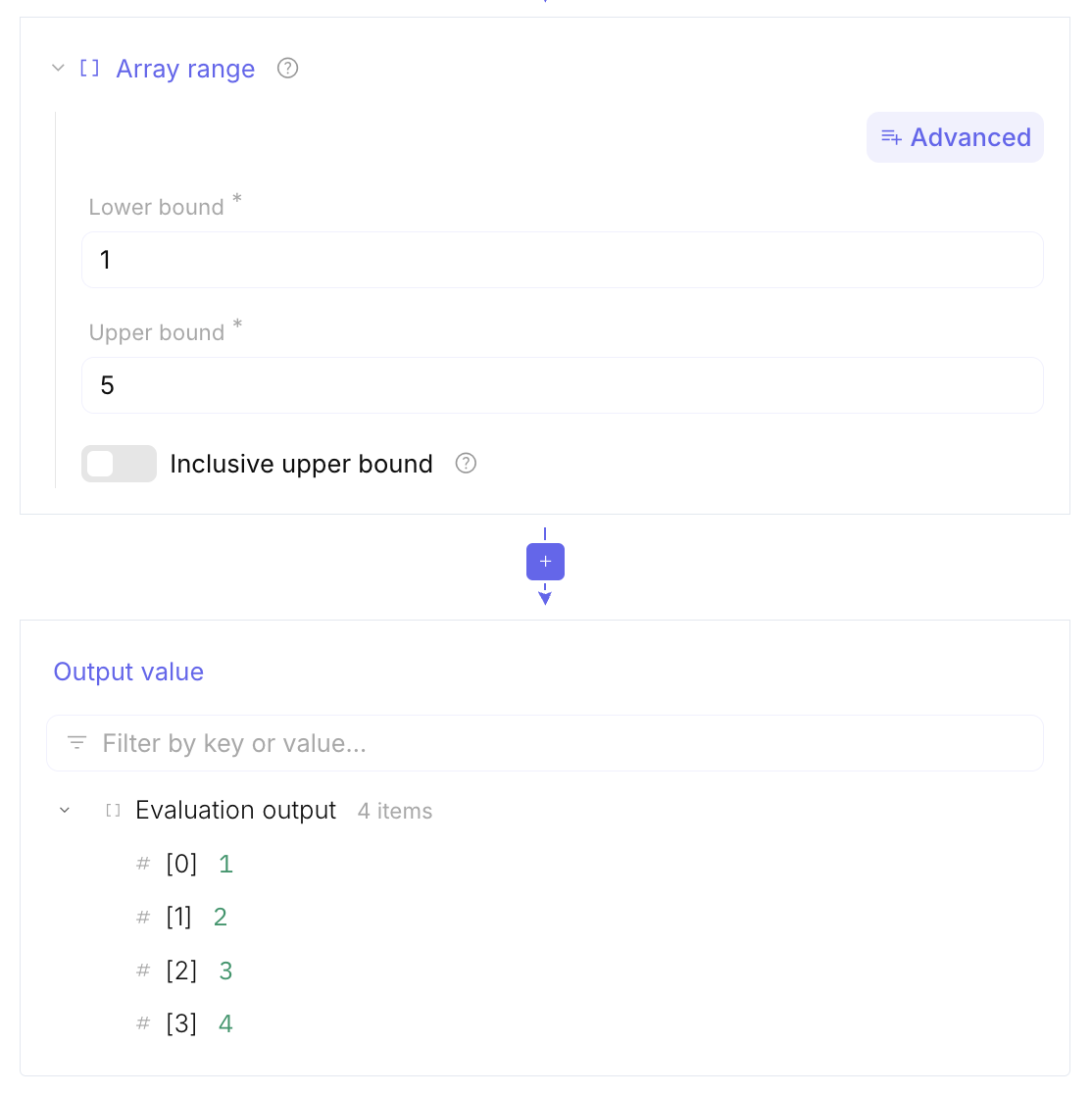
Array range: Generates a range of numbers
-
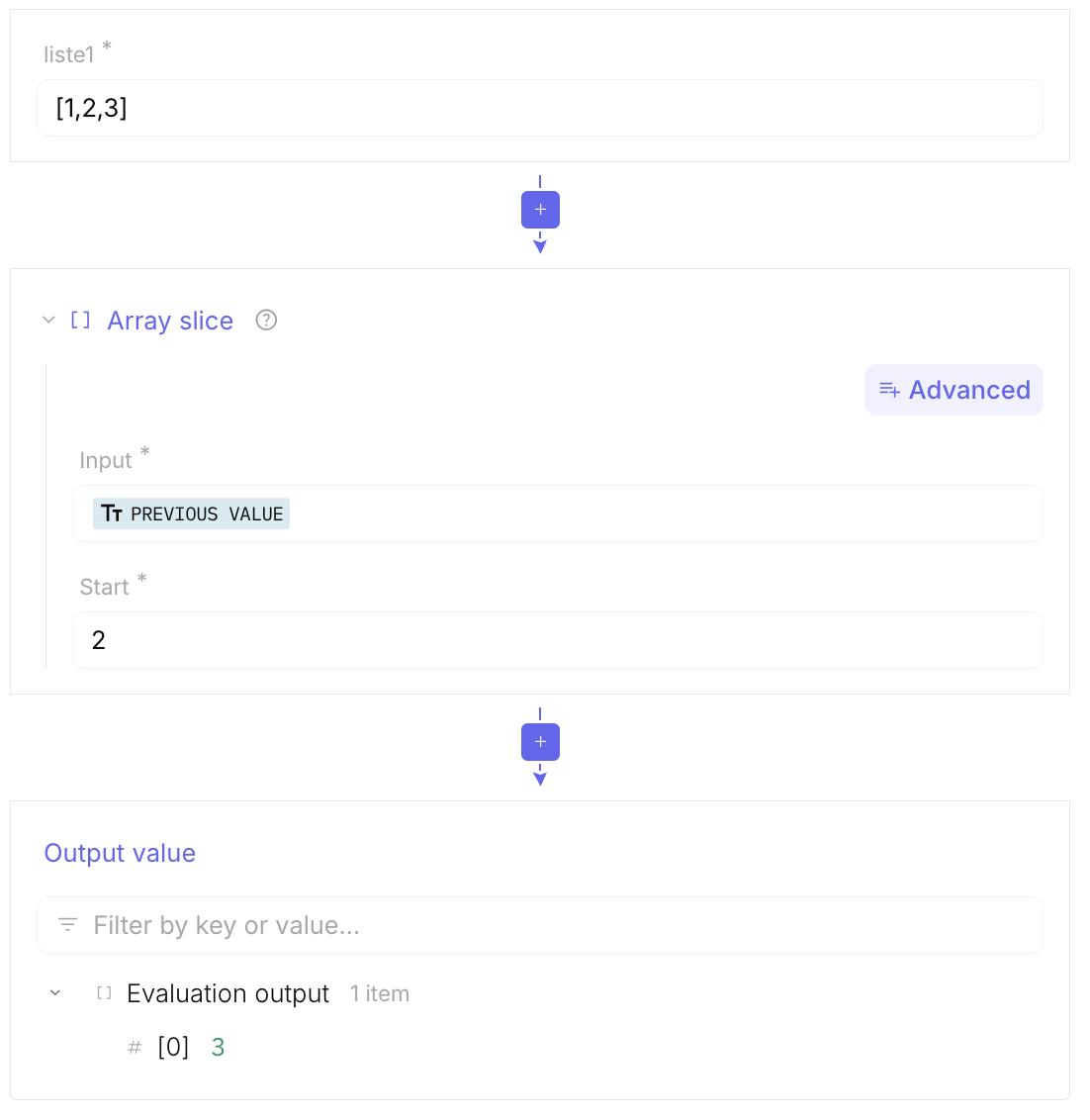
Array slice: Extracts a portion of an array
-
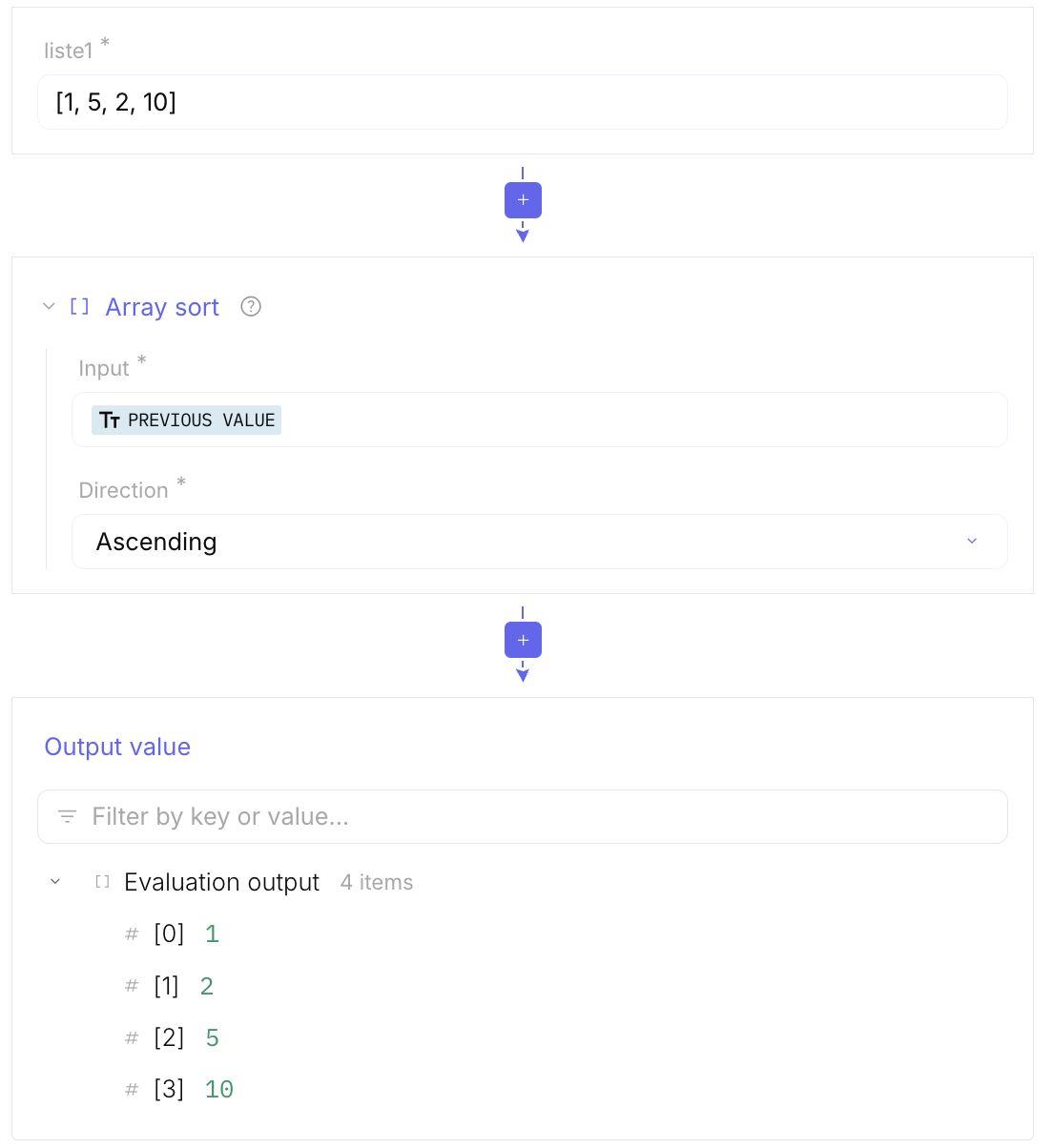
Array sort: Sorts the array
-
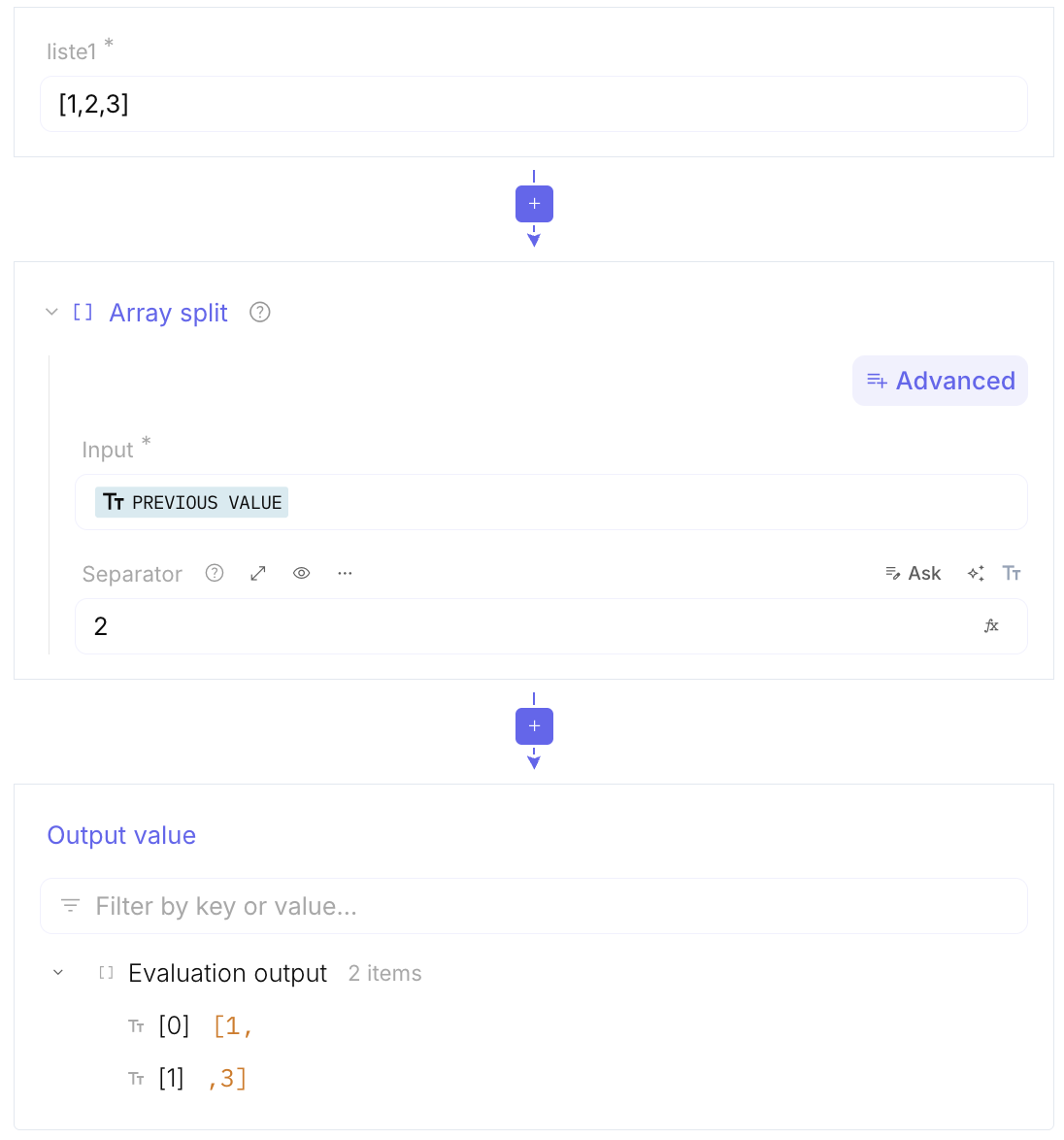
Array split: Splits a string into an array
-
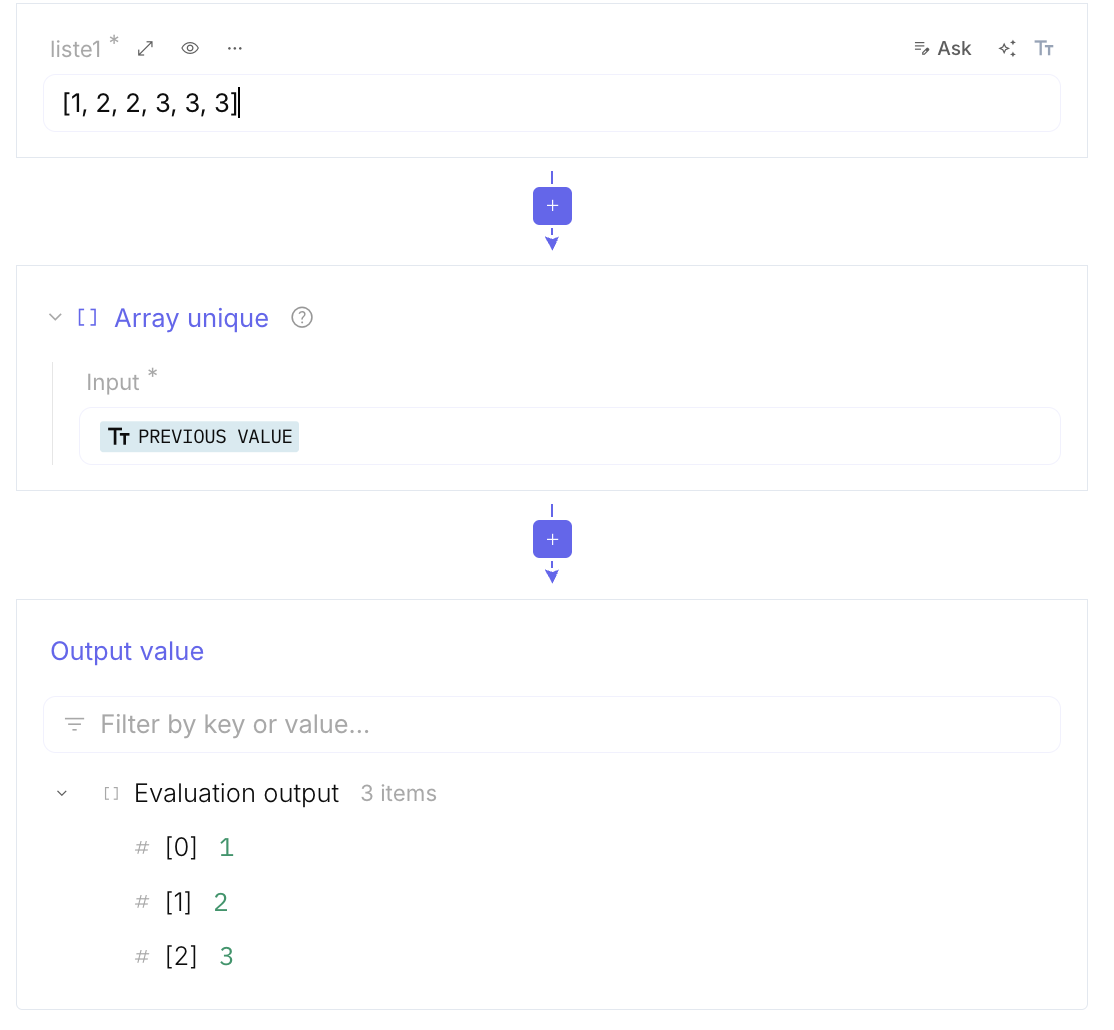
Array unique:
Cryptography
Section titled “Cryptography”Full parameter tables and examples: Cryptography.
It includes tools to generate unique identifiers, time-based tokens (TOTP), as well as to encode and decode certificates and JWTs. These functions also facilitate conversion between cryptographic formats, such as hexadecimal, PEM, and object identifiers.
-
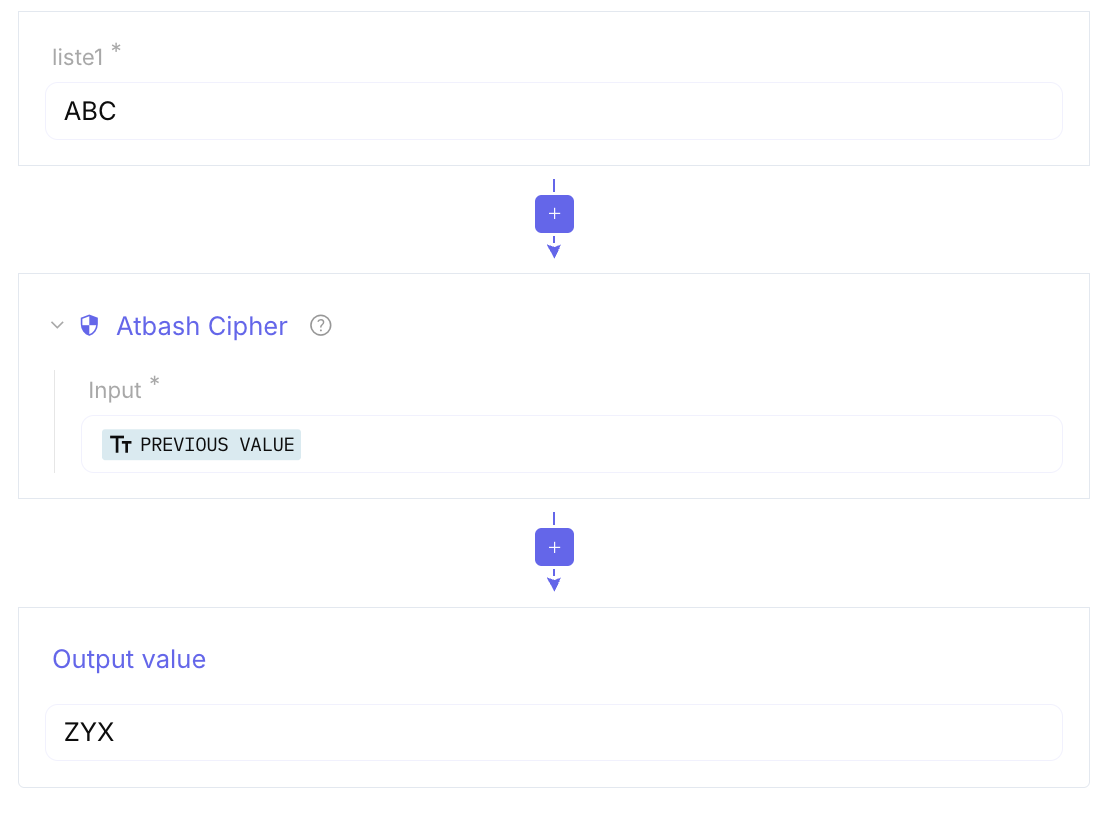
Atbash Cipher: A simple substitution cipher for the alphabet. It works by “flipping” the alphabet so that A becomes Z, B becomes Y, and so on.
-
SM4 Encrypt / Decrypt: A block cipher standard used primarily in China for wireless networks and data encryption. It is functionally similar to AES but uses a different algorithm.
-
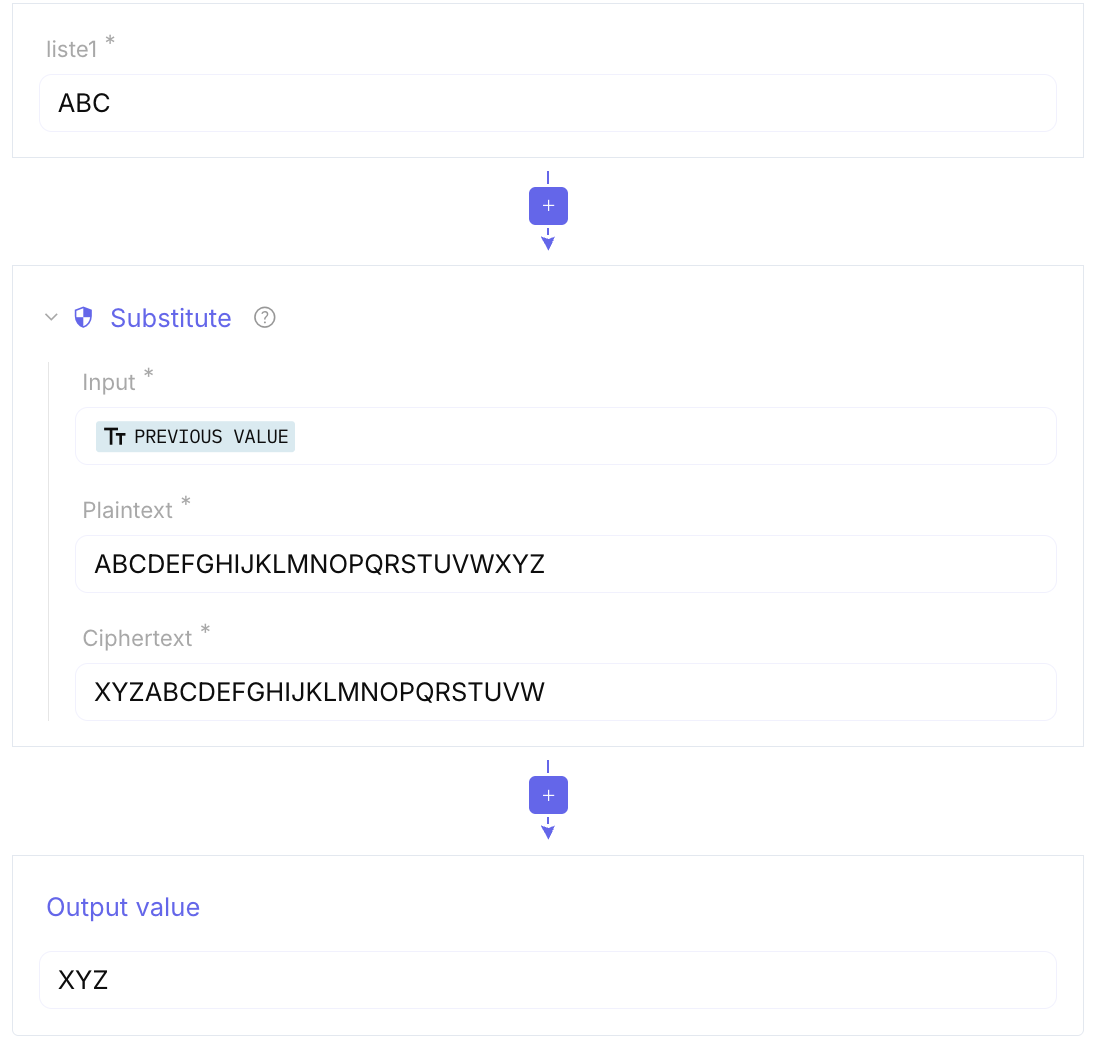
Substitute: A general-purpose tool that allows you to replace specific characters or strings with others. It’s often used for manual decoding or fixing broken data.
-
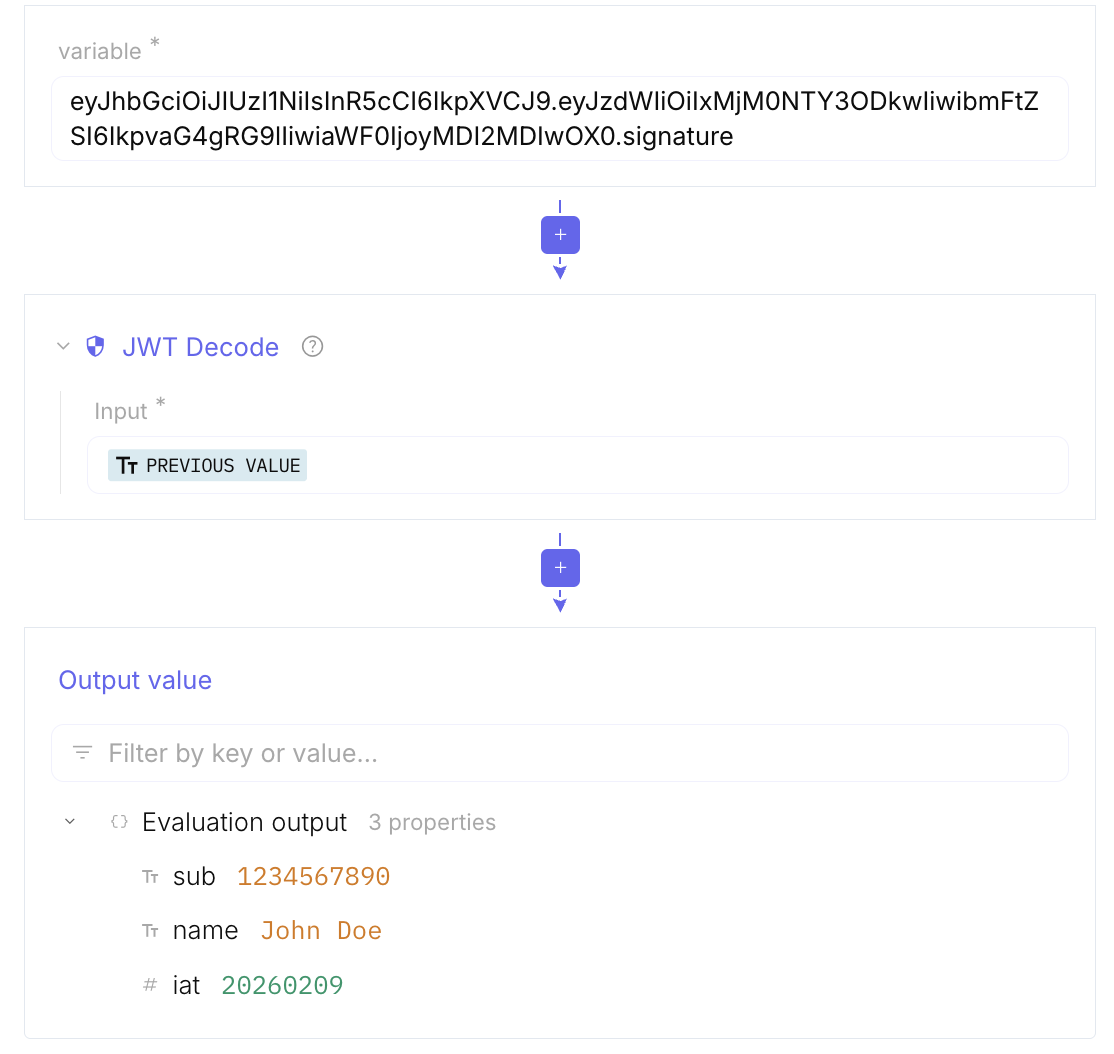
JWT Decode: Takes a JWT (often found in web cookies or headers) and breaks it down into its three parts: Header, Payload, and Signature, making the data human-readable.
-
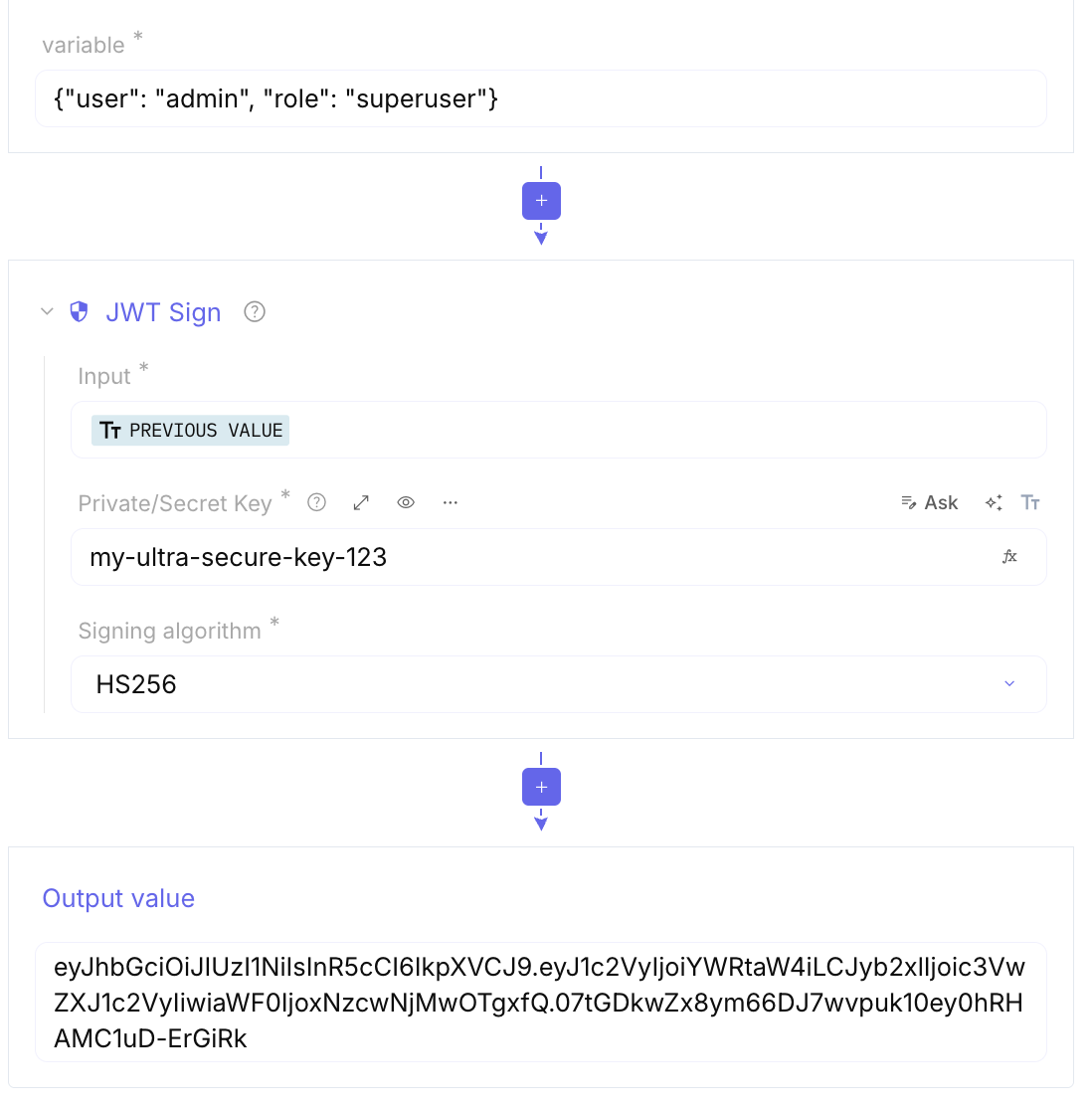
JWT Sign: Used to create a signature for a JWT using a secret key or a private key, ensuring the token’s integrity.
-
JWT Verify: Checks if a JWT is valid by verifying its signature against a provided secret or public key.
-
Hex to Object Identifier (OID) / Object Identifier to Hex: Converts between raw hexadecimal data and OID notation (e.g.,
1.2.840.113549). OIDs are used in digital certificates to identify things like encryption algorithms. -
Hex to PEM / PEM to Hex: Converts raw hex data into PEM format (the text files that start with
----BEGIN CERTIFICATE-----) or vice versa.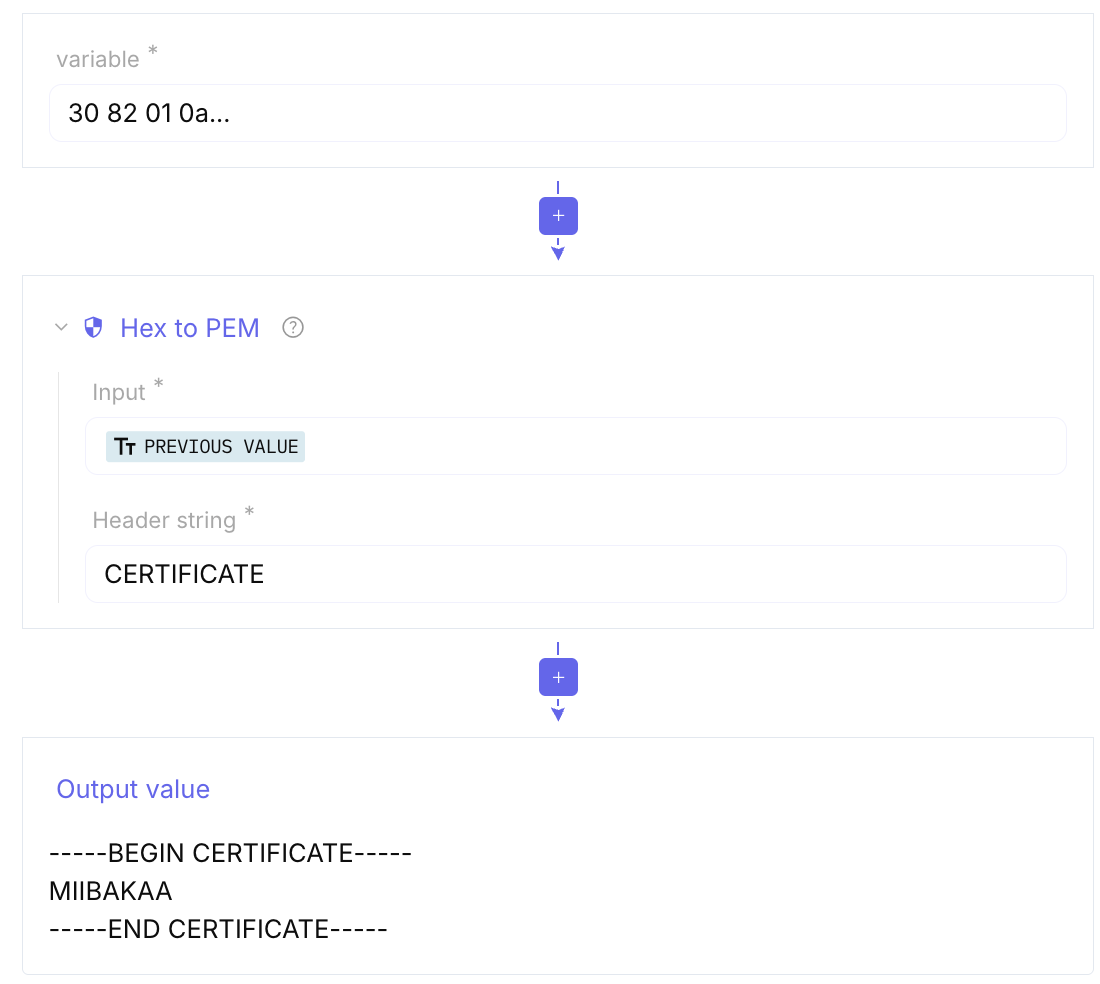
-
Parse ASN.1 hex string: ASN.1 is a standard for describing data structures. This tool takes a hex string and visualizes the tree structure of the data (often used for certificates or public keys).
-
Parse X.509 certificate: Specifically designed to read digital certificates. It extracts info like the Issuer, Subject, Expiry Date, and Public Key.
-
Generate TOTP: Creates a Time-based One-Time Password. This is the 6-digit code you get from apps like Google Authenticator or Authy.
-
Hex to Object Identifier: (Mentioned above) Specifically translates hex bytes into the dot-separated OID format.
Custom
Section titled “Custom”Full parameter tables and examples: Custom. Temporary credentials: Create temporary credential.
It provides tools to compare values, concatenate strings, calculate the Levenshtein distance for text similarity, and pad text to ensure equal length. Additionally, it offers functionalities to convert data formats, such as transforming XML into JSON, and evaluating XPath expressions
-
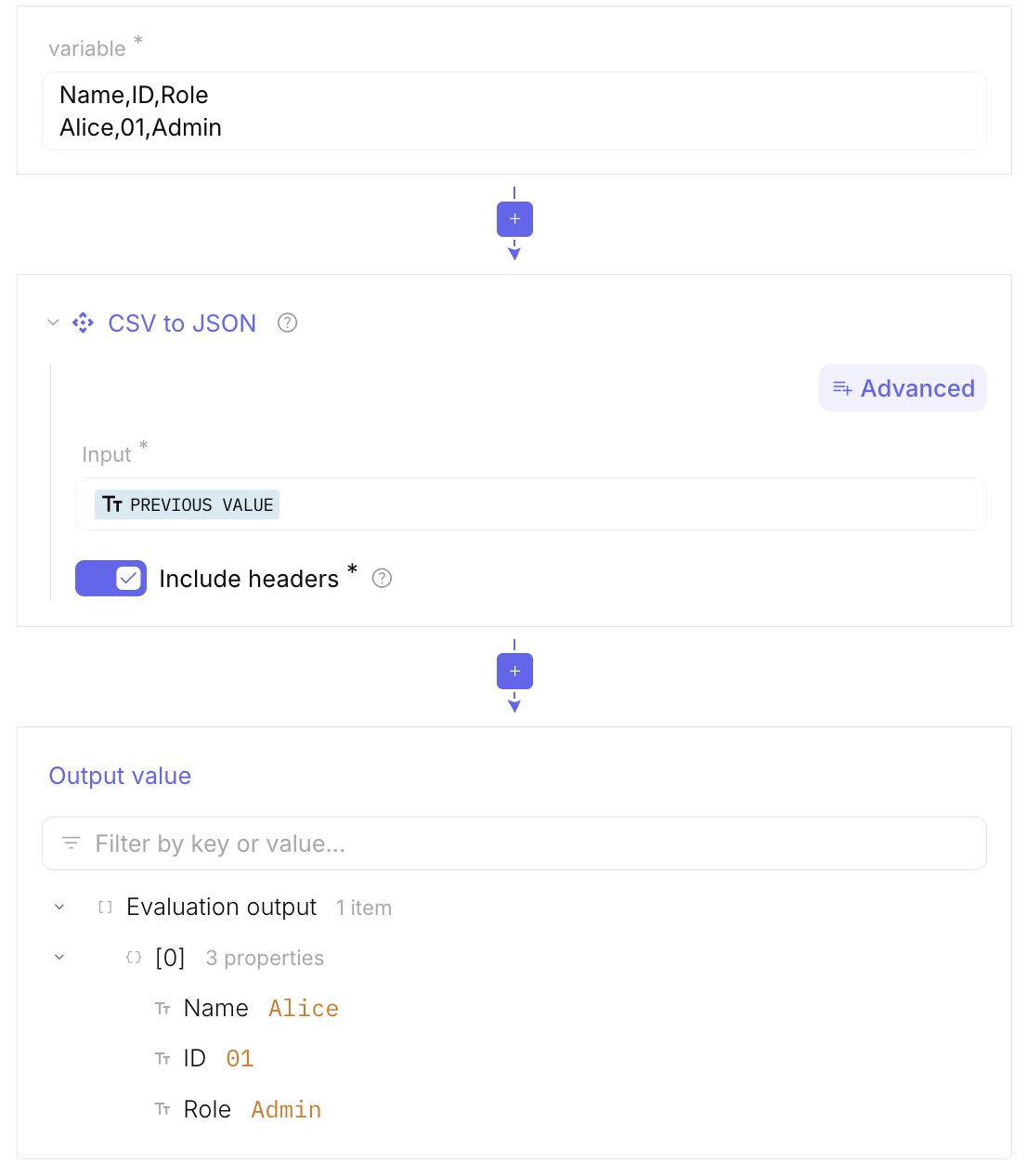
CSV to JSON / XML to JSON: They take structured text (like an Excel-style CSV or a tagged XML file) and turn it into JSON.
-
MSG to JSON: It takes an Outlook email file (
.msg) and extracts the metadata (sender, recipient, date) and body into a searchable JSON format. -
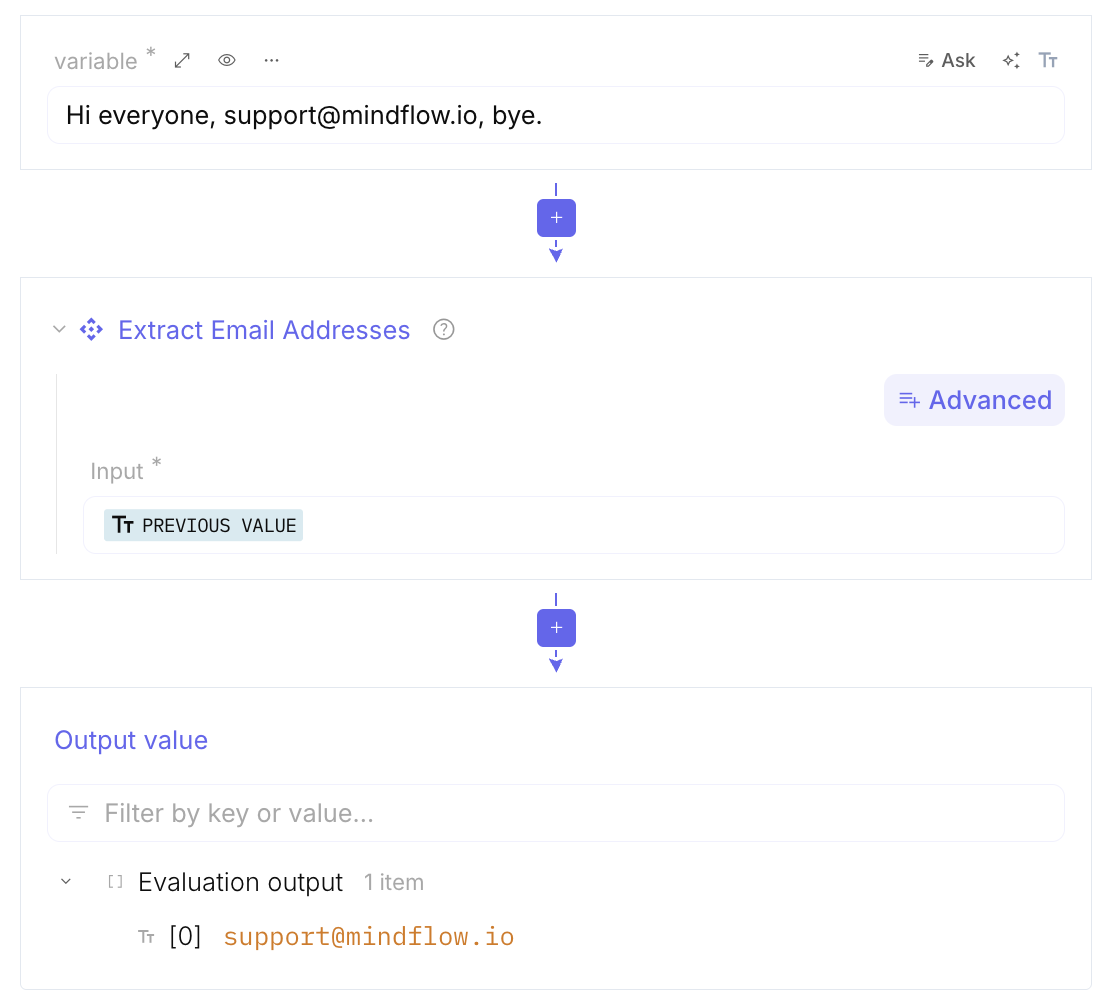
Extract Email Addresses: This will instantly list every email address found in the text.
-
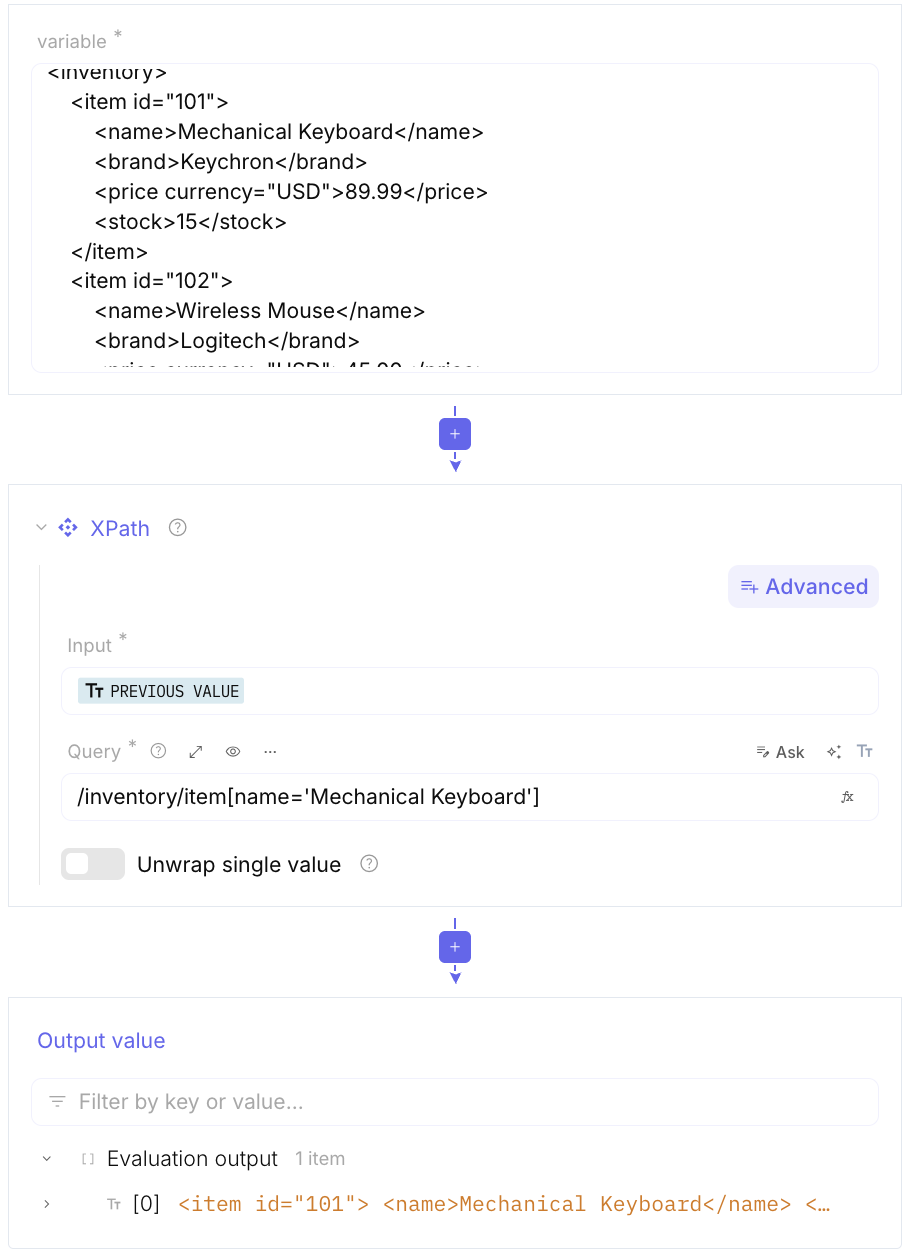
XPath: It allows you to write a specific query to grab exactly one piece of information from a massive, complex XML document
-
Assert: You use it to tell: “If the data doesn’t contain the word ‘Password’, stop the recipe and show an error.” It’s great for debugging complex automation.
-
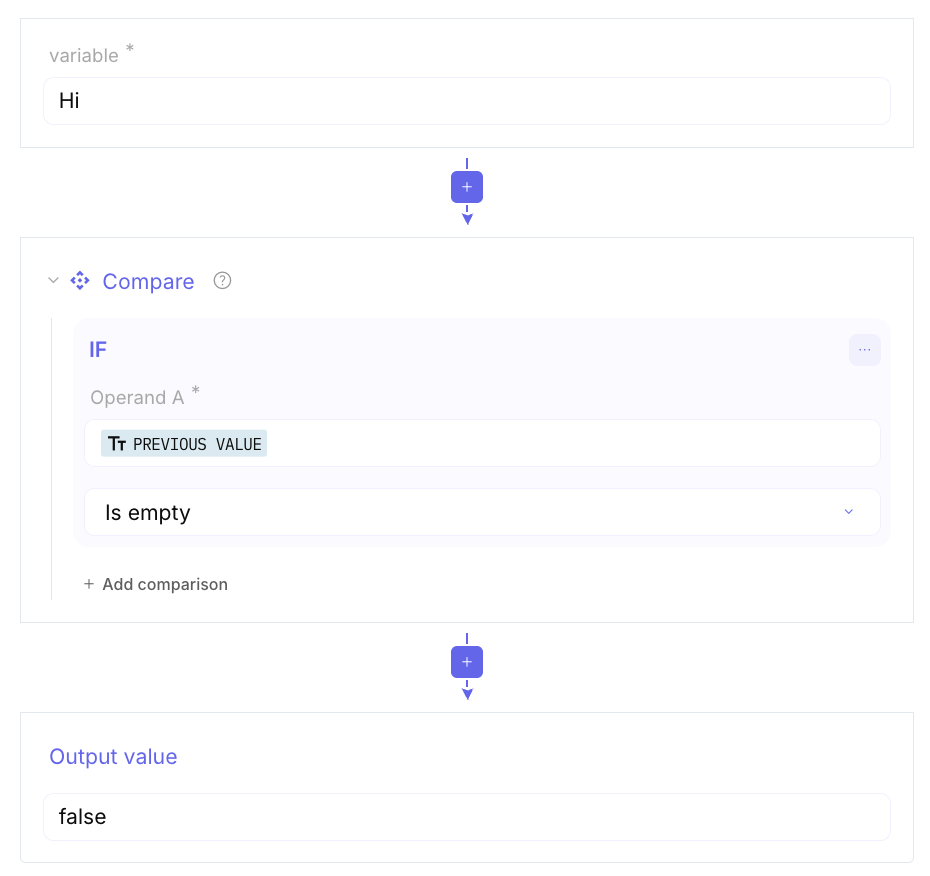
Compare: This tool takes two pieces of data and tells you if they are identical or different. It is often used to see if a file has been modified.
-
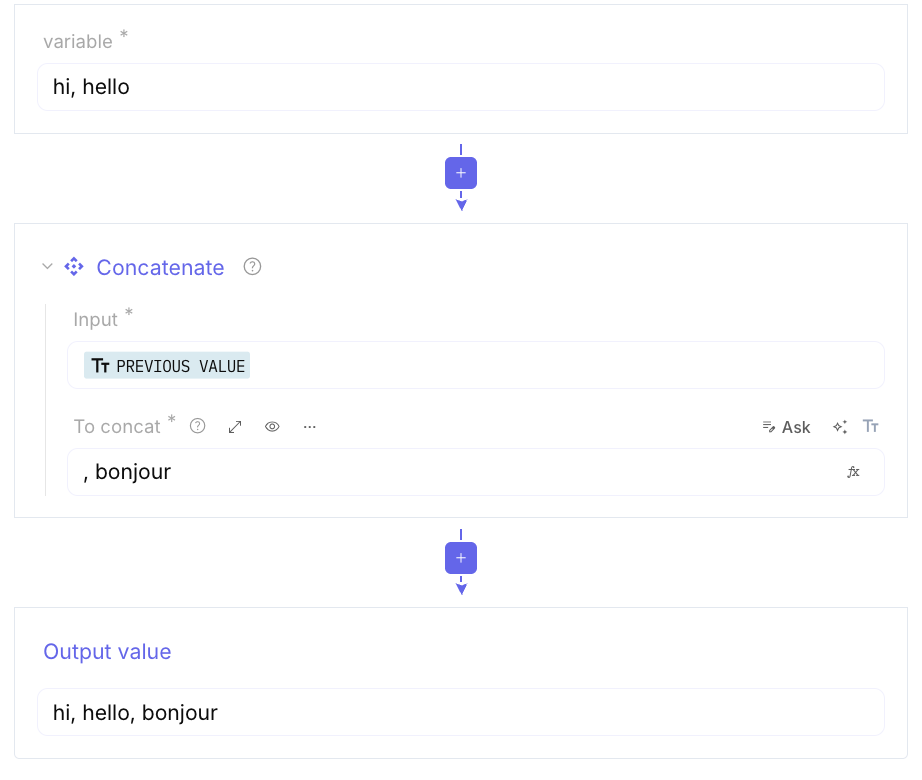
Concatenate: It takes multiple lines or pieces of data and glues them together into one long string.
-
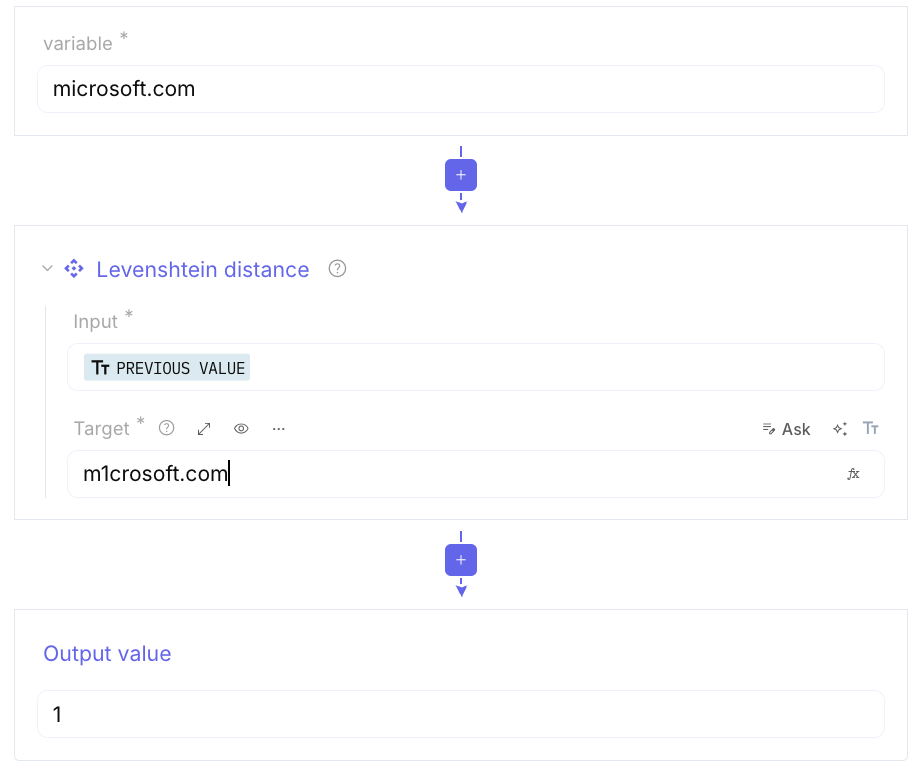
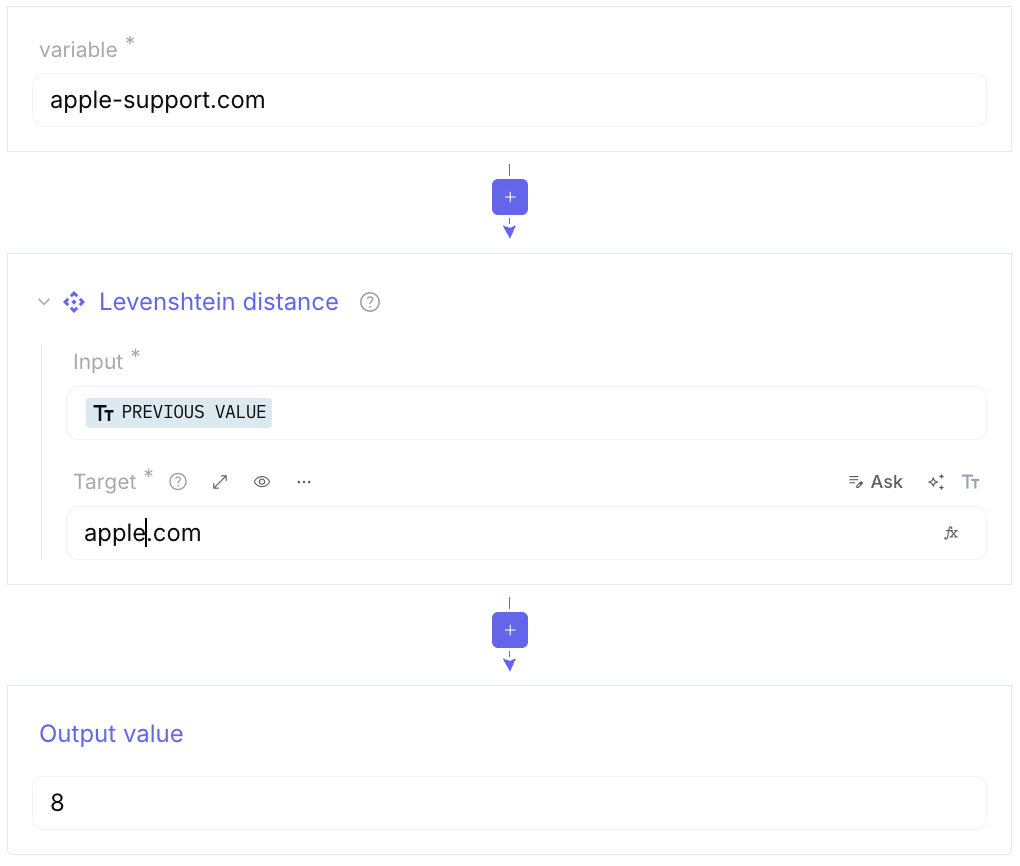
Levenshtein Distance: Is a string metric used to measure the difference between two sequences. Informally, it is the minimum number of single-character edits (insertions, deletions, or substitutions) required to change one word into another. It can detecting deception and automation.
-
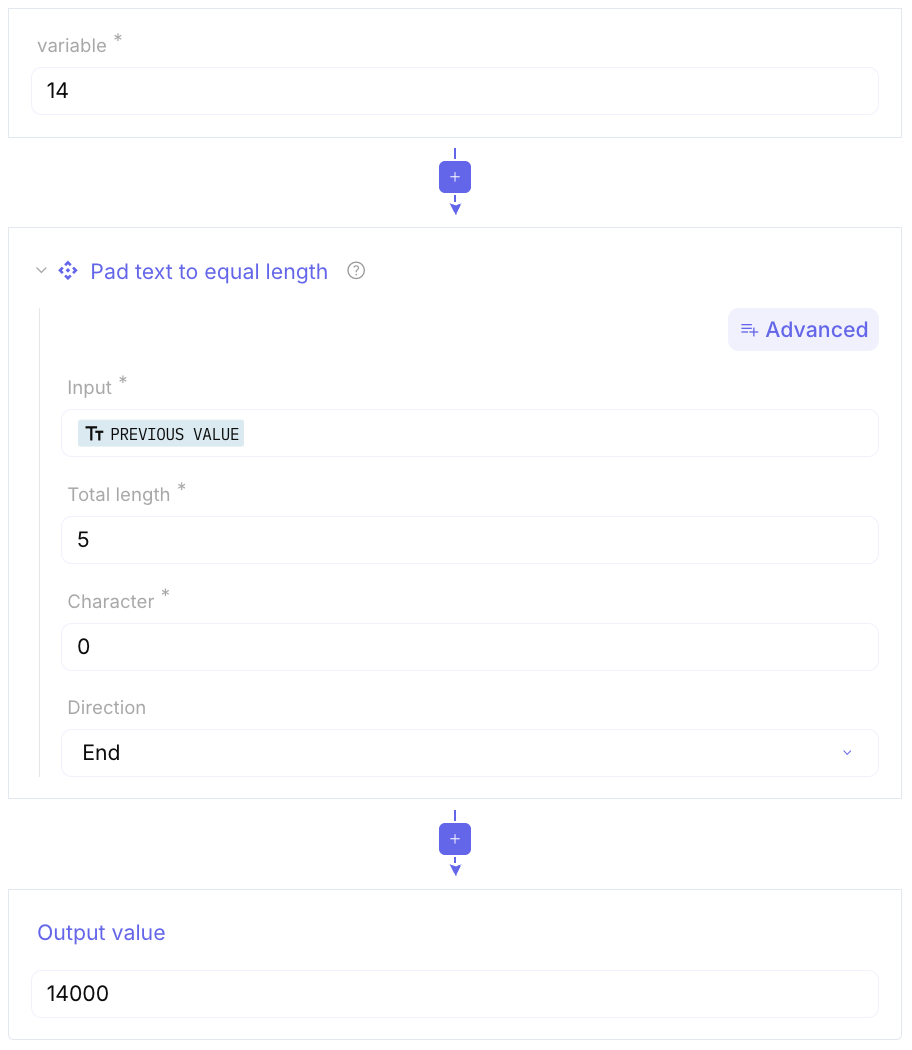
Pad text to equal length: This adds extra characters to the beginning or end of lines so they all have the exact same character count.
-
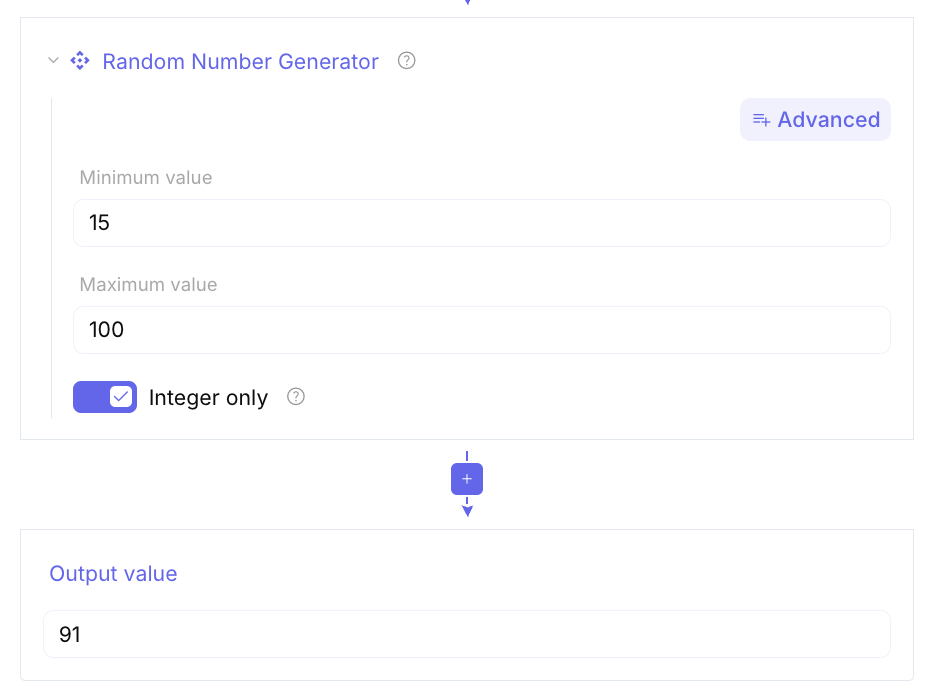
Random Number Generator: Generates a sequence of random numbers.
-
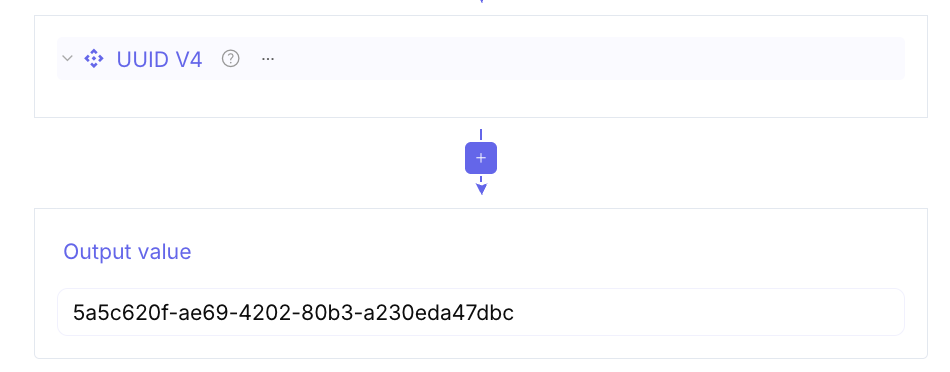
UUID V4: Generates a “Universally Unique Identifier”. You can use it when you are in need of an identifier!
Data format
Section titled “Data format”These functions encode, decode, and convert text and structured data. Full parameter tables, returned values, and examples live under Data format.
Basic text and alphabet
Section titled “Basic text and alphabet”-
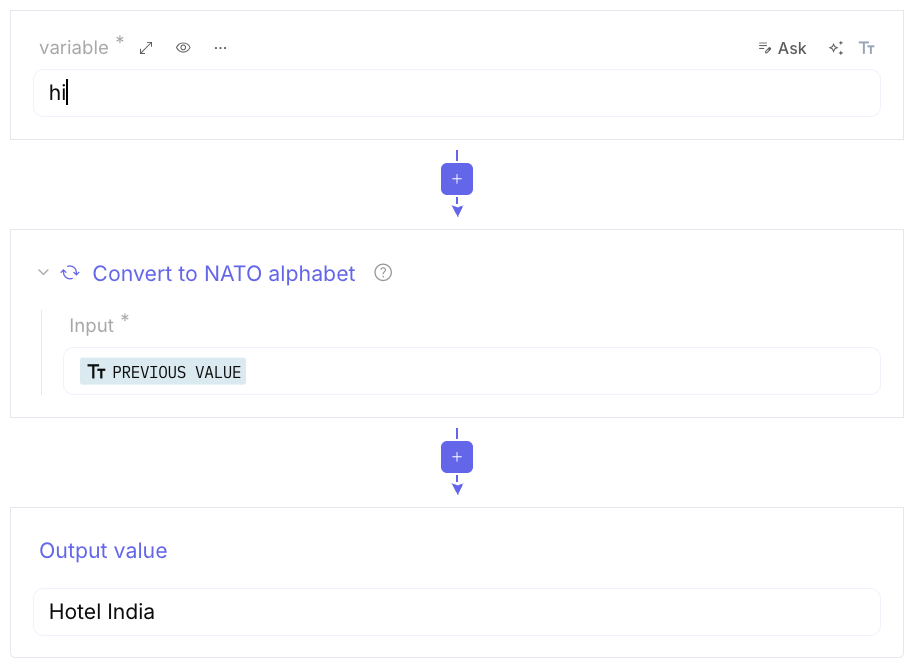
Convert to NATO alphabet: Turns text into the phonetic radio alphabet.
-
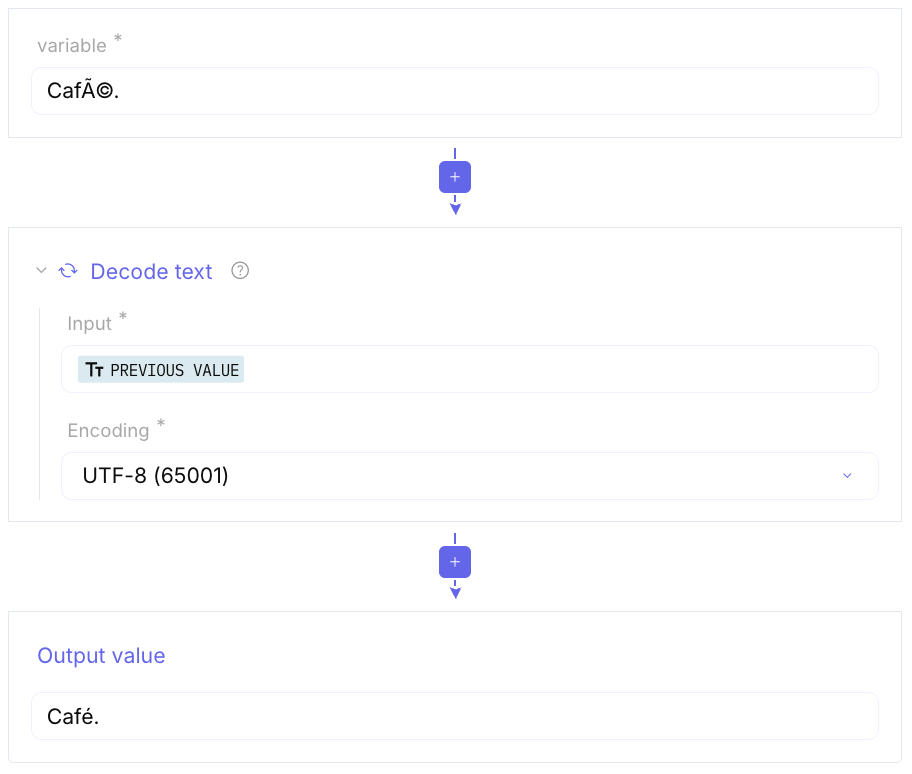
Encode text / Decode text: Change the character encoding (such as UTF-8) of a string.
-
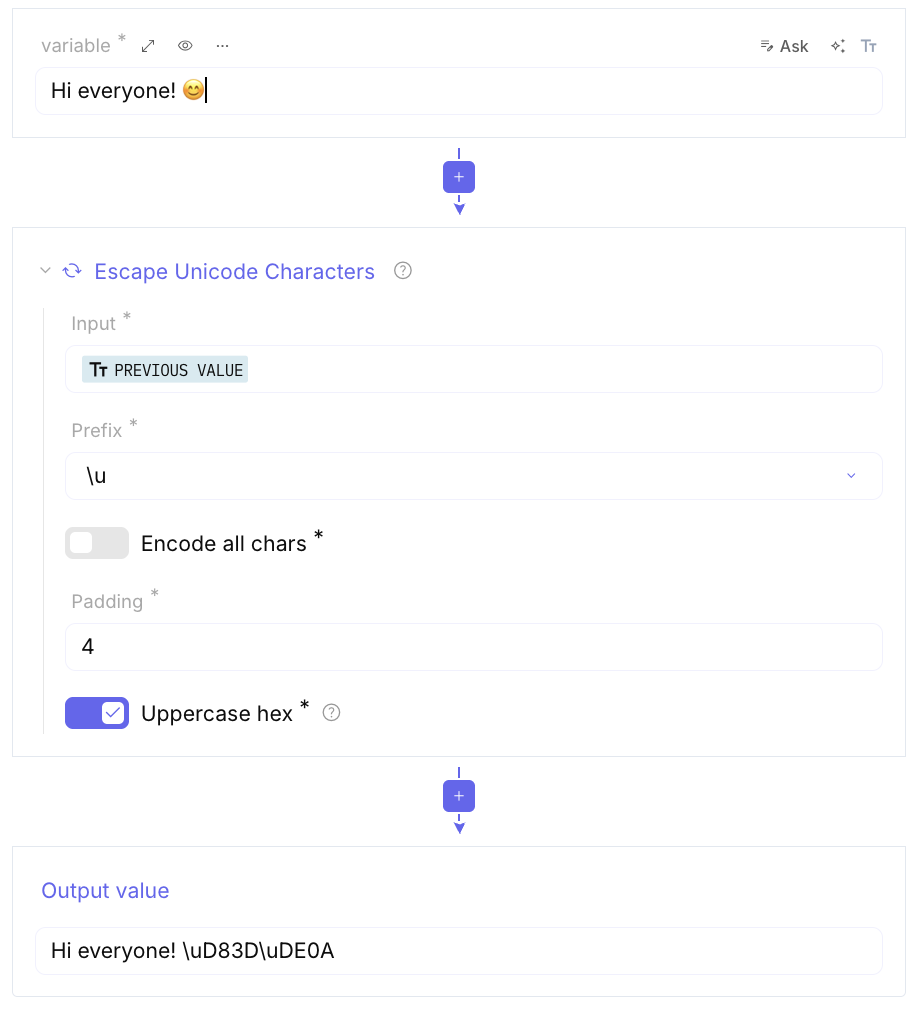
Escape Unicode Characters: Converts special characters into their code equivalents.
-
Normalise Unicode: Fixes text where the same character might be represented in different ways internally (important for digital signatures).
-
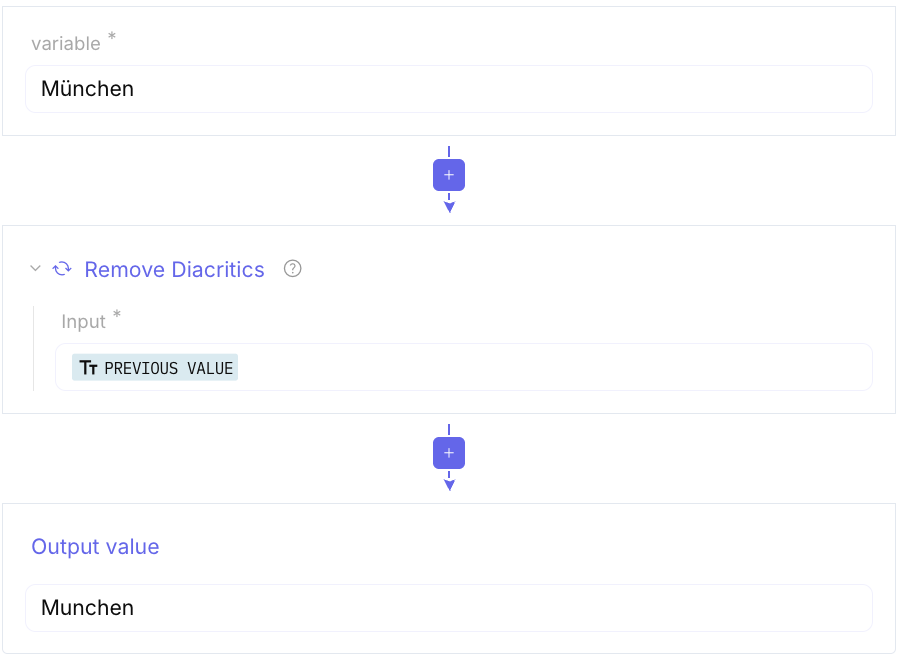
Remove Diacritics: Strips accents from letters.
-
To Upper case / To Lower case: Change letter case.
-
Unicode Text Format: Adds Unicode combining characters for formatting.
-
Text Encoding Brute Force: Tries supported encodings to recover text.
Base encodings
Section titled “Base encodings”-
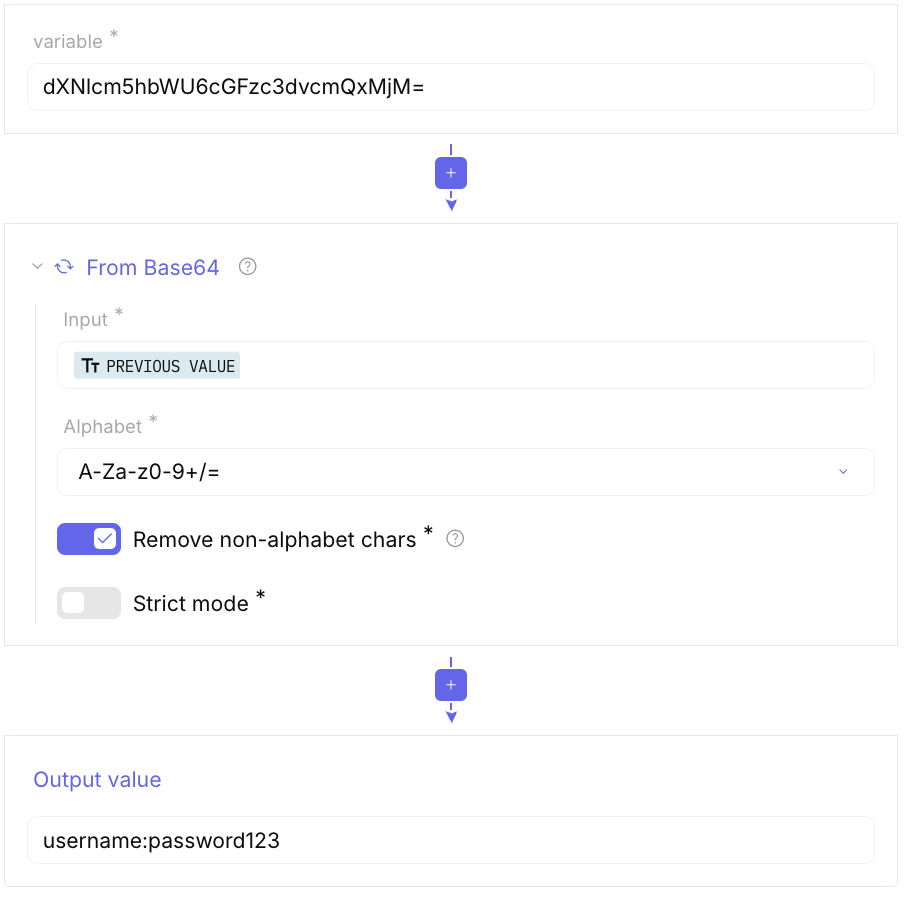
To Base64 / From Base64: The most common encoding for web data and email attachments. Multiple alphabets (URL-safe is important) are available.
-
Show Base64 offsets: Lists possible Base64 encodings of a string at different offsets.
-
Other restricted alphabets: Base32, Base45, Base58, Base62, Base85, and To Base / From Base.
Number systems and hardware formats
Section titled “Number systems and hardware formats”- To Binary / From Binary: Convert between text and
010101strings. - To Hex / From Hex: Convert hexadecimal byte strings.
- To Decimal / From Decimal and To Octal / From Octal: ordinal and octal forms.
- To BCD / From BCD: Binary-Coded Decimal.
- To Charcode / From Charcode: Unicode character codes.
- Swap endianness: Switch big-endian and little-endian word order.
Web, markup, and email formats
Section titled “Web, markup, and email formats”- URL Encode / URL Decode: Percent-encoding for URIs.
- To HTML Entity / From HTML Entity: HTML entities.
- Strip HTML tags: Remove markup and keep plain text.
- To Quoted Printable / From Quoted Printable: Email QP encoding.
- To Punycode / From Punycode: Internationalized domain names.
- To Hex Content / From Hex Content and To Hexdump / From Hexdump: hex-in-text and hexdump views.
- Unescape Unicode Characters: Reverse unicode escapes.
Structured data
Section titled “Structured data”-
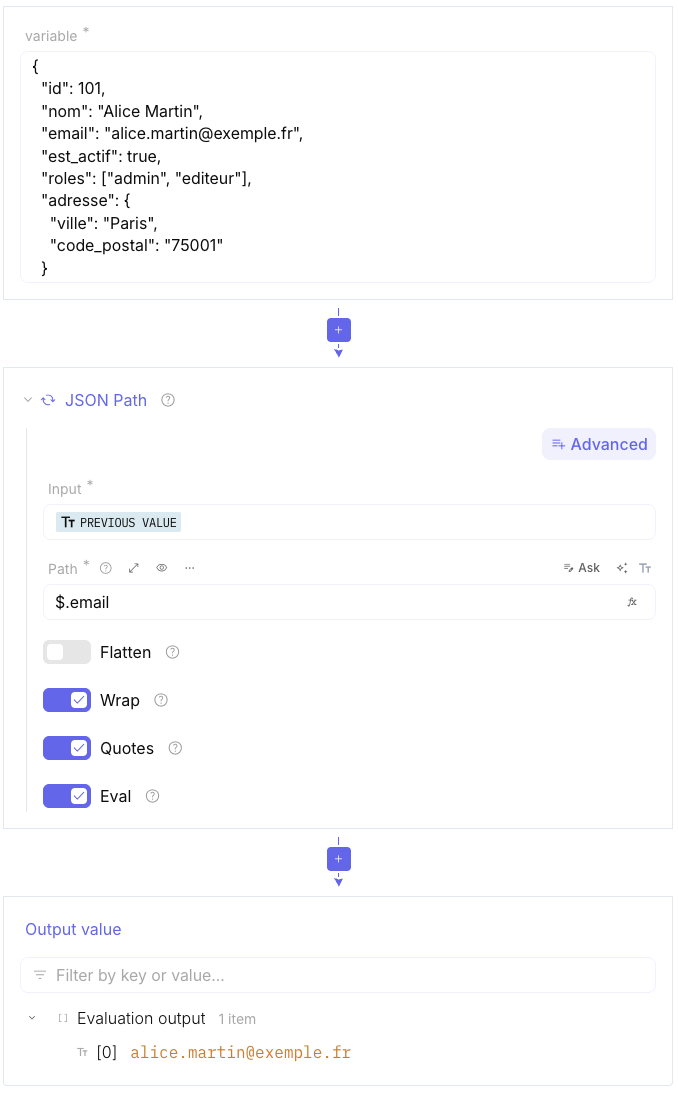
JSON Path: Select and extract values from JSON (data retrieval). See the reference for parameters, return values, and examples.
-
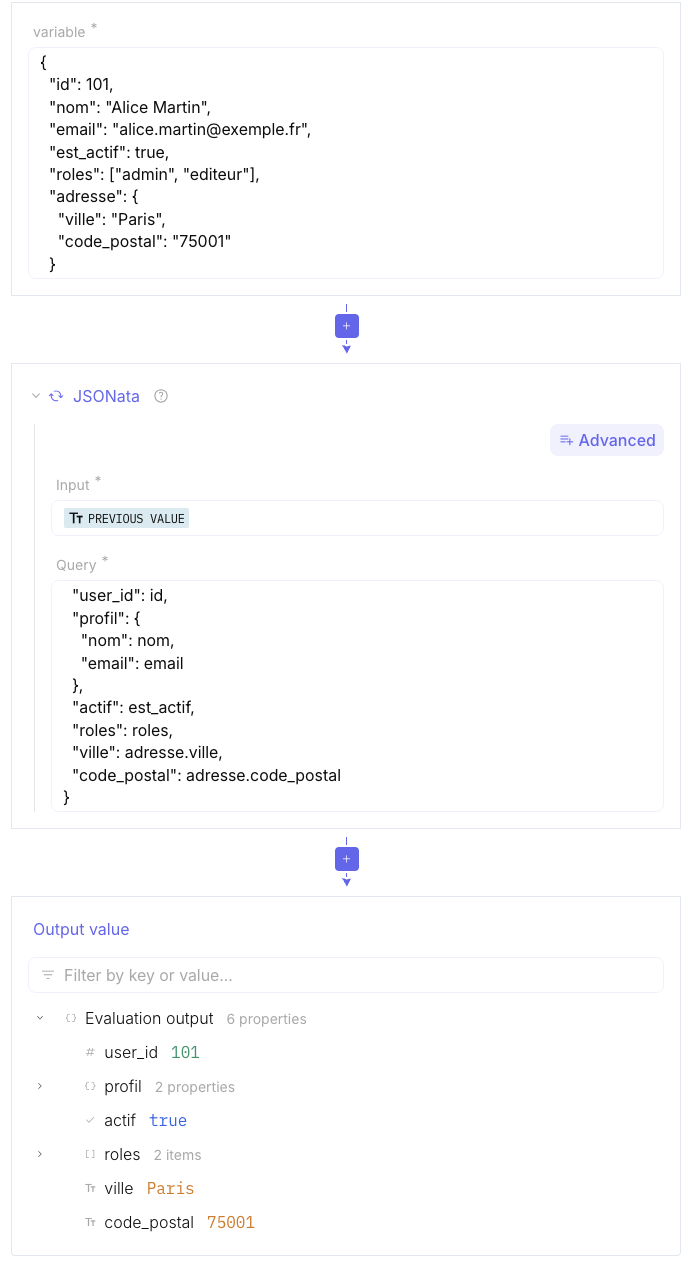
JSONata: Query and transform JSON (filter, aggregate, reshape). See the reference for parameters, return values, and examples.
JSON Path and JSONata syntaxes
Section titled “JSON Path and JSONata syntaxes”- Parse TLV: Decode Type-Length-Value (or KLV) payloads.
- To MessagePack / From MessagePack: Compact binary JSON-like encoding.
Date & time
Section titled “Date & time”Full parameter tables and examples: Date & Time.
Computers often store time as a single long number (a timestamp), which is impossible for humans to read without these tools.
-
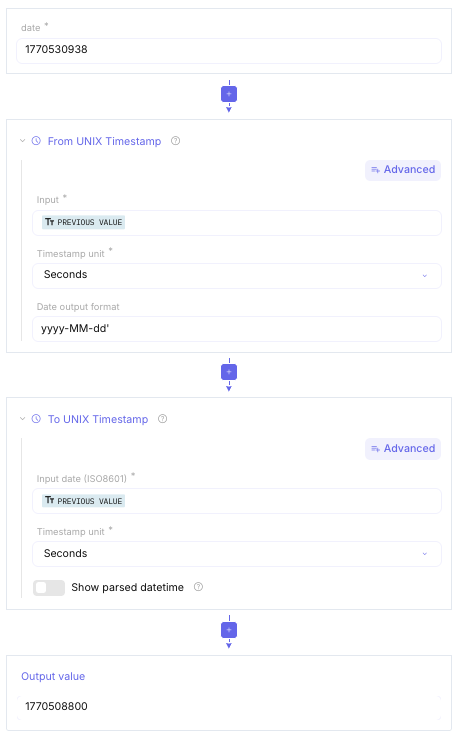
From/To UNIX Timestamp: Convert UNIX TimeStamp to a DateTime string (or contrary)
-
Windows Filetime to UNIX Timestamp: Microsoft Windows uses a different “starting point” for time (January 1, 1601) and measures in 100-nanosecond intervals.
-
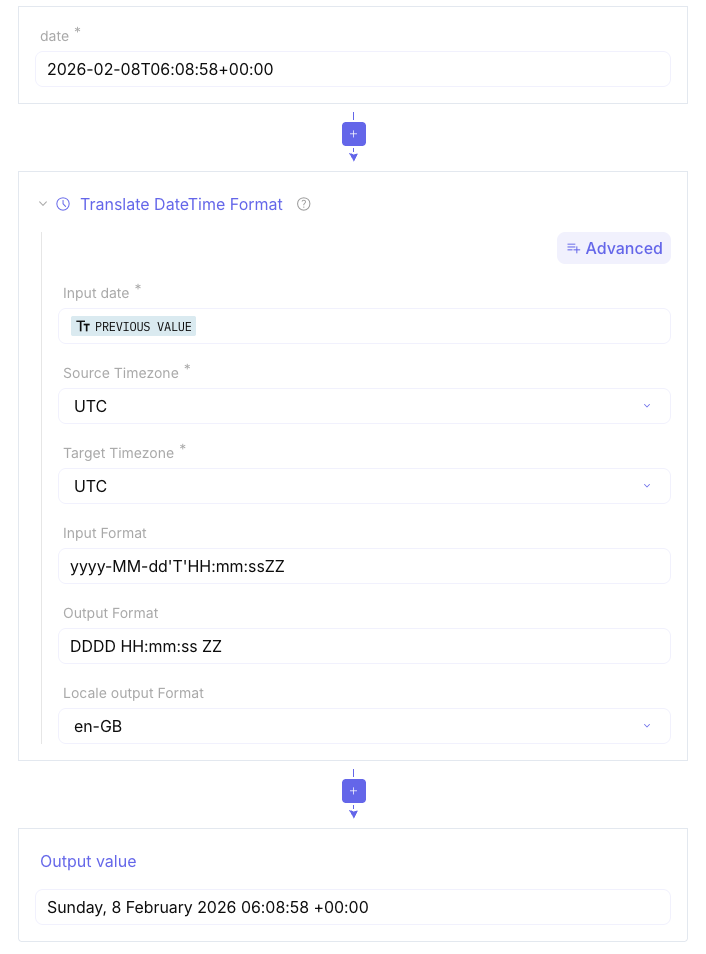
Translate DateTime Format: Lets you convert dates between time zones and adapt them to the desired format. This is used to change how a date looks (e.g., changing US format to European format).
-
Parse DateTime: Tries to figure out what a date string means, even if it’s messy, and turns it into a standardized ISO format.
-
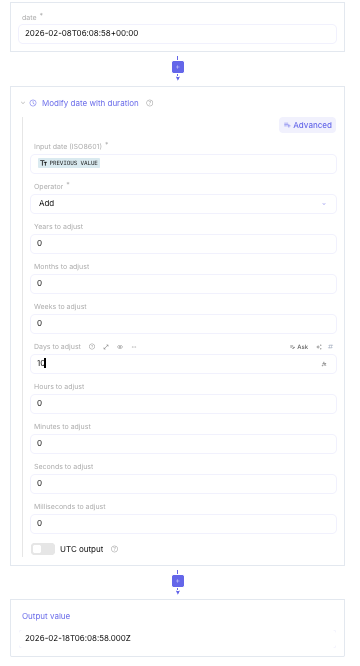
Modify date with duration: This allows you to do date math easily adjust dates by adding or subtracting months, days, hours, and more.
Extractors
Section titled “Extractors”Full parameter tables and examples: Extractors.
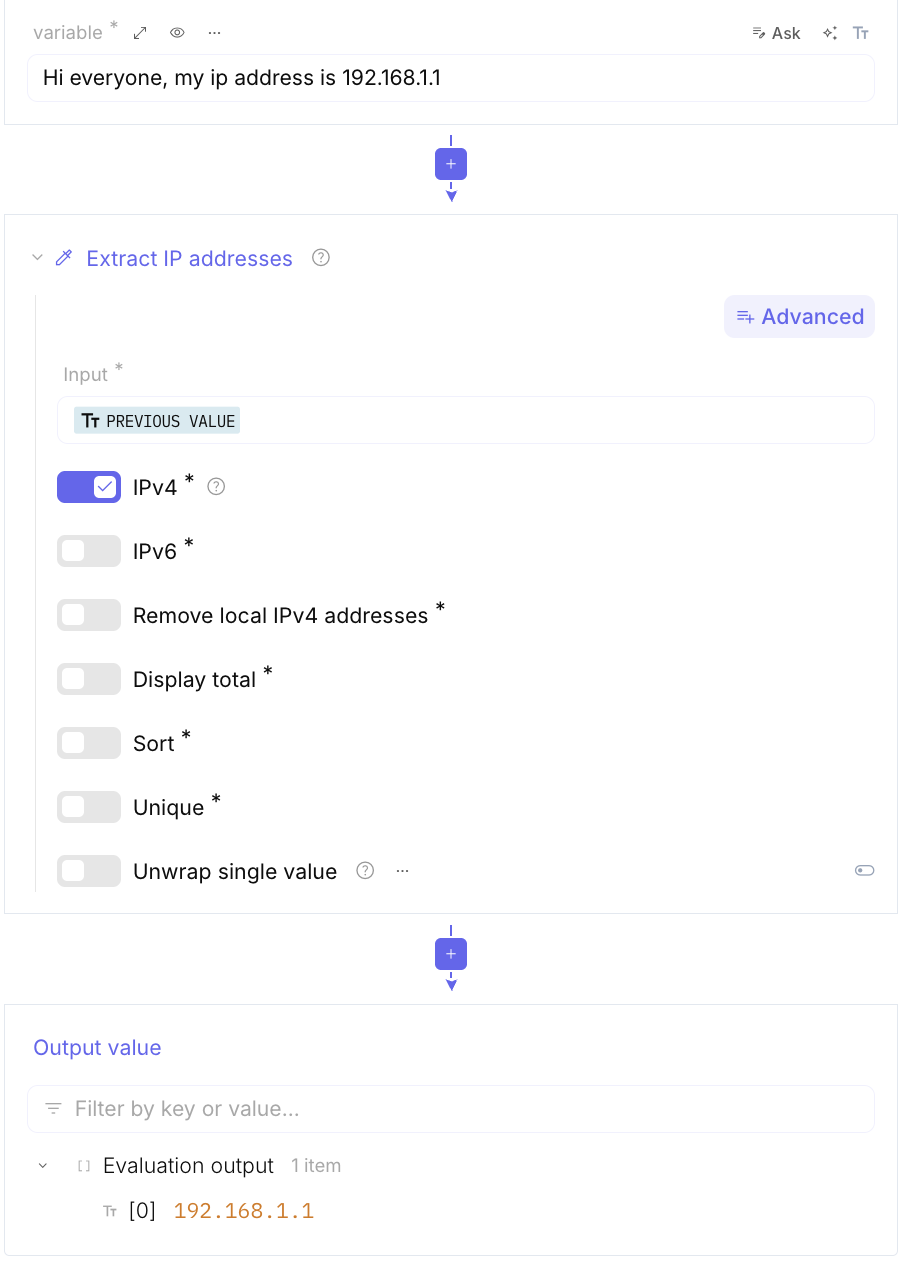
These functions allow extracting dates, domain names, email addresses, file paths, IP addresses, MAC addresses, URLs, and using regular expressions to extract specific patterns.
-
Extract Dates / Domains / IP addresses / URLs: / File paths Ignore the noise in a file and list only the specific entities you are looking for.
-
Extract MAC addresses: Finds unique hardware identifiers for network devices.
-
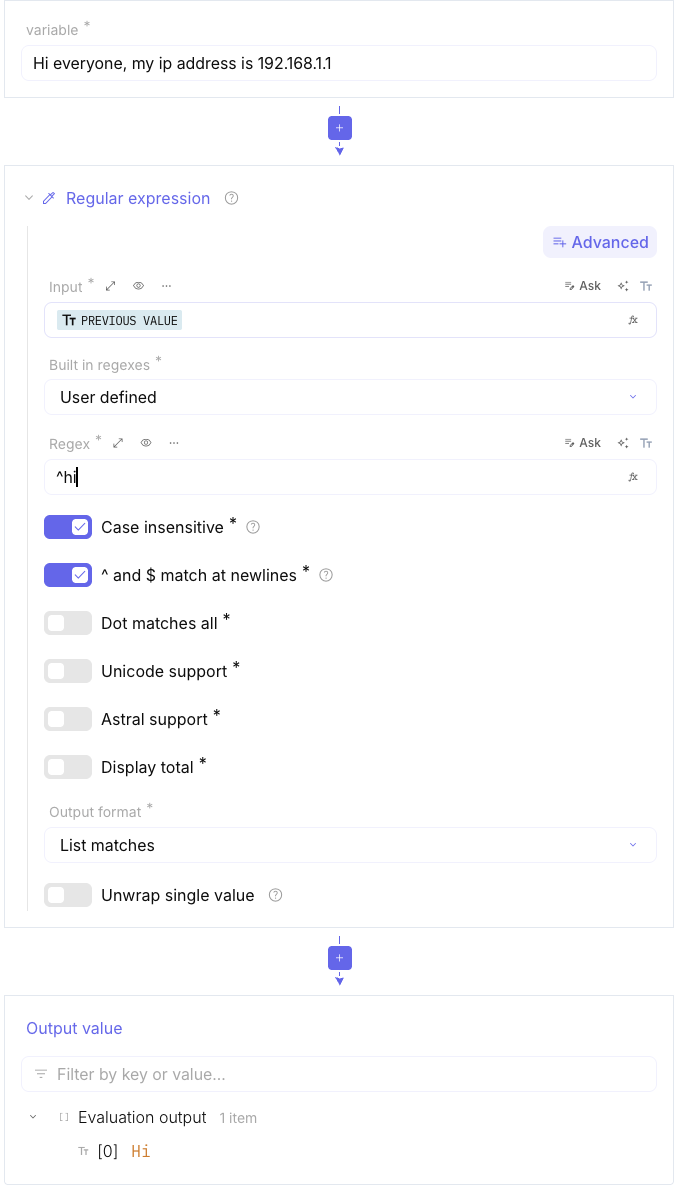
Regular expression: A “build-your-own” search tool where you define the pattern yourself to find custom data.
Regex Survival cheat sheet
Section titled “Regex Survival cheat sheet”-
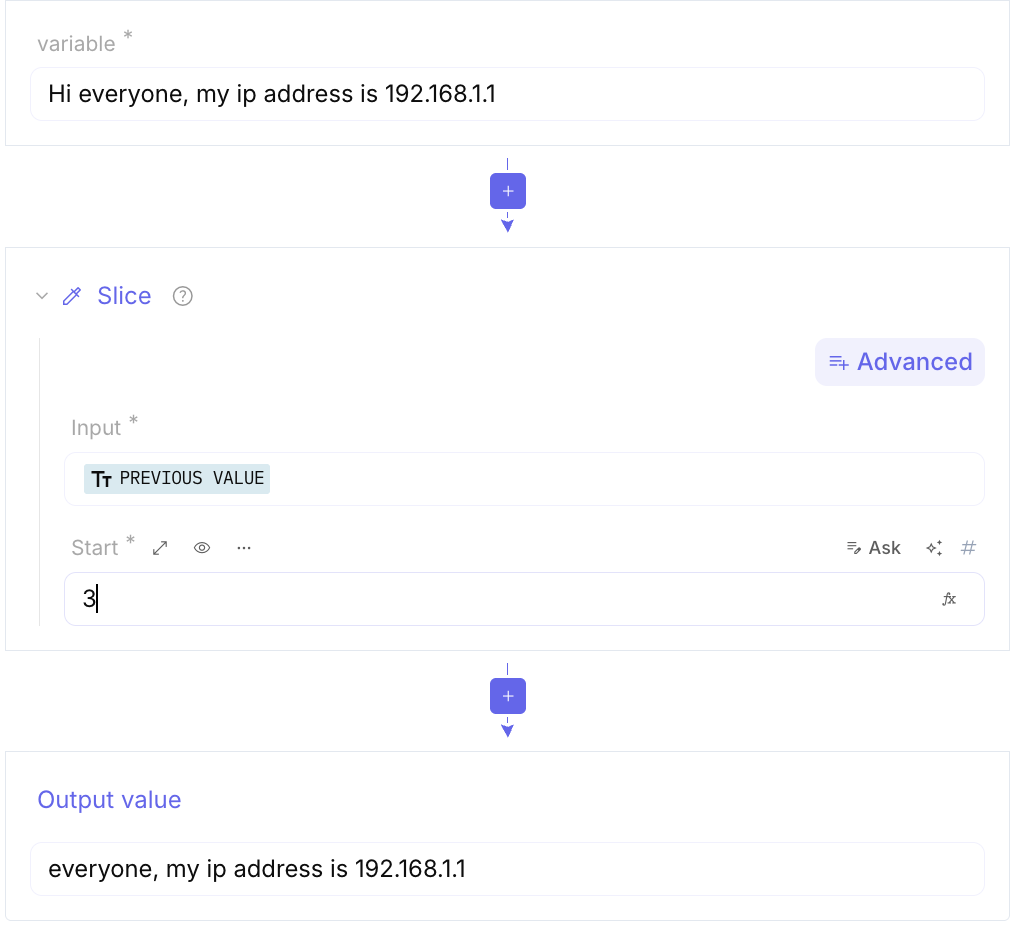
Slice**:** Allows you to “cut” a specific portion of the data (e.g., “give me only the first 100 characters”).
Hashing
Section titled “Hashing”Full parameter tables and examples: Hashing.
In the world of cybersecurity and data analysis, hashing is used for integrity checks, malware identification, and digital forensics. Here are the most commonly used Hashing functions in CyberChef.
****The Industry Standards These are the most reliable and widely adopted functions today.
- SHA-256: The current “gold standard.” It produces a 64-character hex string. It is used for SSL certificates, Blockchain transactions, and identifying malware samples in databases like VirusTotal.
- SHA-512: Provides a higher level of security than SHA-256. It is often used in sensitive systems where computational power is not a constraint.
- SHA-1: Once the standard, it is now considered cryptographically weak against collisions. However, it is still everywhere in legacy systems and for file versioning (like in Git).
Legacy Functions While no longer secure for passwords, these are essential for digital forensics and identifying known files.
- MD5: Extremely fast. It creates a 32-character hex fingerprint. In incident response, the MD5 hash is the most common IOC (Indicator of Compromise) used to share information about a specific malicious file.
- MD4: An older version of MD5, primarily seen when dealing with legacy Microsoft authentication protocols (NTLM).
- Forensic & Specialized Hashes CyberChef includes unique hashing methods used specifically for Malware Analysis:
- SSDEEP (Fuzzy Hash): Unlike MD5 (where changing 1 bit changes the whole hash), SSDEEP allows you to find files that are “similar” but not identical. This is used to detect modified versions of the same malware.
- Imphash (Import Hash): It hashes the list of functions a program imports. It helps analysts group different pieces of malware that were compiled by the same author or toolkit.
- SHA-3: The latest member of the SHA family (based on the Keccak algorithm). It is used in modern applications that require maximum security resistance.
Summary TableOperationOutput Length (Hex)Primary Use CaseSecurity LevelMD5**32 charsFile identification (IOCs)Low (Vulnerable)**SHA-1
Networking
Section titled “Networking”Full parameter tables and examples: Networking.
These functions allow modifying IP address formats, dechunking HTTP responses, encoding and decoding NetBIOS names, defanging IP addresses and URLs, formatting MAC addresses, grouping IP addresses, and checking IP addresses within CIDR ranges. They also include tools for analyzing protocol fingerprints (HASSH, JA3) and verifying SSH host keys, facilitating network data management and security.
- Change IP format : Change IP format
- Dechunk HTTP response: Reassembles HTTP data that was sent using “chunked transfer encoding” into a single, readable body.
- Defang IP Addresses/ Defang URL: A security practice that modifies IPs or URLs (e.g., changing
http://tohXXp://) so they aren’t “clickable,” preventing accidental navigation to malicious sites during analysis. - Encode NetBIOS Name / Decode NetBIOS Name: Handles the unique 16-character naming convention used by older Windows networking protocols (often seen in legacy internal network traffic).
- Format MAC addresses: Standardizes the look of MAC addresses (e.g., adding colons or dashes:
001A2B...→00:1A:2B...). - Group IP addresses (Grouper des adresses IP)
- HASSH Client Fingerprint / HASSH Server Fingerprint: Similar to JA3, but specifically for SSH (Secure Shell) traffic. It fingerprints the key exchange and algorithms used during the SSH connection.
- IP Address In CIDR Range Check: Tests whether a specific IP address falls within a given CIDR (Classless Inter-Domain Routing) network block.
- JA3 Fingerprint / JA3S Fingerprint: Creates a fingerprint of a TLS Client (JA3) or TLS Server (JA3S). This helps identify specific browsers or malware families even when the traffic is encrypted.
- Parse IP range: Expands a range (like
192.168.1.1-192.168.1.5) into a full list of individual IP addresses. - Parse IPv4 header / Parse IPv6 address : Breaks down raw packet headers or complex IPv6 strings into their constituent parts (source/destination, TTL, flags, etc.).
- Parse UDP / Parse SSH Host Key : Extracts structured information from raw UDP datagrams or SSH public keys.
- Parse URI: Breaks a URL/URI into its components: scheme, host, port, path, query parameters, and fragment.
- Parse User Agent: Decodes a “User-Agent” string to identify the browser, operating system, and device type used by a visitor
- Strip HTTP headers: Removes the metadata (headers) from an HTTP request or response, leaving only the payload/body.
- VarInt Decode / VarInt Encode: Handles “Variable length Integers,” a method used in protocols like Google Protocol Buffers to save space by using fewer bytes for smaller numbers.
Others
Section titled “Others”Full parameter tables and examples: Others.
These functions include calculating the Chi-square, disassembling x86, frequency distribution, generating HOTP (HMAC-based one-time password), and creating random text with Lorem Ipsum. They also allow calculating the Haversine distance between two geographical points, analyzing the index of coincidence of characters, rendering content in Markdown, and using YARA rules to identify and classify malicious files.
- Chi Square: Performs a statistical test to determine how much the observed data differs from expected data. In cryptography, it’s often used to detect if a piece of text is random or follows the frequency of a known language.
- Frequency distribution: Counts the occurrence of each character (or byte) in the input. This is the first step in breaking simple substitution ciphers or identifying the nature of unknown data.
- Index of Coincidence: A measure of how similar a text is to a random distribution. It helps cryptanalysts determine the type of cipher used (e.g., if it’s a polyalphabetic cipher like Vigenère) and find the length of the encryption key.
- Disassemble x86: Converts raw machine code (binary/hex) into human-readable assembly language for Intel/AMD x86 processors. This is essential for understanding what a piece of malware is actually doing at the CPU level.
- YARA Rules: A powerful tool for malware researchers. This function allows you to run YARA “rules” (descriptions of malware families based on textual or binary patterns) against your input to identify malicious files.
- Generate HOTP: Creates a HMAC-based One-Time Password. This is a standard algorithm used in 2-factor authentication (2FA) apps, where the code changes every time you press a button or log in.
- Generate Lorem Ipsum: A classic utility that generates “placeholder” text used in design and layout testing.
- Haversine distance: Calculates the “as-the-crow-flies” distance between two points on a sphere using their latitude and longitude. Useful for geolocation data analysis.
- Render Markdown: Takes text written in Markdown format and converts it into a visually formatted HTML preview.
Full parameter tables and examples: Utils.
These functions include adding line numbers, converting units (area, distance, mass, speed, etc.), counting occurrences, filtering and find/replace text, and managing strings with options like escaping or expanding alphabet ranges. They also provide tools for fuzzy matching, offset checking, calculating Hamming distance, and formatting text with padding and line formatting options.
-
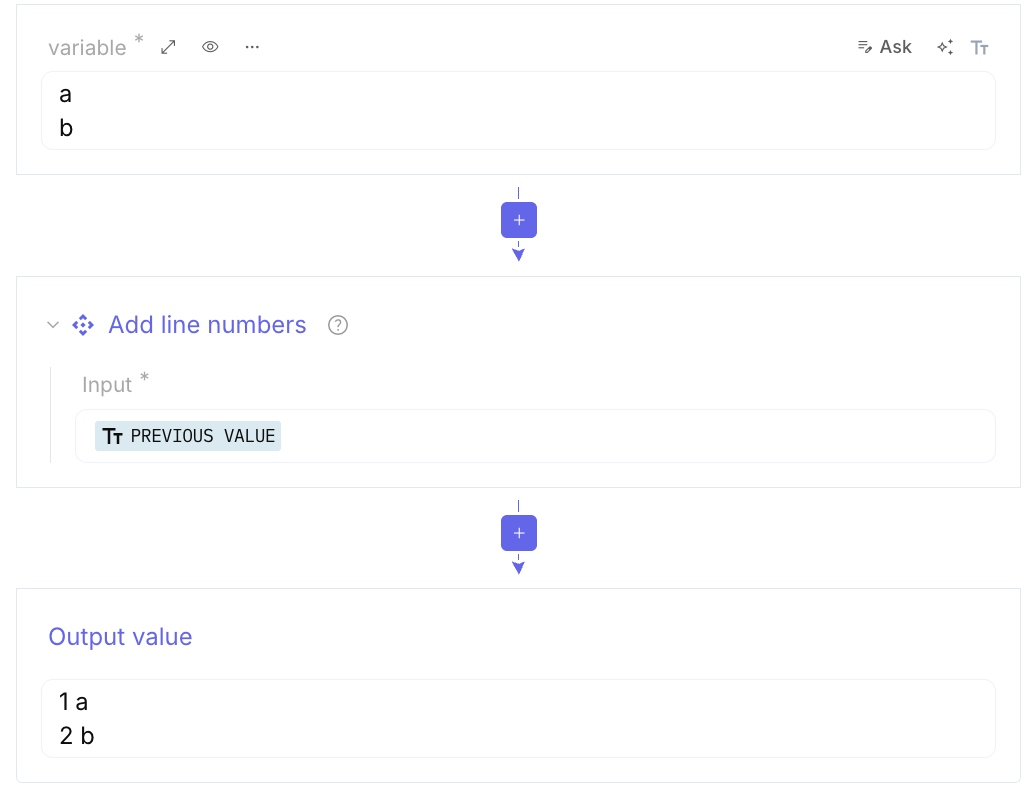
Add / Remove line number: Add a number at the beginning of each line.
-
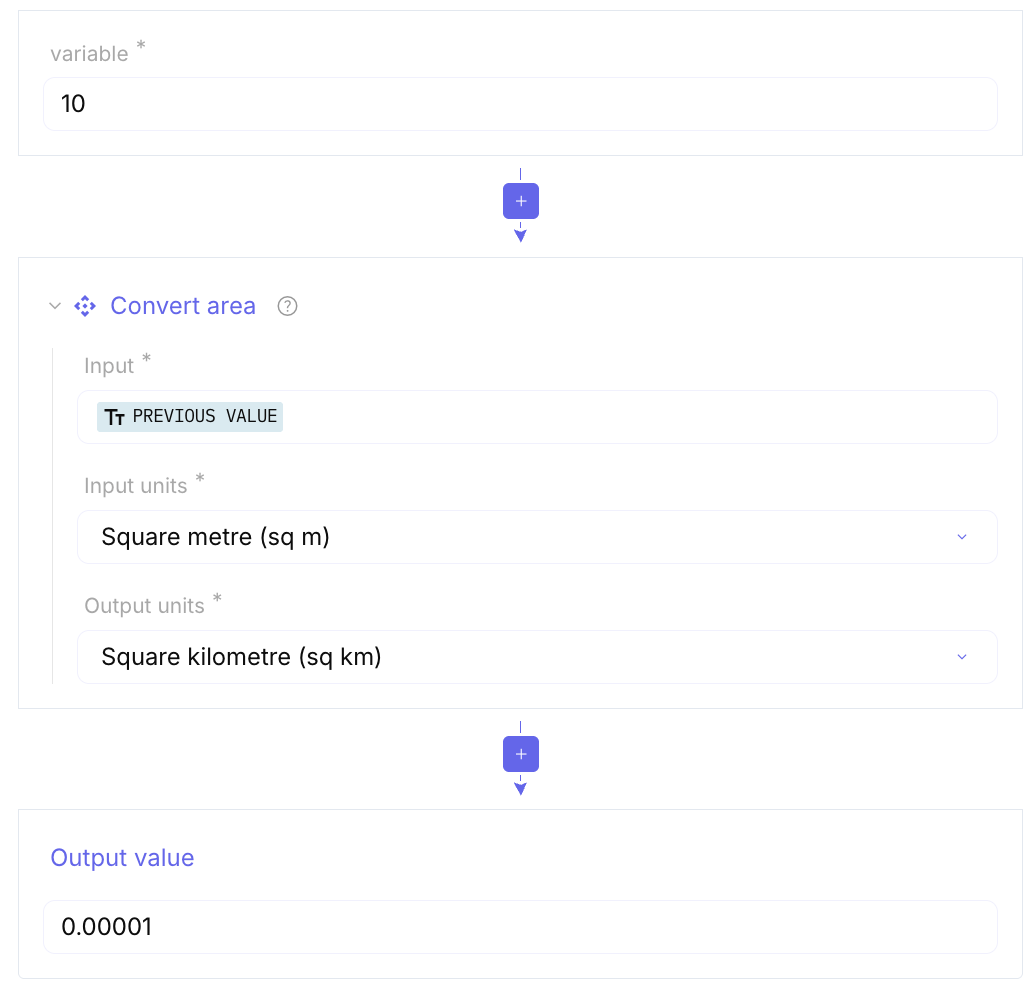
Convert area / co-ordinate format / data-units / mass / speed / distance: Versatile utility used to translate measurements.
-
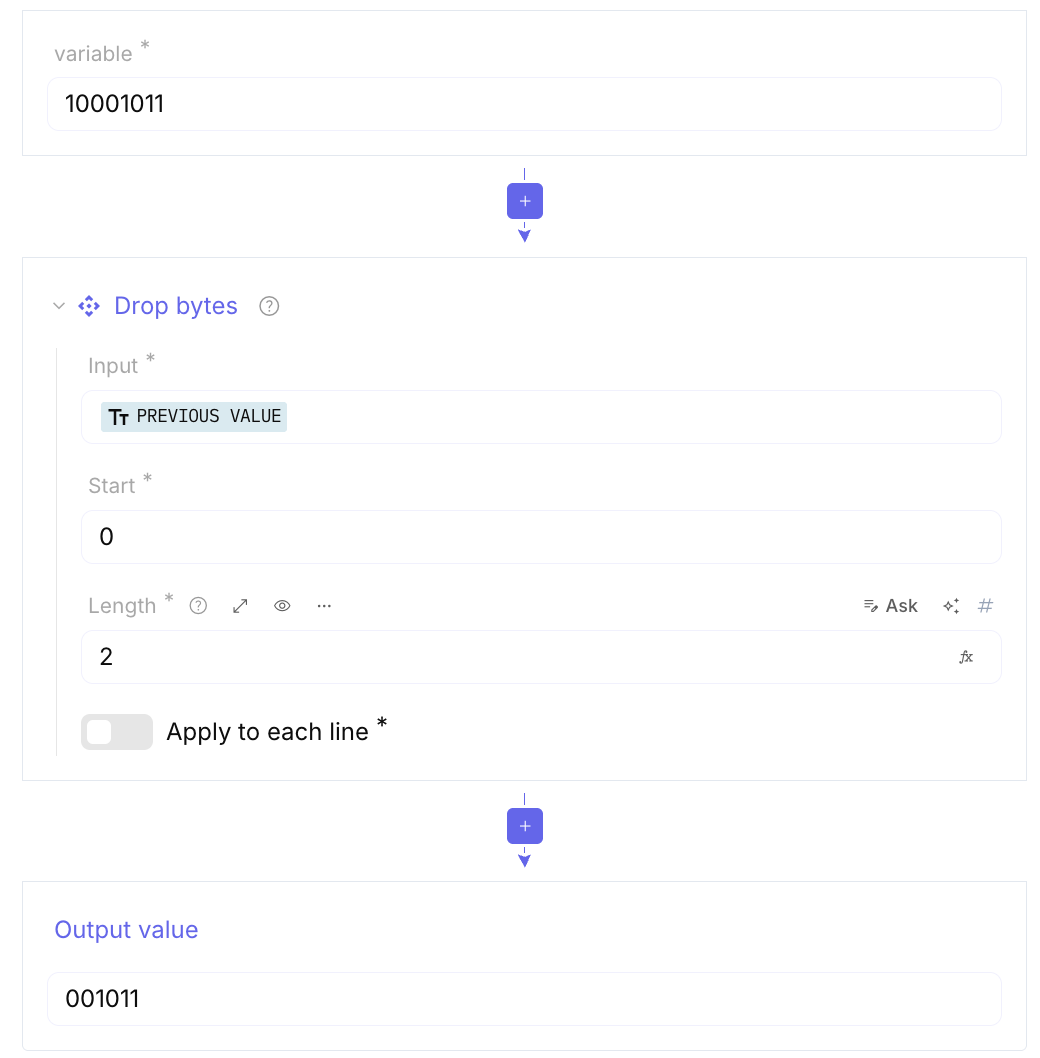
Drop bytes / Take bytes: Allows you to either remove or keep a specific number of bytes from the start or end of the data. Useful for stripping headers or isolating specific payloads.
-
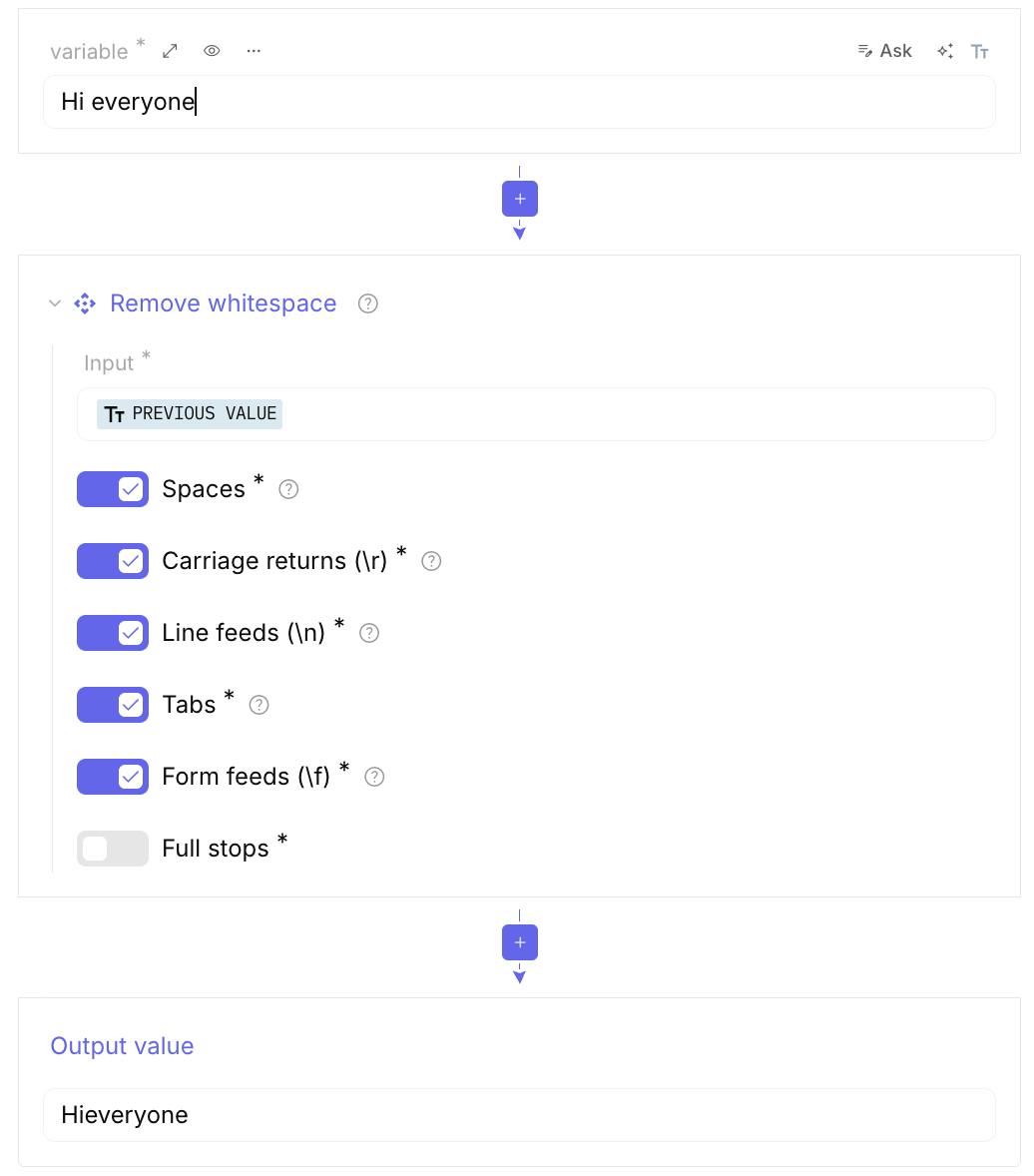
Remove whitespace: Strips out spaces, tabs, and newlines. Essential before decoding formats like Base64 which can be sensitive to extra spaces.
-
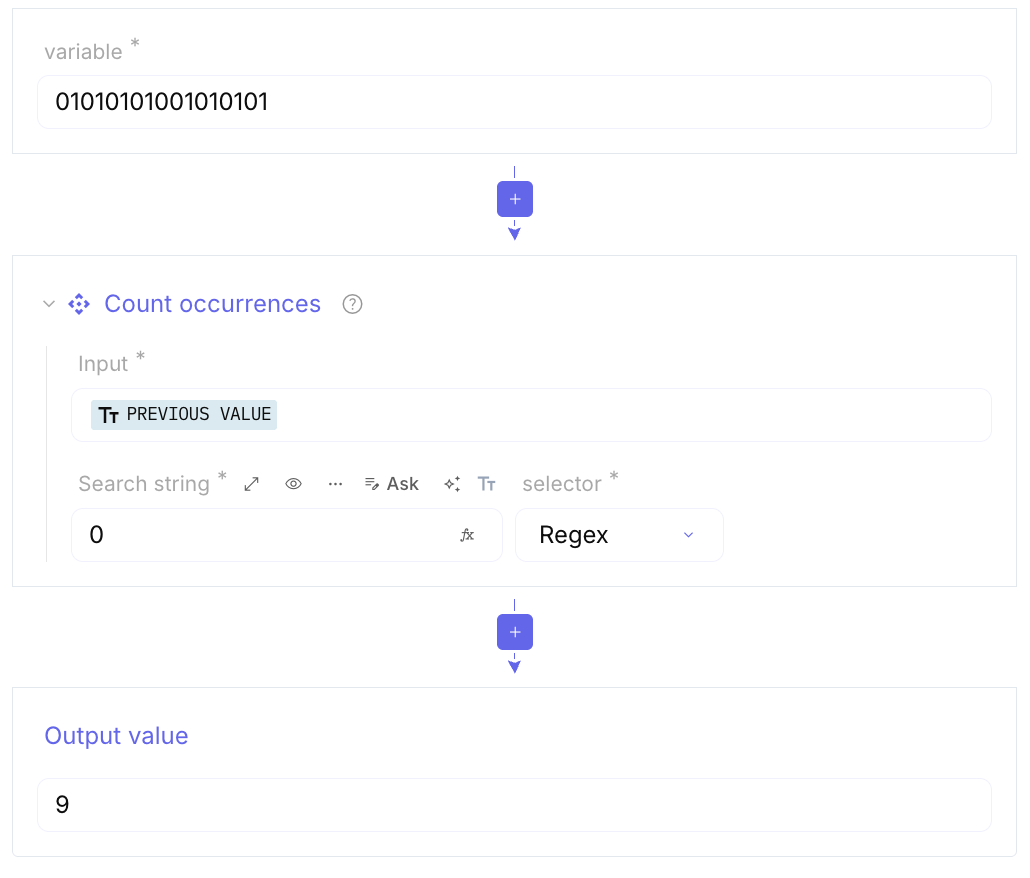
Count occurences: Scans the input for a specific string or character and returns the total number of times it appears. Very useful for determining if a specific byte pattern is frequent in a piece of malware.
-
Escape / Unescape string: Converts special characters into “escaped” versions (like changing a newline to
\n) or back again.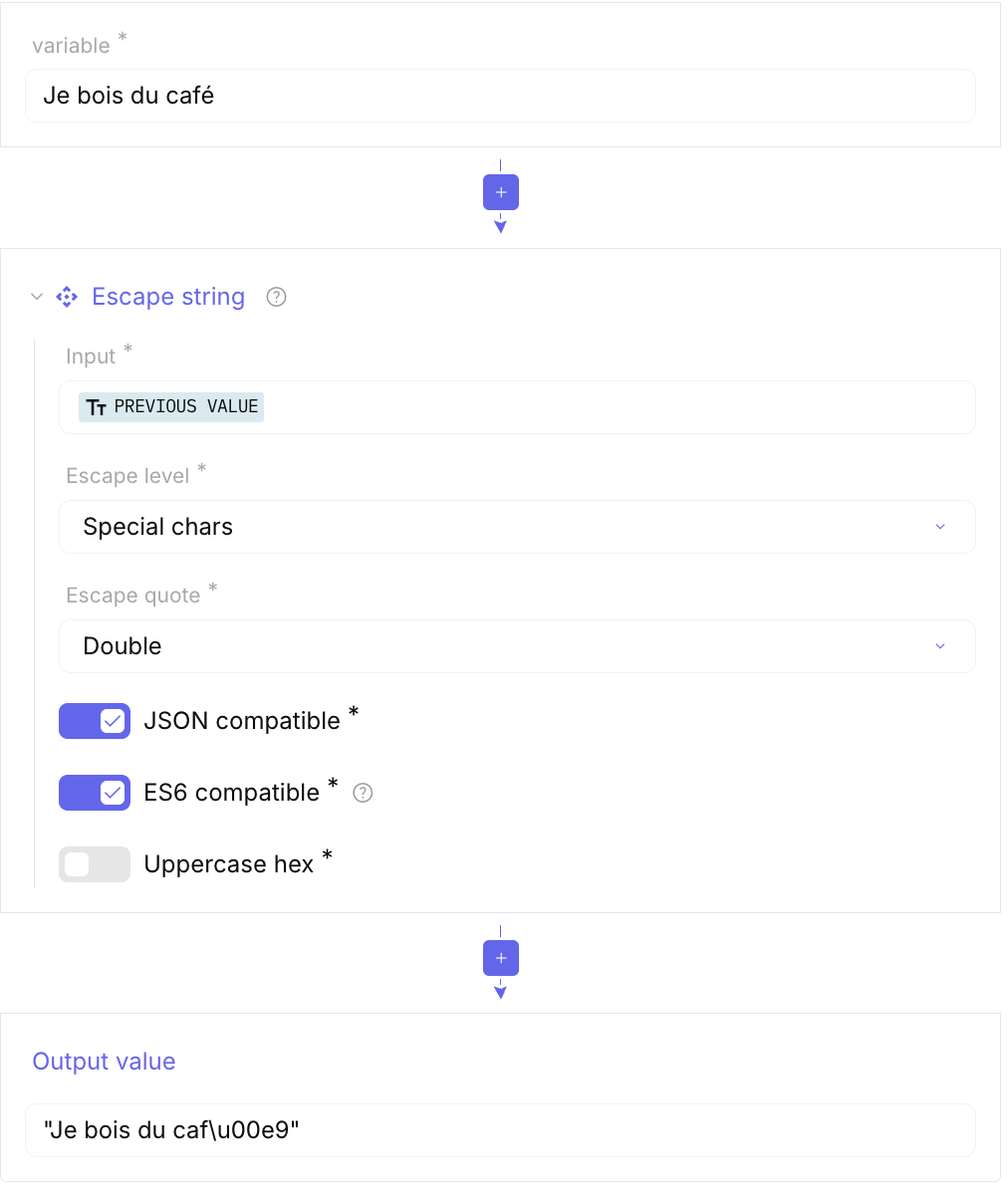
-
Expand alphabet range: Converts a shorthand range like
a-z0-9into the full string of charactersabcdef...789.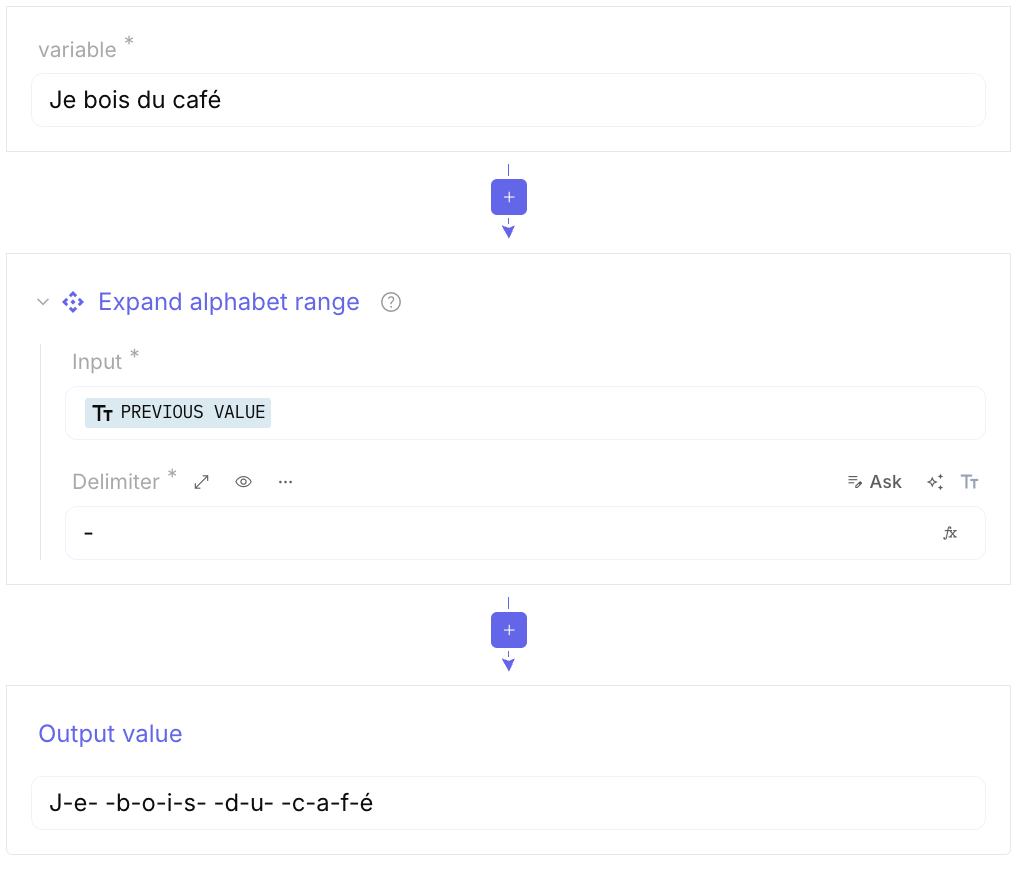
-
Filter: Acts as a “search and keep” or “search and remove” tool for lines. You can set it to only show lines that contain (or don’t contain) a specific keyword or regex.
-
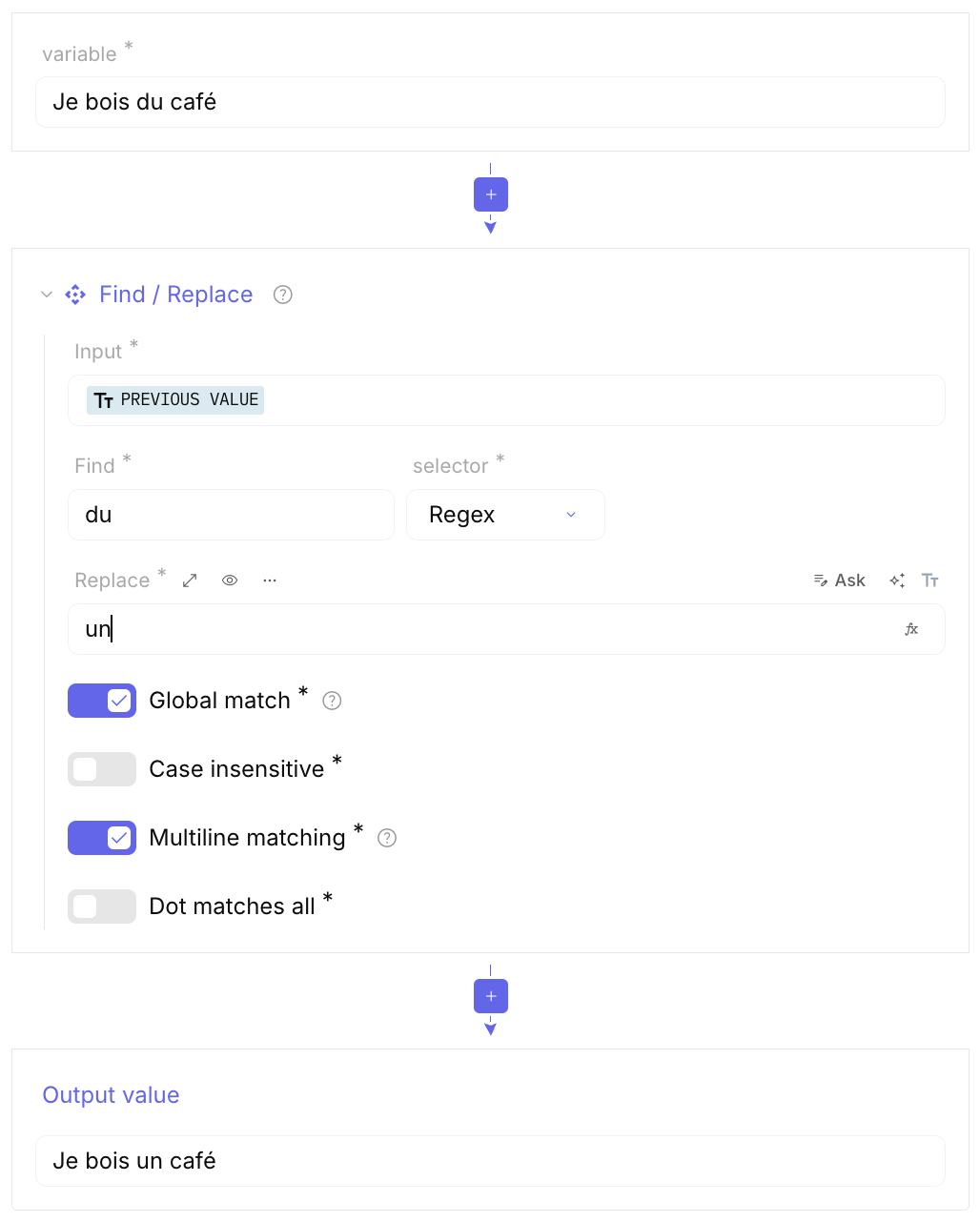
Find / Replace: A powerful search tool that supports Regex (Regular Expressions). It’s the most common way to mass-edit text.
-
From / To Case Insensitive Regex: These are specific versions of Find/Replace or Match that ignore whether letters are uppercase or lowercase. It ensures you catch
Malware.exe,malware.exe, andMALWARE.EXEall at once. -
Fuzzy Match: Finds strings that are approximately equal to your search term, which is helpful if the data contains typos or small variations.
-
Get all Casings: Generates every possible variation of upper and lower case for a string. If you search for
abc, it outputsabc, abC, aBc, aBC, Abc...etc. This is often used to generate wordlists for brute-forcing passwords or hidden directories. -
Hamming Distance: A cryptographic metric that counts how many positions at which the corresponding symbols are different. It is used to measure how much two strings of equal length differ.
-
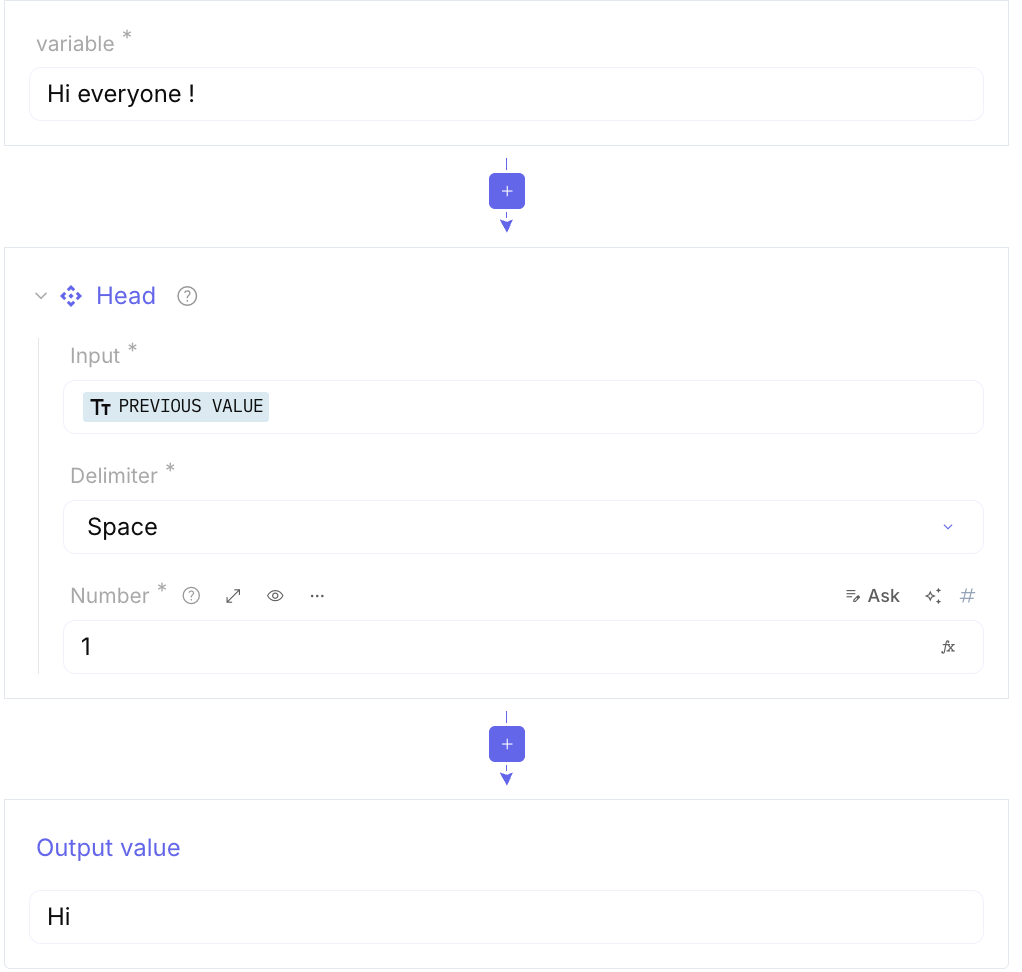
Head / Tail: These return only the first few lines (Head) or last few lines (Tail) of the input.
-
Offset checker: Helps you find the exact position (offset) of a specific byte or string within a larger file.
-
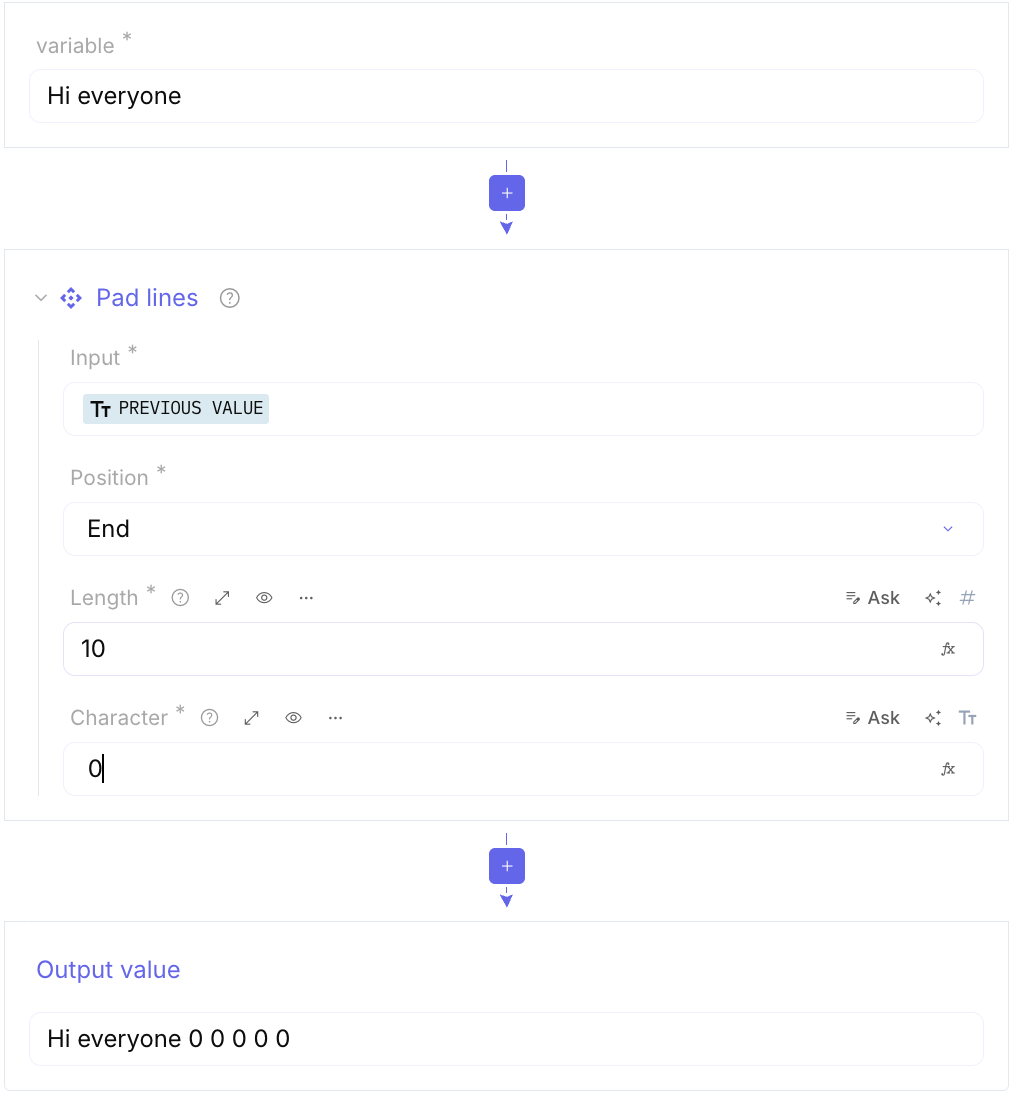
Trim / Pad lines: Trim removes extra spaces from the beginning/end of each line, while Pad lines adds characters to make every line the same length.
-
Parse ObjectID timestamp: Extracts the creation time from a MongoDB BSON ObjectID.
-
Parse UNIX file permissions: Converts numerical or symbolic permissions (like
755orrwxr-xr-x) into a readable format. -
Remove null bytes: Removes
0x00characters, which are often used as padding in binary files or shellcode. -
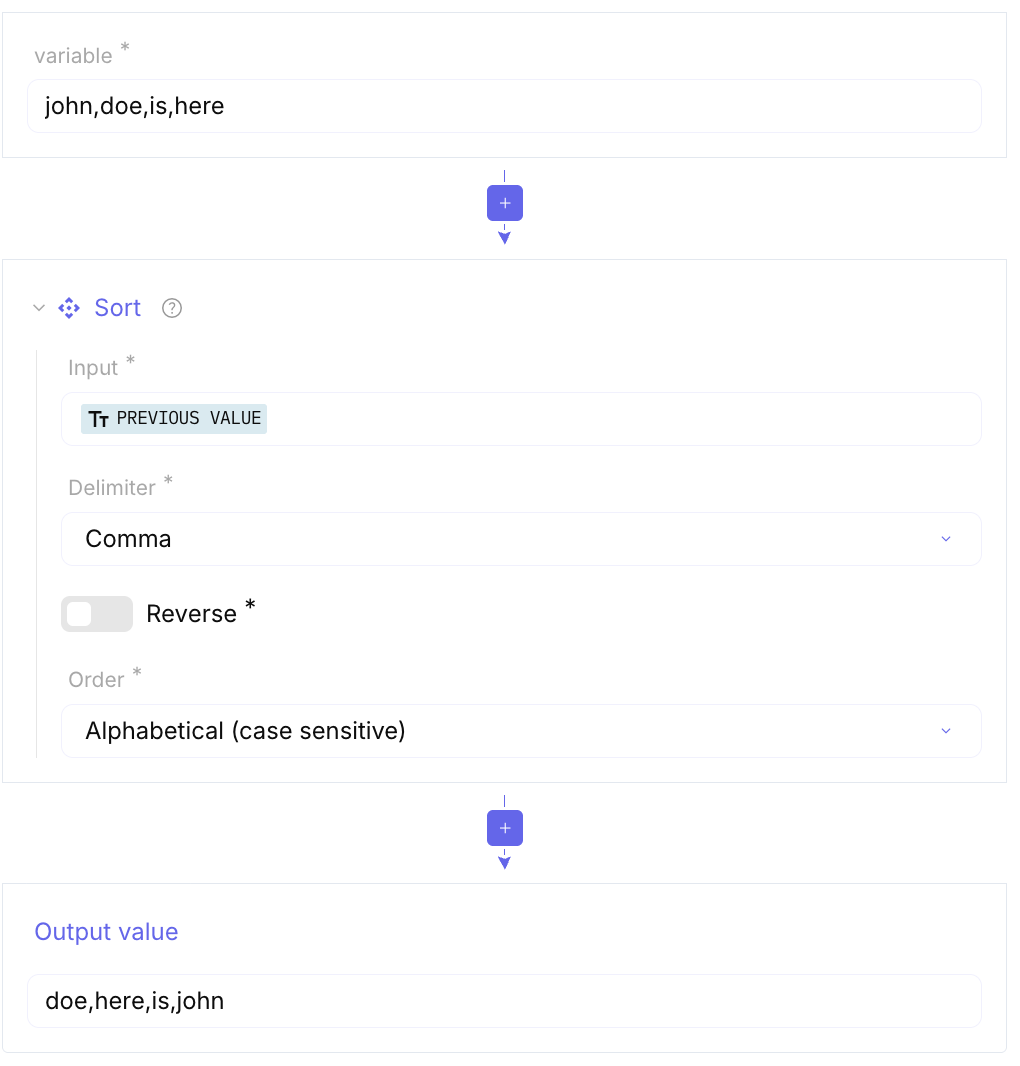
Sort / Reverse: Alphabetizes your data or reverses the current order of lines. Forensics & Timestamps
-
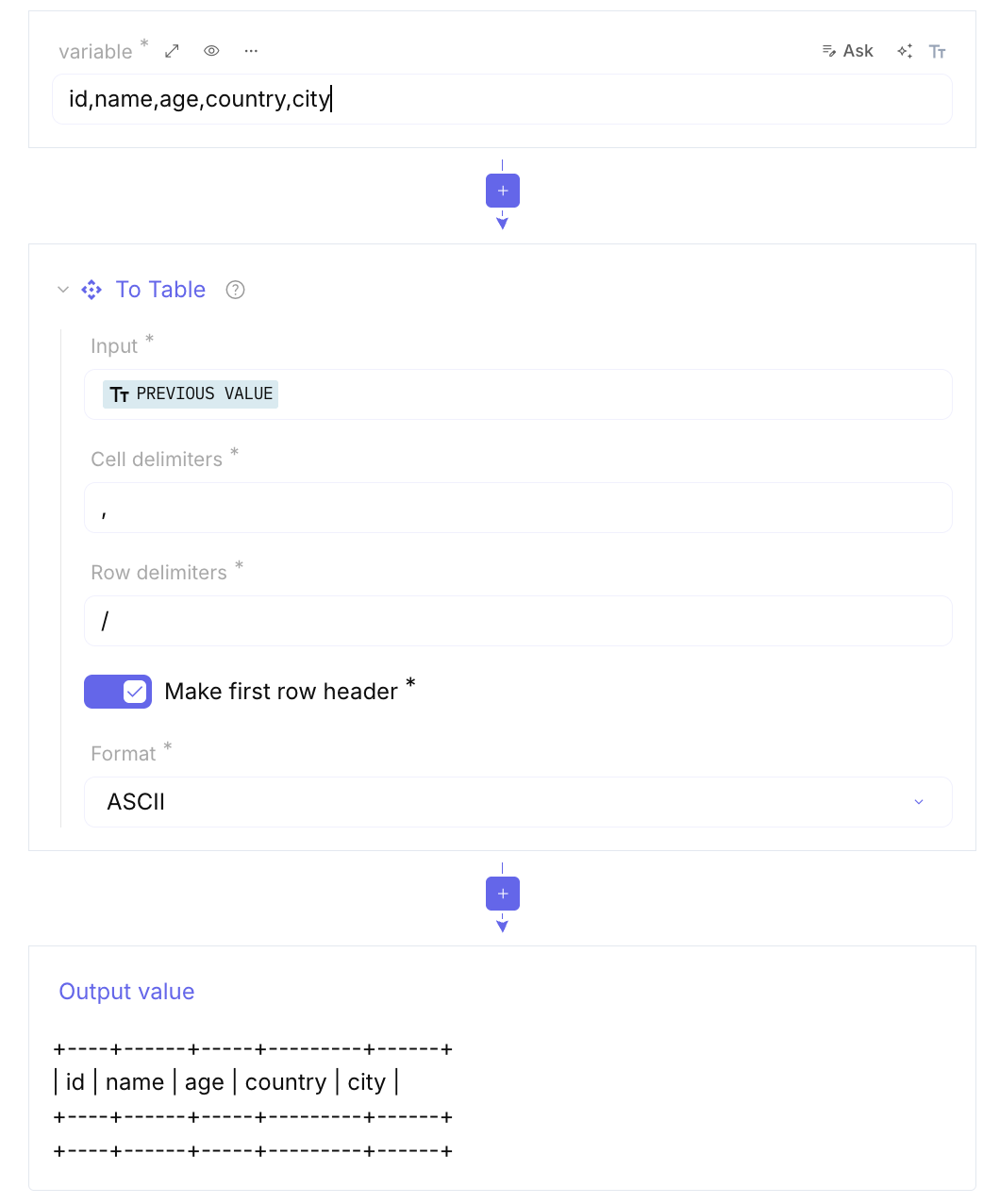
To table: Takes delimited data (like CSV or tab-separated text) and renders it into a clean, visual table. It makes messy log files much easier to read.
-
Unique: Removes all duplicate lines from text, perfect for cleaning up massive lists of harvested IP addresses or emails.
Table of tokens for DateTime
Section titled “Table of tokens for DateTime”Please see below the table of tokens you can use as the input and output format of the functions above. Examples below are given for 2014-08-06T13:07:04.054 considered as a local time in America/New-York.