Create an API Key
Introduction
Section titled “Introduction”The ServiceNow Table API allows programmatic interaction with incidents, providing functionalities for creating, searching, updating, and deleting incidents.
To securely use this API, various authentication methods are available. In this guide, we will focus on using the API key for authentication.
In this guide, we will learn to:
- Generate and configure an API key, enabling interaction with ServiceNow tables and records.
- Set up a Business Rule to automatically send a request to a webhook whenever a record is created.
Prerequisites
Section titled “Prerequisites”Before getting started, make sure you have:
- A ServiceNow administrator account
- The URL of your ServiceNow instance
Follow these steps:
-
Create a REST API Key to serve as the authentication credential.
-
Set up an Authentication Profile to define how the API key should be included in requests.
-
Configure an API Access Policy to specify the permissions associated with the API key.
Walkthrough
Section titled “Walkthrough”-
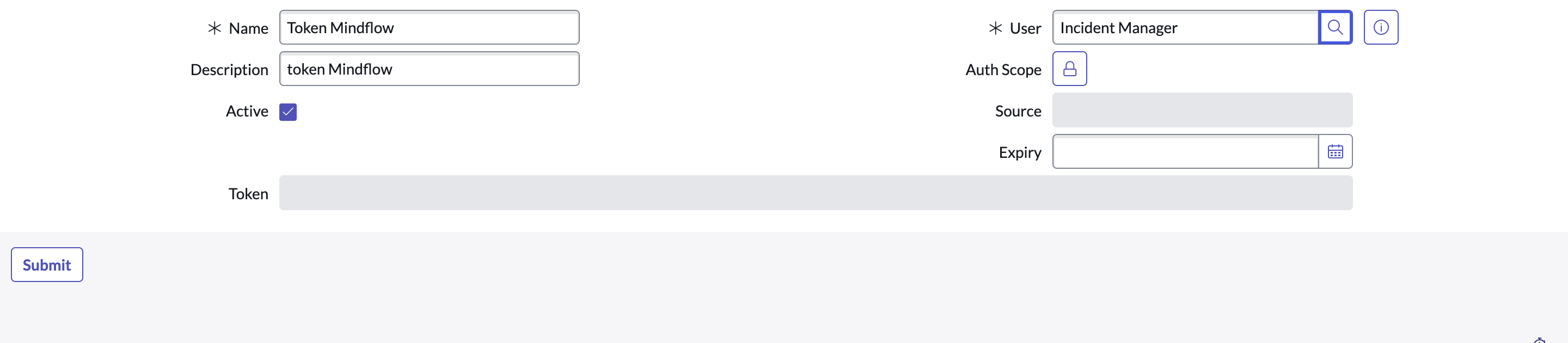
Create a REST API key
In
All > System Web Service > REST API Key, you can create an API key (see screenshot).- You can set an expiration date for the key.
-
Set up an Authentication Profile
In
All > System Web Service > API Access Policies > Inbound Authentication Profile, you can define the required parameters for authenticating each incoming request.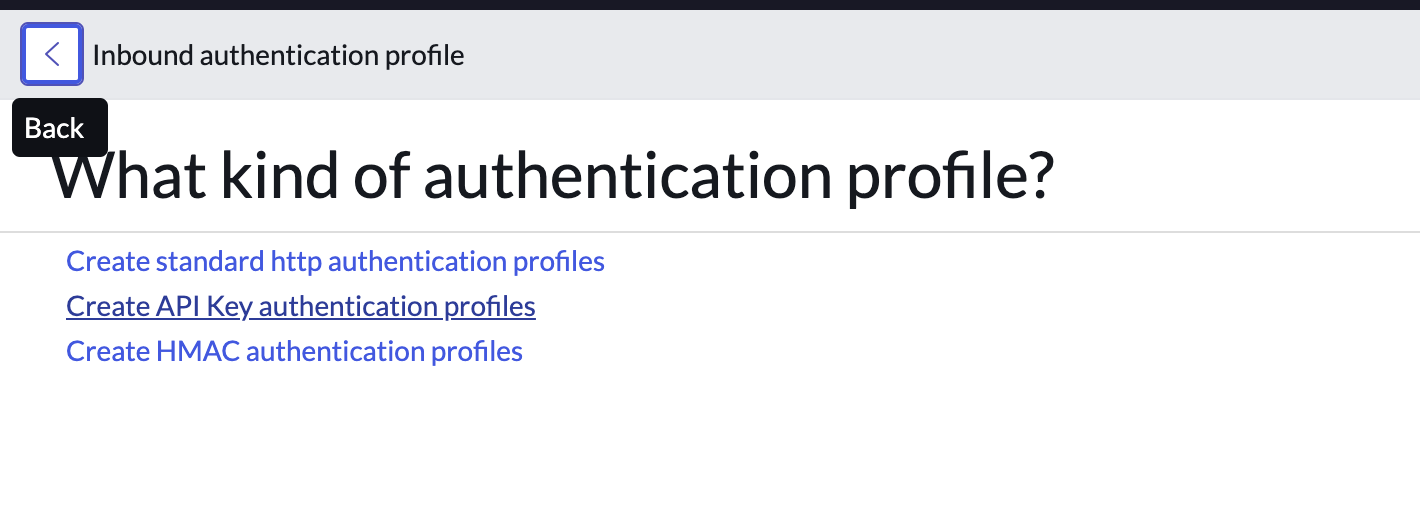
In “Select Target Record”, we recommend choosing the
x-sn-apikeyparameter as an Auth Header type.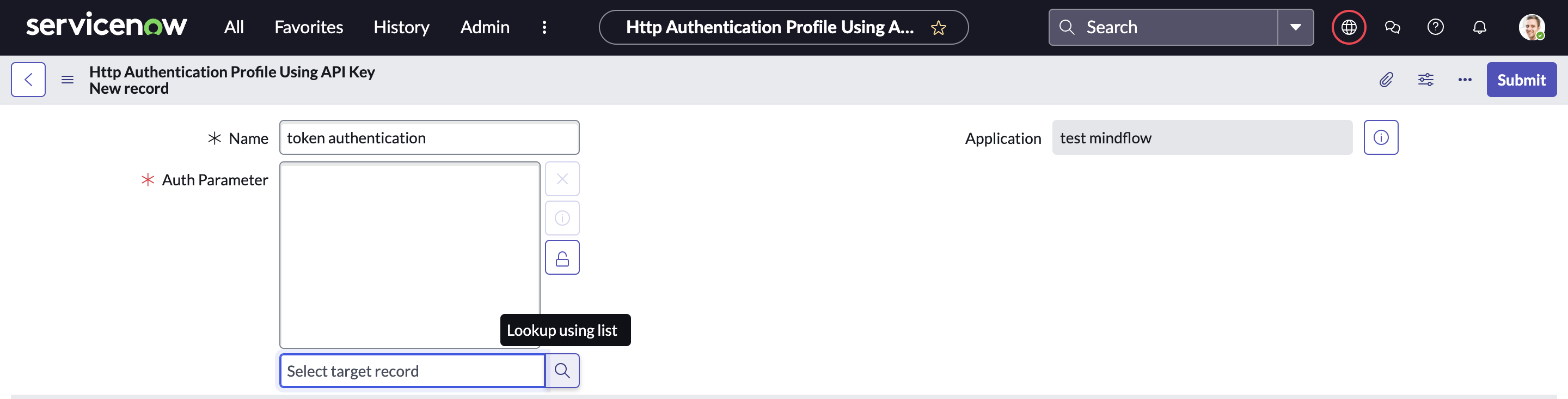

then
submit. -
Configure an API Access Policy
In
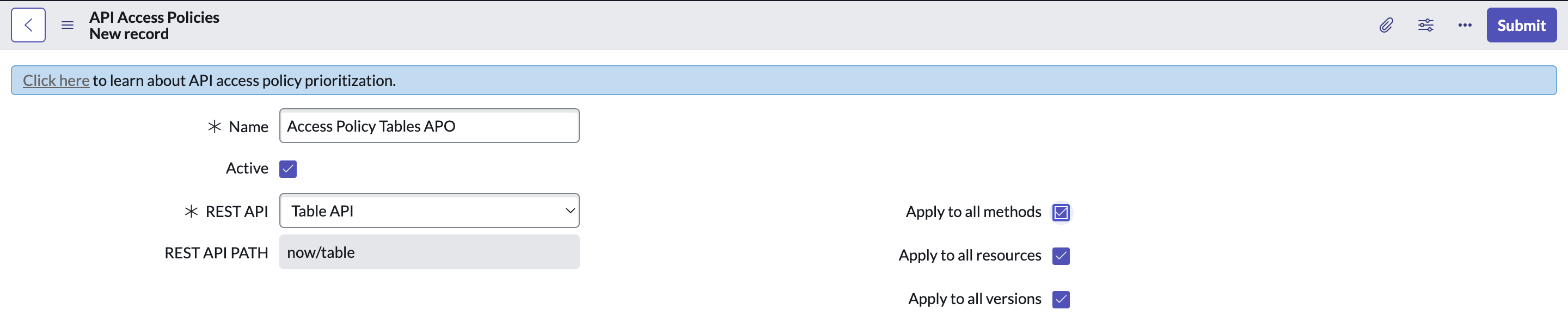
All > System Web Service > API Access Policies > REST API Access Policies, you can define access policies for API tokens, specifying which API, methods, and endpoints they can interact with.- In REST API, select Table API as the target API.
- Manage permissions by configuring access at the method, path, or version level.
- By unchecking the default option that grants full access, you can define a more restrictive and tailored access policy for your API tokens.


select the Authentication profile created

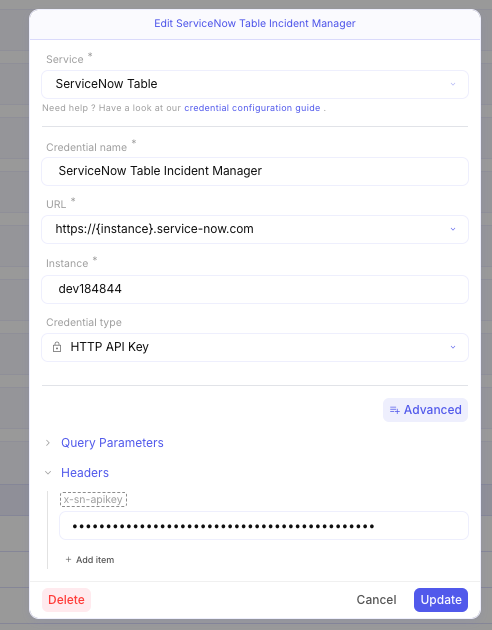
In Mindflow, you can now create a credential in the appropriate environment to interact with ServiceNow tables and records. When creating a credential, you must select HTTP API KEY as the credential type. In the Header, add an item where the key is x-sn-apikey and the hidden value is the token.