

Receiving and sending Messages to Users through a Google Chat App
1. Receiving Events
Section titled “1. Receiving Events”-
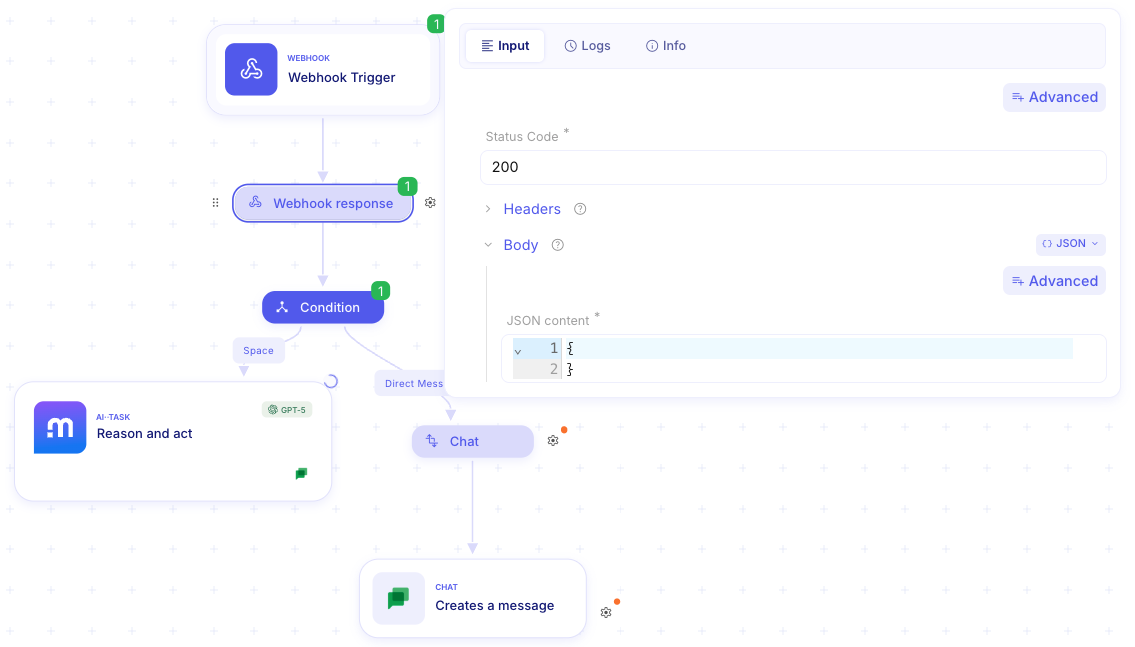
Event ingestion via synchronous webhook. You can define an automatic response upon receiving the event through the webhook response.
-
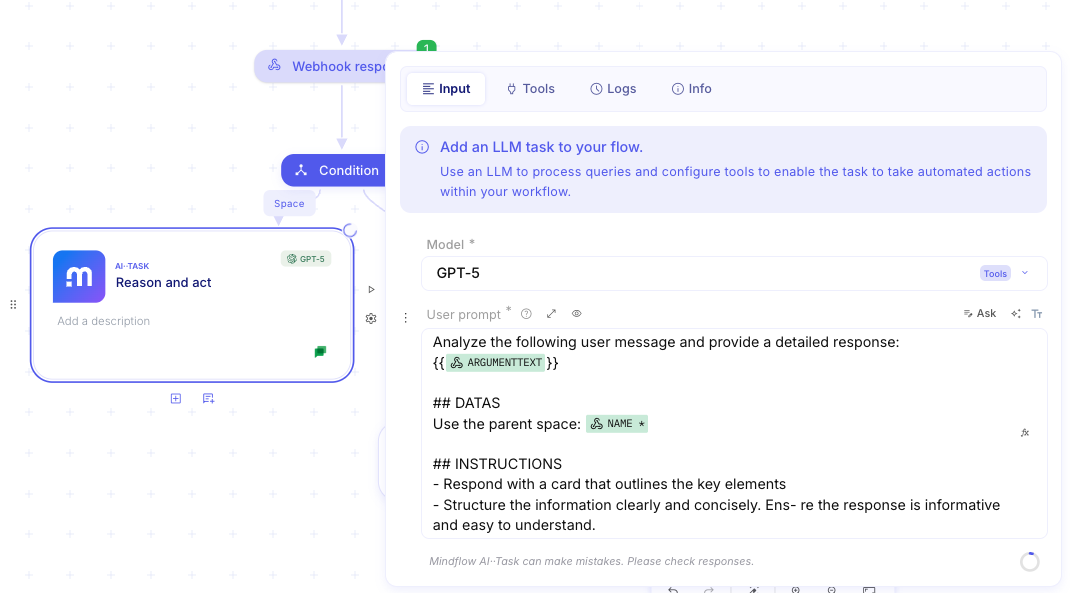
You can now use the Google Chat API or leverage AI via AI··Task to let the AI automatically format and send the message.
-
The payload also contains information about the commands defined in the configuration panel, allowing you to set conditions based on the triggered commands.

2. Sending Messages as Admin-Installed App
Section titled “2. Sending Messages as Admin-Installed App”When an app is admin-installed, it has the authority to interact with users across the domain. To send a direct message (DM) to a specific user as the bot, you must follow a three-step sequence: identify the user, locate the specific DM space, and then post the message.
Step 1: Collect the User ID
Section titled “Step 1: Collect the User ID”To message a user, you first need their internal Google unique identifier. You can retrieve this by filtering the Directory API using the user’s email address.
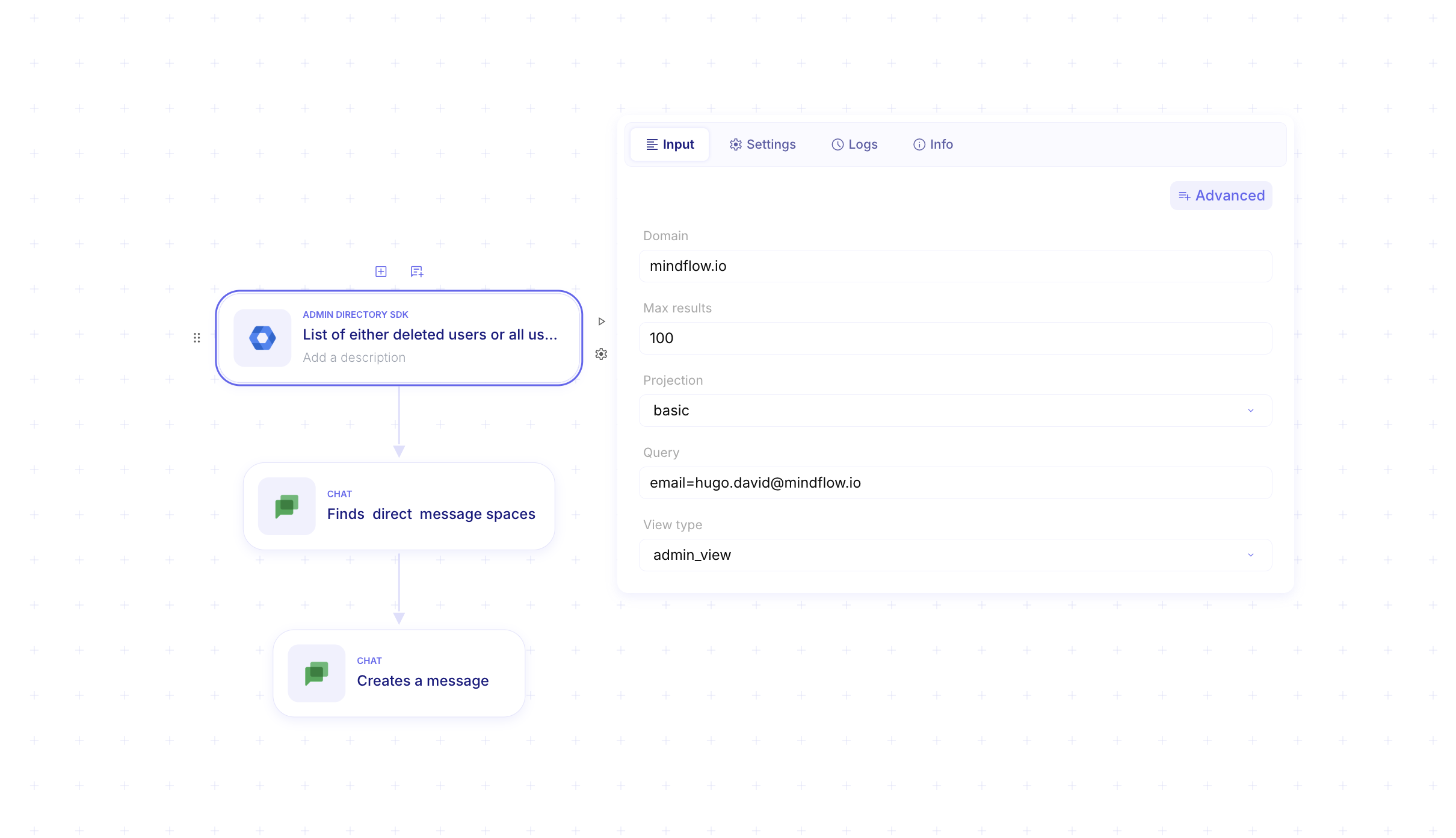
Endpoint: GET https://admin.googleapis.com/admin/directory/v1/users
curl --request GET \ 'https://admin.googleapis.com/admin/directory/v1/users?domain=yourdomain.com&query=email:jane.doe@yourdomain.com' \ --header 'Authorization: Bearer [YOUR_ACCESS_TOKEN]' \ --header 'Accept: application/json'- Key Field: From the JSON response, extract the
idfield (e.g.,"12345678901234567890").
Step 2: Find the Direct Message Space
Section titled “Step 2: Find the Direct Message Space”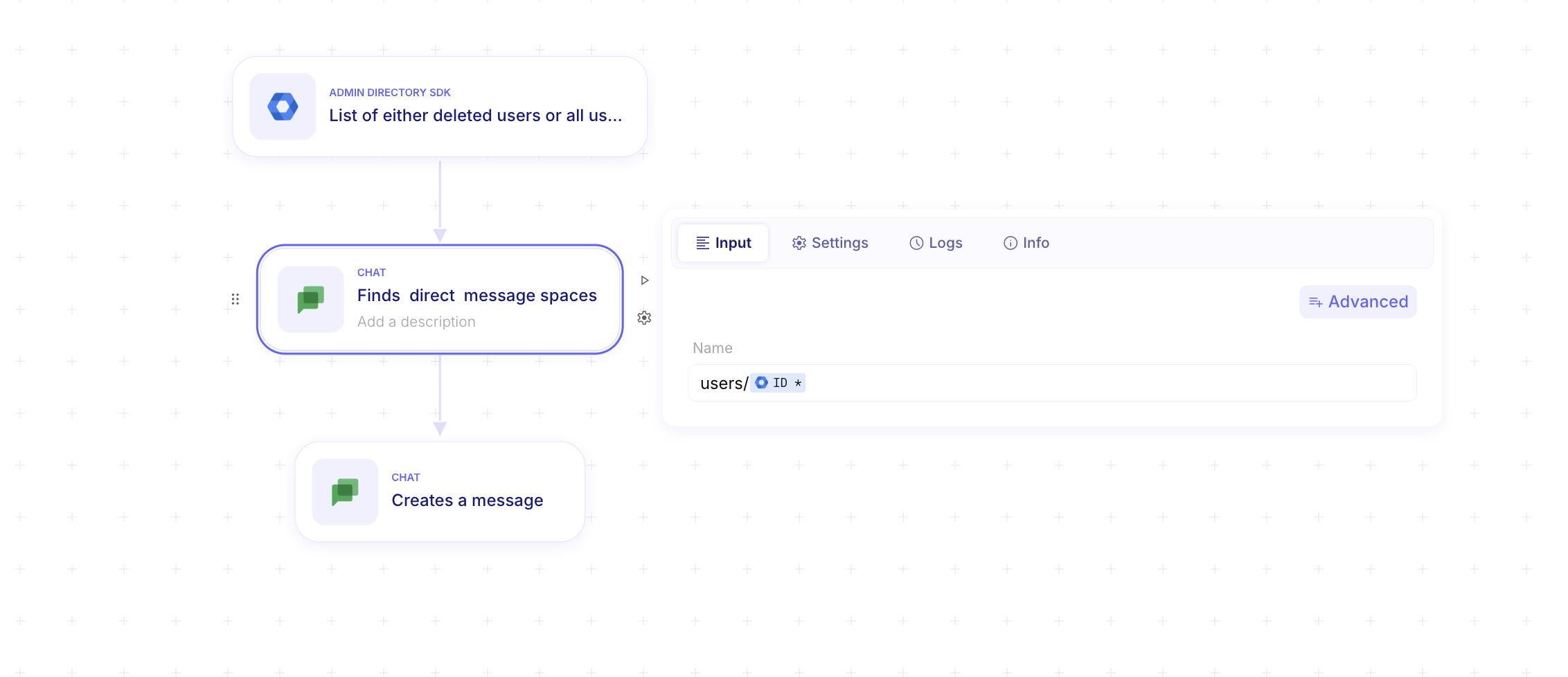
Google Chat requires a spaceName to send a message. For DMs, you use the findDirectMessage method. This looks up the existing DM space between your bot and the target user or creates one if it doesn’t exist.
Endpoint: GET https://chat.googleapis.com/v1/spaces:findDirectMessage
curl --request GET \ 'https://chat.googleapis.com/v1/spaces:findDirectMessage?name=users/12345678901234567890' \ --header 'Authorization: Bearer [YOUR_ACCESS_TOKEN]' \ --header 'Accept: application/json'- Query Param: The
nameparameter must be formatted asusers/{userId}using the ID from Step 1. - Key Field: Extract the
namefield from the response (e.g.,"spaces/abcd12345").
Step 3: Create and Send the Message
Section titled “Step 3: Create and Send the Message”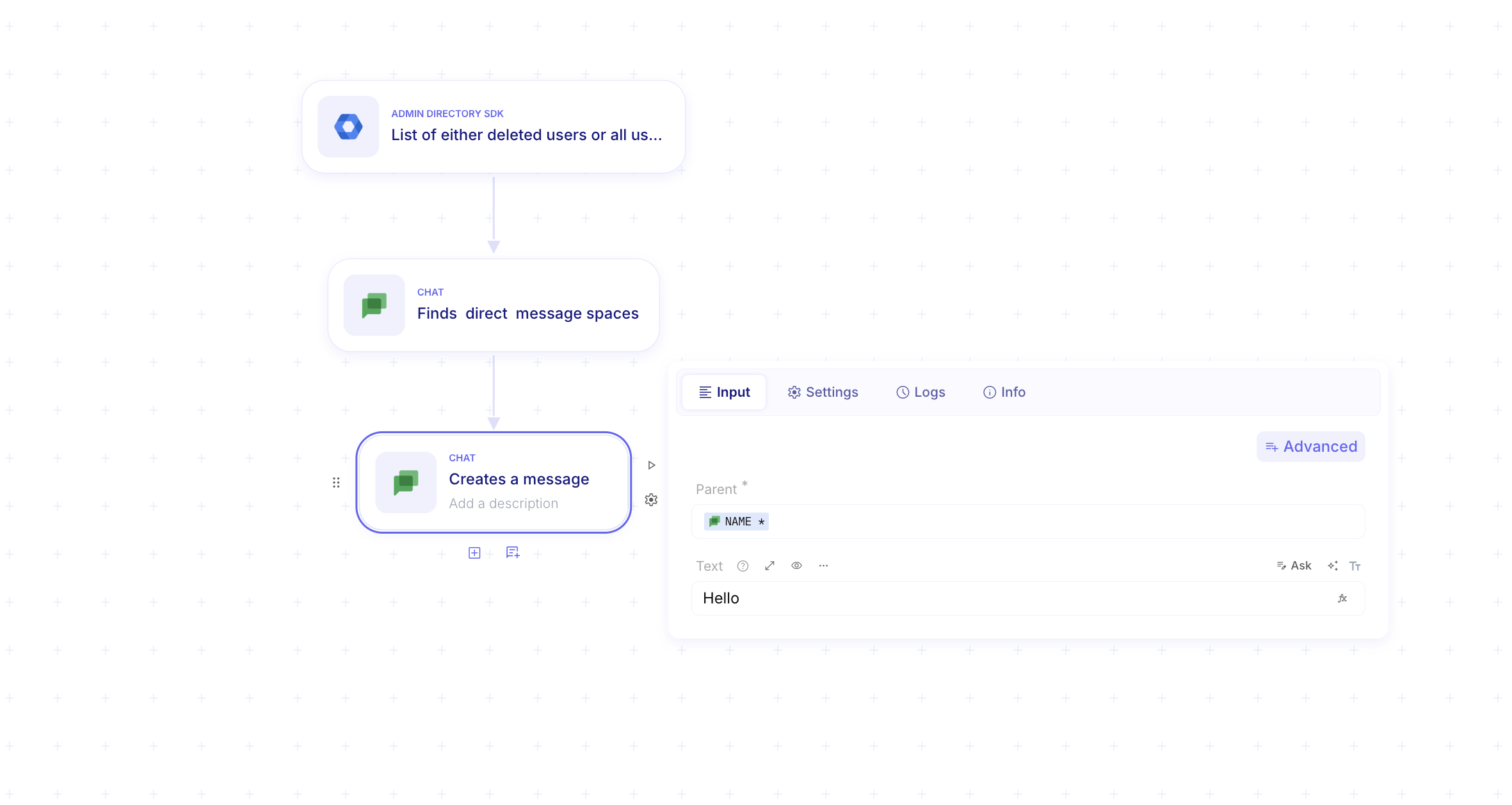
Now that you have the spaceId, you can push the message content to that space.
Endpoint: POST https://chat.googleapis.com/v1/spaces/abcd12345/messages
curl --request POST \ 'https://chat.googleapis.com/v1/spaces/abcd12345/messages' \ --header 'Authorization: Bearer [YOUR_ACCESS_TOKEN]' \ --header 'Content-Type: application/json' \ --data '{ "text": "Hello! This is a message from your admin-installed bot." }'