Create an API Key
To create an API key in Crowdstrike, follow this guide.
-
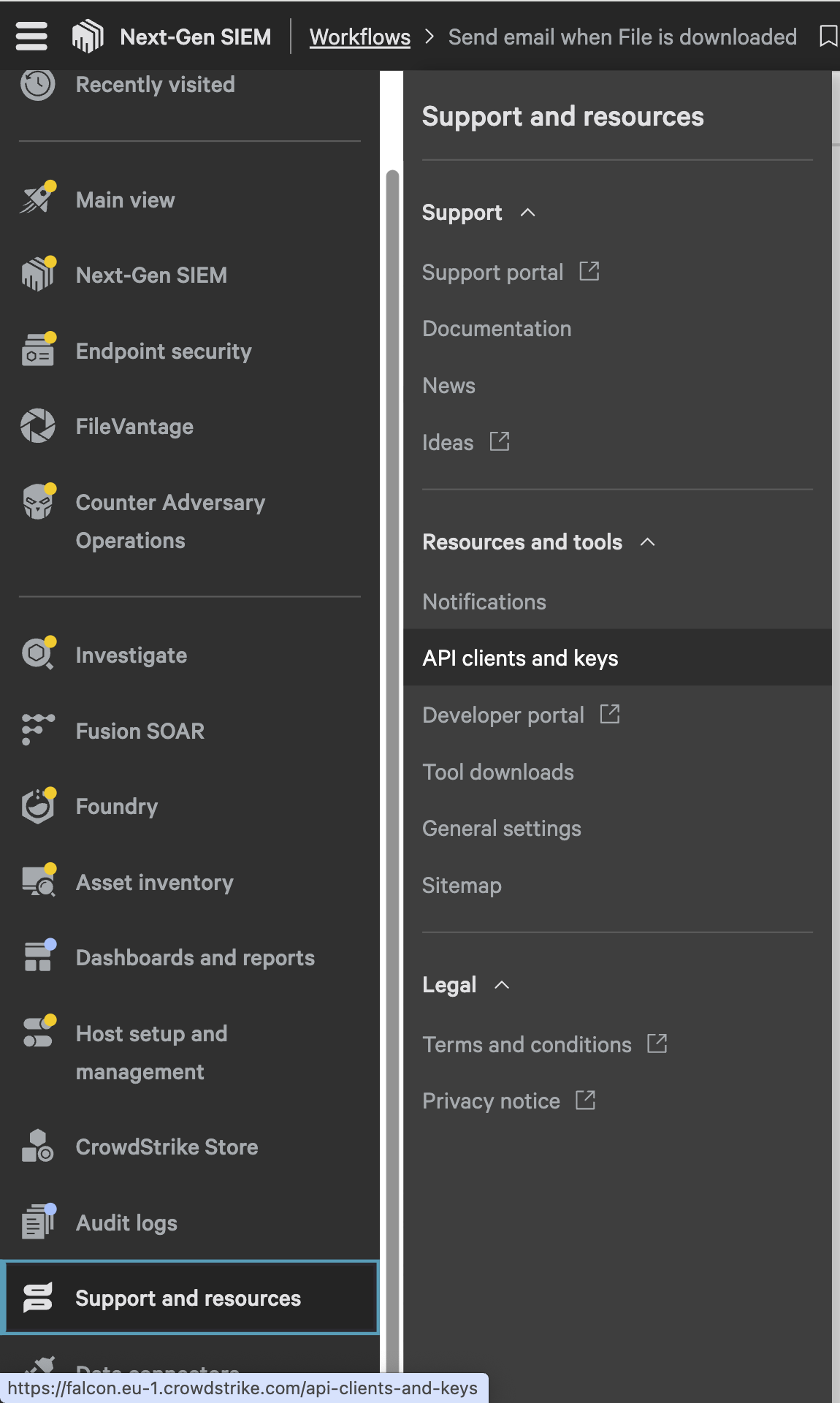
Navigate to the main menu on the platform.
-
Locate and click on the “Support and resources” section.
-
In the dropdown menu, select the “API Clients and Keys” option.
-
This will take you to the API management interface, where you can create and manage your API keys.
You can click on Create API client to add a new API client.
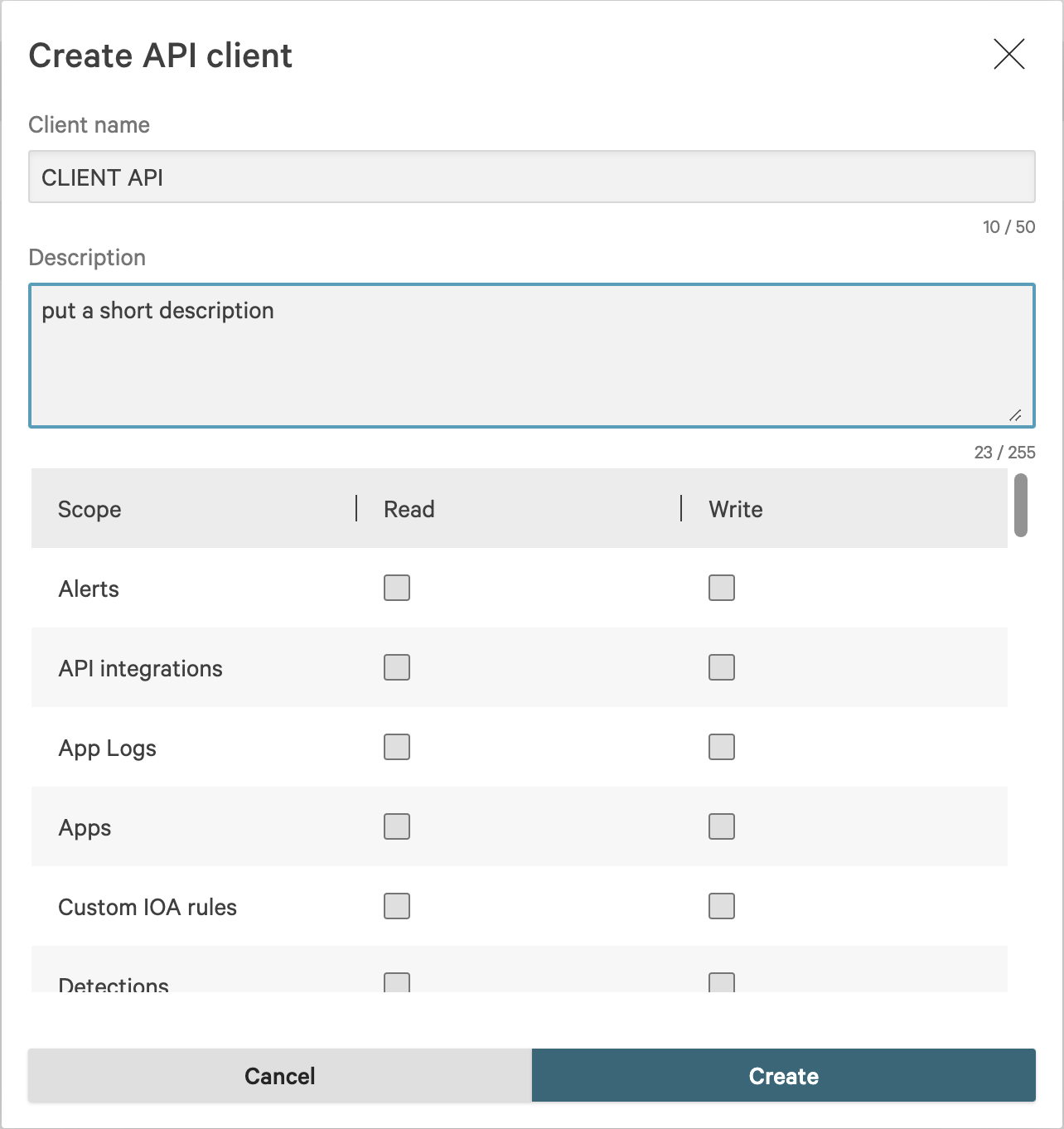
then select all the permissions required for your client read/write.
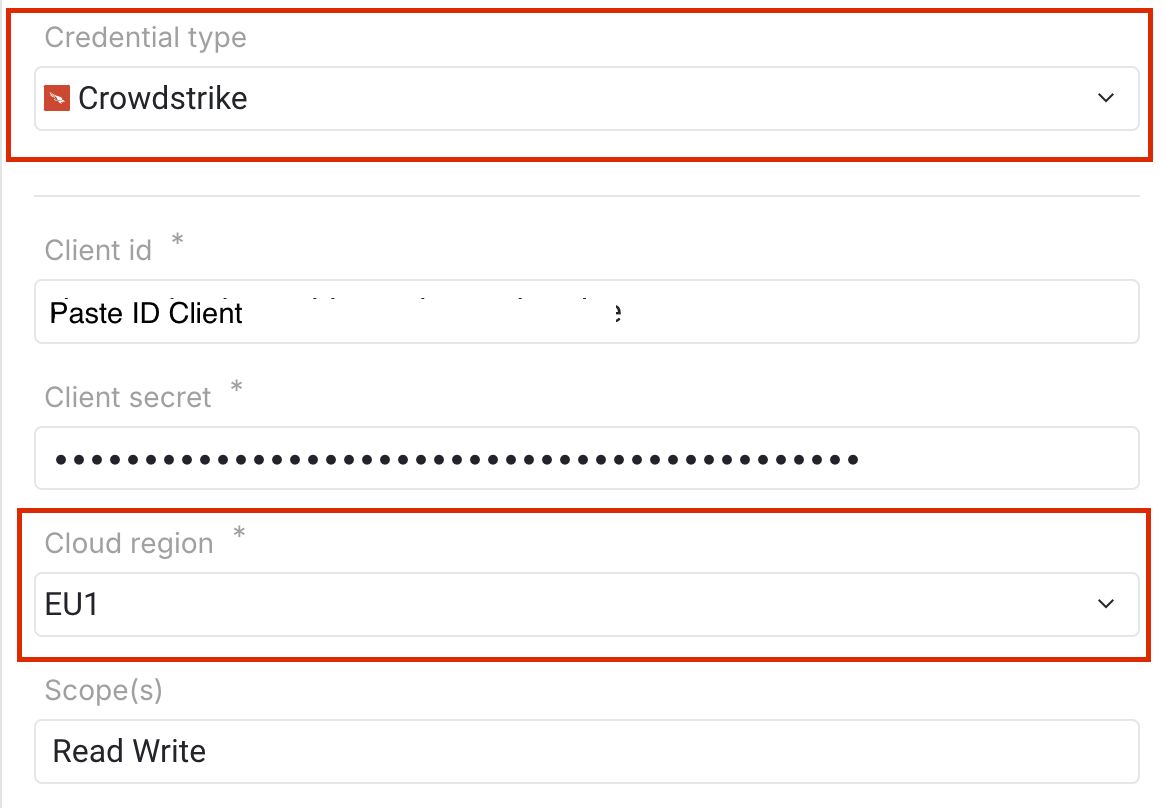
In Mindflow, you must select the credential Type : Crowstrike and select the region of your instance.