

Creating Subscriptions on Resources
Microsoft Graph change notifications (webhooks) allow your Mindflow playbooks to react to changes in Microsoft 365 data (like new emails, calendar events, or file updates) in near real-time.
Because Microsoft Graph subscriptions are temporary and require a validation handshake, you need two distinct playbooks:
- The Lifecycle Playbook: To create and automatically renew the subscription.
- The Notification Receiver Playbook: To validate the endpoint and process the incoming data.
Part 1: The Lifecycle Playbook (Create & Renew)
Section titled “Part 1: The Lifecycle Playbook (Create & Renew)”Microsoft Graph subscriptions expire after a few days. Use a scheduled playbook to ensure your subscription is always active.
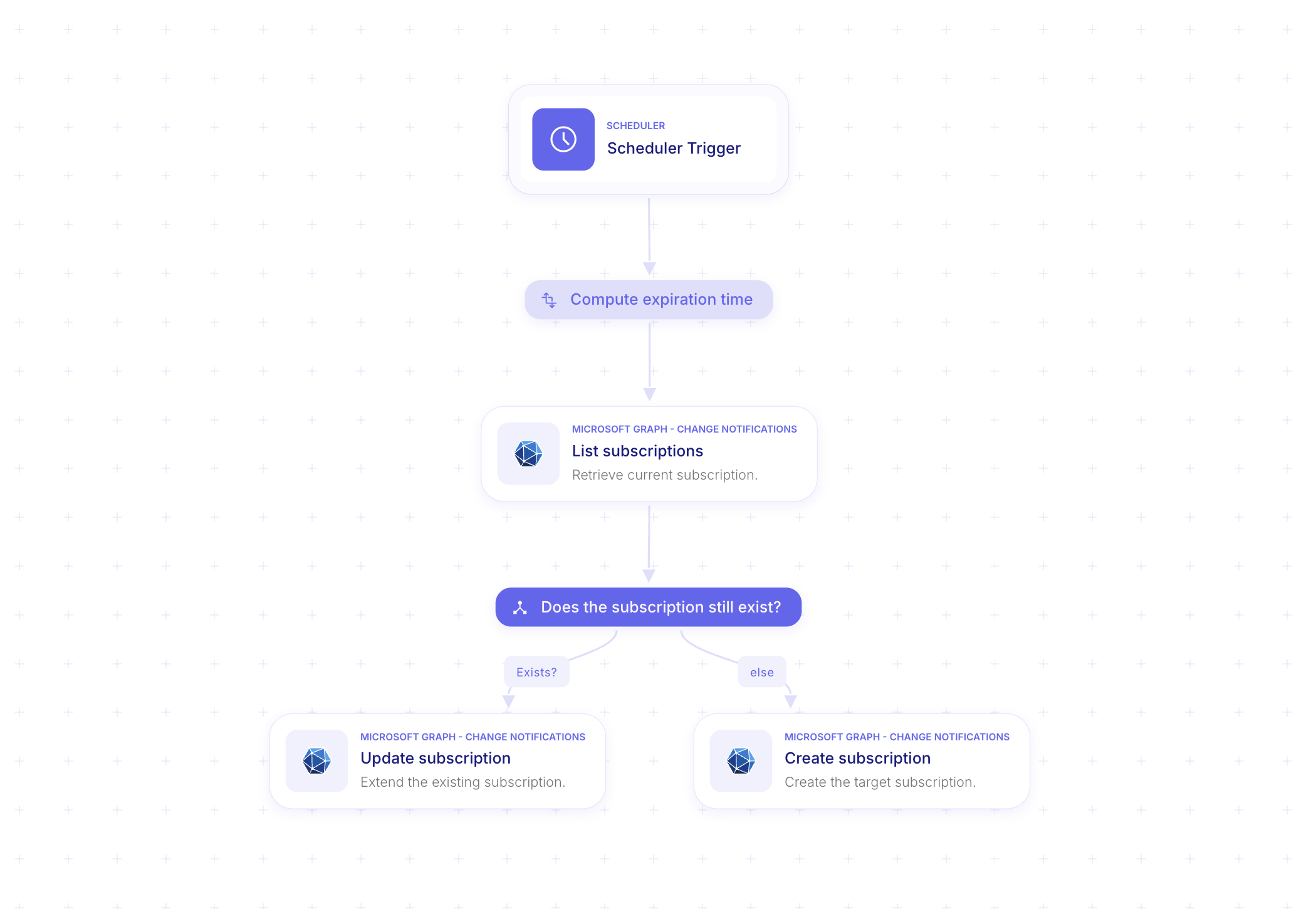
1. Scheduler Trigger
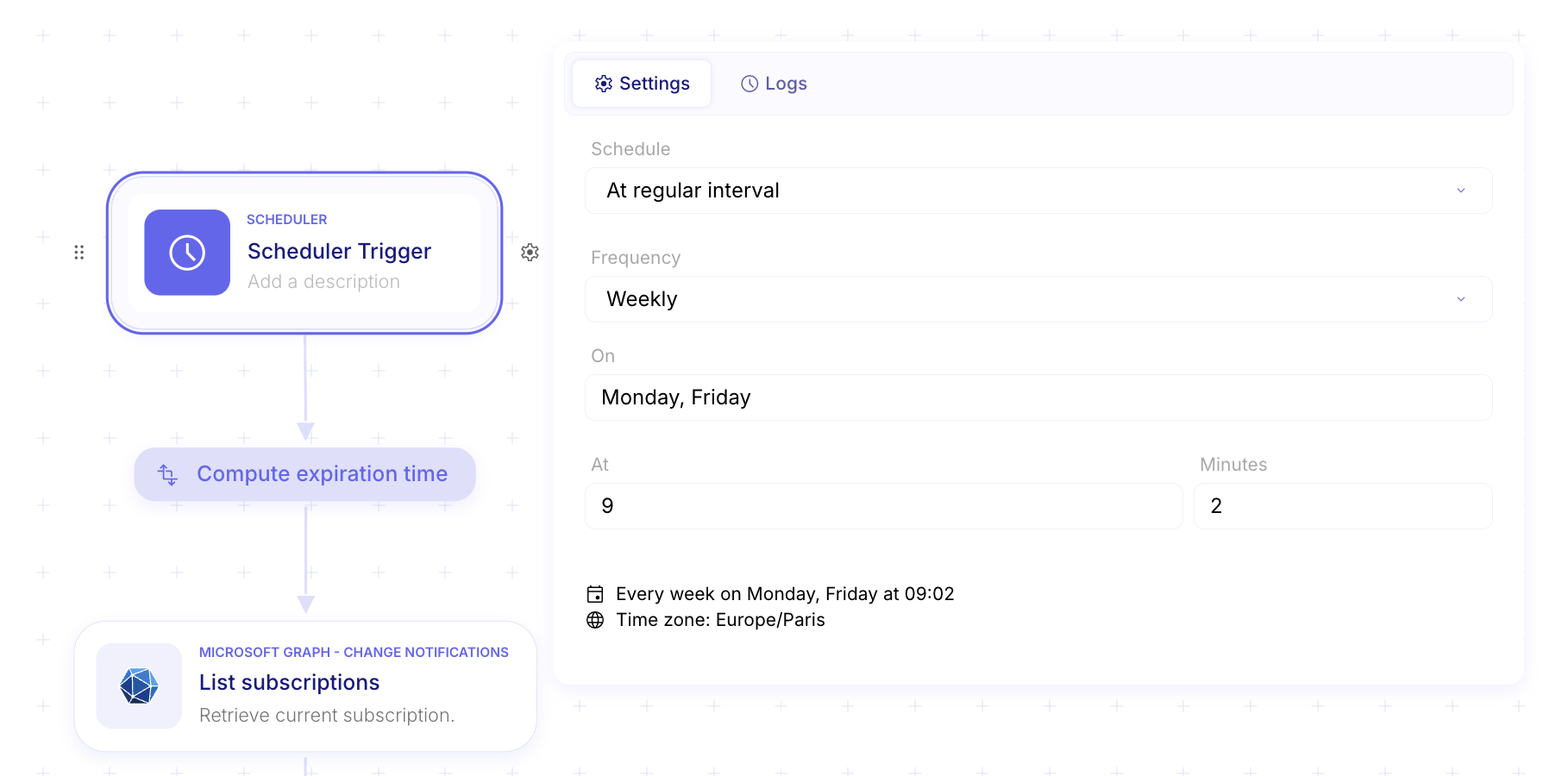
Section titled “1. Scheduler Trigger”Start with a Scheduler Trigger. As shown in your screenshot, set the frequency to Weekly (or more frequently, depending on the resource’s max expiration time).
-
Recommendation: Set it to run every 2–3 days to stay well within the expiration window.
2. Compute Expiration Time
Section titled “2. Compute Expiration Time”Use a Transform Data step to generate a timestamp for the future (Get Time → From UNIX Timestamp → Modify Date with Duration). Microsoft requires an ISO 8601 string (e.g., 2026-04-20T09:00:00Z).
3. Check Existing Subscription
Section titled “3. Check Existing Subscription”Add the Microsoft Graph - List Subscriptions action. This retrieves current active subscriptions to see if your target webhook is already registered.
4. Conditional Logic: “Does the subscription still exist?”
Section titled “4. Conditional Logic: “Does the subscription still exist?””Add a condition step to check the output of the List action:
- If Exists: Route to Update subscription. This extends the
expirationDateTimeof the existing ID. - Else: Route to Create subscription.
5. Create Subscription Configuration
Section titled “5. Create Subscription Configuration”In the Create subscription action, provide the following:
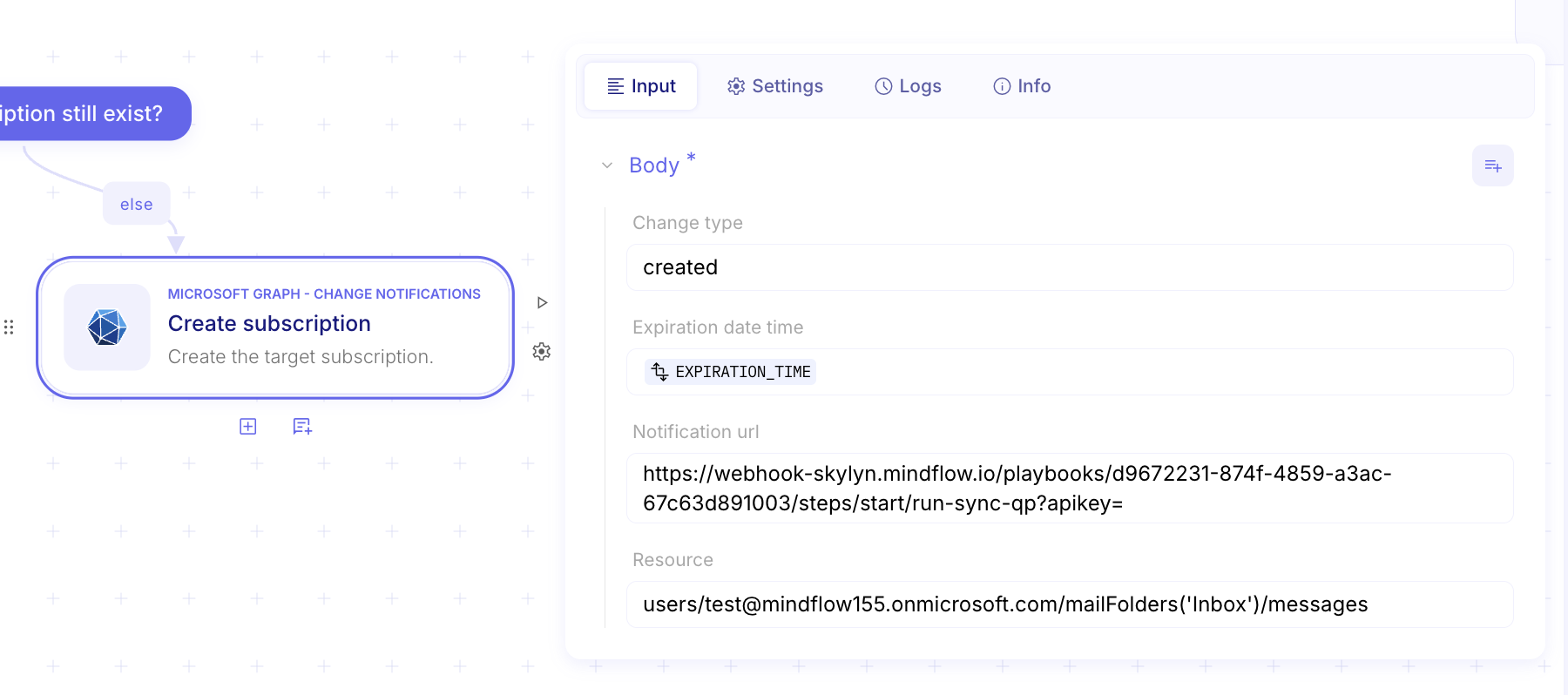
- Change type:
created(orupdated,deleted). - Notification URL: The Webhook URL of your second Mindflow playbook (see Part 2).
- Resource: The Graph resource path (e.g.,
users/me/mailFolders('Inbox')/messages). - Expiration date time: Use the
EXPIRATION_TIMEvariable computed in step 2.
6. Renew the Subscription Configuration
Section titled “6. Renew the Subscription Configuration”In the Update Subscription configuration action, provide the following:
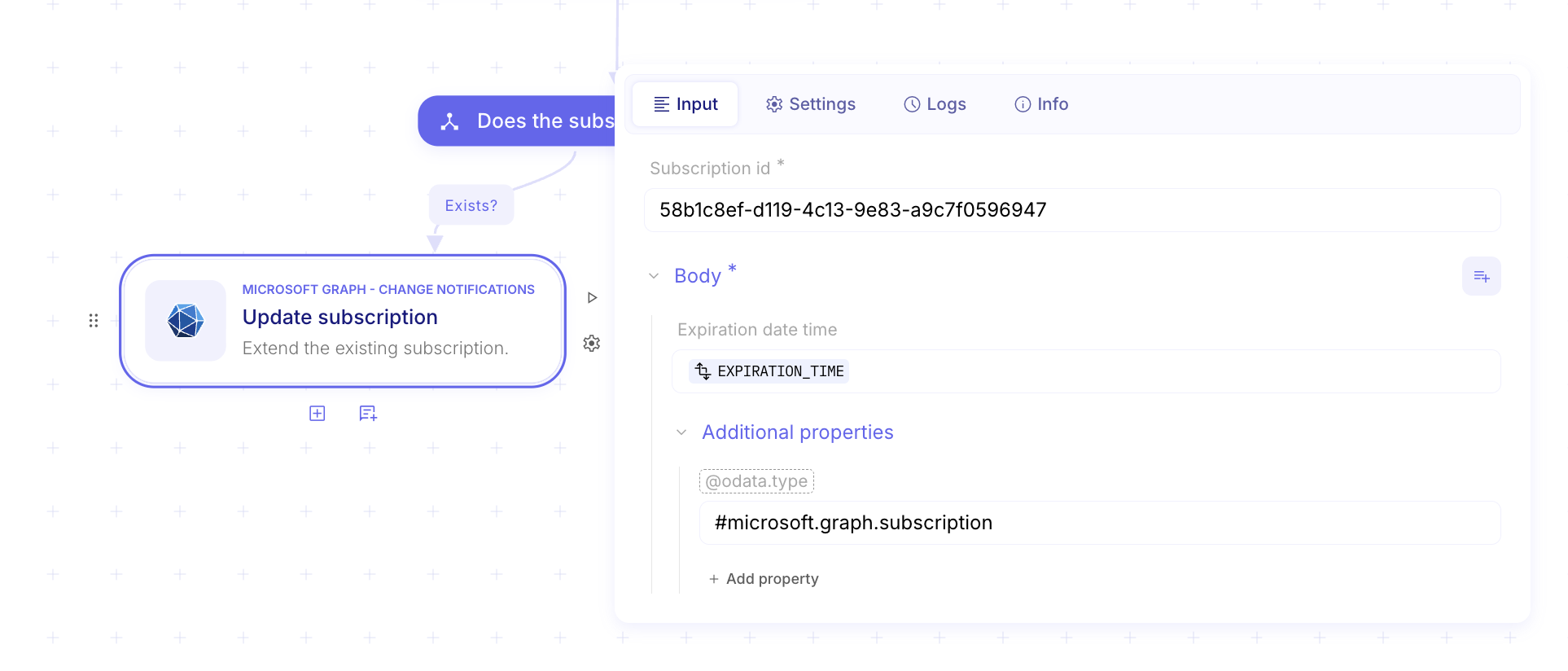
- Expiration date time: Use the
EXPIRATION_TIMEvariable computed in step 2. - Subscription ID: The ID of the created subscription (copy the ID from the succesful response and paste it here).
- @odata.type:
#microsoft.graph.subscription.
Part 2: The Notification Receiver (The Webhook)
Section titled “Part 2: The Notification Receiver (The Webhook)”When you hit “Create subscription,” Microsoft immediately sends a “Validation Token” to your Notification URL. Your playbook must return this token within seconds, or the subscription will fail.
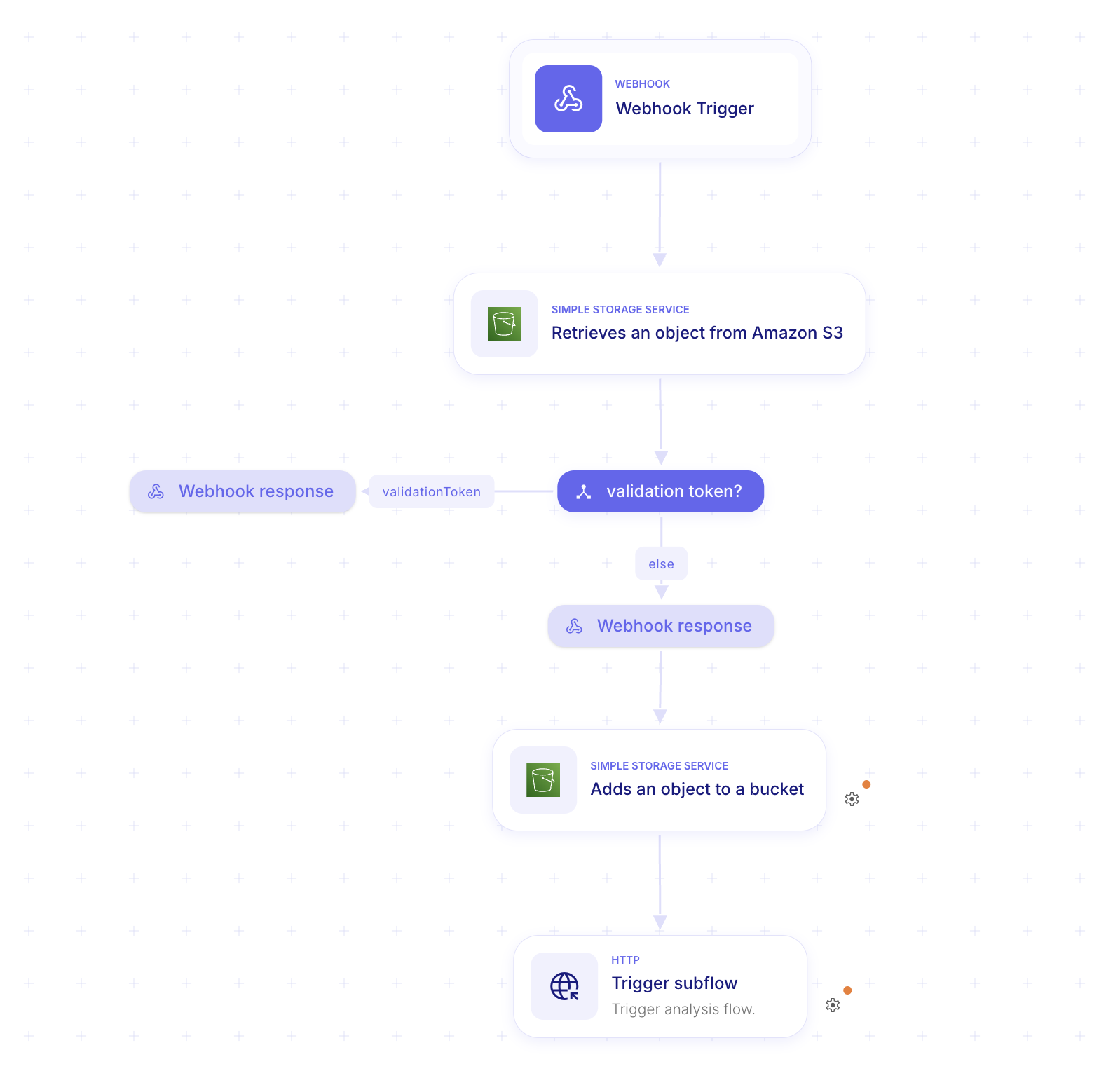
1. Webhook Trigger
Section titled “1. Webhook Trigger”Create a new playbook starting with a Webhook Trigger. This generates the URL you pasted into the Lifecycle Playbook in Part 1.
2. The Validation Condition
Section titled “2. The Validation Condition”Microsoft sends a validation request as a URL query parameter named validationToken.
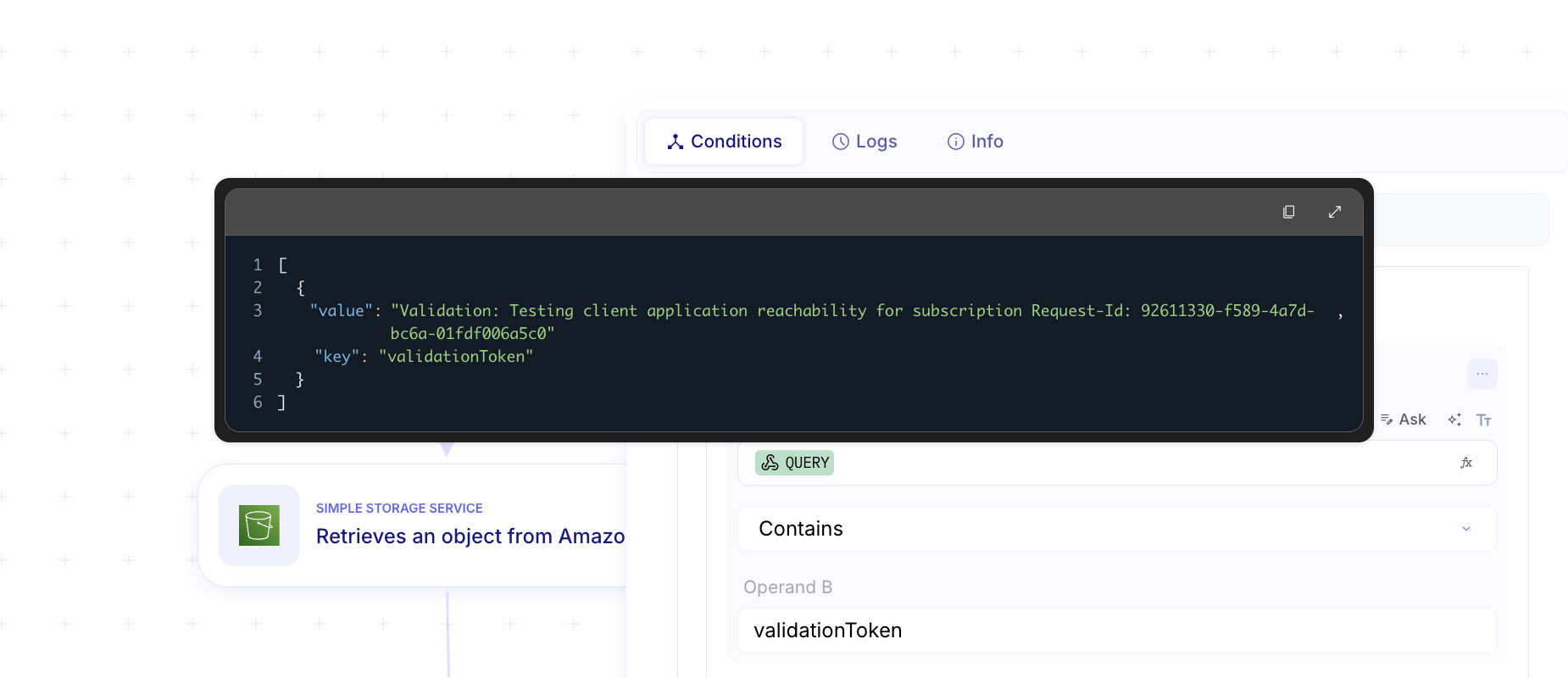
- Add a Condition step:
Query contains validationToken.
3. The Webhook Response (Mandatory)
Section titled “3. The Webhook Response (Mandatory)”If the condition is met, you must immediately return a 200 OK response.
-
Status Code:
200 -
Body: Map the value of the
validationTokenquery parameter directly into the response body. -
Content-Type:
text/plain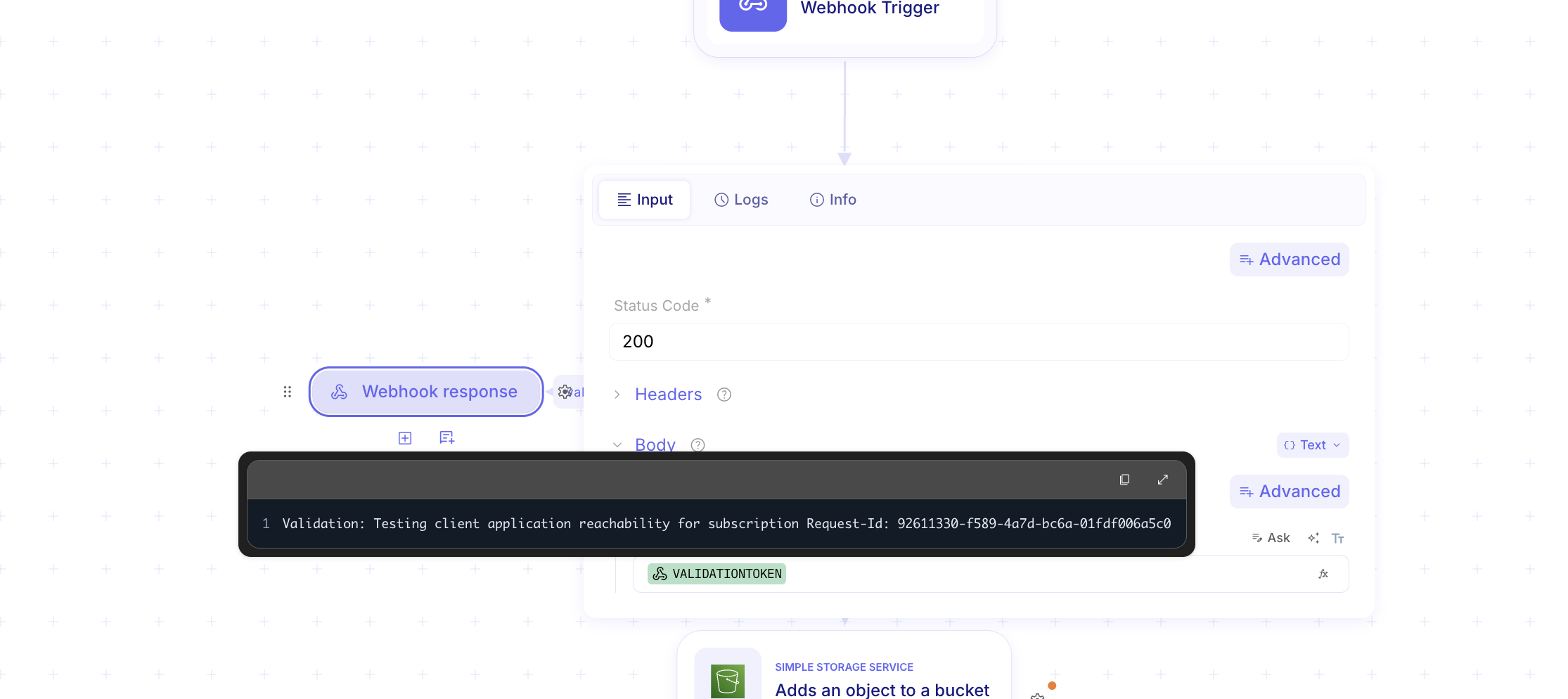
4. Processing Actual Notifications
Section titled “4. Processing Actual Notifications”If the validationToken is not present, it means Microsoft is sending actual data (the “Change Notification”).
- Follow the
elsepath from your condition. - Add actions (e.g., “Get Message” or “Send Slack Notification”) to process the changed data.
Important Tip
Section titled “Important Tip”- Authentication: Ensure your Microsoft Graph connection has the
Mail.Read(or relevant resource) scopes.