

Setting up Auth0 integration
Creating a credential for a Machine-to-Machine (M2M) application in Auth0—commonly referred to as the Client Credentials flow—is the standard way to authorize backend services, CLIs, or daemons without user intervention.
Follow this guide to set up your credentials and retrieve your first access token.
1. Create the Machine-to-Machine Application
Section titled “1. Create the Machine-to-Machine Application”First, you need to register the “client” that will be requesting the tokens.
- Log in to your Auth0 Dashboard.
- Navigate to Applications > Applications in the left-hand sidebar.
- Click the + Create Application button.
- Name your app (e.g.,
Payment-Processor-Service). - Select Machine to Machine Applications as the application type.
- Click Create.
2. Authorize the Application for an API
Section titled “2. Authorize the Application for an API”Unlike user logins, M2M tokens are issued specifically to access a protected resource (an API).
- Immediately after clicking “Create,” a popup will ask you to Select an API.
- Note: If you haven’t created your own API yet, you can select the Auth0 Management API to test the flow.
- Select the Scopes (permissions) you want this credential to have (e.g.,
read:users,write:orders). - Click Authorize.
3. Retrieve Your Credentials
Section titled “3. Retrieve Your Credentials”Now that the app is authorized, you can find the credentials needed for the handshake.
- In your application’s settings, go to the Settings tab.
- Locate and copy the following three values:
- Domain: (e.g.,
your-tenant.auth0.com) - Client ID: The public identifier for your app.
- Client Secret: The password for your app (Keep this private).
- Domain: (e.g.,
4. Test the Credential
Section titled “4. Test the Credential”Below, the raw code that Mindflow will perform to retrieve the JWT token.
curl --request POST \ --url https://YOUR_DOMAIN/oauth/token \ --header 'content-type: application/json' \ --data '{ "client_id":"YOUR_CLIENT_ID", "client_secret":"YOUR_CLIENT_SECRET", "audience":"YOUR_API_IDENTIFIER", "grant_type":"client_credentials" }'-
In Mindflow, head to the Environments panel
-
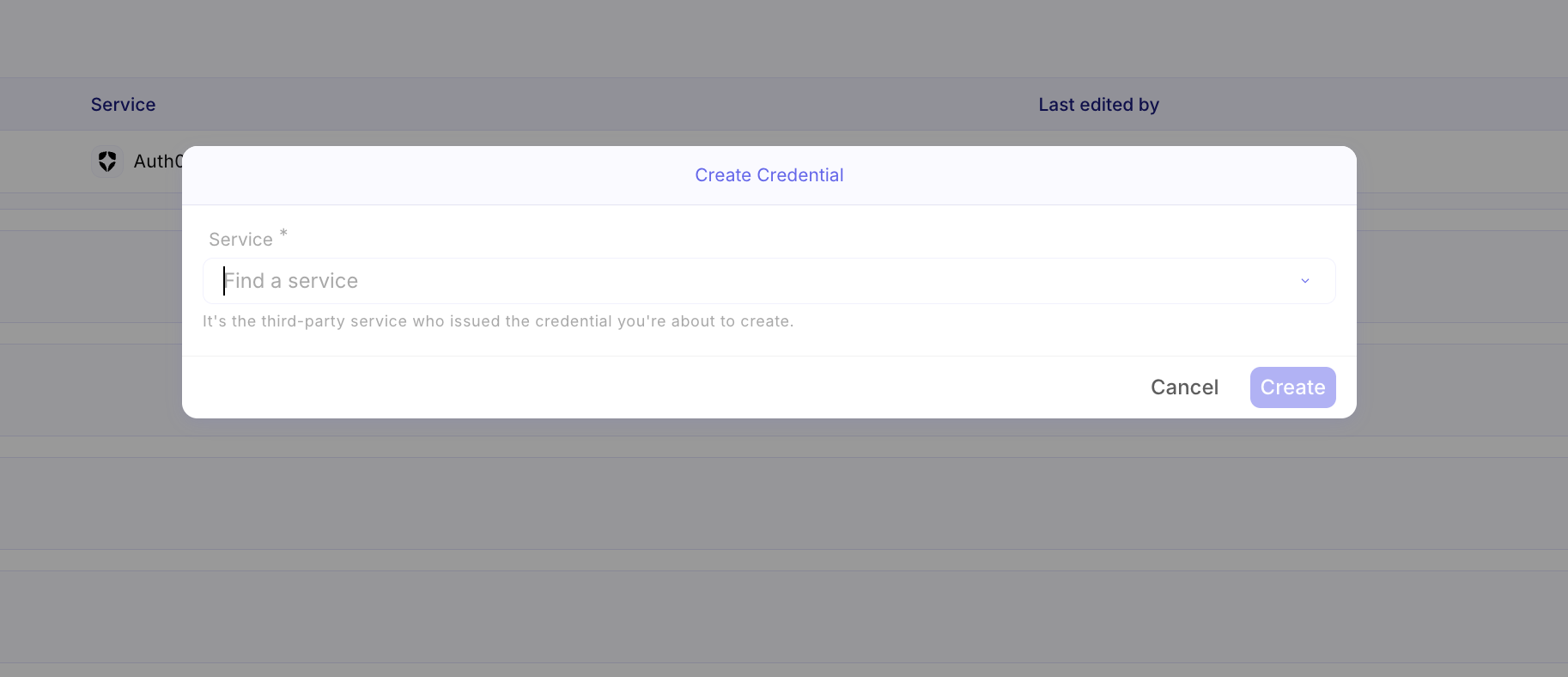
Then click Create a credential within an Environment
-
Select Auth0 as Service
-
Then configure the panel as follows
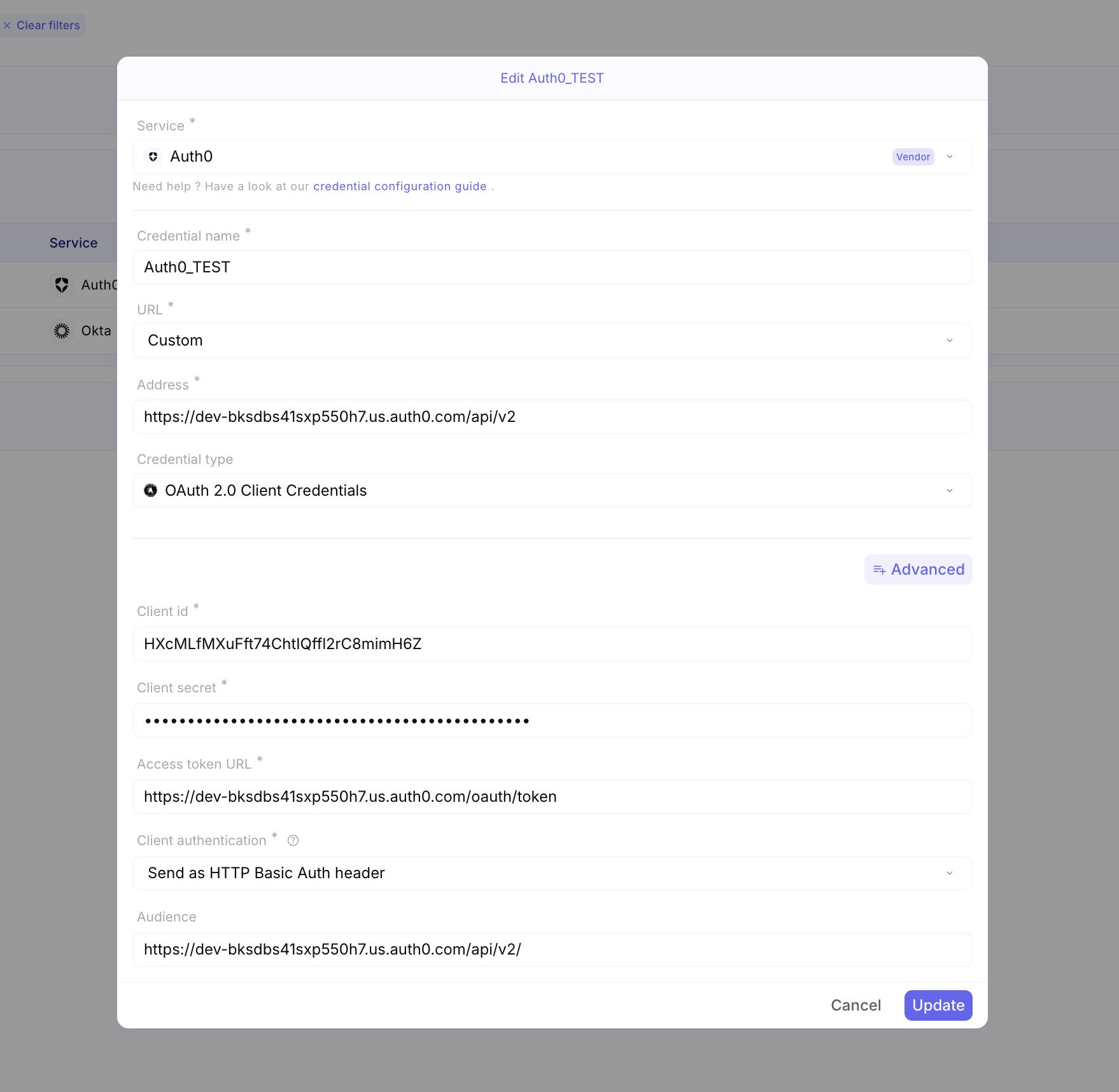
-
Click
Create. The integration to Auth0 is configured.