

Sphinx

The sphinx is an Egyptian guardian of knowledge that tested travelers with a riddle before they could pass.
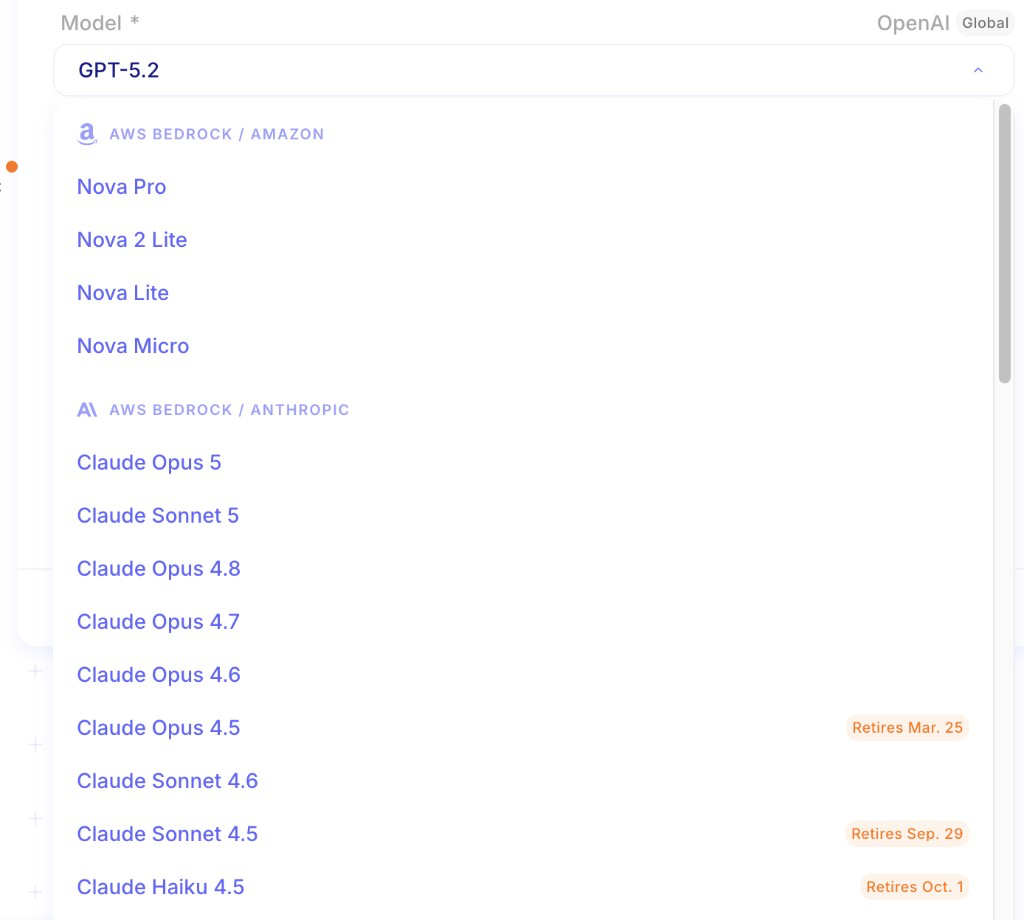
This release lets you watch a run while it executes, resolve service credentials by name at run time, create a credential without leaving the designer, and choose Claude Opus 5 plus Amazon Nova 2 Lite and Nova Micro.
Watch a run while it executes
Section titled “Watch a run while it executes”You can now follow a flow as it runs: the designer stays on the live execution, steps update as they finish, and you can cancel without waiting for the log to catch up. Execution logs sit next to the step configuration, so you can compare inputs, settings, and results in one place while you debug. Open Logs after the run if you need the stored record.
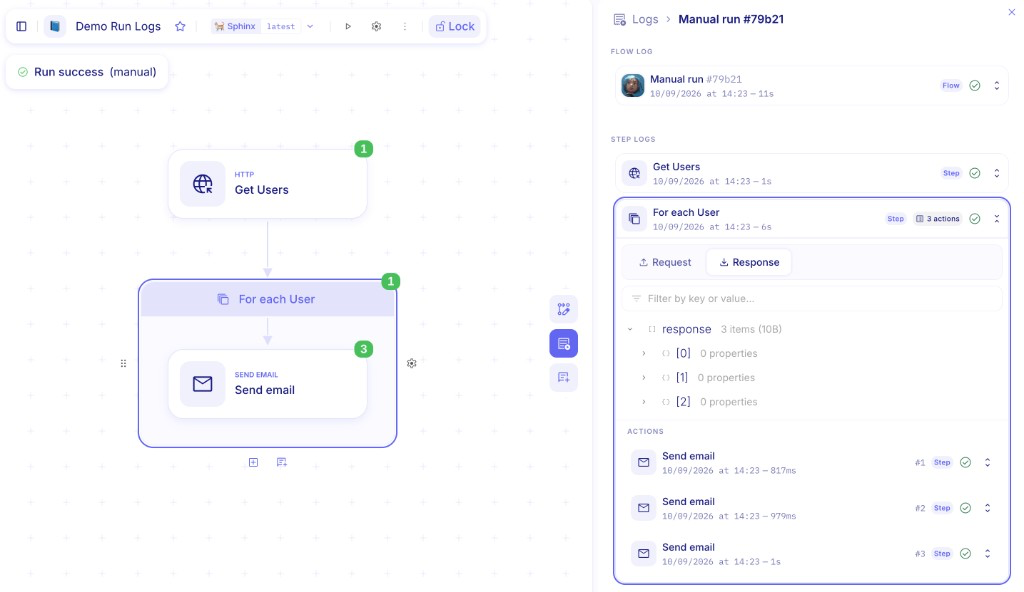
For more details, see Inspect flow logs.
Look up a credential by name at run time
Section titled “Look up a credential by name at run time”On a services step, choose Credential Lookup and set a credential name (constant or formula). Mindflow resolves that name in the current environment and Global scope when the step runs, so one deployment can use a different stored credential per run.
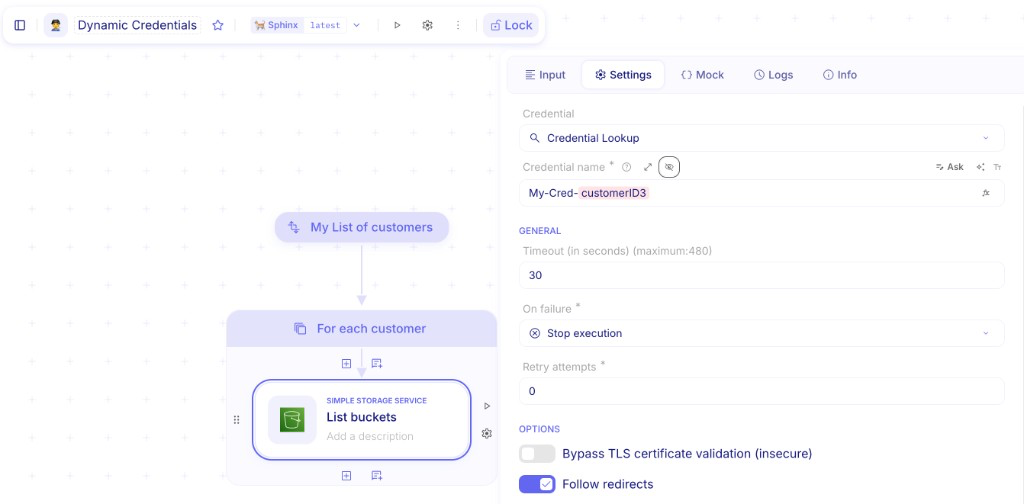
For more details, see Look up service credentials by name at runtime.
Create a credential from the designer
Section titled “Create a credential from the designer”When a step needs a credential that is not in the environment yet, you can create it from the credential picker and keep designing. You no longer have to leave the flow to open environment settings first.
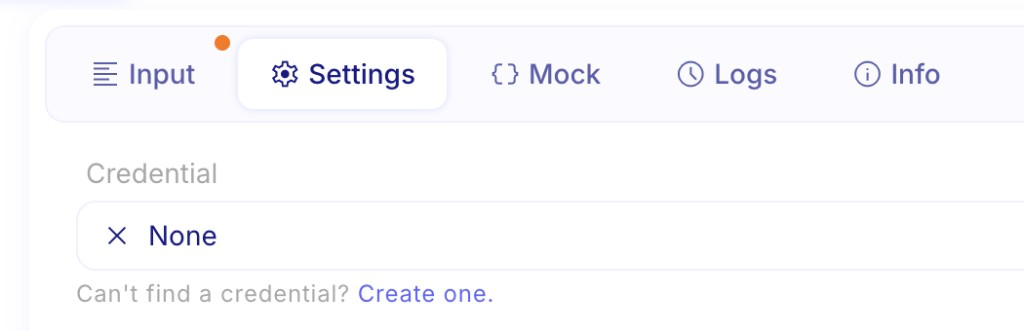
For more details, see Create and manage credentials.
Favorite flows and environments
Section titled “Favorite flows and environments”You can now mark flows and environments as favorites so they stay pinned under Favorites in the sidebar. Star a flow from the Flows list (or the designer) and an environment from the environment switcher to open them without hunting through the full list.
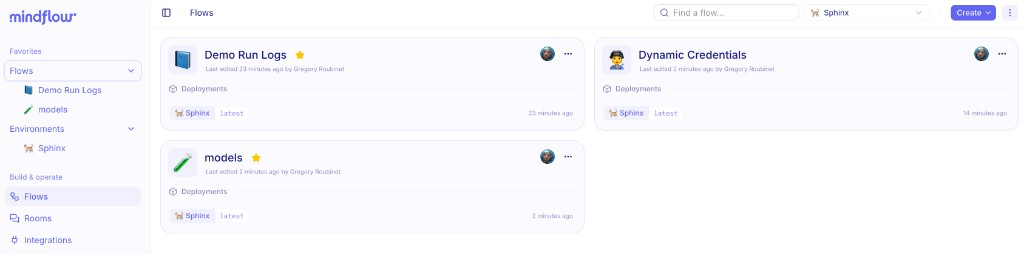
For more details, see Flows and agents.
Sign OAuth2 tokens with a client certificate
Section titled “Sign OAuth2 tokens with a client certificate”OAuth2 credentials can now authenticate with private_key_jwt: Mindflow signs the client assertion with your certificate instead of sending a client secret. Use this when the token endpoint requires certificate-based client authentication.
New Claude and Amazon models
Section titled “New Claude and Amazon models”You can now select Claude Opus 5, Amazon Nova 2 Lite, and Amazon Nova Micro in AI··Task and other model pickers. Pick the model that matches the work: Opus 5 for long-horizon reasoning, Nova 2 Lite for multimodal automation, and Nova Micro when you need a fast, low-cost text model.
For more details, see AI··Task: A simple guide.
CHANGES
Section titled “CHANGES”Add-step catalog follows your credentials
Section titled “Add-step catalog follows your credentials”The add-step menu now emphasizes services you can actually call: integrations with an environment credential (and your favorites) show up first. You spend less time scrolling past services that are not connected yet.
For more details, see Call native integrations.
See how a model is routed
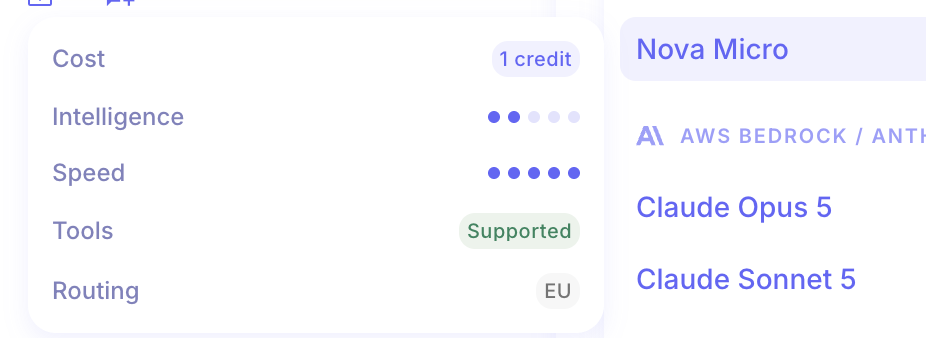
Section titled “See how a model is routed”When you pick an Amazon model, Studio now shows how inference is routed (for example the regional profile). Use this when you need to confirm which path a model call will take.
Organization events in audit export
Section titled “Organization events in audit export”Organization create, update, and delete actions now appear when you export audit logs. Org admins who export logs for a SIEM or retention pipeline get those events with the rest of the organization history.
For more details, see Export audit logs.
Analytics includes AI usage
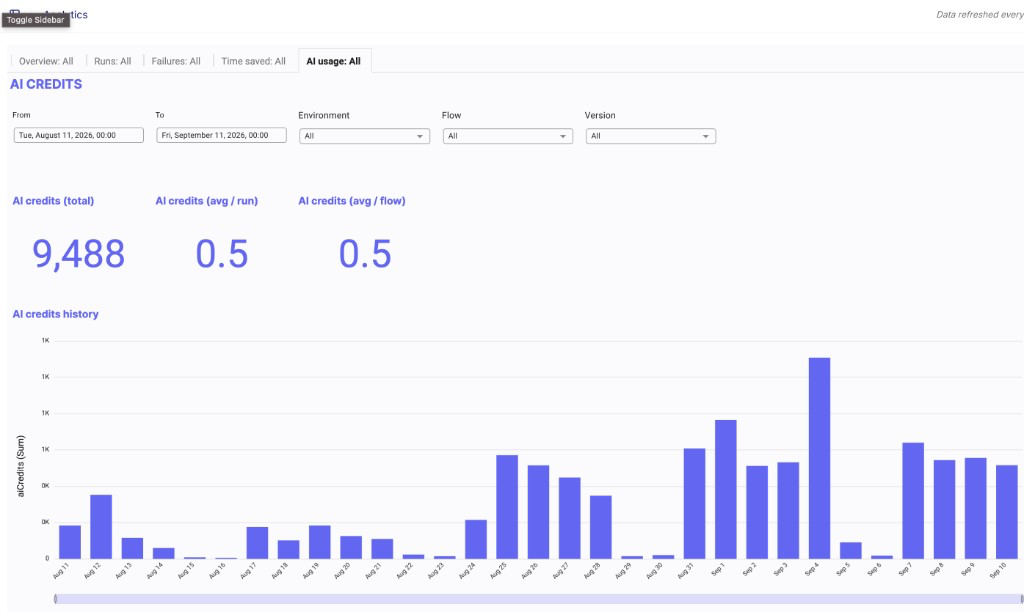
Section titled “Analytics includes AI usage”The organization Analytics dashboard now includes AI usage alongside flow volume and outcomes. Org admins can review that usage on the same Analytics page.
For more details, see Review analytics.
- AI··QuickEdit could save a text field in the wrong format and break the value. (#7060)
- AI chat could keep applying late events after you canceled a turn. (#7041)
- The designer could open the wrong latest snapshot after a version history change. (#7028)
- Formulas could drop very large whole numbers during evaluation. (#6998)
- Redacted For Each logs could show an invalid index error. (#6969)
- The invite list could close while you scrolled. (#6963)
- Updating a profile picture could fail to save. (#6972)
- Renaming an environment could flicker or revert the name. (#6970)
- The inspector could crash when stored step data expired. (#6980)
- Onboarding environment and flow permissions could block expected access. (#6983)
- Some model responses were wrapped in an extra layer. (#6979)
- An AI··Rooms turn could drop the last message when the run failed. (#6922)
- Script steps that returned text did not format the result correctly for the next step. (#6928)
- Signing out could send you to the wrong page. (#6990)
- The canvas lagged when you scrolled with the mouse wheel. (#6935)
- Service step retries could start when too little run time was left. (#7082)
- Organization user quota counted members that should not consume a seat. (#7062)