

Ollioules
Insertion of steps between existing steps and link movement ↔️
Section titled “Insertion of steps between existing steps and link movement ↔️”Ref: #803, #717
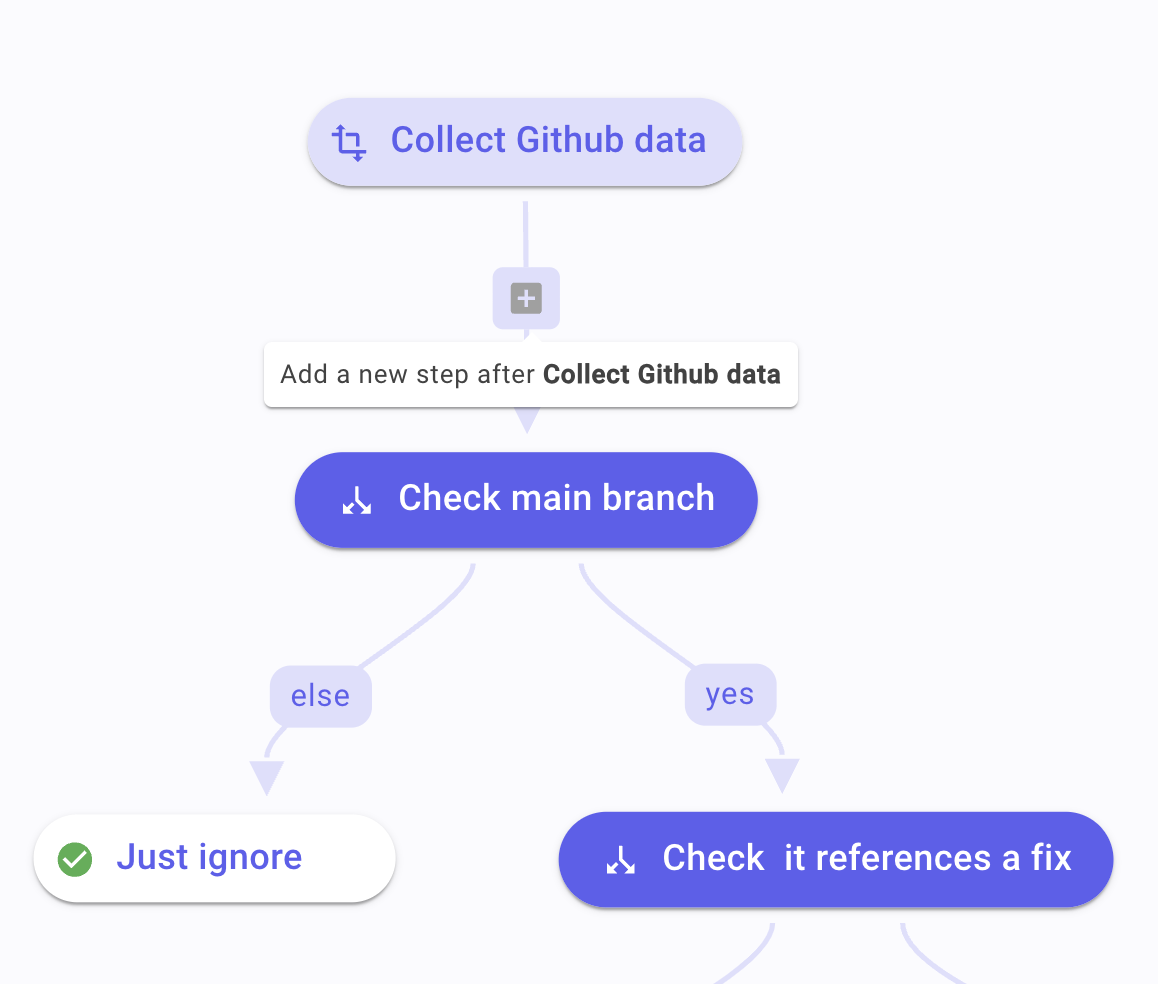
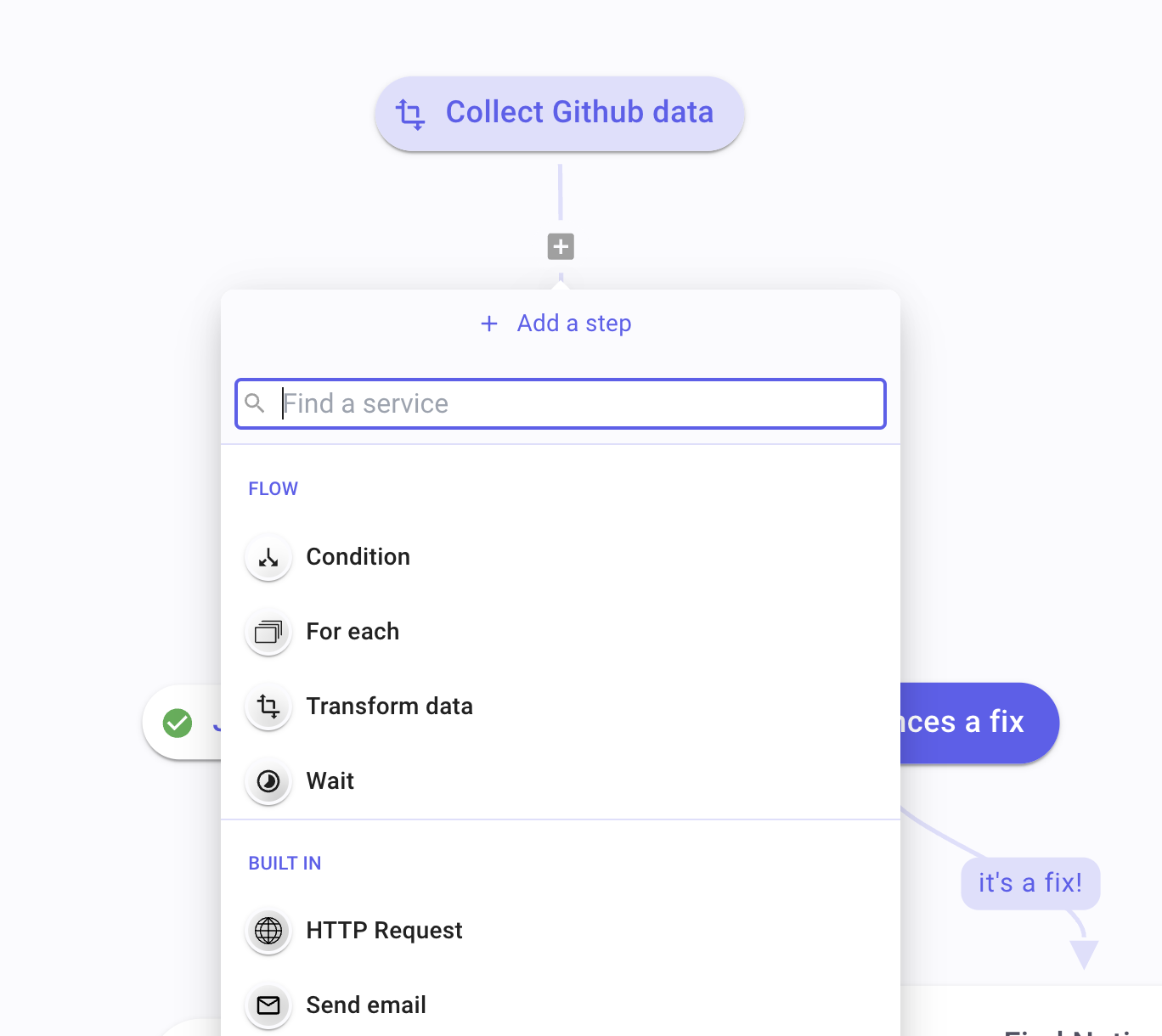
You can now add steps between existing steps in any workflow, enabling greater flexibility and precision in adjusting and expanding your automation processes. Simply hover over a link, click the ‘Add step’ icon, and select your action.
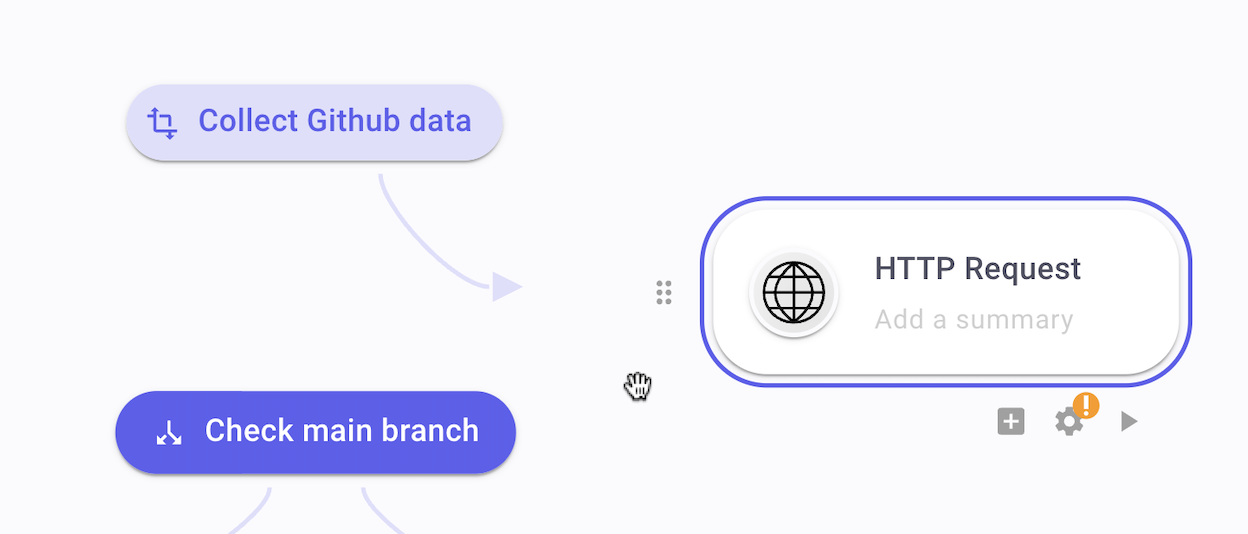
Additionally, by dragging the arrowhead of a link, users can now reposition it to another step, providing greater control over the workflow structure and sequencing.
Email notifications for executions 📣
Section titled “Email notifications for executions 📣”Ref: #1490, #1679
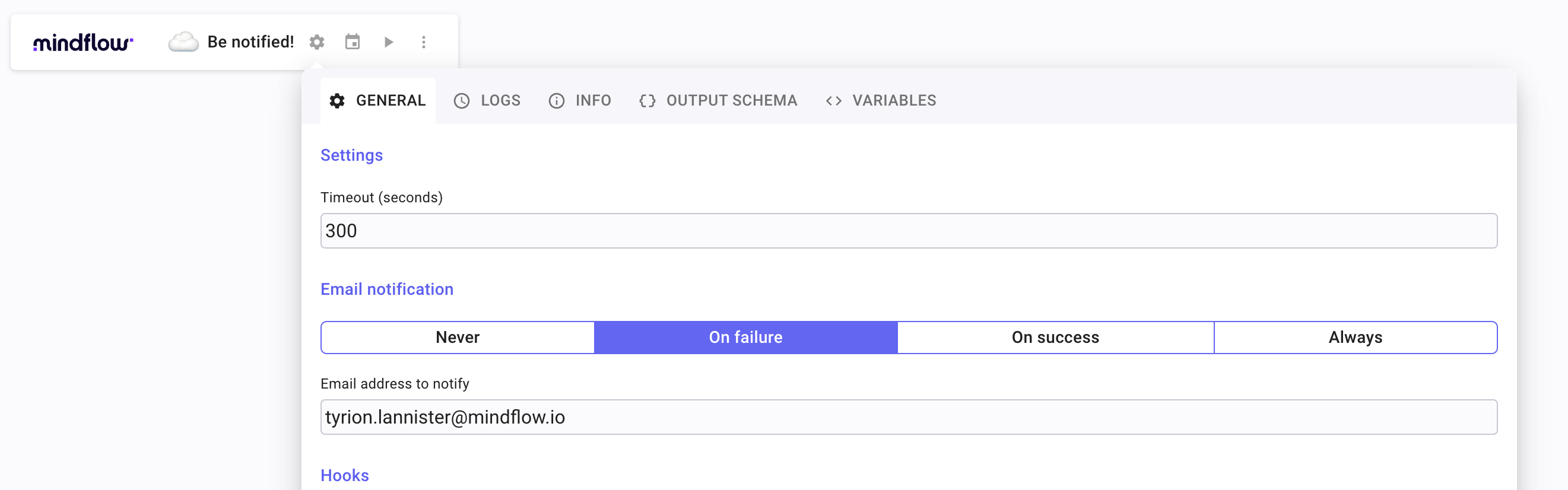
This feature enables you to receive instant alerts via email whenever a workflow completes successfully and/or encounters a failure so that you can maintain the smooth operation of your automated tasks.
XML support 👴🏻
Section titled “XML support 👴🏻”Ref: #661, 971, #670
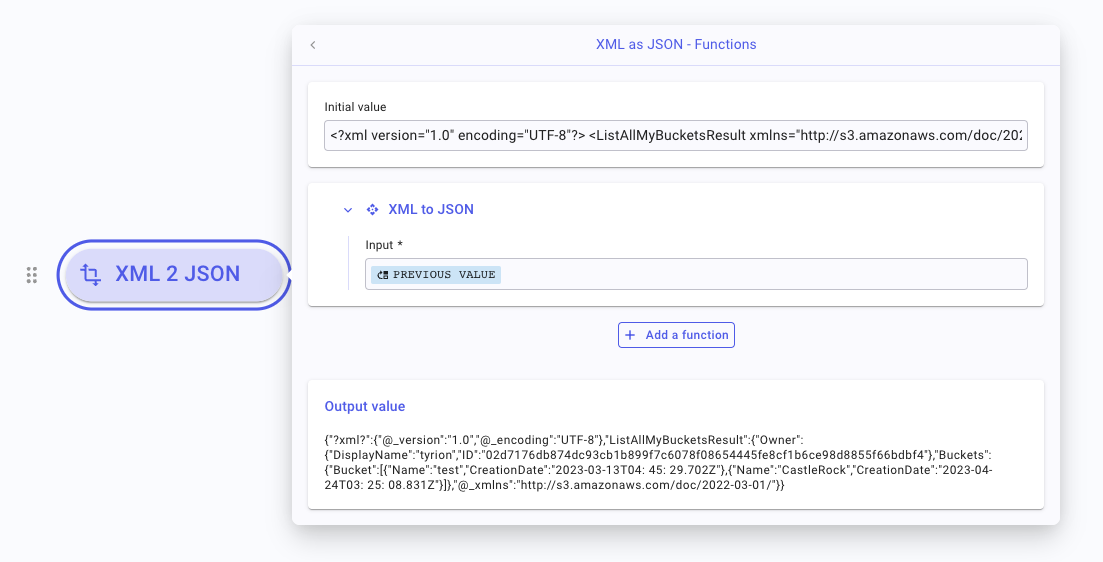
We have added an XML to JSON transformation function. This function converts XML data into JSON format, making it easier for you to manipulate and extract the necessary XML data from their workflows.
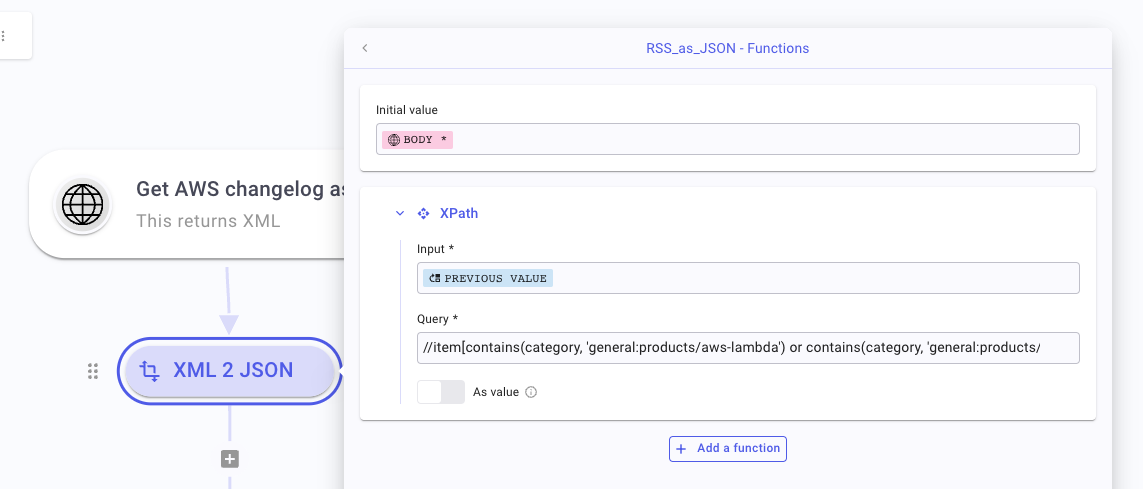
We have also added a new function for XML processing to our data transformation functions: XPath. This allows you to filter elements and attributes, providing a powerful tool for precise, efficient data extraction and manipulation in XML payloads.
Google Chat bot 🤖
Section titled “Google Chat bot 🤖”Ref: #1002
By providing the Google Chat bot source code, we empower users to integrate Google Chat into their workflow automation. This will allow them to automatically monitor, respond, and push notifications to Google Chat directly from the workflows they build on our platform.
See Google Chat for further details.
CHANGES
Section titled “CHANGES”Better JSON data picker and log viewer 📑
Section titled “Better JSON data picker and log viewer 📑”Ref: #591, #1047
We’ve made substantial enhancements to our data picker. The data picker now sports a refined look and improved user experience. The operations to pick, expand, and collapse have been fine-tuned for better handling, while also allowing the display of the entire value when needed.
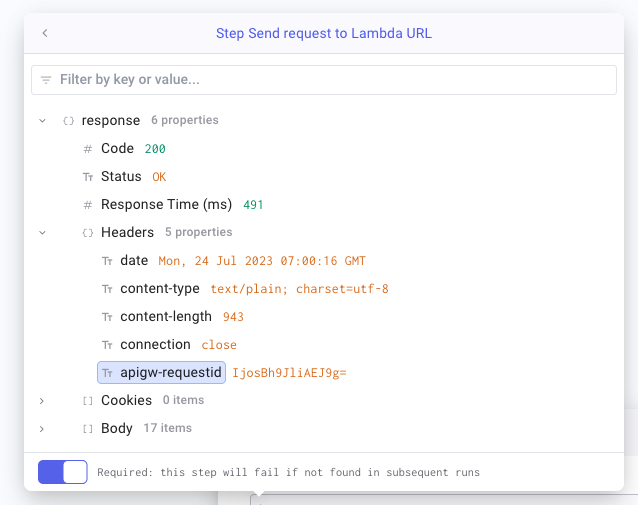
Handling large arrays is now easier with pagination, enabling you to manage your data more efficiently. A new filter function allows you to sift through payload by key or value, a feature especially useful when working with large payloads.
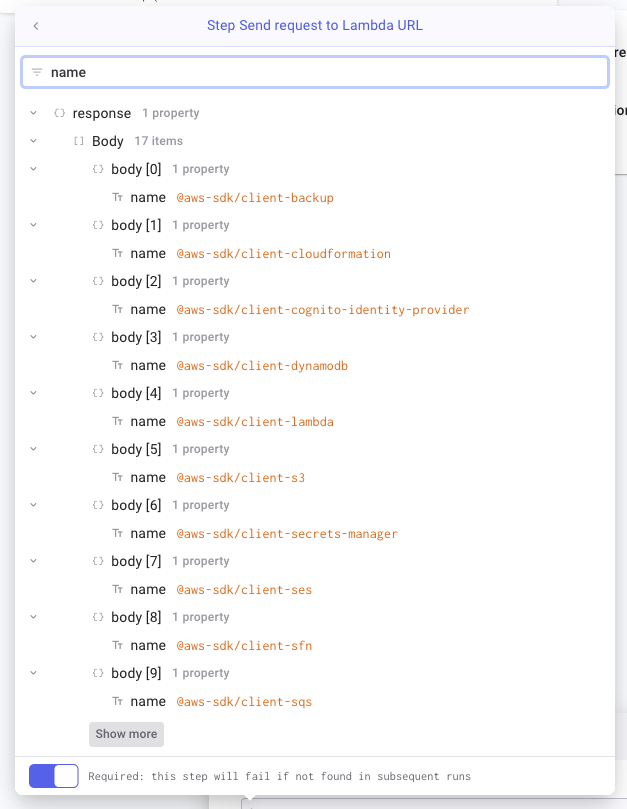
Furthermore, we’ve introduced an indication for data types (array, object, text, number, etc.), offering a clearer overview and understanding of your data.
Duplicate and copy/paste 🛠️
Section titled “Duplicate and copy/paste 🛠️”Ref: #540, #627, #761, #900, #486, #528
We’ve successfully restored the feature that enables you to copy, paste, duplicate, and move playbooks. This is essential for efficient workflow management. This feature had been temporarily disabled due to technical issues. We appreciate your patience during the period this feature was unavailable, and we’re excited to reinstate this valuable capability for our users.
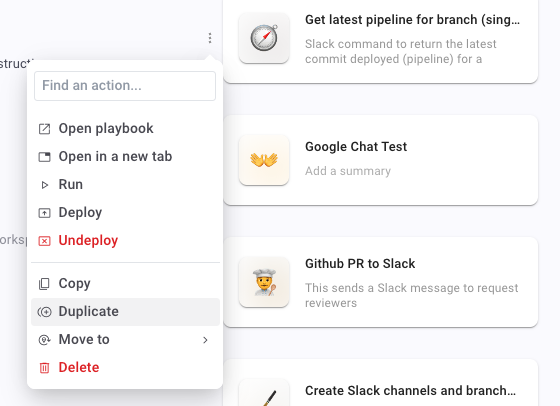
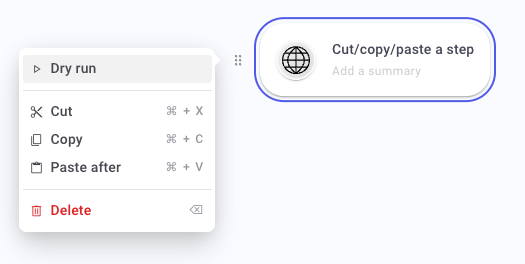
We’ve also focused on enhancing the performance and robustness of the cut, copy, and paste functionality for steps in your workflows.
Optional data and empty values 🫥
Section titled “Optional data and empty values 🫥”Ref: #1001, #612
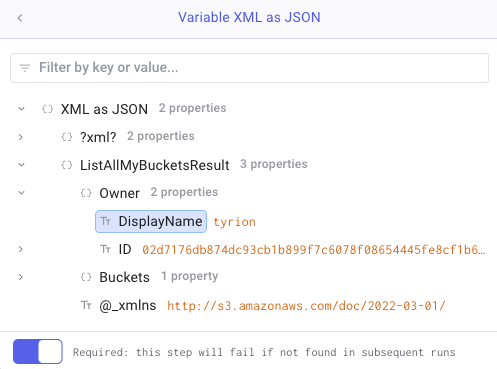
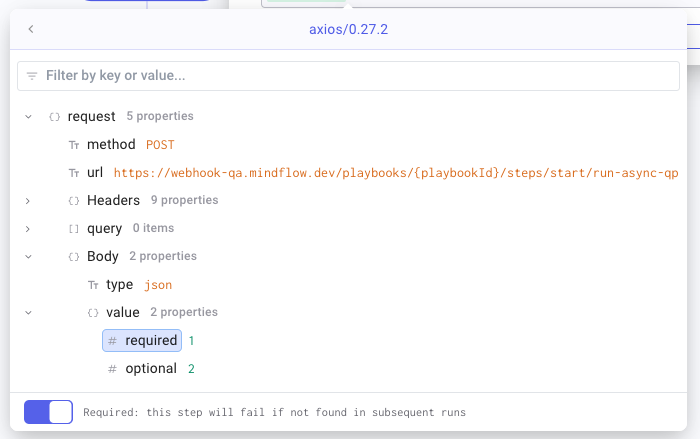
We have enhanced the way you can manage data optionality in your workflows. Data pills, which represent dynamic values from your payload, can now be marked as either Required or Optional. This feature gives you more control over how your workflow handles missing data.
If you mark a data pill as ‘Required’, and it is missing from the payload, the workflow will fail. On the other hand, if a data pill is marked as ‘Optional’ and it is not present, the workflow will continue executing and simply return an empty value.
This improvement provides greater flexibility and error control, reducing the need to create additional conditions to handle data optionality and allowing you to create more resilient and robust automation workflows.
Google APIs ☁️
Section titled “Google APIs ☁️”Ref: #1681, #1683, #1684, #1685, #1700
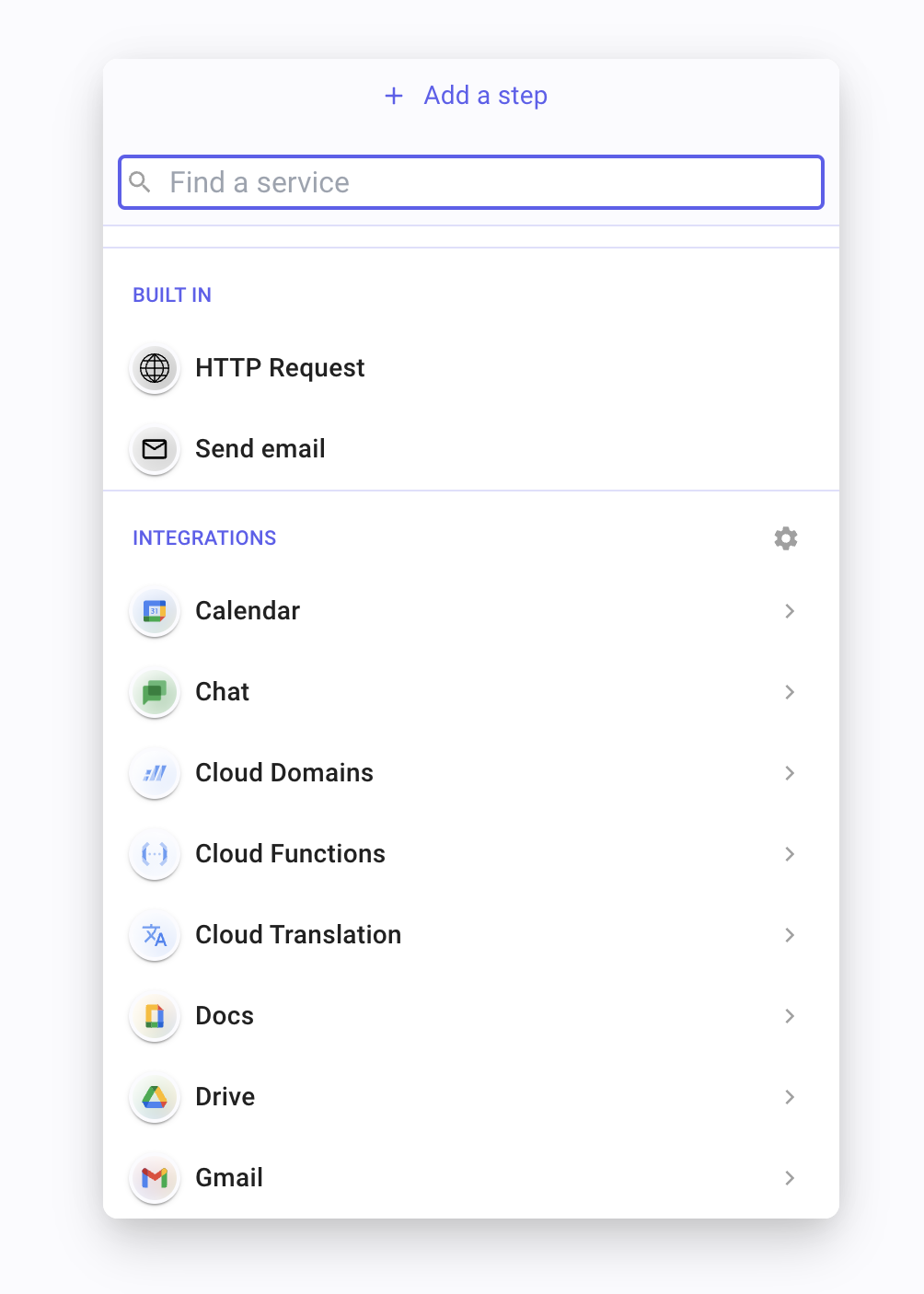
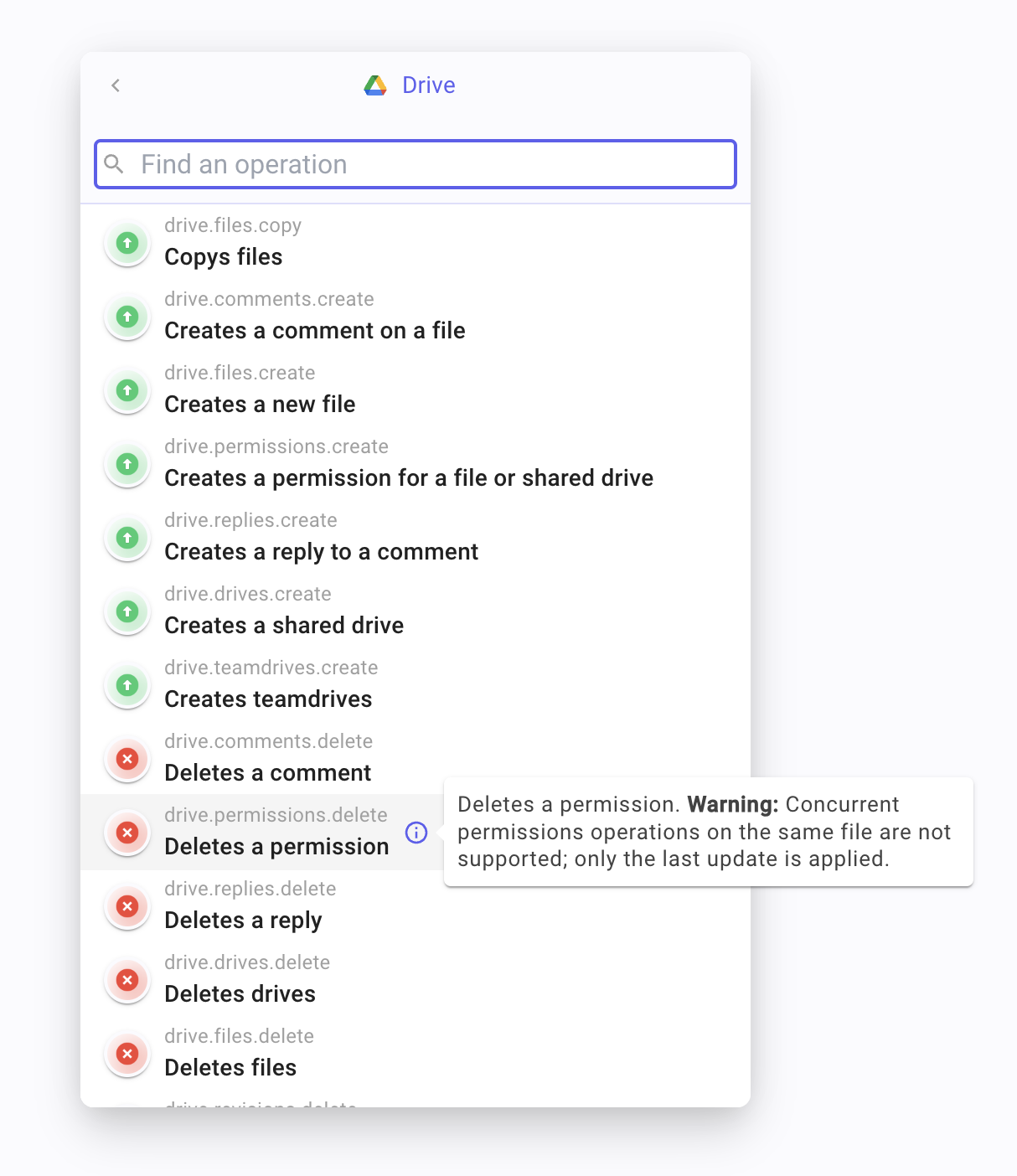
In our continuous effort to offer the most comprehensive API integrations, we’ve rolled out a significant update to our Google APIs support. Our platform has been restructured to align better with Google’s product portfolio, resulting in a more intuitive and user-friendly experience for integrating Google services. We’ve expanded our support to include a wider range of Google products, covering everything from cloud services to productivity tools and machine learning technologies.
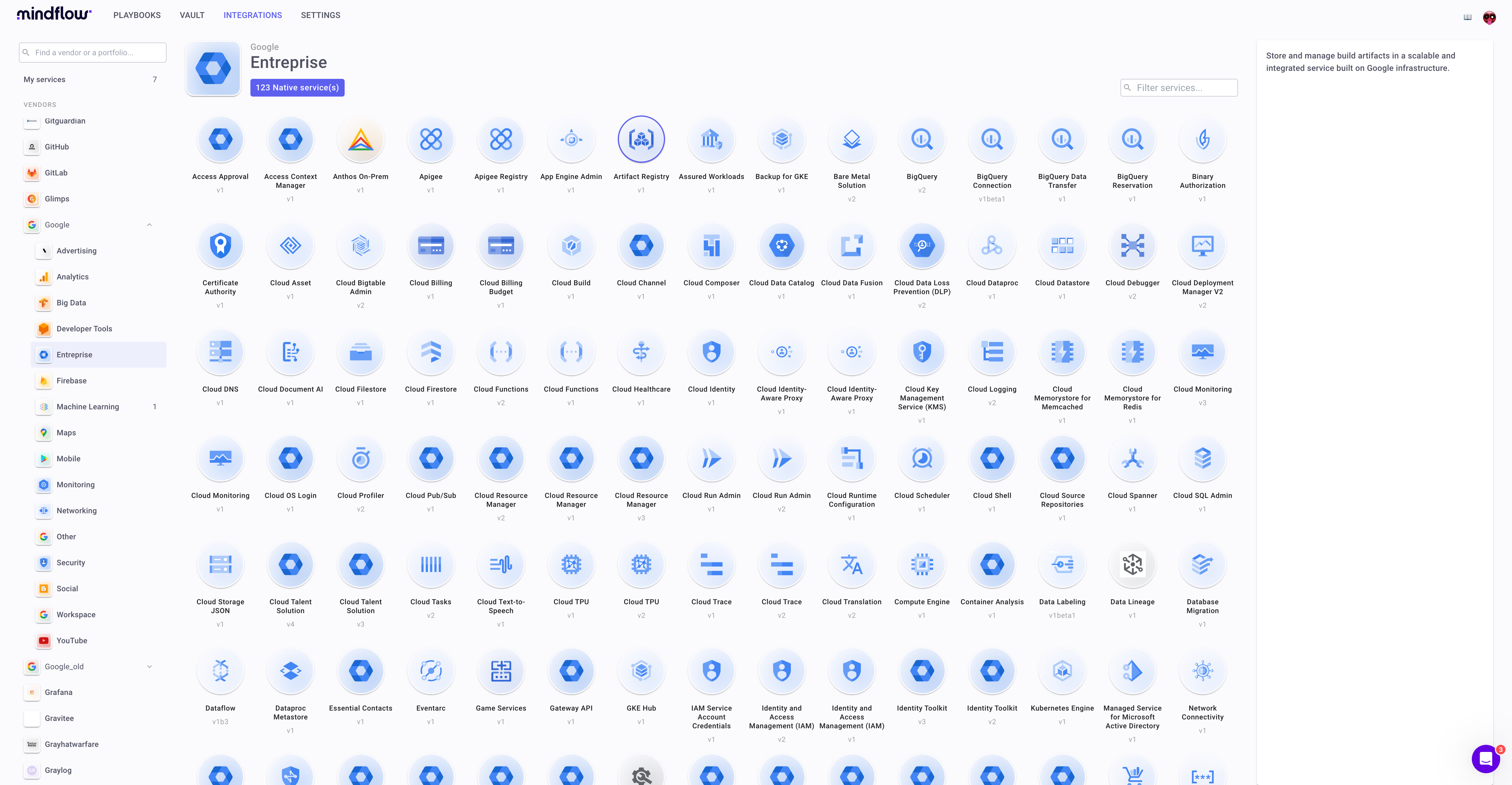
Moreover, we’ve enhanced the logos and the descriptions for all Google API operations, making it easier than ever to understand and utilize these APIs to their fullest potential. With these improvements, we’ve broadened the horizon for what you can achieve with Google services on our platform. Whether you’re looking to automate tasks in G Suite, deploy resources on Google Cloud, or harness the power of Google’s AI tools, our platform now provides a more seamless, powerful, and flexible experience.
Web application performance 🏎️
Section titled “Web application performance 🏎️”Ref: #784
We have improved the overall browser performance of our web application to provide a more seamless and efficient user experience. Improvements have been made to the speed of page rendering, panning, scaling, and menu display, making navigation and interaction with our platform faster and more responsive.
Additionally, we are aware that page loading times are an essential aspect of your user experience. That’s why we have already started working on enhancing this in our upcoming releases.
Various 💐
Section titled “Various 💐”- Trim function to remove conveniently leading and trailing spaces from a string in your data (#733)
- Filter services (#521)
- Data pills visuals with logos (#700)
- Navigate directly from notification badge to associated log (#15)
- More visible advanced settings button (#765)
- Errors are less verbose, more user-friendly (#580)
- Improved detection to link steps between them (#1039)
- And other smaller changes.
Bugs fixed 🐞
Section titled “Bugs fixed 🐞”- Cannot display logs for highly active playbooks (#1533)
- False positive warnings mitigated (#628, #936)
- Empty favorite services crashes the integration tab (#555)
- Open in a new tab does not work (#550)
- Creating an account with empty first name and last name (1860)
- Undo/redo is sometimes unreliable (#1745)
- Data picker fails to find some data in nested for each (#1071)
- XKCD random number joke removed (#1052)
- Resume ID does not work within for each loop (#1048)
- Cannot scroll all the service operations (#1017, #1051)
- Copy/paste is broken on data pills (#1016)
- Removing a variable has side-effects on other variables (#832)
- Missing icon for For each data pill (#508)
- Search is broken when selecting a credential (#619, #901, #1058)
- Resume ID or URL raises an error (#949)
- Entering text rapidly can break the (#968)
- The user view should filter the list of credentials (#915)
- Menu open multiple times (#495)
- Missing profile pictures for other users in logs (#677)
- Menus are not displayed correctly for viewers and auditors (#154)
- Some audit logs missing when playbook is triggered by a schedule (#244)
- Array range function issues with bounds and ordering (#863)
- Step settings crashes with “can’t find one of index” error (#877)
- Invalid warning for AWS servers (#936)
- Some vendor names are duplicated (#841)
- Mismatch preview values in For each (#875)
- Log “create a cycle” found in web console (#696)
- Profile picture style is incorrect in logs (#865)
- Previewing value does not work within formulas (#649, #782)
- JSON path function returning stringified JSON (#487)
- Flow ending with empty condition break deployments (#749)
- Some functions do not support special characters such as emojis (#821)
- Error report is tedious when server is not defined (#715)
- Playbooks can’t support multiple starting steps (#740)
- macOS modifier key bindings on Windows (#1833)
- Inconsistent failures handling on Transform data (#1551)
- Webhook HTTP/2 lowercase x-api-key header (#798)
- Larger webhook and emailhook payload (#892)
- Expired authentication (#600, #1073, #1722)
- AWS request not correctly displayed in logs (#854)
- Compare function fails when data not found (#329 - fixed by optional data support)
- Keep the caret active after inserting a pill (#1042)
- Find/replace function cannot contain slash (#1720)
- Incorrect display of profile pictures in logs(#1652)
- And other smaller fixes.