

Yoda
Agentic Automation. As powerful as the Force. Yoda was originally going to be played by a monkey wearing a mask and carrying a cane, but the idea was scrapped in favor of a puppet created by Jim Henson’s Creature Shop and operated by Frank Oz
Meet AI··Task: The new powerhouse of workflow intelligence 💡
Section titled “Meet AI··Task: The new powerhouse of workflow intelligence 💡”Ref: #7170
The AI··Agent is dead 💀
… Long live the smarter AI··Task! 🎉
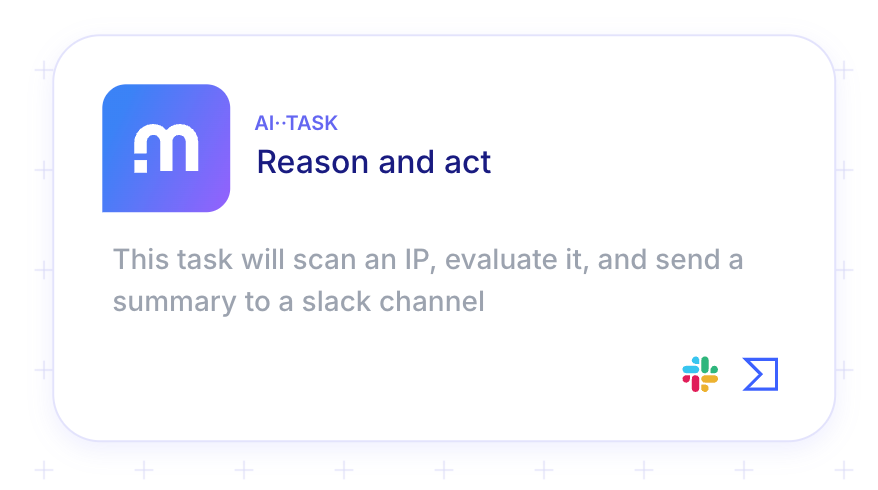
Follow these steps to configure one AI··Task:
-
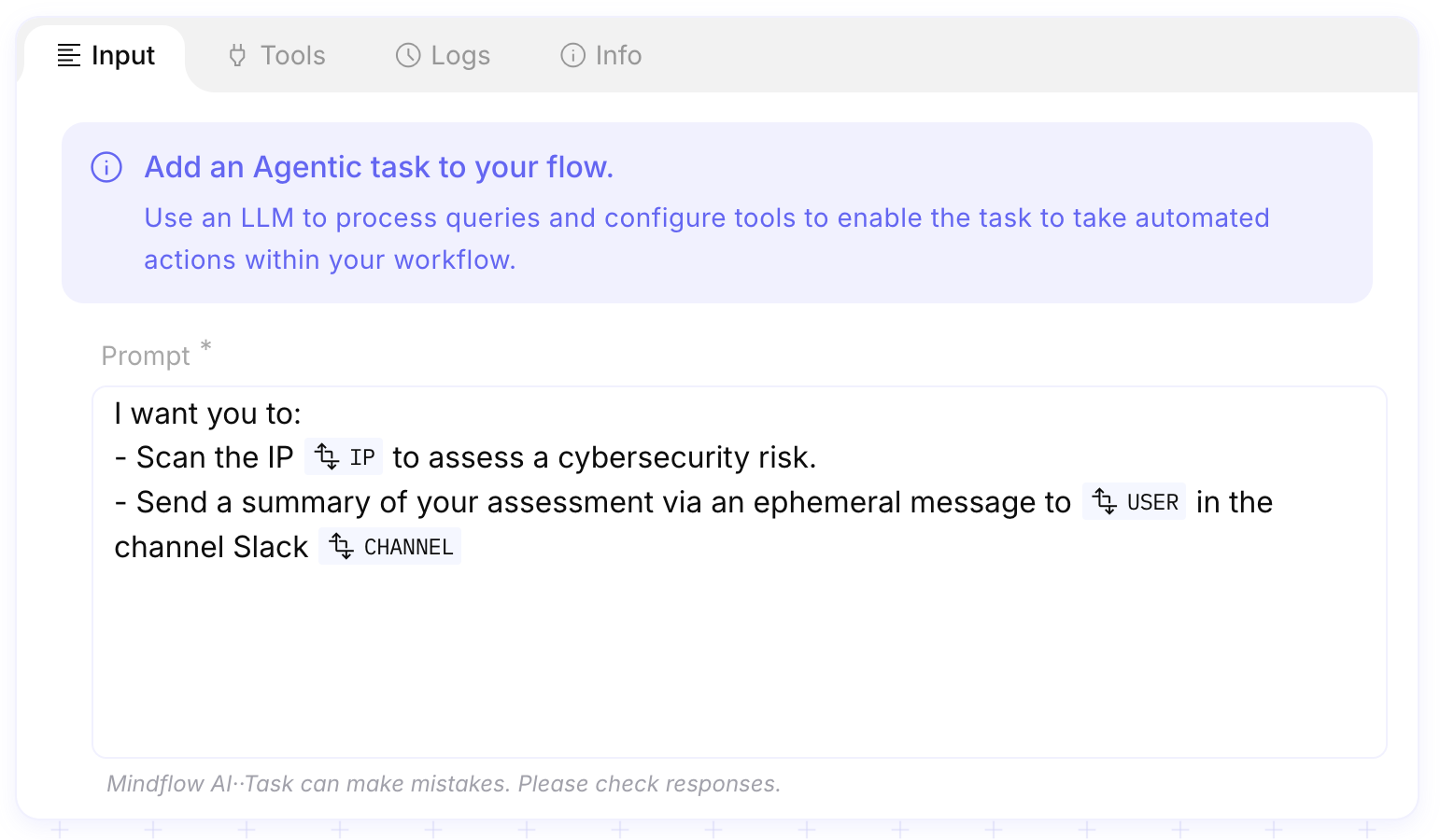
Define the prompt
Begin by specifying the prompt—this instructs the LLM on the goal or context of the task.
You can also inject data dynamically into the prompt, enriching the context for the LLM. However, keep in mind that LLMs have token limitations, so overly large inputs may be truncated or impact performance.
-
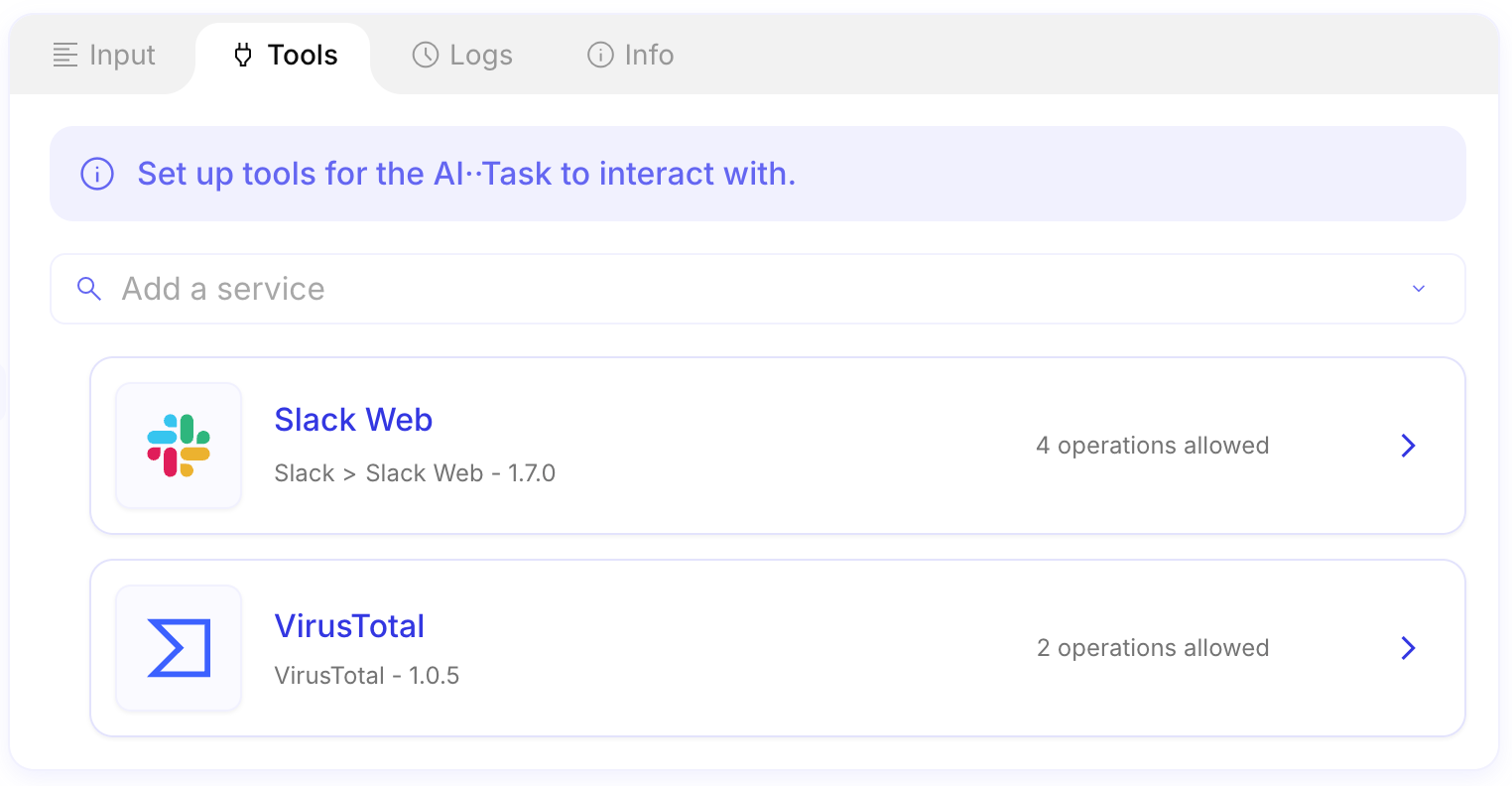
Add one or more services
Unlike the previous AI··Agent (limited to a single service), AI··Tasks can integrate multiple services.
-
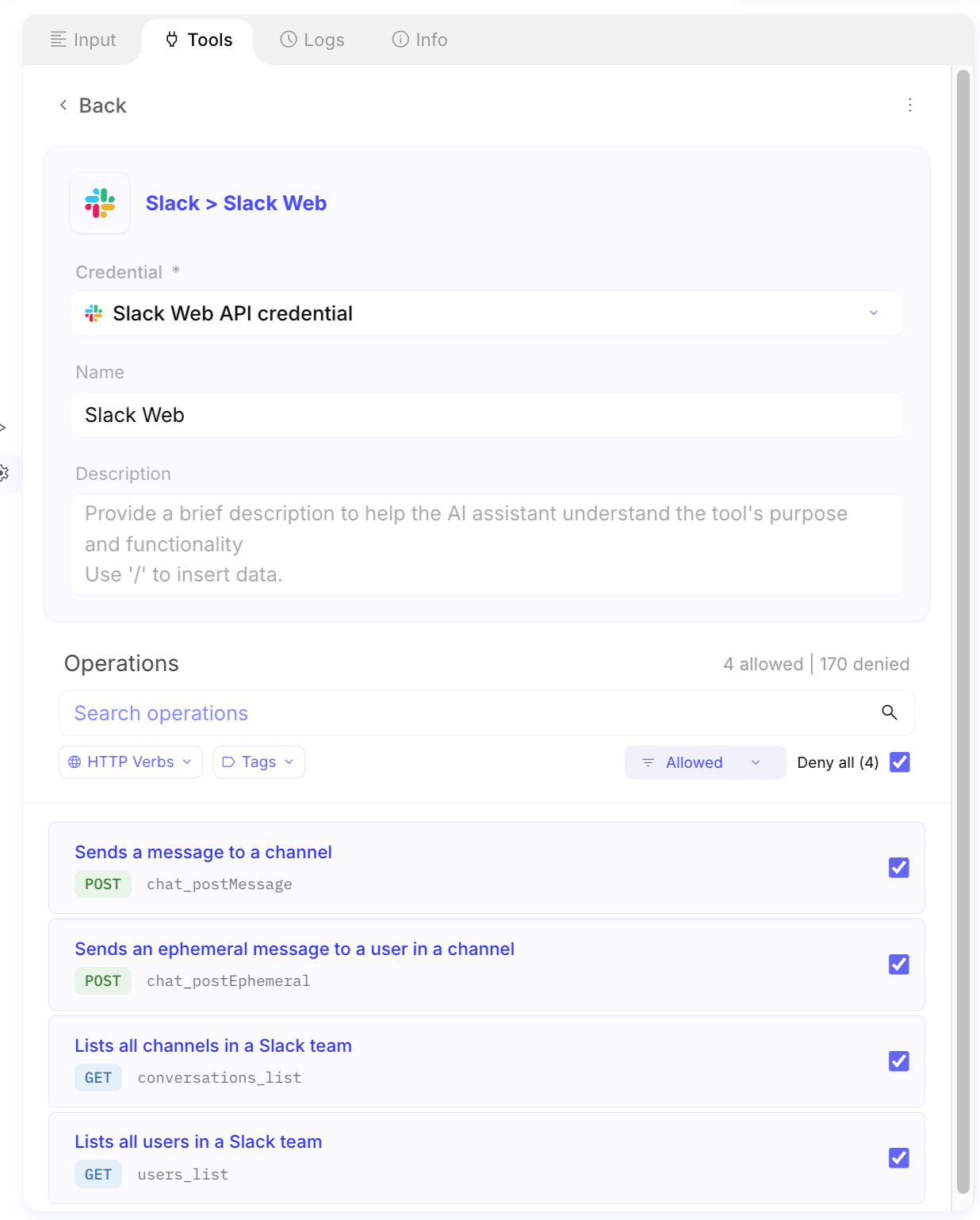
Configure each service
For each service, you can specify:
- A credential,
- A custom name
- A description (to help the LLM understand how to use the service)
- Authorized operations
-
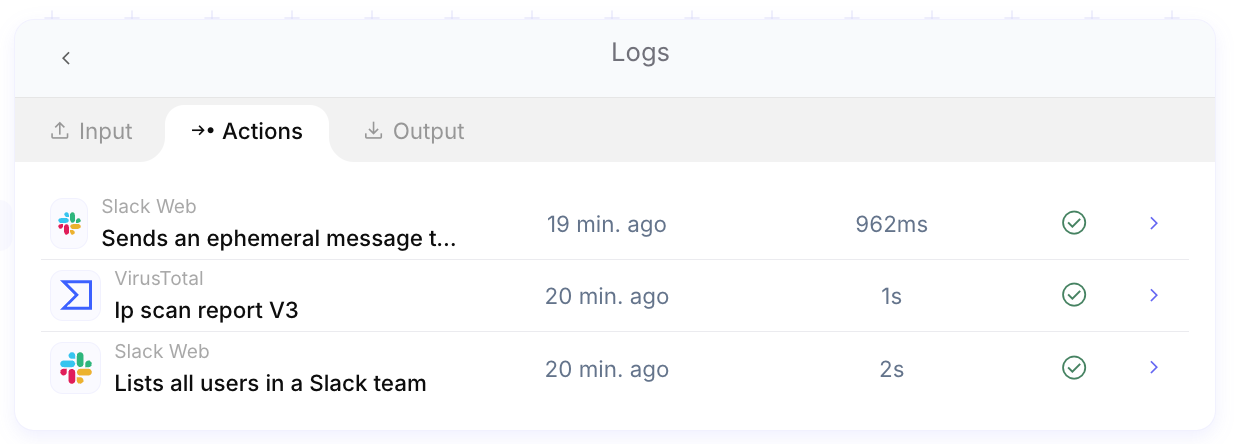
Monitor execution with detailed audit logs
Every API call is logged for transparency, traceability, and auditing.
New Flow design 🎨
Section titled “New Flow design 🎨”We’re excited to unveil a major update in our journey toward a more intuitive and informative design.
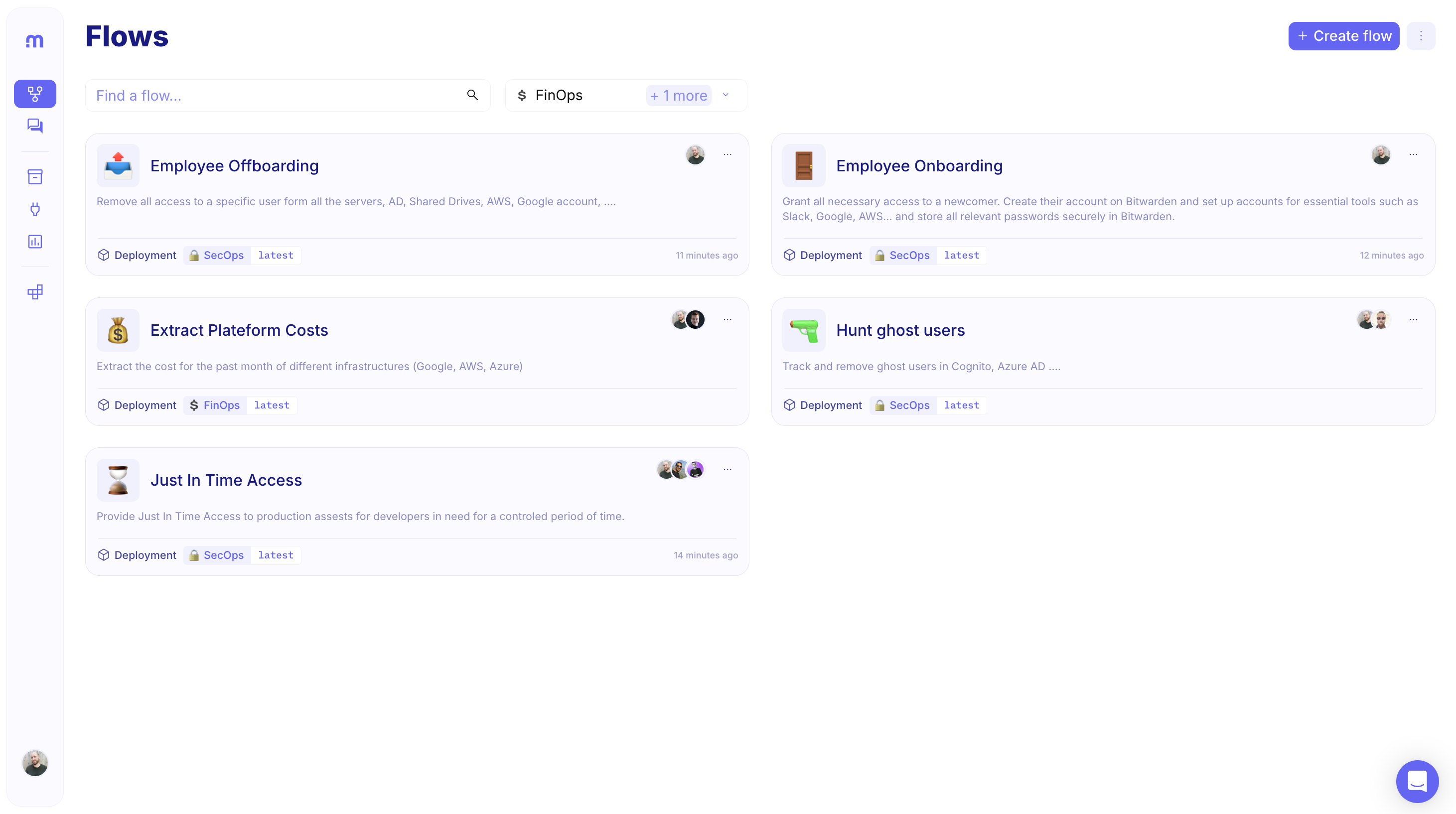
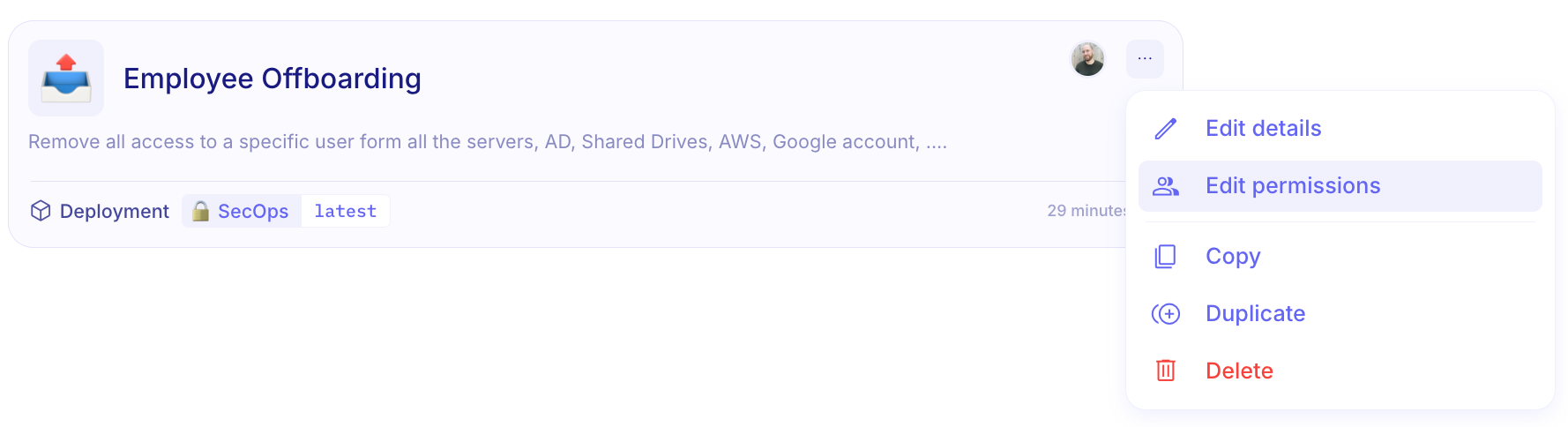
Flows are now presented as dynamic cards that deliver richer context at a glance. Each card displays:
- Title, name, and description of the flow
- Deployment environments where the flow is active (currently limited to one environment—multi-environment support is coming soon 😉)
- Flow permissions showing who can interact with the flow
New Flow permissions 🔐
Section titled “New Flow permissions 🔐”Based on extensive user feedback and evolving deployment needs, we’ve undertaken a comprehensive refinement of our permissions model to lay the groundwork for future multi-environment deployments with an enhanced permissions framework
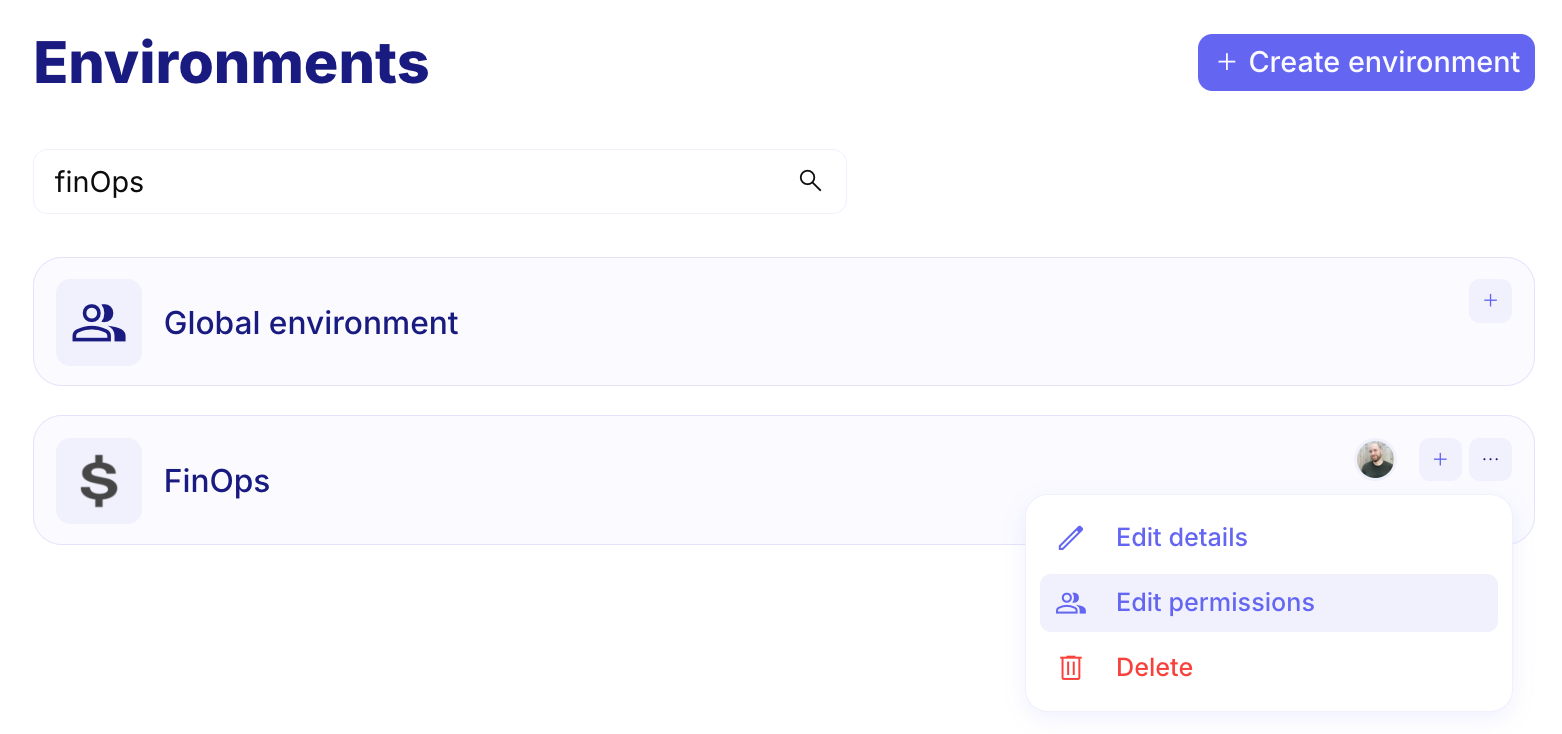
The new permissions system introduces two distinct sets of roles to better manage both flow logic and deployment environments. Users can now have different roles for working with flows (Owner, Editor, or Viewer) versus managing environments (Owner, Operator, or Viewer), allowing for more granular access control:
-
Flow Permissions
These define who can interact with the flow logic itself.
- Owner: Full control — can edit, delete, and manage flow permissions.
- Editor: Can modify the flow content but cannot delete it or change permissions/credentials.
- Viewer: Read-only access to the flow and associated audit logs.
-
Environment Permissions:
These determine access to flow deployments, credentials, and environment configurations.
- Owner: Full access — can manage the environment, its credentials, and deployments.
- Operator: Can deploy flows and view logs, but cannot manage permissions or create credentials.
- Viewer: View-only access to flows, credentials, and deployments within the environment.
Environment permissions
Flow permissions
- Updated documentation for the Export Logs API available here: Exporting logs. (#8182)
- MSG to JSON function: missing headers in the final object. (#8176)
- Studio has an invalid cache configuration for HTML documents. (#8240)
- Credentials are lost when I copy and paste a step. (#8109)
- Remove a selection to delete a Note step. (#8078)
- Pasting a step as a new branch following a condition step does not create a new branch but adds the step to the initial branch. (#8059)
- It is not possible to change the Size parameter within the SHA2 function. (#7960)
- Delete playbook dialog doesn’t have the focus. (#7396)
- Change logs are now permanently retained as flow edit history. (#8222)
INTEGRATIONS
Section titled “INTEGRATIONS”- AWS Security Incident Response (version: 2018)
- BeyondTrust PRA Configuration (version: 1.9)
- BigPanda (version: 1.0.0)
- Domain Security Scanner (version: 3.0.17)
- Dynamics 365 Business Central (version: 1.0.0)
- Eurecia (version: 1.0.0)
- Fly Machine (version: 1.0)
- Intelligence X (version: 1.0.0)
- Jupiter Ultra (version: 1.0.0)
- Jupiter Trigger (version: 1.0.0)
- Jupiter Token (version: 1.0.0)
- Jupiter Swap (version: 1.0.0)
- Jupiter Recurring (version: 1.0.0)
- Jupiter Price (version: 2.0.0)
- NetWitness (version: 12.4)
- Nucleus Security (version: 1.0.0)
- Office 365 Management Activity (version: 1.0.0)
- OTRS (version: 1.0.0)
- ProxyPot (version: 3.2.5)
- Redis Cloud (version: 1.0.0)
- SolarWinds Dameware (version: 1.3.01)
- SolarWinds Observability (version: 1.0.5)
- SolarWinds Service Desk (version: 0.2.18)
- TrustBuilder (version: 11-05f0473)