

Raptor

Real Velociraptors were about the size of a turkey and likely feathered — the towering Jurassic Park version was Hollywood fiction.
This release strengthens AI governance and day-to-day usability: dedicated Instructions and Input on AI··Task, AI analytics, flow-level run log redaction, shared environment variables, clearer model selection, and structured JSON outputs — plus layout refinements, broader audit coverage, new models, clearer quota errors, and better flow notification emails.
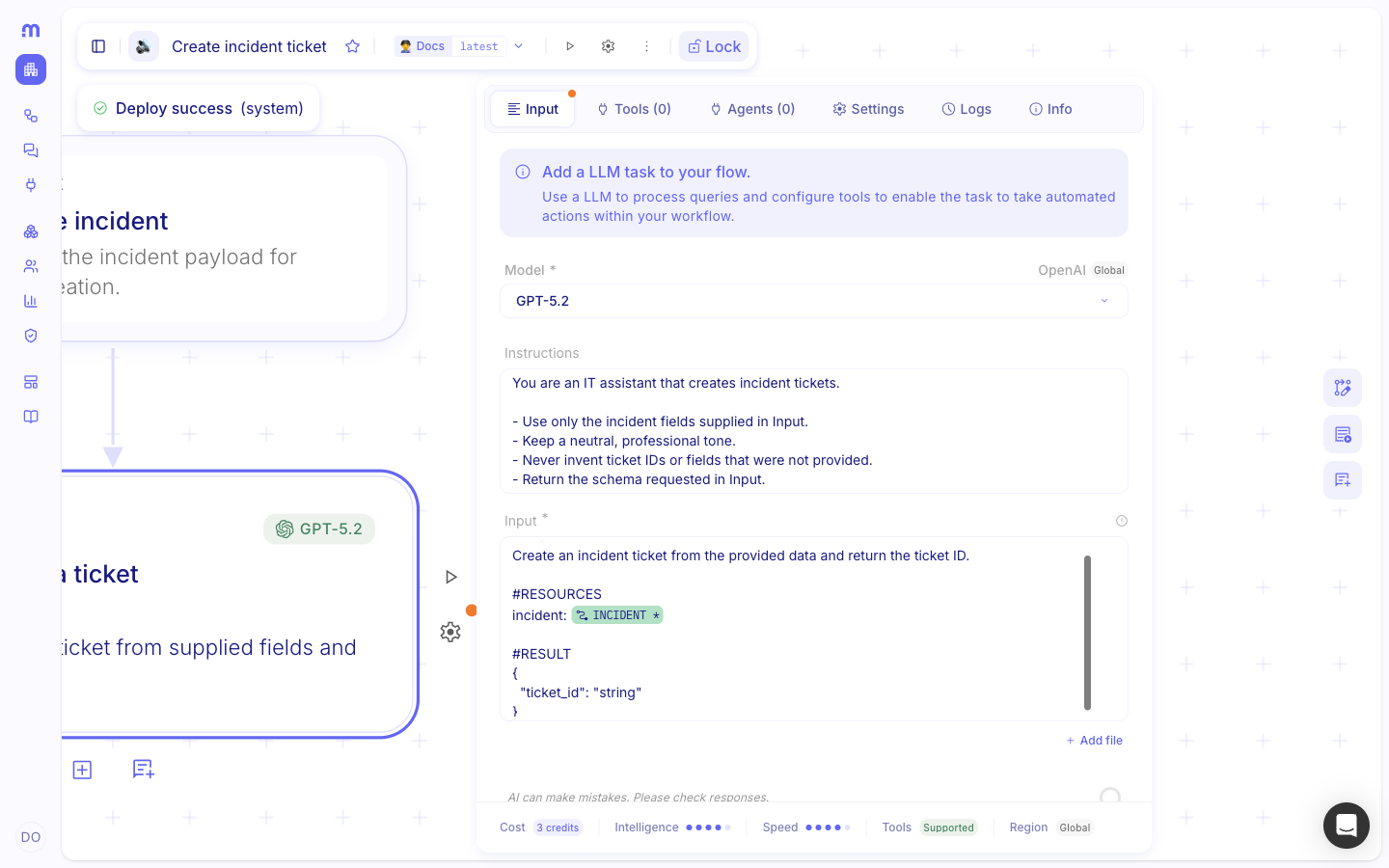
Separate Instructions and Input on AI··Task
Section titled “Separate Instructions and Input on AI··Task”You can now guide an AI··Task with two dedicated fields: Instructions and Input. Put lasting role and rules in Instructions, and this run’s data in Input, for cleaner and more predictable results. Token usage is also measured more accurately, because your instructions are tracked separately from Mindflow’s internal system instructions.
For more details, see AI··Task prompt guidelines.
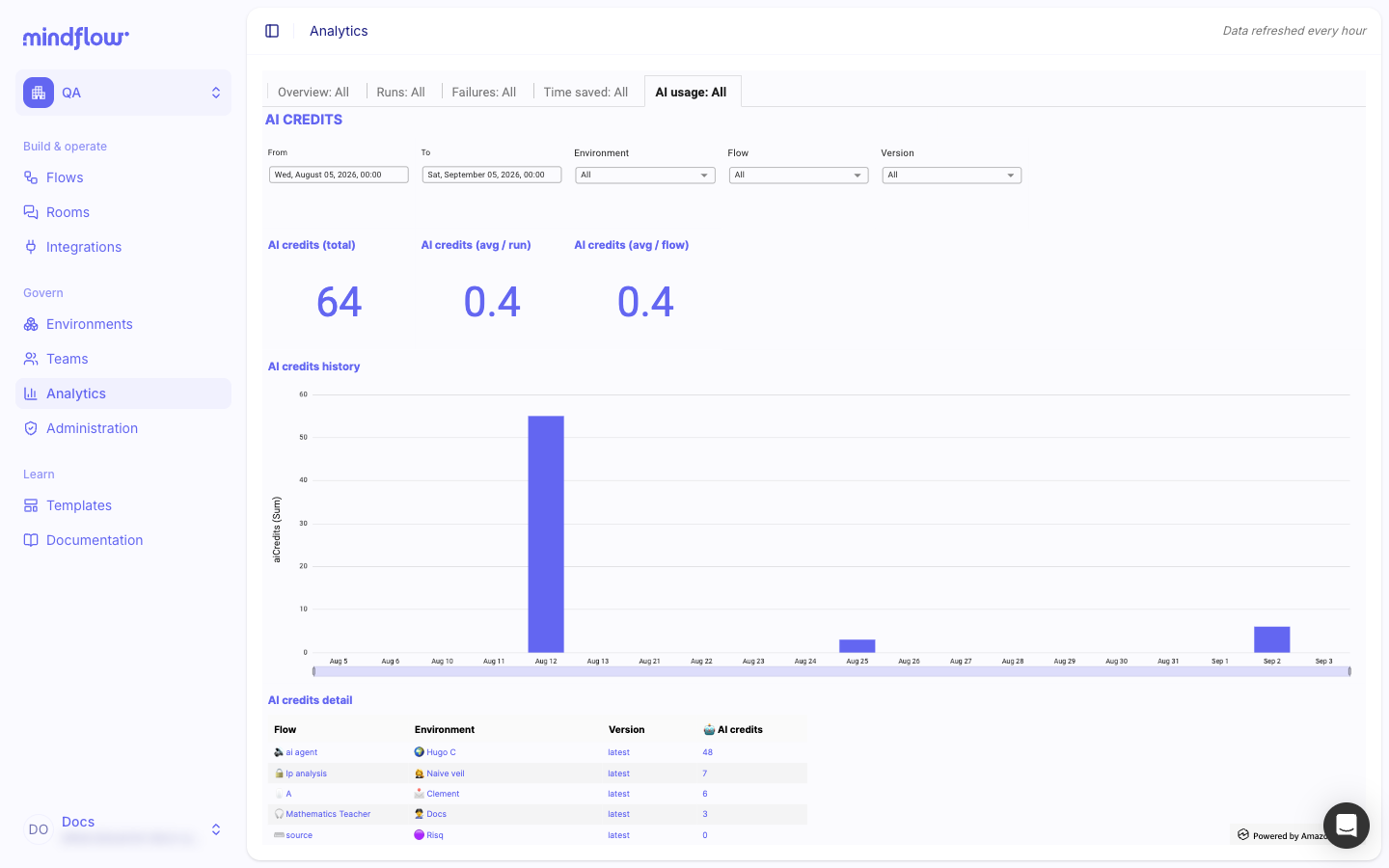
AI analytics
Section titled “AI analytics”Analytics now includes a dedicated AI tab so you can review AI consumption across your flows from the same dashboard as run volume and outcomes.
For more details, see Review analytics.
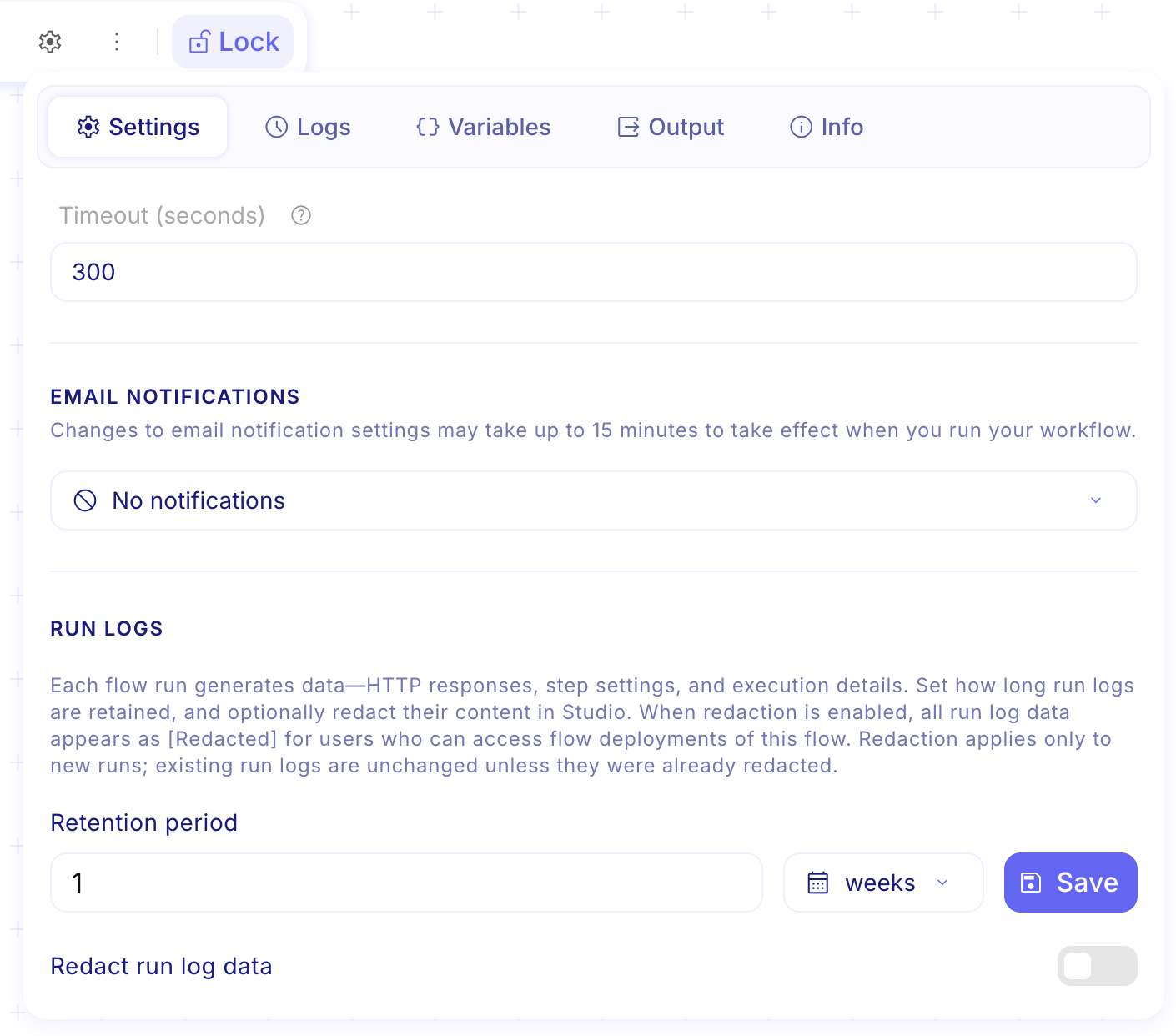
Flow-level run log redaction
Section titled “Flow-level run log redaction”Flow owners and admins can set run log retention and turn on redaction for new runs at the flow level. Use this when a flow handles secrets or other sensitive payloads so stored logs hide that data in Studio.
For more details, see Inspect flow logs.
Shared environment variables
Section titled “Shared environment variables”Each environment now has a Variables section next to credentials and members. Define values once for that environment and reuse them in every flow the same way you already use flow variables.
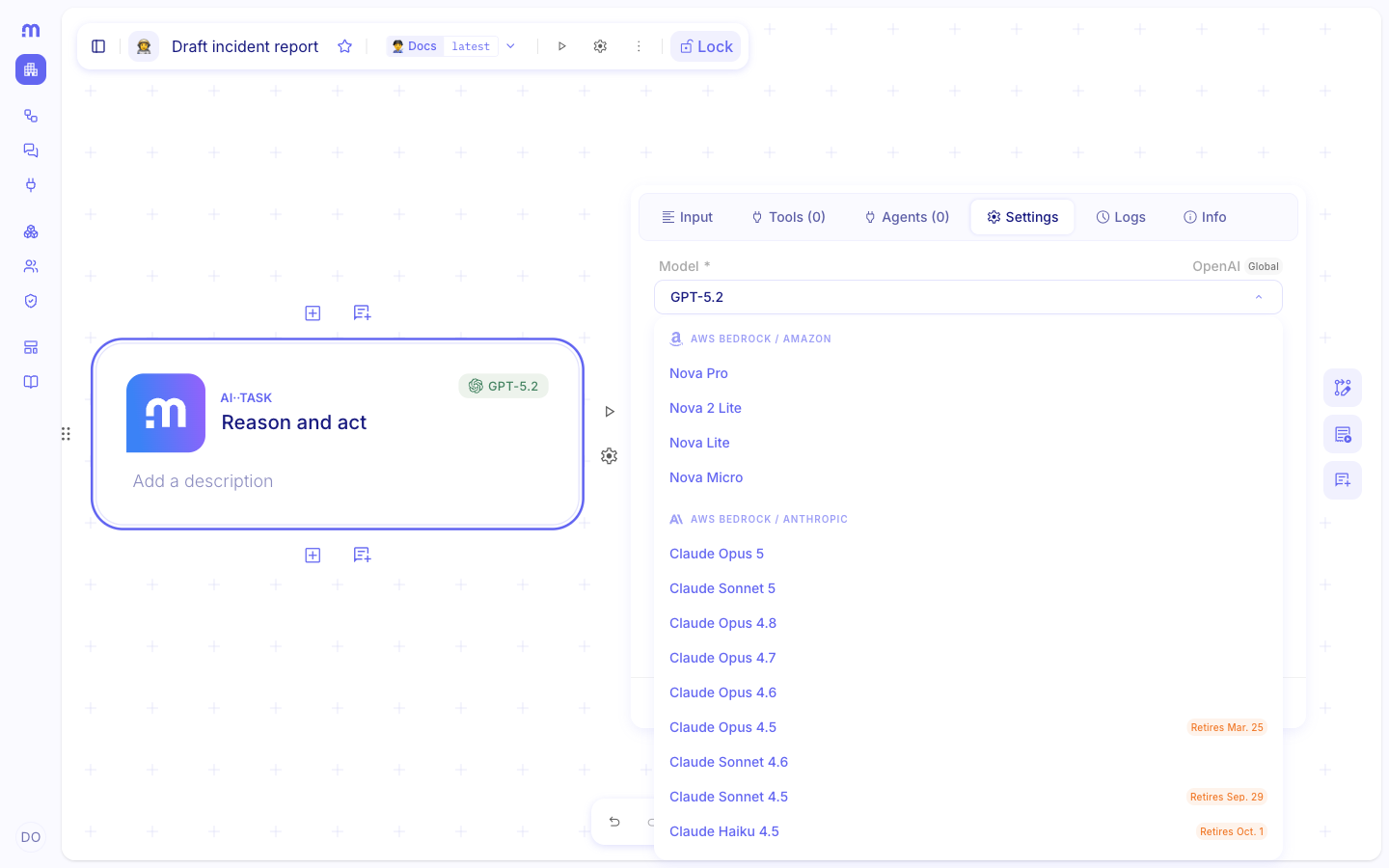
Smarter model selection
Section titled “Smarter model selection”The model picker now shows speed, intelligence, cost, and beta tags next to each model, so you can compare options at a glance. AI··Task also shows a short recap footer for the model you selected.
For more details, see AI··Task: A simple guide.
CHANGES
Section titled “CHANGES”User View / Admin View toggle removed
Section titled “User View / Admin View toggle removed”The legacy Switch to User View / Switch to Admin View item is gone from the user menu. The updated layouts make that toggle unnecessary.
Broader audit coverage
Section titled “Broader audit coverage”Audit export now includes more lifecycle actions, including environment and team create, update, and delete. Org admins who export logs for retention or SIEM pipelines get a fuller picture of who changed what and when.
For more details, see Export audit logs.
Refreshed page layouts
Section titled “Refreshed page layouts”Most Studio pages share a more consistent layout so navigation feels the same from screen to screen. On Environments, headers and descriptions are editable, Global environment is renamed to Organization environment, and credential names no longer repeat a redundant “credential” suffix.
New models in the catalog
Section titled “New models in the catalog”You can now pick Anthropic Claude Sonnet 5, the OpenAI GPT-5.6 family (Sol, Terra, and Luna), and the latest Mistral models in AI··Task and other model pickers.
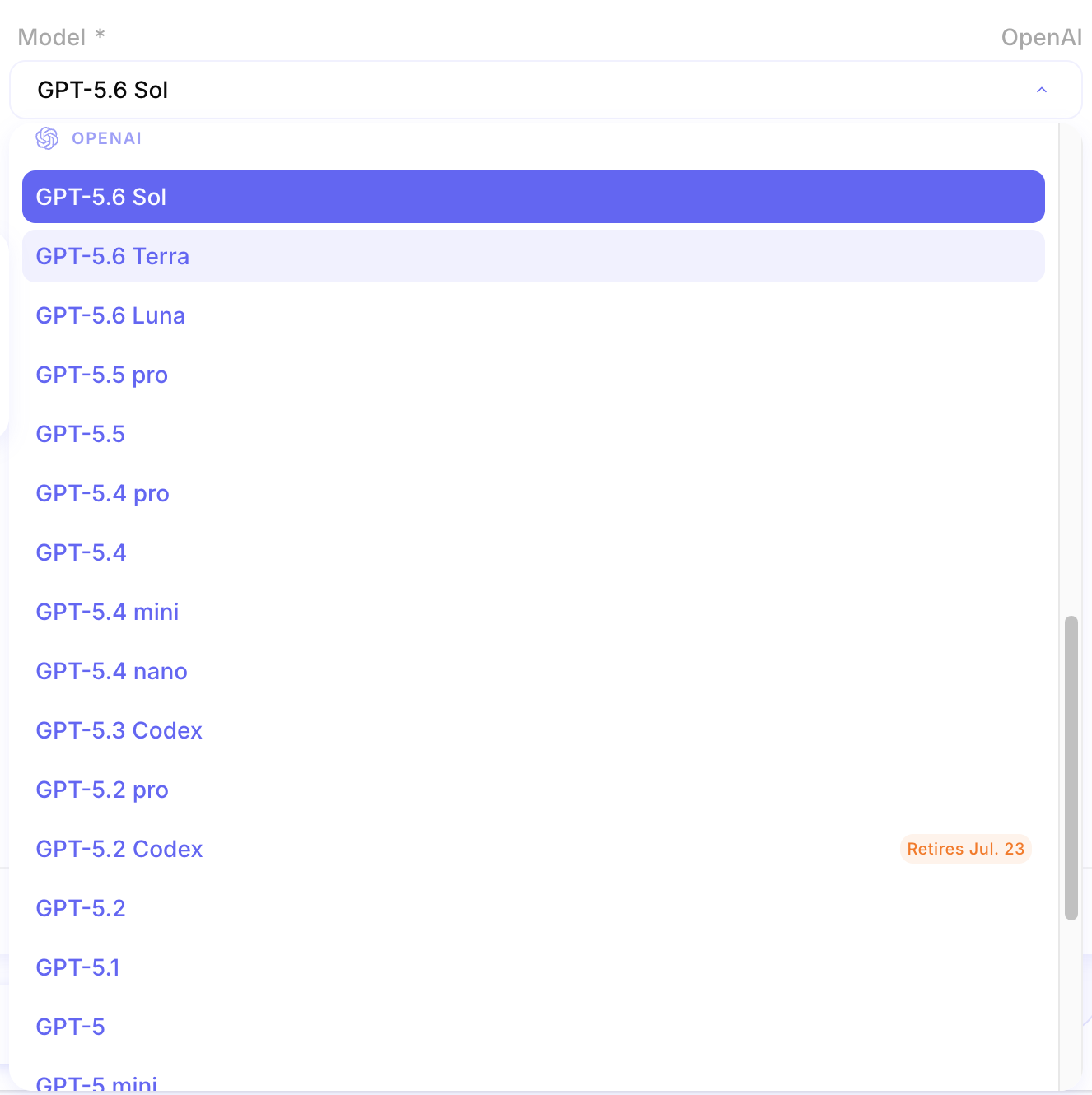
For more details, see AI··Task: A simple guide.
Structured JSON output for every model
Section titled “Structured JSON output for every model”You can force structured JSON responses for every model in the catalog, including when tools are attached. Downstream steps get parseable results without relying on free-form text.
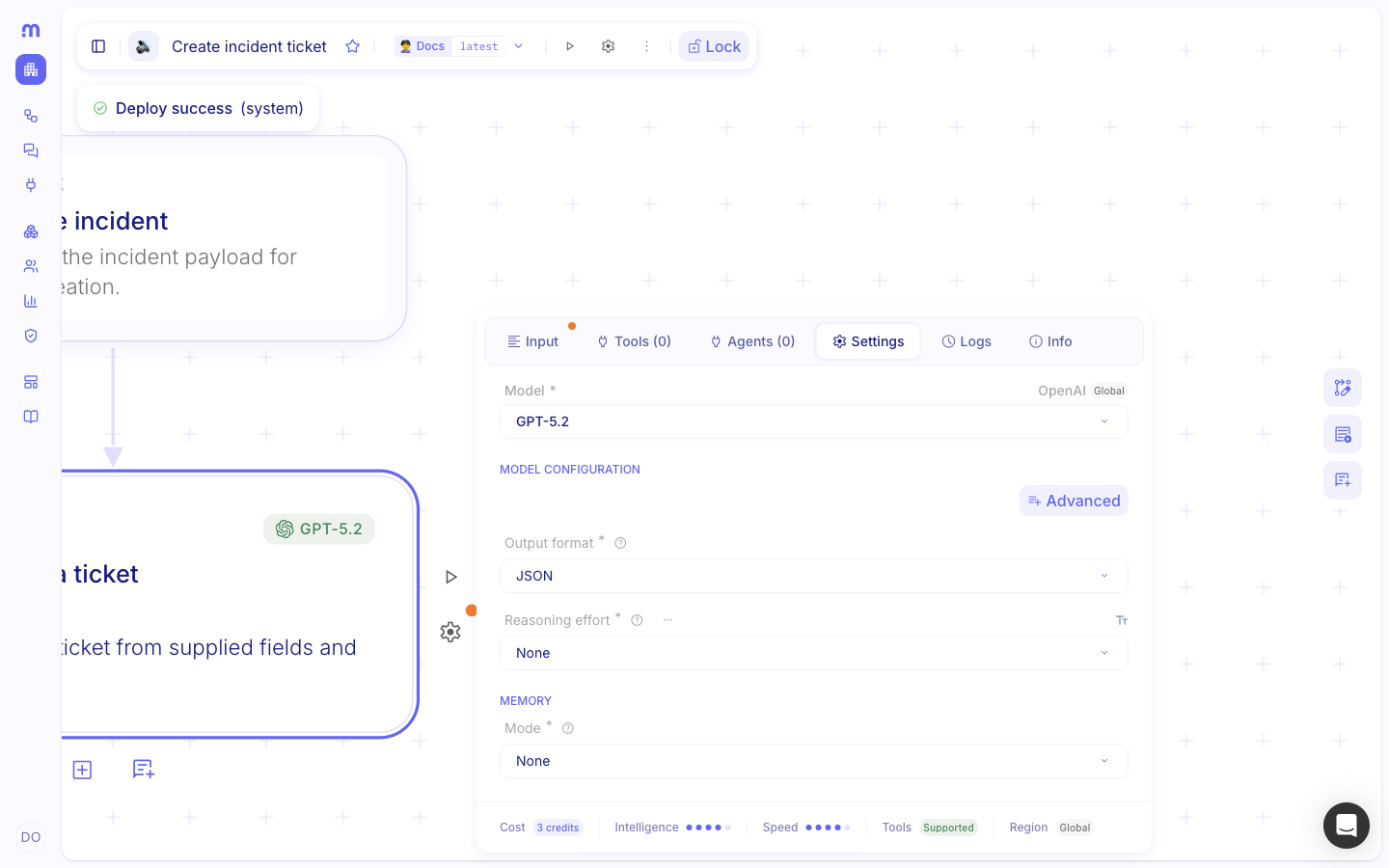
For more details, see AI··Task prompt guidelines.
Clearer quota limit messages
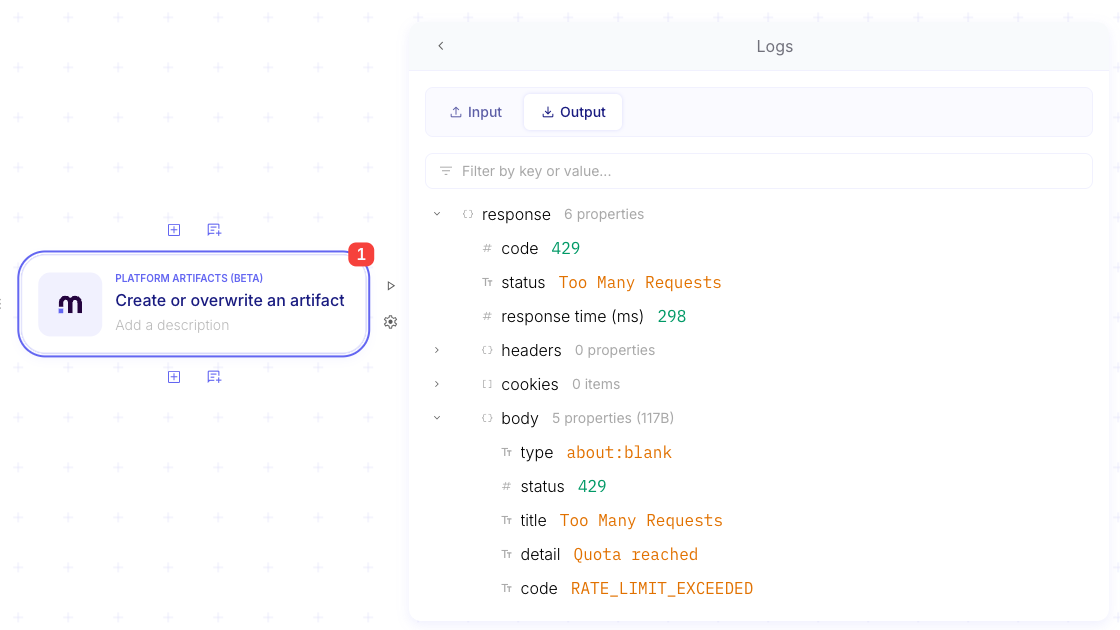
Section titled “Clearer quota limit messages”When a quota is exceeded, the error names the limit that was hit so you know what to fix. You also get automated notifications at 50%, 80%, and 95% of quota usage before you reach the ceiling.
Clearer flow notification emails
Section titled “Clearer flow notification emails”Flow notification emails now include the environment name and version, with separate sections for functional and technical details, so you can see scope and impact at a glance.
- Profile pictures could fail to upload. (#12164)
- The flows list could scroll incorrectly in Firefox. (#12136)
- An AI··Task tool call with OAuth 2.0 could fail with a forbidden error when certificate-based client authentication was required. (#12114)
- An AI··Rooms message could stay on the stop icon after you canceled a turn. (#12056)
- Navigating Studio could trigger more requests than needed. (#12012)
- The version selection dropdown had uneven padding. (#12000)
- Clipboard paste in Firefox behaved differently from Chrome. (#11961)
- Adding a step in Firefox could require a double-click. (#11960)
- Custom headers on LLM credentials were treated as case-sensitive. (#11945)
- The AI··Rooms list could reorder incorrectly after an update. (#11922)
- AI··QuickEdit did not keep evaluation pills in prompts. (#11909)
- Splunk Cloud Search could return incorrect results. (#10499)