

Flash
Navigate your automation journey effortlessly with intuitive loops, advanced scripting, smart documentation, enhanced OAuth 2.0 support, and unparalleled control
Loops are here, loops are here, loops are here … 🔄
Section titled “Loops are here, loops are here, loops are here … 🔄”Ref: #3898, #3921
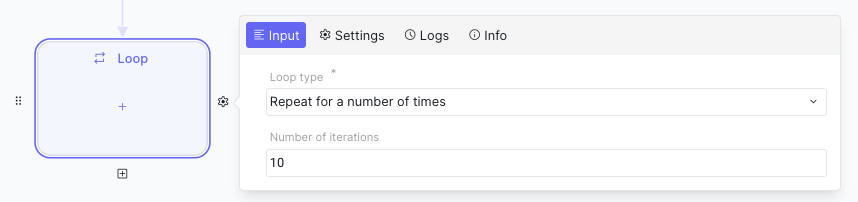
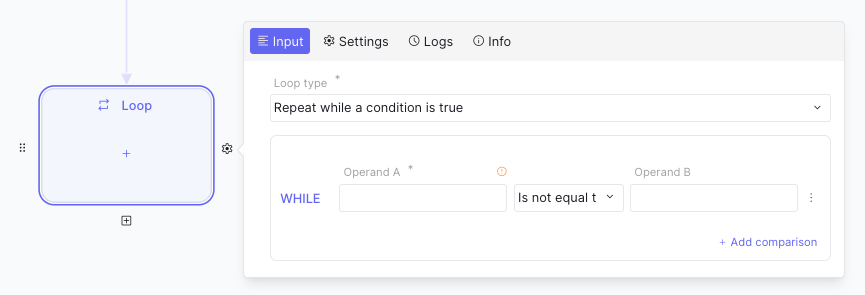
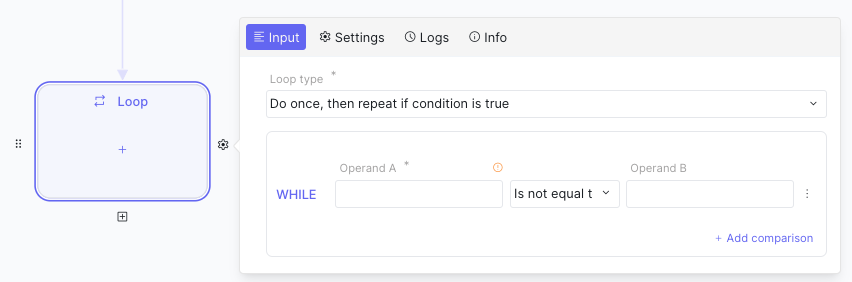
In this update, we’re introducing a valuable tool for your automation arsenal: the “Loop” step. This feature broadens your workflow capabilities with three key options:
-
For loop: Classic for executing a predetermined number of sequential iterations.
-
While: This option continues iterations as long as a specified condition remains true. To prevent infinite loops, you can set an upper limit in the settings.
-
Do While: Similar to the “While” loop, but with the condition check occurring at the end of each iteration.
Scripting (alpha) 🔧
Section titled “Scripting (alpha) 🔧”Ref: #681
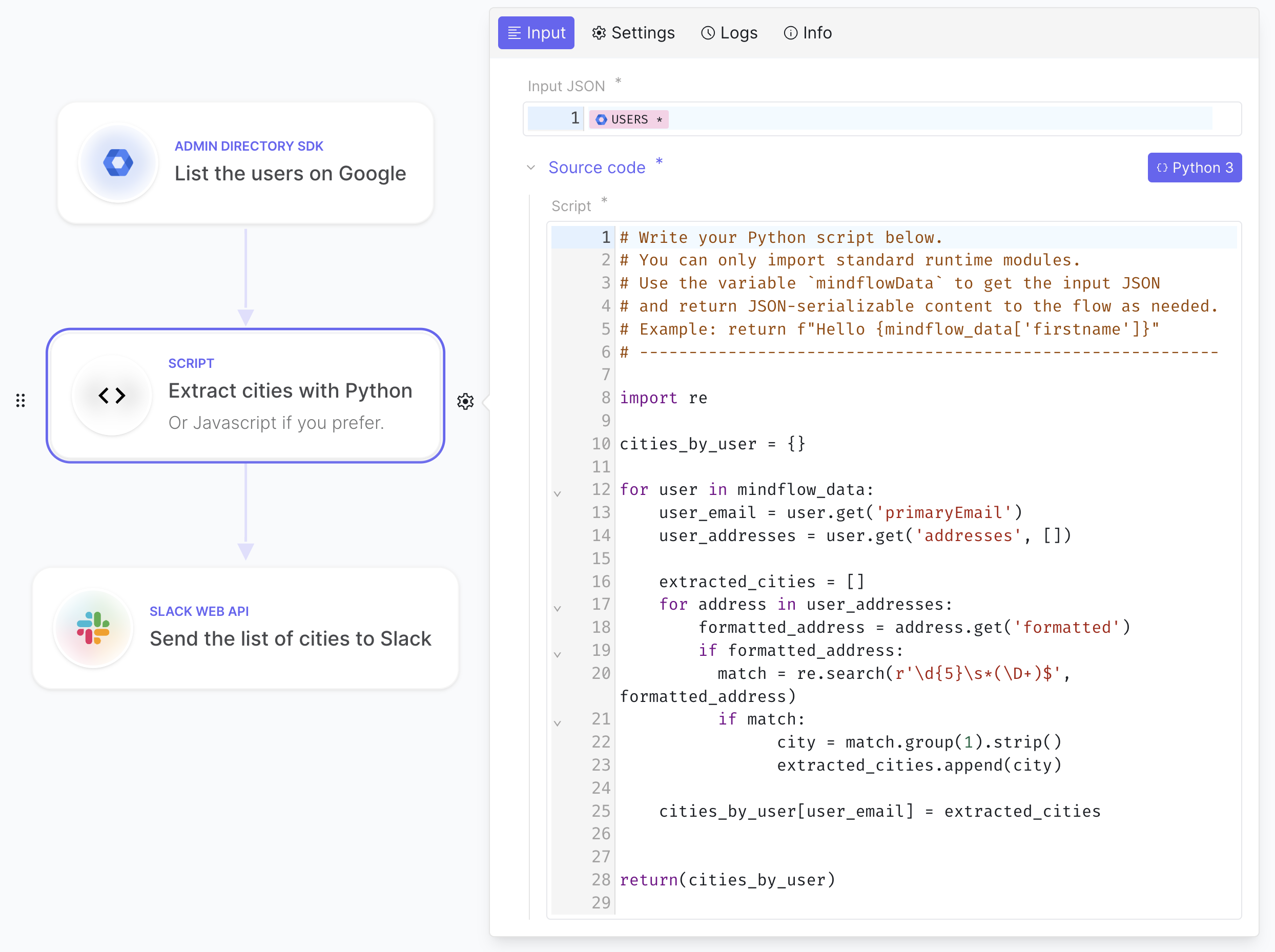
We’re thrilled to unveil scripting (source code! 👩💻), a robust addition to our platform that enhances your automation capabilities. With this feature, you can now:
- Run scripts written in Python 3 and JavaScript (Node.js 18).
- Import standard -only- modules like JSON, HTTP, and others for diverse functionalities.
- Utilize data from the flow as input using the
mindflowData(JavaScript) ormindflow_data(Python) global variable. - Output processed data, seamlessly integrating it into subsequent workflow steps.
- Effortlessly mix Python and JavaScript within the same flow and add as many steps as necessary.
- Benefit from syntax highlighting and code completion for a smoother scripting experience.
- Utilize full-screen mode for script editing.
Dive into scripting to bring your automation to the next level!
Stop a flow execution 🛑
Section titled “Stop a flow execution 🛑”Ref: #676
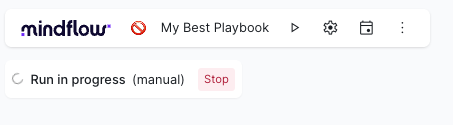
For now on, you will be in control. A stop button has been added when flows are in action.
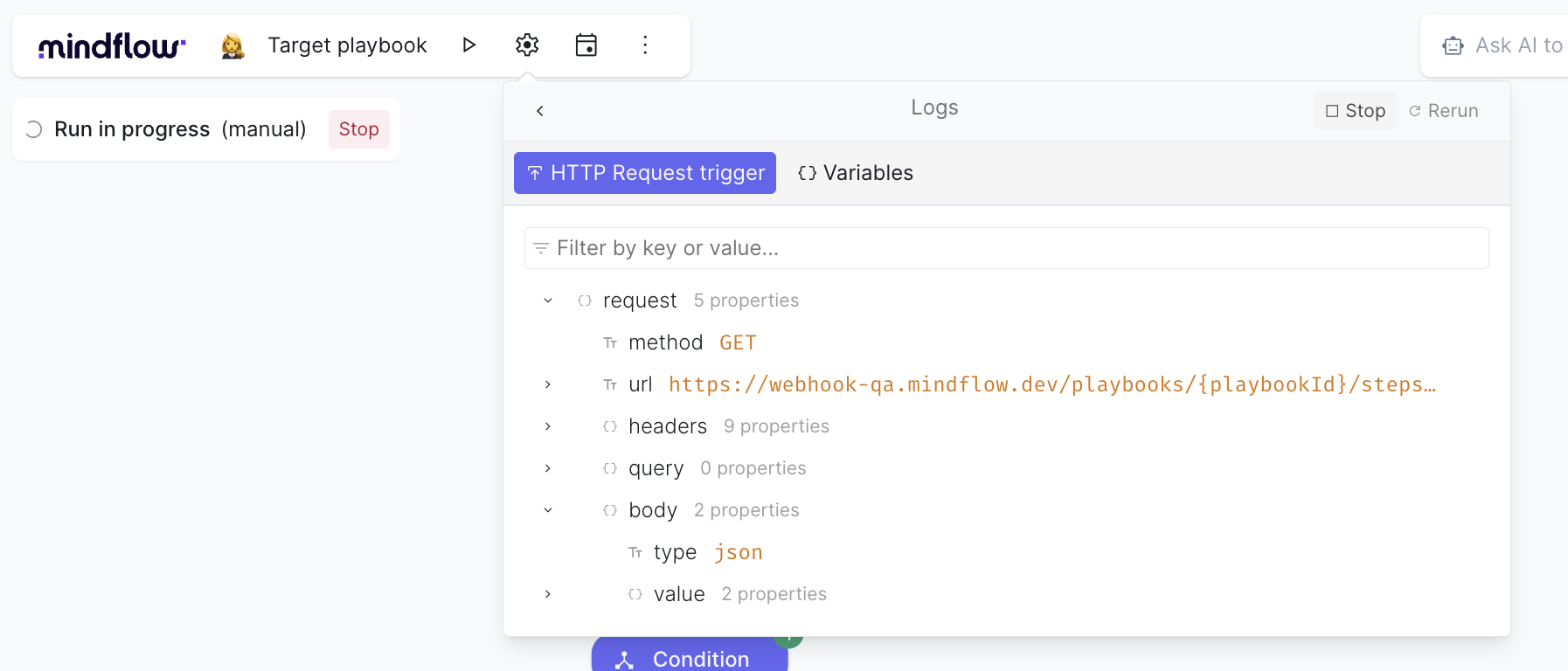
Should you have multiple workflows running simultaneously, you can now easily navigate to the playbook logs and halt the specific execution you wish to stop.
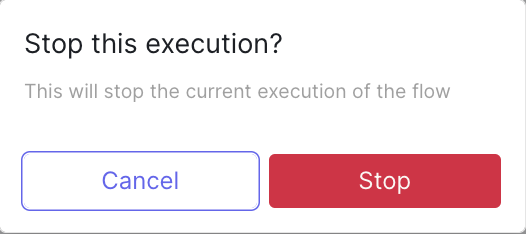
A confirmation prompt has been added to prevent any accidental stops, ensuring that your workflows are only interrupted when you’re absolutely sure.
Flow documentation assistant with AI Note ✨
Section titled “Flow documentation assistant with AI Note ✨”Ref: #3794, #4017
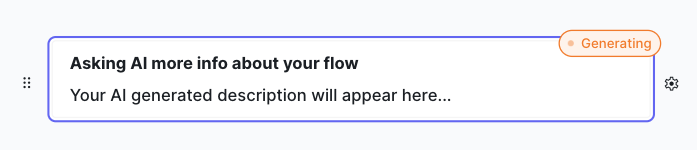
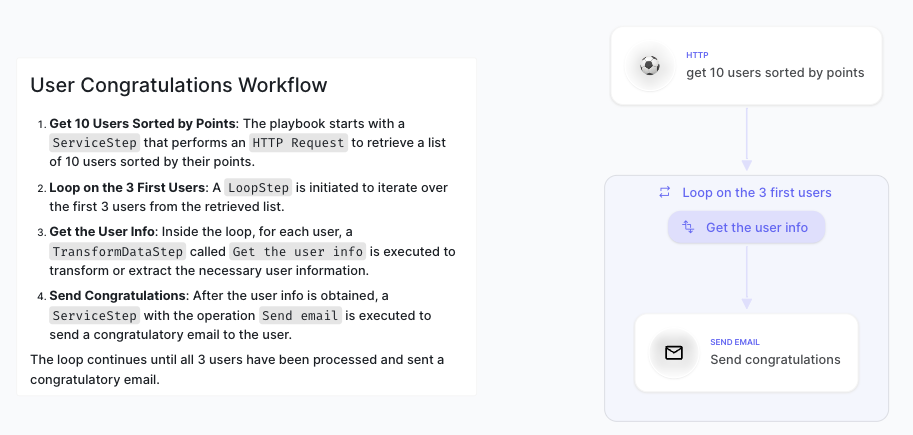
Love well-documented workflows but dread the documentation process? AI Notes is here to help. Simply create your flow, and let AI Notes do the heavy lifting by automatically generating a description for you. Here’s how to get started:
-
Click on the “stars” icon located at the top right action bar.

-
Wait a few seconds for AI Notes to analyze your flow and generate a description.
-
And just like that, you’re done!
Multipart support added to HTTP POST request 🌐
Section titled “Multipart support added to HTTP POST request 🌐”Ref: #3894
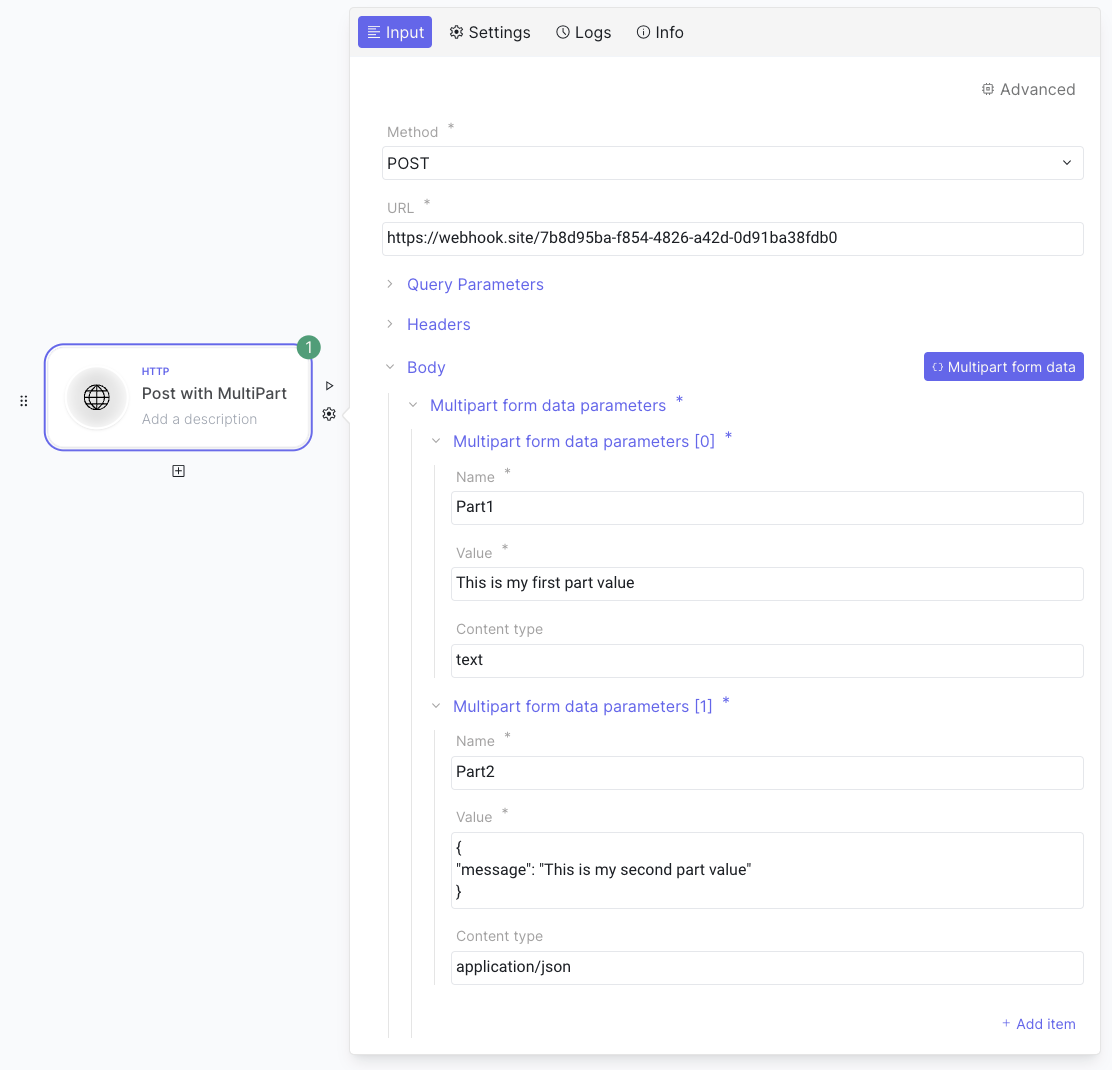
We’ve enhanced the HTTP Request engine with multipart form data support. This update opens the door to a variety of services, such as uploading files, making your integrations more versatile and powerful.
CHANGES
Section titled “CHANGES”Display one workspace at a time 🖥️
Section titled “Display one workspace at a time 🖥️”Ref: #3790
We’ve updated our navigation to enhance user experience. Now, you’ll only see one workspace at a time, making it easier to focus on your current tasks. This is just the beginning of more enhancements to come.
Extended OAuth 2.0 support 🛡️
Section titled “Extended OAuth 2.0 support 🛡️”Ref: #3941, #4040
We’re broadening our authentication options to include more mechanisms:
-
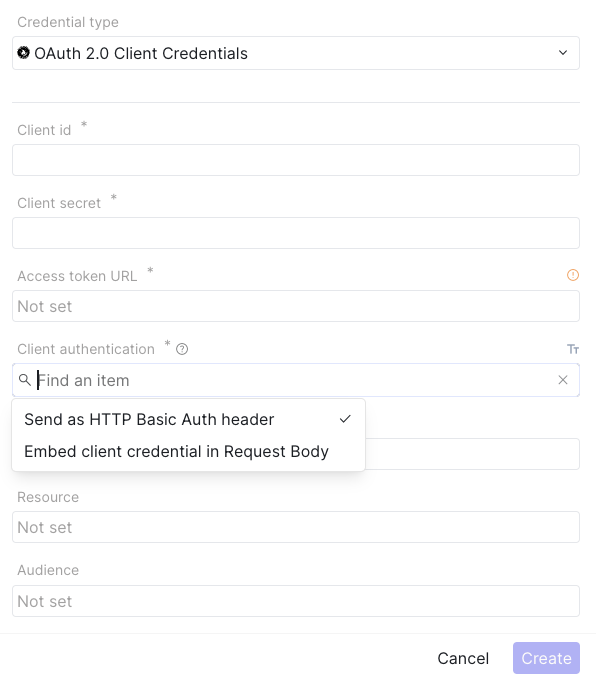
Now supporting body token requests in OAuth 2.0 client credentials, simplifying the integration process for OAuth 2.0 workflows.
-
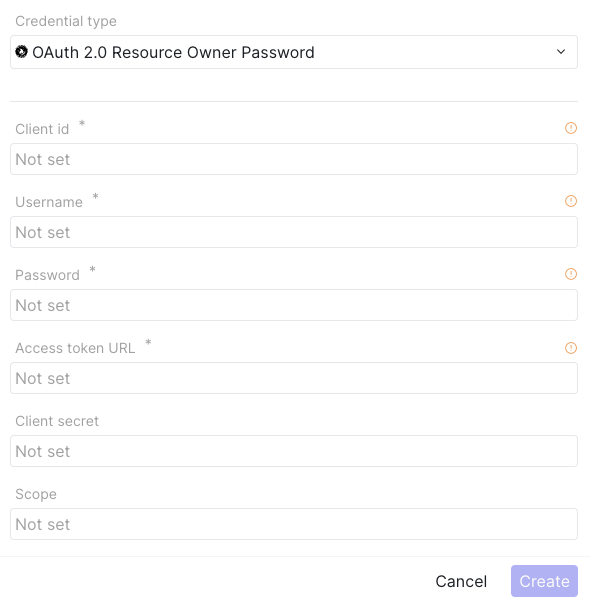
Added support for ROPC (Resource Owner Password Credentials), offering a direct way to authenticate users with their service credentials.
Various changes 🍒
Section titled “Various changes 🍒”- Enhanced theme, UI components, fonts, and colors for improved readability, aesthetics, and consistency, addressing issues #3956, #3785, #3786, #3814, and #3992.
- Minor security fix: Strict-Transport-Security header added: We’ve added the HTTP Strict Transport Security (HSTS) to enhance your security. This simple yet effective standard ensures that browsers always connect to our website over HTTPS, eliminating the need for insecure http:// to https:// redirects (#3903).
- Improved AI··Agent steps to share the same thread context within a playbook, allowing each step to inherit from the previous context. A new thread context is now created for each playbook execution (#3742).
- Fixed the ability to edit emoji on AI··Agent steps (#3931)
- Resolved the issue where restoring a version would break the preview of data pill values (#3990)
- Clarified error messages when selecting a vendor or portfolio credential (#4006)
- Fixed an issue where the cursor unexpectedly jumped to the beginning of the field (#3939)
- Resolved a problem where flows wouldn’t display after deleting the body of an HTTP request (#4035)
- Addressed the loss of pill after performing a copy-paste action (#3726, #4087)
- Corrected the user account menu popover appearing under the member table (#3782)
- Fixed orphan links that prevented execution (#3853)
- Resolved an issue where function output incorrectly showed a storage handle instead of the data (#3853)
- Ensured credential references are saved in playbook versioning (#3960)
- Implemented minor fixes on versioning (#3954)