

Sauron
Empowering flows with SMTP emails, email attachments, enhanced triggers, and refined data retention controls. Sauron, the primary antagonist in J.R.R. Tolkien’s ‘The Lord of the Rings’, was originally a Maia spirit named Mairon, who was known for his love of order and perfection before being corrupted by Morgoth, the first Dark Lord
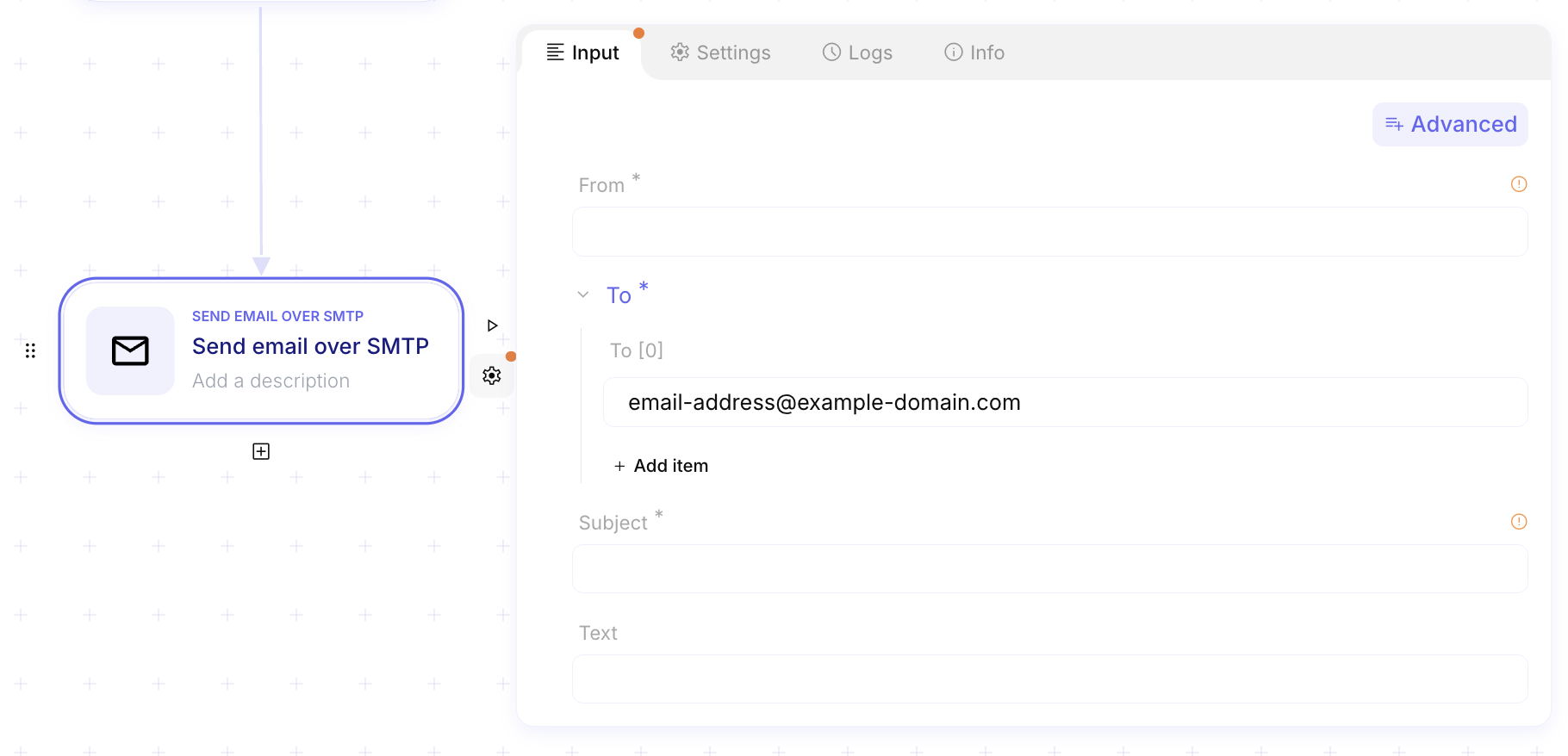
Send emails over SMTP 📧
Section titled “Send emails over SMTP 📧”Ref: #6150, #6151
We’re excited to announce a major update to email functionality in Mindflow! You can now send emails directly from your own domain or use SMTP for email gateway assessment. This new feature brings greater flexibility, security, and customization to your workflows.
Here’s what’s new:
- SMTP client for customized email delivery: Automate workflows that send emails directly from your own email domain rather than the default
mindflow.iodomain. Improve branding and trust by aligning emails with your organization’s identity. - SMTP server for email gateway assessment: Use SMTP to test and validate email security measures by leveraging specially crafted, misconfigured domains. Identify weaknesses in email filtering systems and ensure your organization’s infrastructure is prepared for real-world scenarios.
For more details, check out the full documentation here for setup instructions and best practices.
Attachments in email steps 📎
Section titled “Attachments in email steps 📎”Ref: #6155
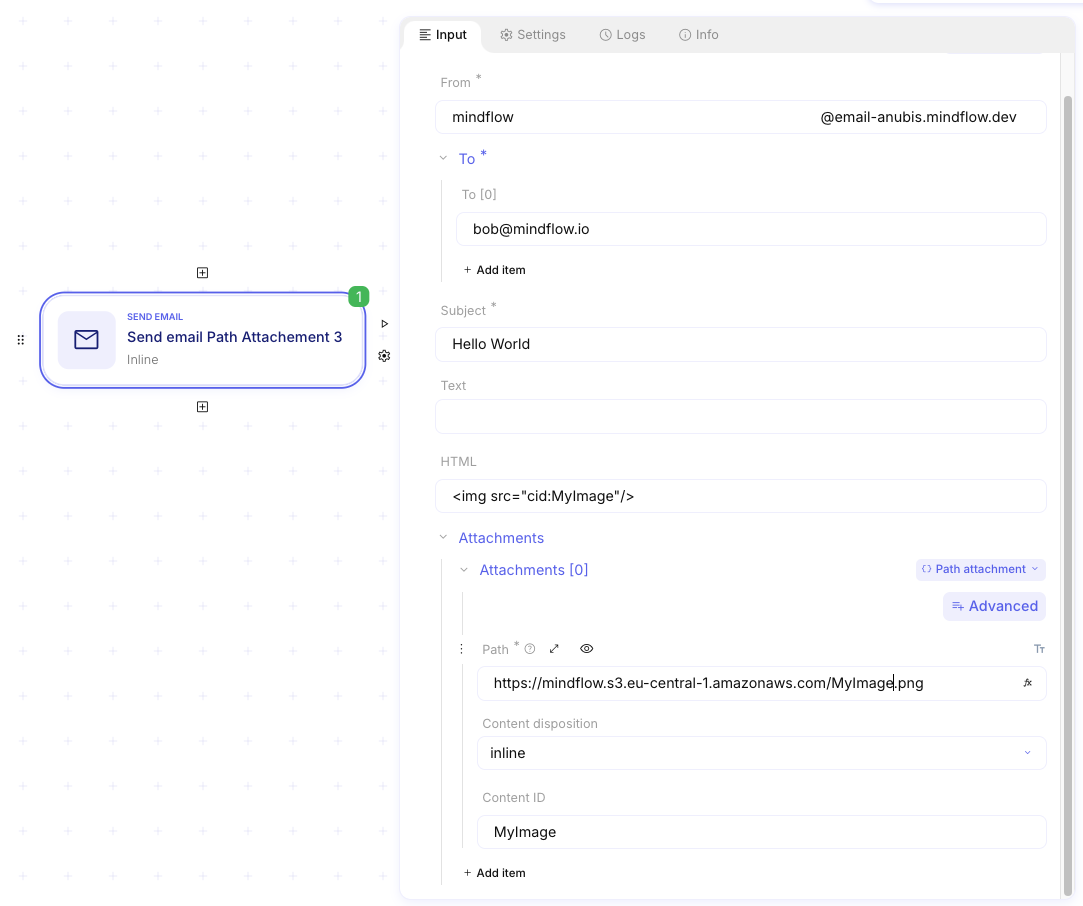
You can now easily add attachments to your emails, making your communication more efficient and comprehensive.
With this new feature, you can:
-
Attach documents, images, and other files directly to your emails.
-
Include all necessary information in a single message.
-
Reduce reliance on separate file-sharing tools for smoother collaboration.
Configurable audit data retention policy 🗑️
Section titled “Configurable audit data retention policy 🗑️”Ref: #4784
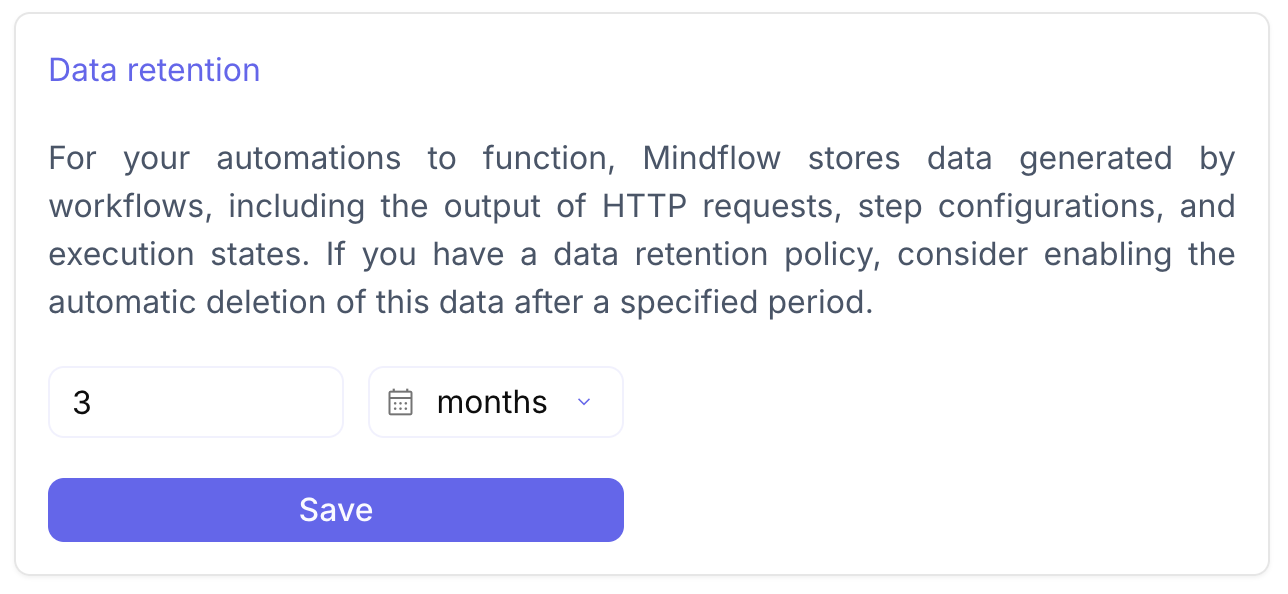
To better align with privacy needs, we’ve introduced a new setting for global data retention in days, months or year.
⚠️ Important notice:
-
When deploying Sauron, all existing audit logs older than 3 months will be permanently deleted.
-
Audit log retention will be automatically configured to 3 months by default.
-
You can customize the retention period to meet your needs, with a maximum limit of 1 year. However, updating this setting will not retroactively affect the retention period of previously generated audit logs.
- Example: If you change the retention period to 12 months, all new audit logs will expire after 12 months. If you later reduce the retention to 3 months, logs created during the 12-month retention period will still expire after 12 months, not 3 months.
CHANGES
Section titled “CHANGES”Triggers as steps 🎯
Section titled “Triggers as steps 🎯”Ref: #5199, #5195, #5194, #5193
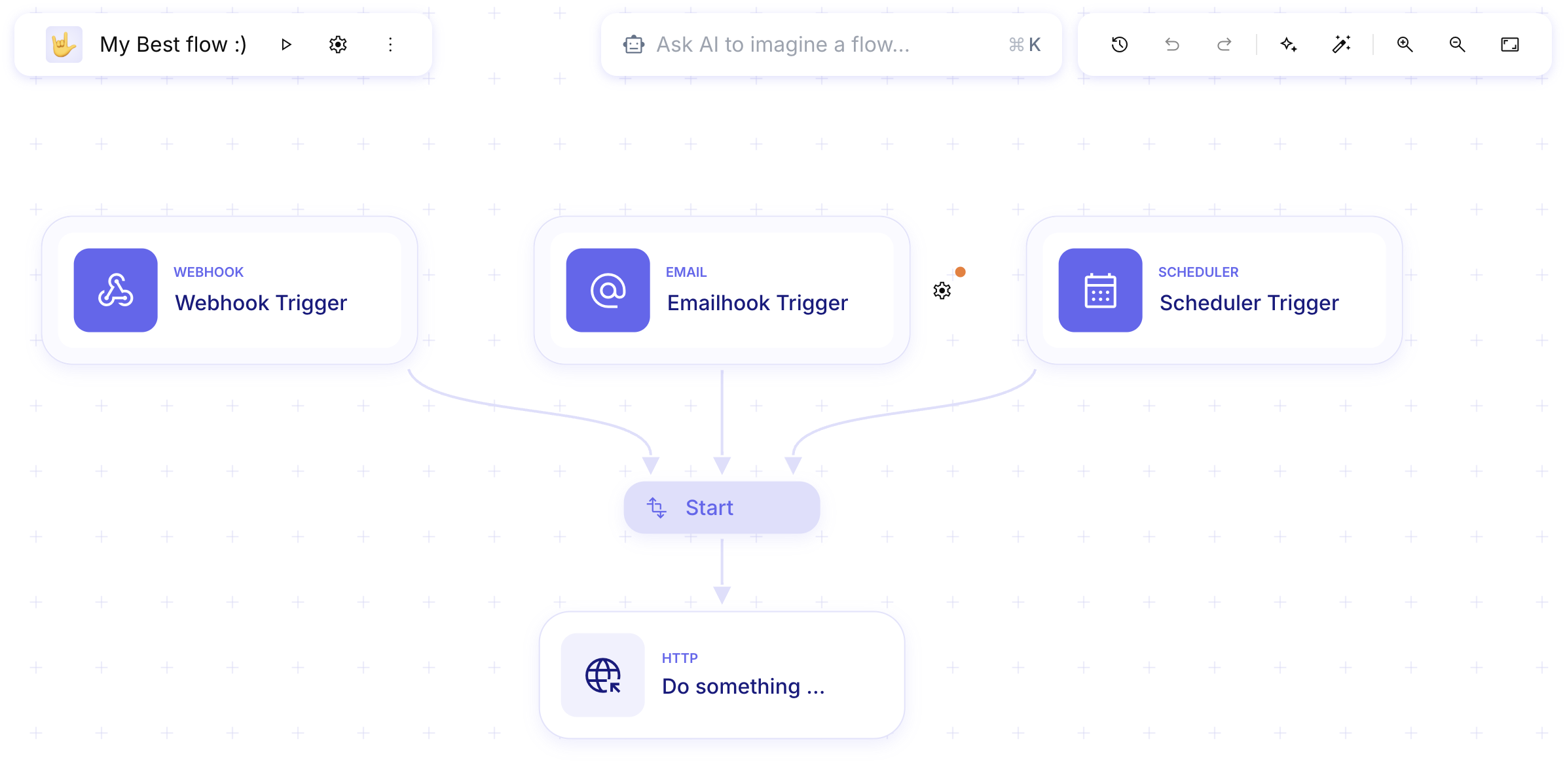
Rather than relying on the old top bar system, triggers are now displayed directly on the canvas as steps, making it easier to visualize and understand your flows. Their settings are now configured directly within the step itself. You can still use webhook, emailhook, and scheduled triggers, with the added flexibility to combine multiple trigger types in a single flow.
Enhanced design for the integration page 🎨
Section titled “Enhanced design for the integration page 🎨”Ref: #6496
We’ve refined the new integration page design to deliver an improved and smoother user experience.
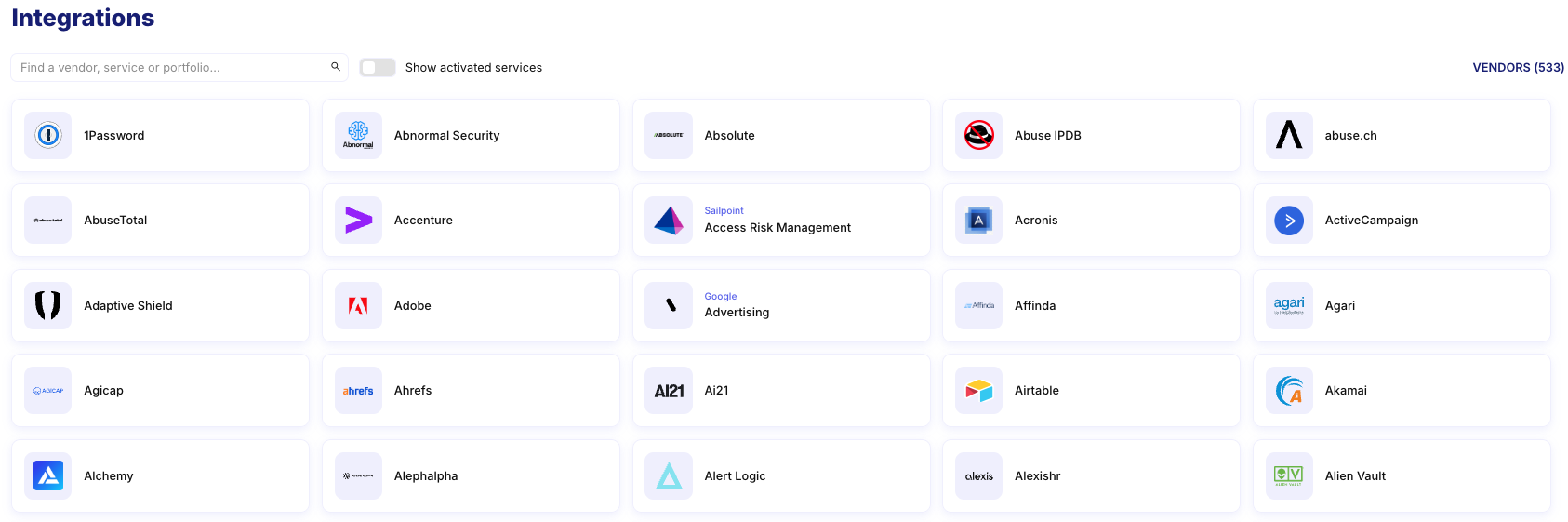
This is part of our ongoing commitment to extend the ability to manage integrations at scale.

Support for OAuth2 client secret in request body 🔑
Section titled “Support for OAuth2 client secret in request body 🔑”Ref: #6411
We have expanded our OAuth2 authentication methods to include support for sending the client secret in the request body, in addition to the existing method of sending it in the headers.
This enhancement aligns with the OAuth2 specification (RFC 6749, Section 2.3.1), which allows clients to send credentials using either the Authorization header or the request body. This flexibility ensures compatibility with services that mandate specific methods for HTTP authentication.
New custom authentication schemes 🔐
Section titled “New custom authentication schemes 🔐”Ref: #6406
We’ve added support for new custom authentication mechanisms for the following services:
AI··Rooms enhancements 💬
Section titled “AI··Rooms enhancements 💬”Ref: #6302
We’ve made several updates to improve the functionality and user experience of AI··Rooms:
- Improved table display for better readability
- Enhanced copy/paste handling for smoother interactions
- Removed unnecessary horizontal scrolling for a cleaner interface
Multiple emails for notifications 📨
Section titled “Multiple emails for notifications 📨”Ref: #3882
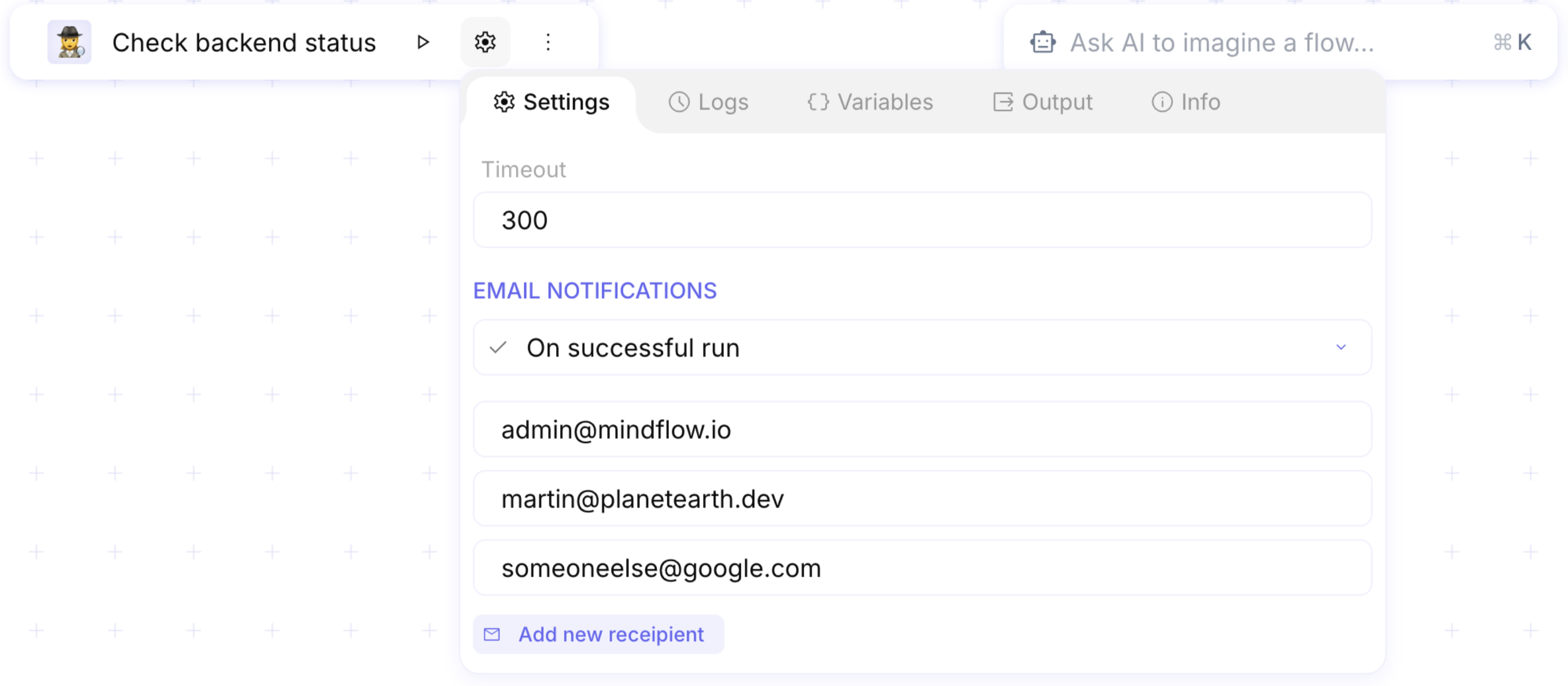
You can now configure multiple email addresses to receive notifications about playbook execution status. Previously limited to a single address, this update provides greater flexibility and ensures all relevant stakeholders stay informed.
Various UI improvements 🍒
Section titled “Various UI improvements 🍒”Ref: #6497
Here’s a list of small but impactful UI updates:
- Redesigned step appearance with updated shadow and border radius
- Refreshed grid design for better clarity
- New date-picking menu for easier navigation
- Improved tooltip readability for better user experience
- Tweaks to the confirmation modal for a polished look
- Other minor enhancements to further refine the interface
Here’s a comprehensive list of resolved issues in this update:
- Fixed inability to replay a playbook (#6623).
- AI Notes now work consistently (#6518).
- Resolved issue where resolving one of multiple resumes no longer showed the loading action (#6485).
- Correct workspace is now selected when opening a flow (#6483).
- Aligned icons properly (#6476).
- Corrected order of input/output tabs in Foreach logs (#6469).
- Fixed script step failing due to incorrect initial template (#6463).
- Made the “Stop” button in logs usable (#6460).
- Fixed inability to open JSON data in a function or condition step (#6457).
- Fixed issue where the title moved while scrolling the canvas (#6448).
- Asynchronous step now executes correctly without restarting automation with an error (#6446).
- Fixed flow timeout not working as expected (#6442).
- Restoring a version no longer deletes all assigned credentials (#6415).
- Resolved issue where “Resume Failed” did not stop “Run Flow” (#6405).
- Resume pills can no longer be picked in a transform data step (#6402).
- Adjusted spacing for settings and advanced button (#6394).
- Activated services now display correctly after refreshing a vendor’s integration page (#6390).
- Resolved issue where long text content temporarily blanked out while scrolling (#6377).
- Fixed webhook and emailhook data pills failing evaluations (#6372).
- Prevented creation of Failure or Success steps inside a ForEach (#6354).
- Error reporting now works when a step timeout occurs (#6346).
- Resolved “Unauthorized” error when quickly opening a flow after duplicating (#5294).
- Fixed popovers lacking space when near the screen edge (#5219).
- Added placeholder for steps requiring no configuration (#4725).
- Made full-screen field edition scrollable (#4550).
- CMD/CTRL + Click on a playbook card now opens it in a new tab (#3128).
- Resolved issue where tooltips for pills swallowed backslashes (#2652).
- Fixed To Base 64 function encoding failures with certain inputs (#1049).
INTEGRATIONS
Section titled “INTEGRATIONS”We’ve integrated the following products, enabling users to include them in their automations:
- Survicate (version: 2.0.0)
- Typeform (version: 13-08-2024)
- La Growth Machine
- Figma (version: 0.21.0)
- Phantombuster (version: 2.0.0)
- CIRCL (version: 1.4.0)
- ThreatConnect API
- Vulners API (version: v3)
We’ve also resolved several issues to enhance the reliability of existing integrations:
- Filters and sorting now work correctly in Notion API (#5004).
- Addressed failures in multiple PagerDuty endpoints (#6369).
- Fixed Zscaler credential error (#6338).
- Resolved date handling issues in AWS CloudTrail (#6531).
- Added missing vendor logos (#6398).