

Yvetot
Mindflow AI (alpha): Get ready for a groundbreaking enhancement in your automation experience. It’s a game-changer, mindflowing! 🤖
Mindflow AI (alpha) 🤯
Section titled “Mindflow AI (alpha) 🤯”Ref: #3199, #3172, #3087, #3199, #3182, #3073, #3087
We’re thrilled to introduce three pioneering AI features, currently in the experimental stage, designed to elevate your Mindflow automation experience:
- Playbook suggestions: This feature intelligently suggests relevant workflows based on the tools you use.
- Playbook generation: Easily create a draft of your playbook with this feature. Just provide a user-input prompt, and watch as it generates the basic structure for you.
- AI··Agent step: This feature interprets actions from your prompts in specific agent steps and provides responsive actions, enhancing the automation’s intelligence and adaptability.
Playbook suggestions
Section titled “Playbook suggestions”Add your favorite integrations to your profile from the Integrations page. Once set up, Mindflow AI will suggest flows that orchestrate these integrations. If the suggestions don’t quite hit the mark, you have the option to refresh the list to get more relevant ideas.
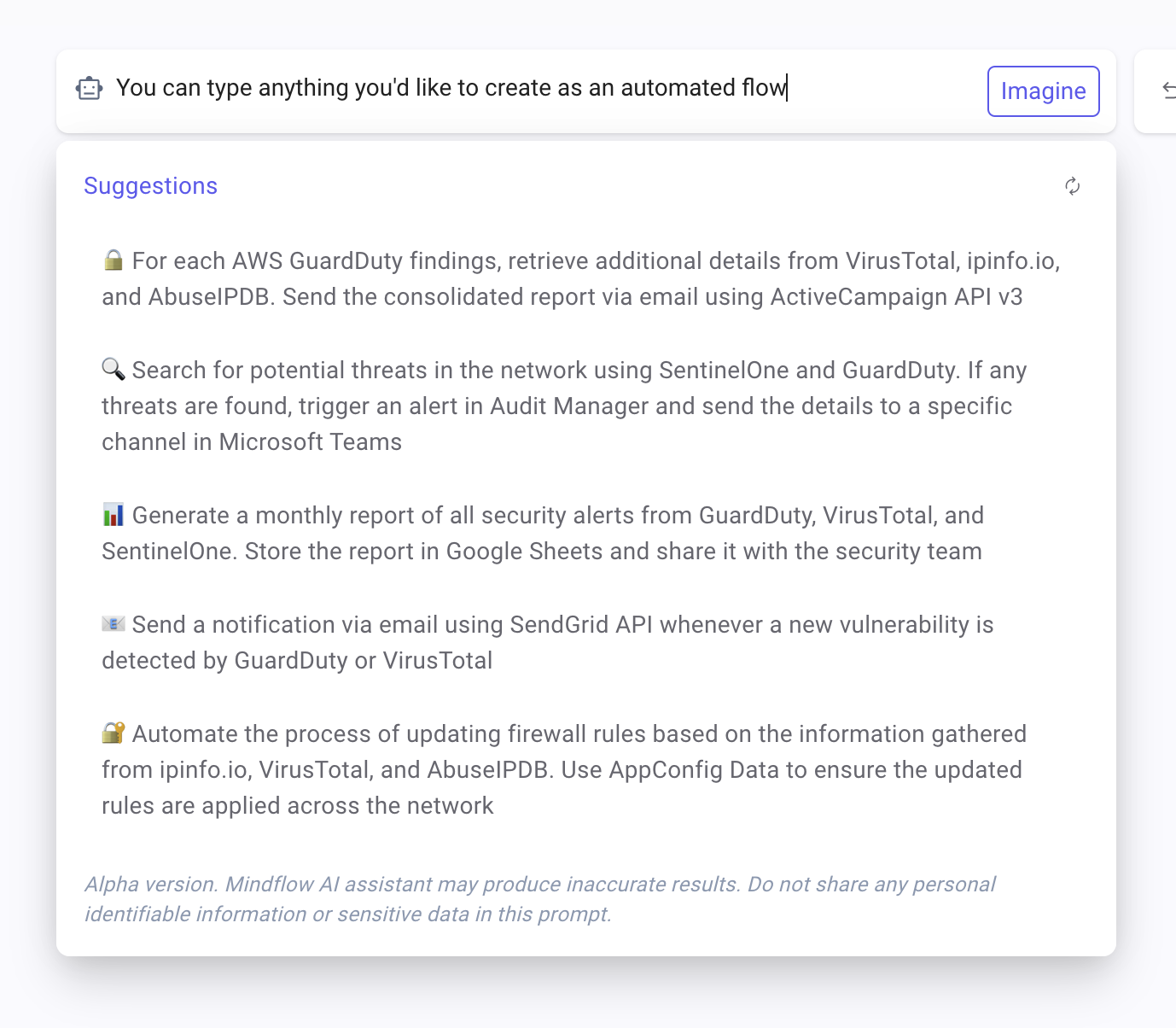
Example of suggestions of a user having SentinelOne, AWS, VirusTotal, and more tools
Playbook generation
Section titled “Playbook generation”Experience the power of rapid automation creation. Here’s how it works: simply type in your prompt, and after a processing period (typically in 30-60 seconds), a draft flow will be generated for you. This draft will intelligently select the necessary steps from your integration library, accessible under My Services in the Integrations page.
Please note, it’s important to review and adjust the generated output to ensure a fully functional automation. This feature is a significant stride towards creating flows quicker.
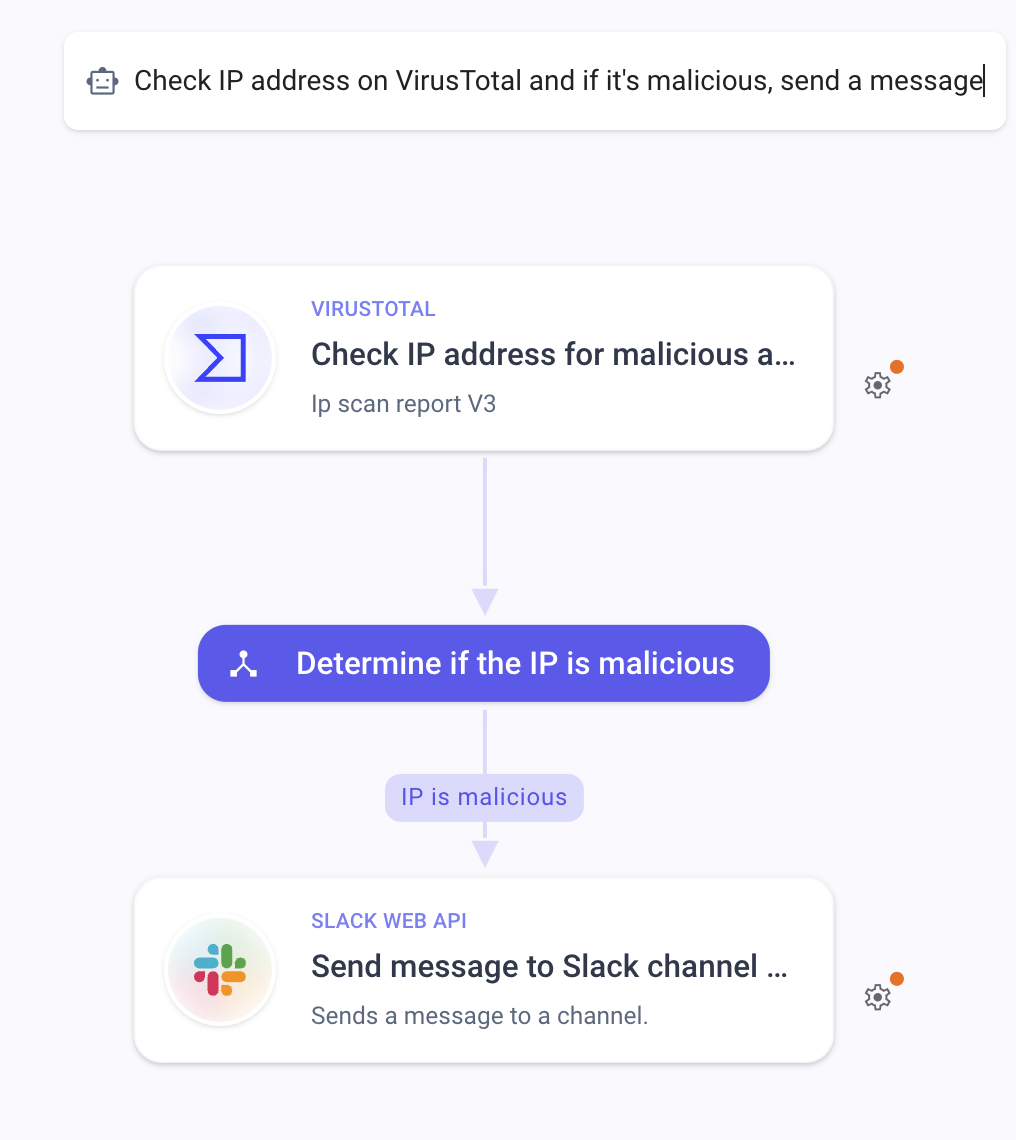
Example of a prompt and AI generated flow
AI··Agent step
Section titled “AI··Agent step”These steps are AI-driven and act as specialized agents, responding to custom prompts with high efficiency.
AI··Agents are designed to deliver high-quality analysis and outputs. Whether you need text, JSON, or any other format, just prompt the agent and it will adapt to your requirements. Each AI··Agent available has been trained and instructed to perform a specific set of tasks.
What’s more, you can orchestrate these agents just like your classic integrations. Chain actions together, insert data pills into prompts, and much more, bringing a new level of sophistication and versatility to your automated workflows.
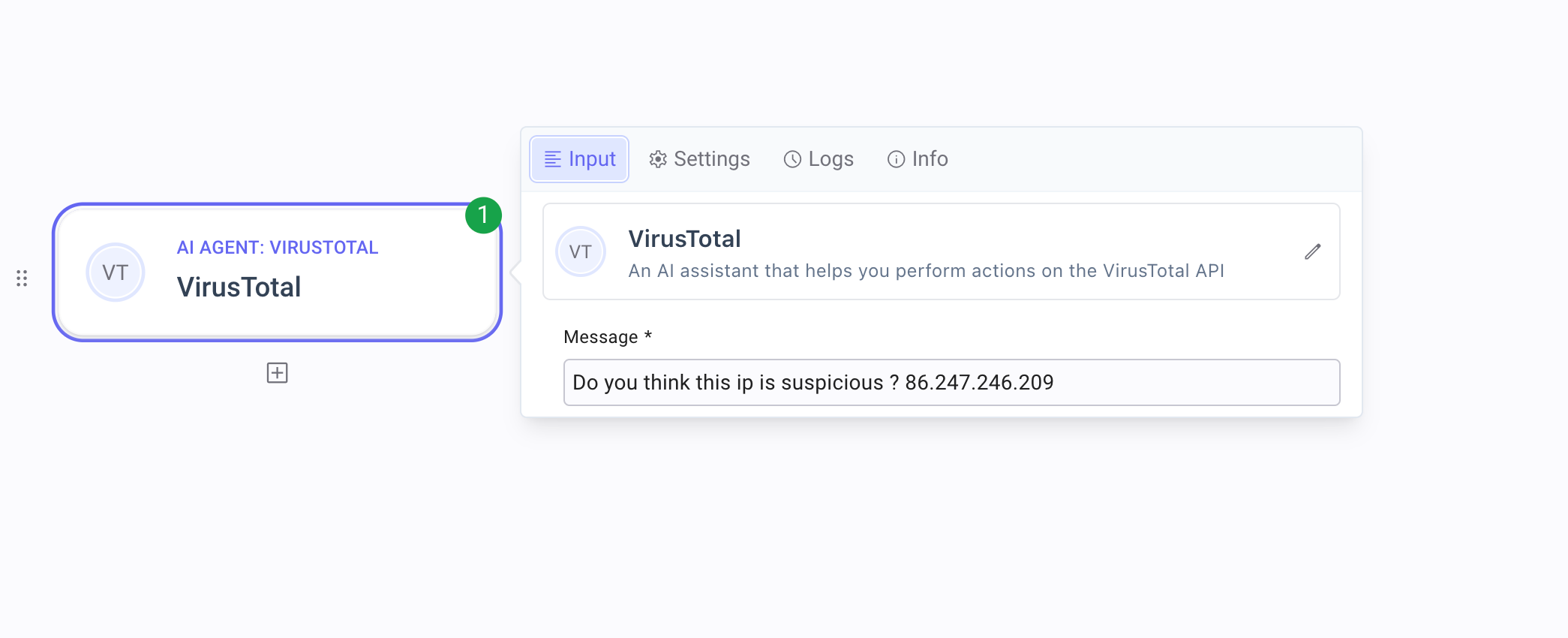
Example of AI··Agent prompt
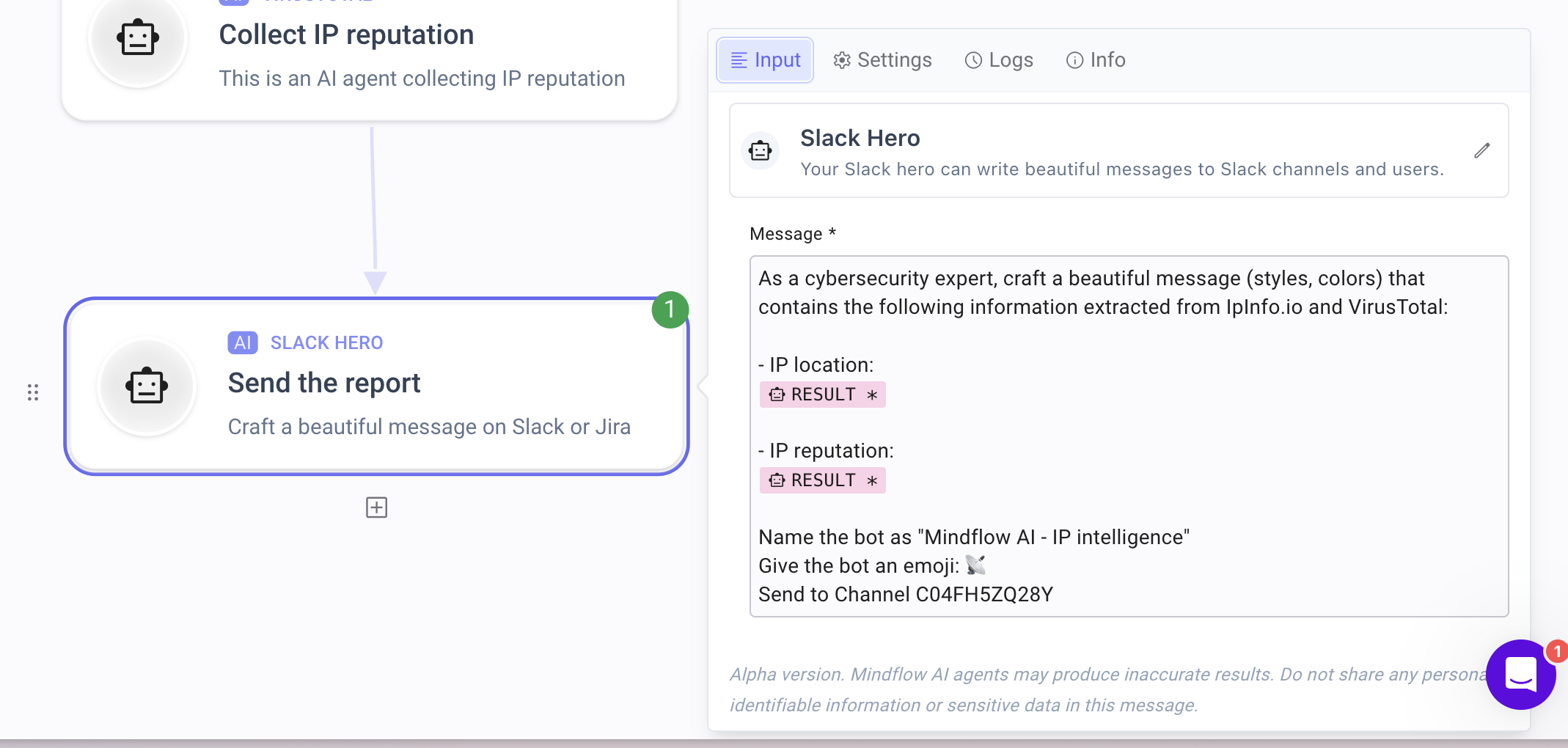
Example of a prompt with data. pills
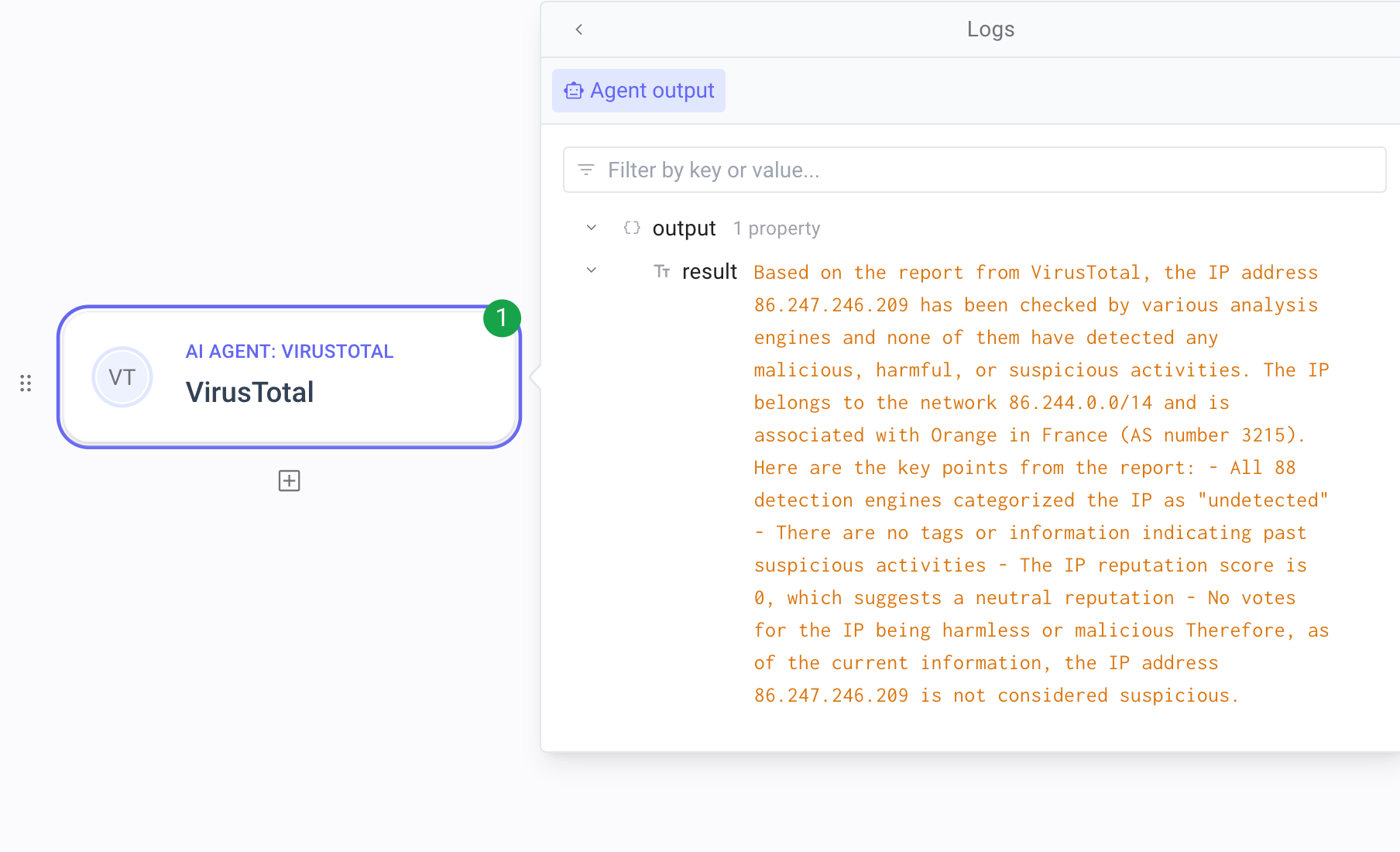
Example of a rich Mindflow AI analysis
CHANGES
Section titled “CHANGES”Various 🍒
Section titled “Various 🍒”- Wrapping form input values 🔄: Now, text values are wrapped, eliminating the cumbersome scrollbar that made editing some fields a hassle. (#2575)
- New credential type
HTTP Body Secret🔐: With the ‘HTTP Body Secret’, the secret value directly replaces the content of the HTTP body in your requests. Be aware, if a body is already present, it will be overwritten. This feature is particularly useful for specific services, and we’re working on future improvements to make this kind of authentication even more flexible. (#2599) - mTLS for on-premises webhooks 🛡️ [on demand]: We’ve expanded our support to include mTLS for Mindflow webhooks, offering a higher level of security for on-premise services. This feature ensures mutual authentication, significantly strengthening defenses against unauthorized access and various security threats. Please note that mTLS configuration options are not yet available in the webhook settings. To enable this advanced security feature, contact our support team for assistance. (#3188)
- Fixed a bug in the resume webhook’s data picker where headers and query parameters were incorrectly structured. (#3039)
- Corrected an issue where editing a condition affected the wrong one. (#3204)
- Documentation link updated to our new documentation website (#3096)