

Qilin

This release delivers run log history with execution snapshots, Azure Communication Services custom credentials, a new swarm graph view, and a more polished UX—improving analytics, flow selection/deletion, and JSONata preview feedback. The Qilin is a mythical chimeric creature from Chinese mythology said to appear only during the reign of a wise and benevolent ruler — it walks so gently that it doesn’t bend a single blade of grass and never harms any living being, making it the ultimate symbol of good luck, prosperity, and peaceful governance
Run log history 🔍
Section titled “Run log history 🔍”Ref: #11748
You can now revisit any past flow execution exactly as it happened: steps, inputs, outputs, and statuses are preserved as a snapshot from the moment the run occurred—even if your flow has since been updated, renamed, or reorganized.
**Open the side panel to see the executions
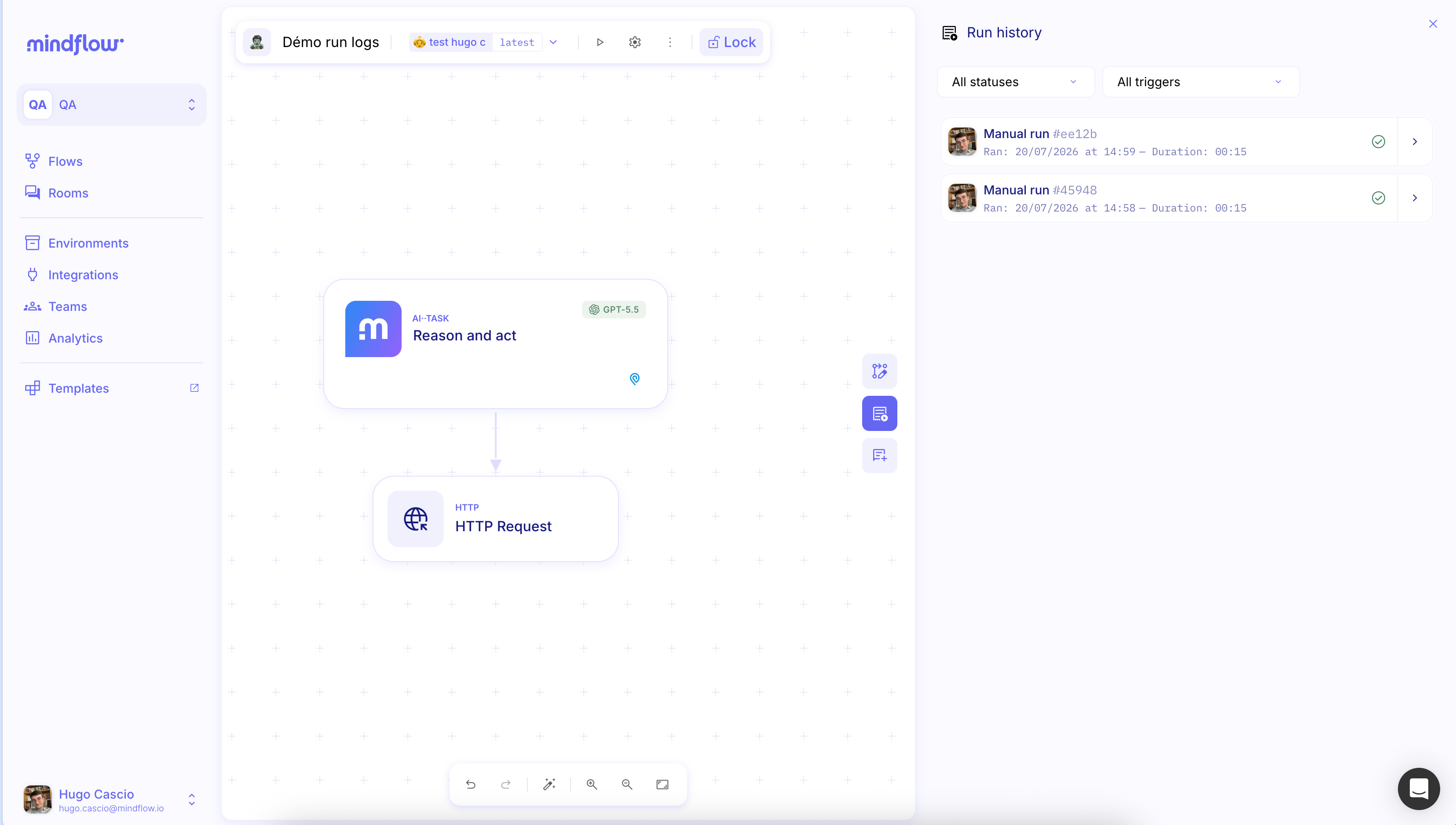
pick a specific execution to dive into it
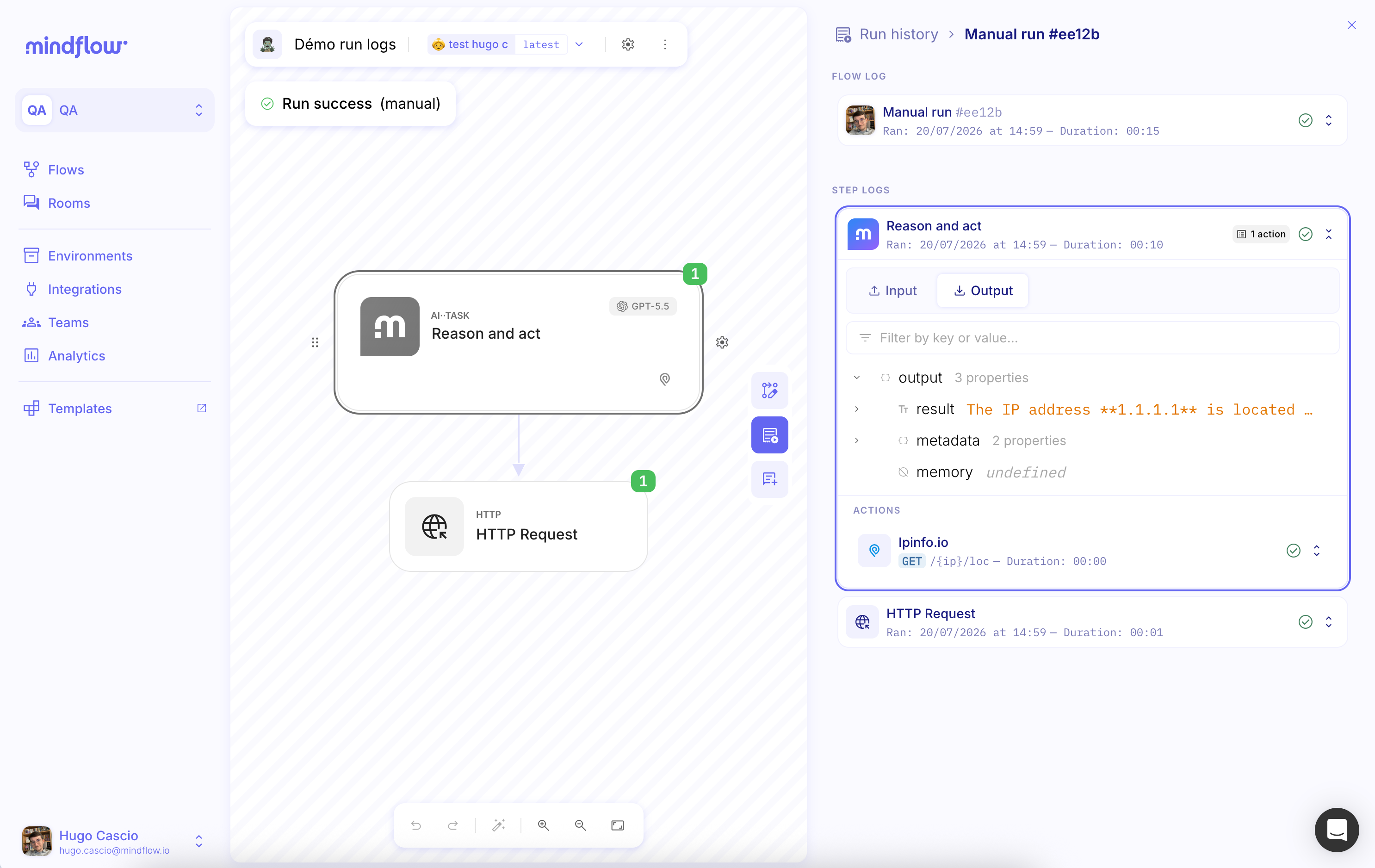
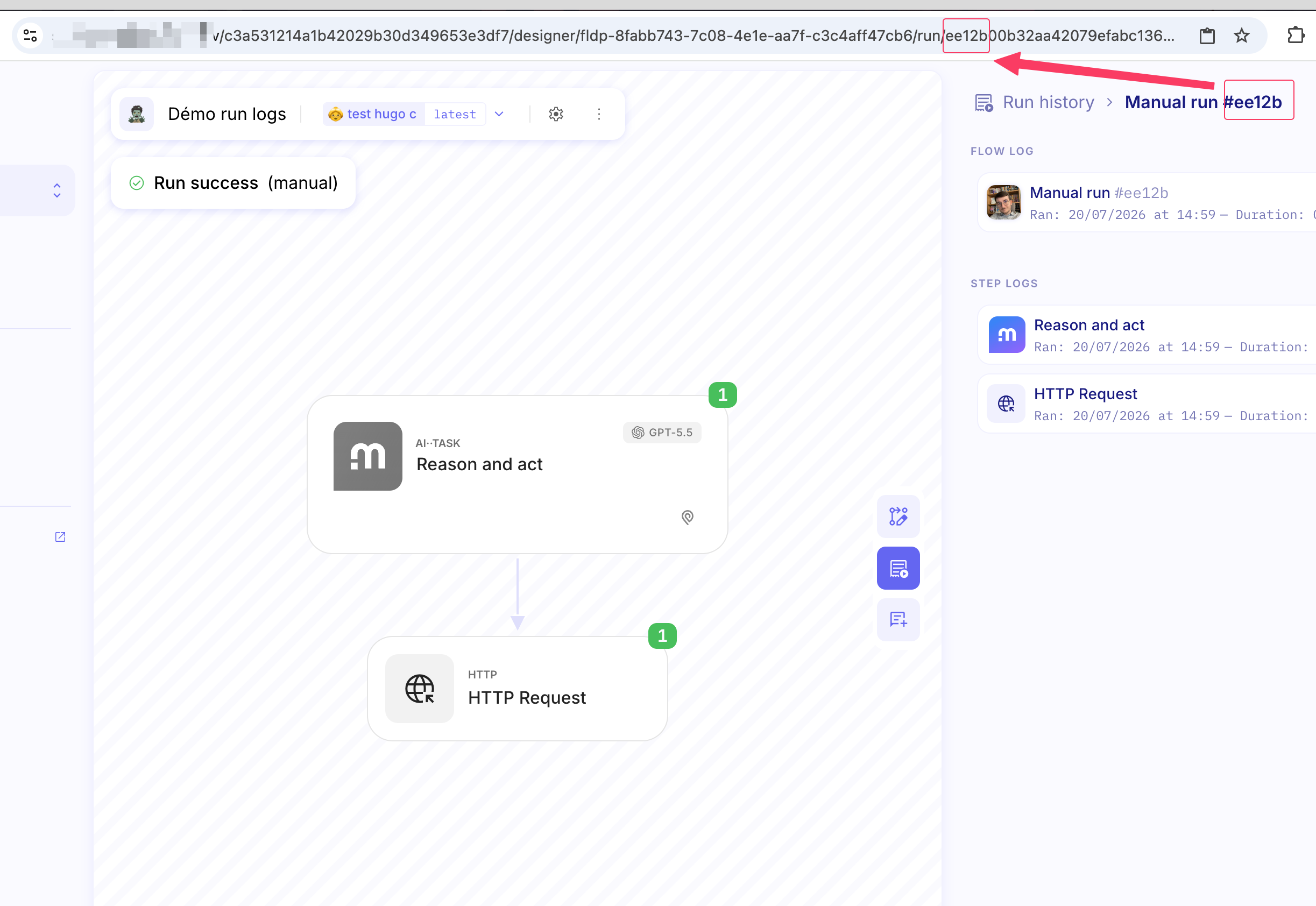
Use permalinks to jump straight to a specific run. Even if steps are deleted or renamed later, they’ll still show up clearly in the historical snapshot.
You can also share the URL of a specific execution so someone else can open the exact run you’re looking at (and help troubleshoot). **
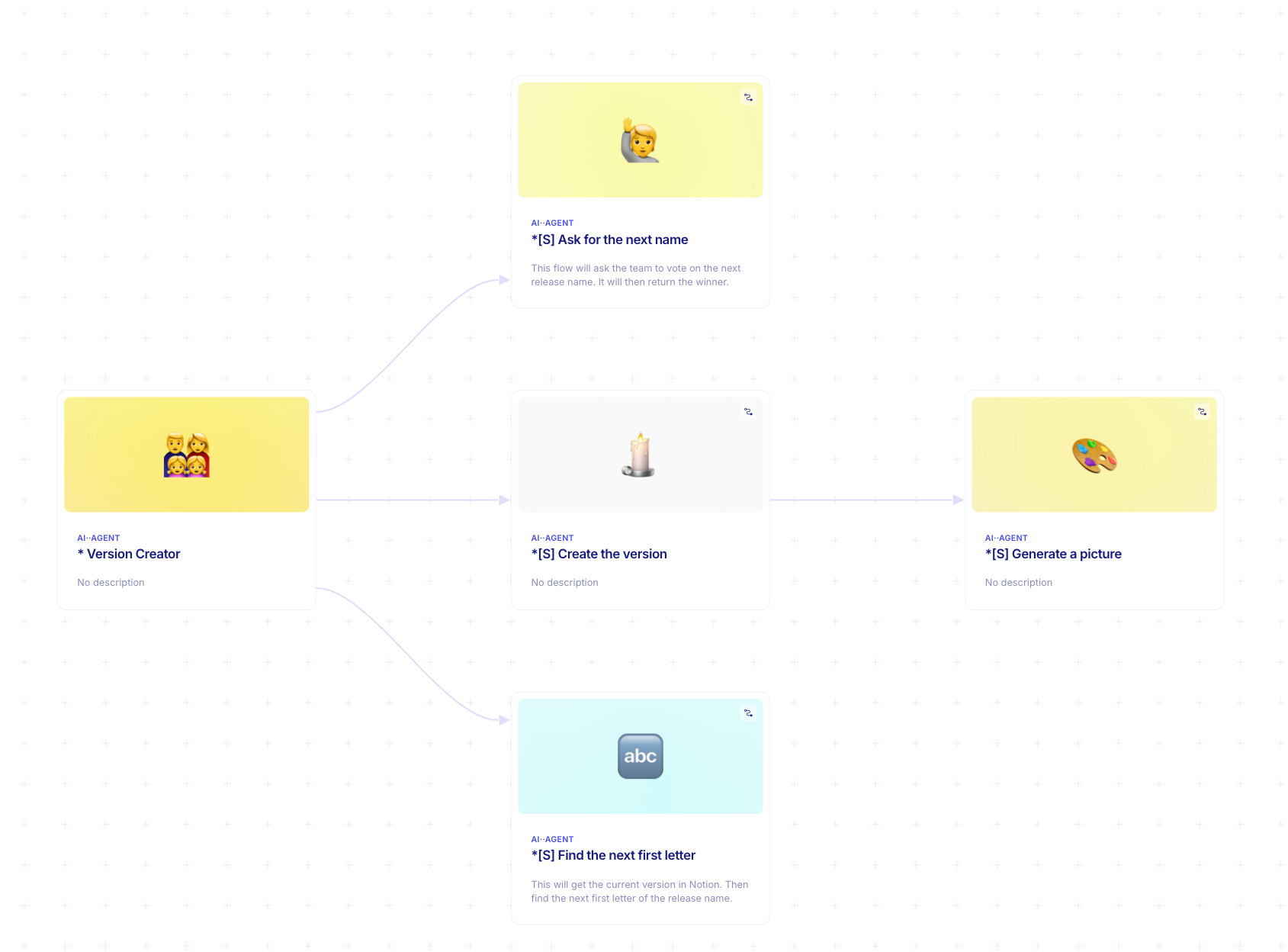
Graph view for Swarm🕸️
Section titled “Graph view for Swarm🕸️”Ref: #11588
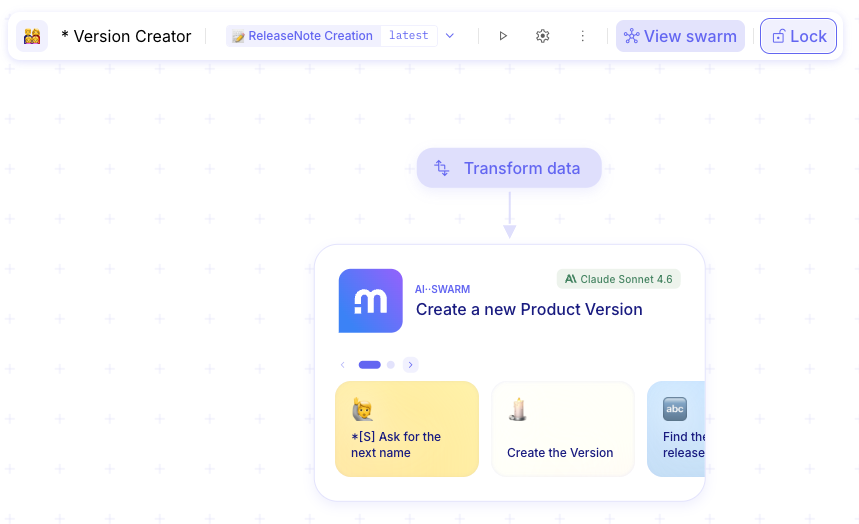
Users can now explore their swarm through a new graph view, offering a visual and intuitive way to understand the relationships and structure within their swarm at a glance.
Custom credentials support for Azure Communication Services 🔐
Section titled “Custom credentials support for Azure Communication Services 🔐”Ref: #11568
You can now connect to Azure Communication Services using your own custom credentials.
CHANGES
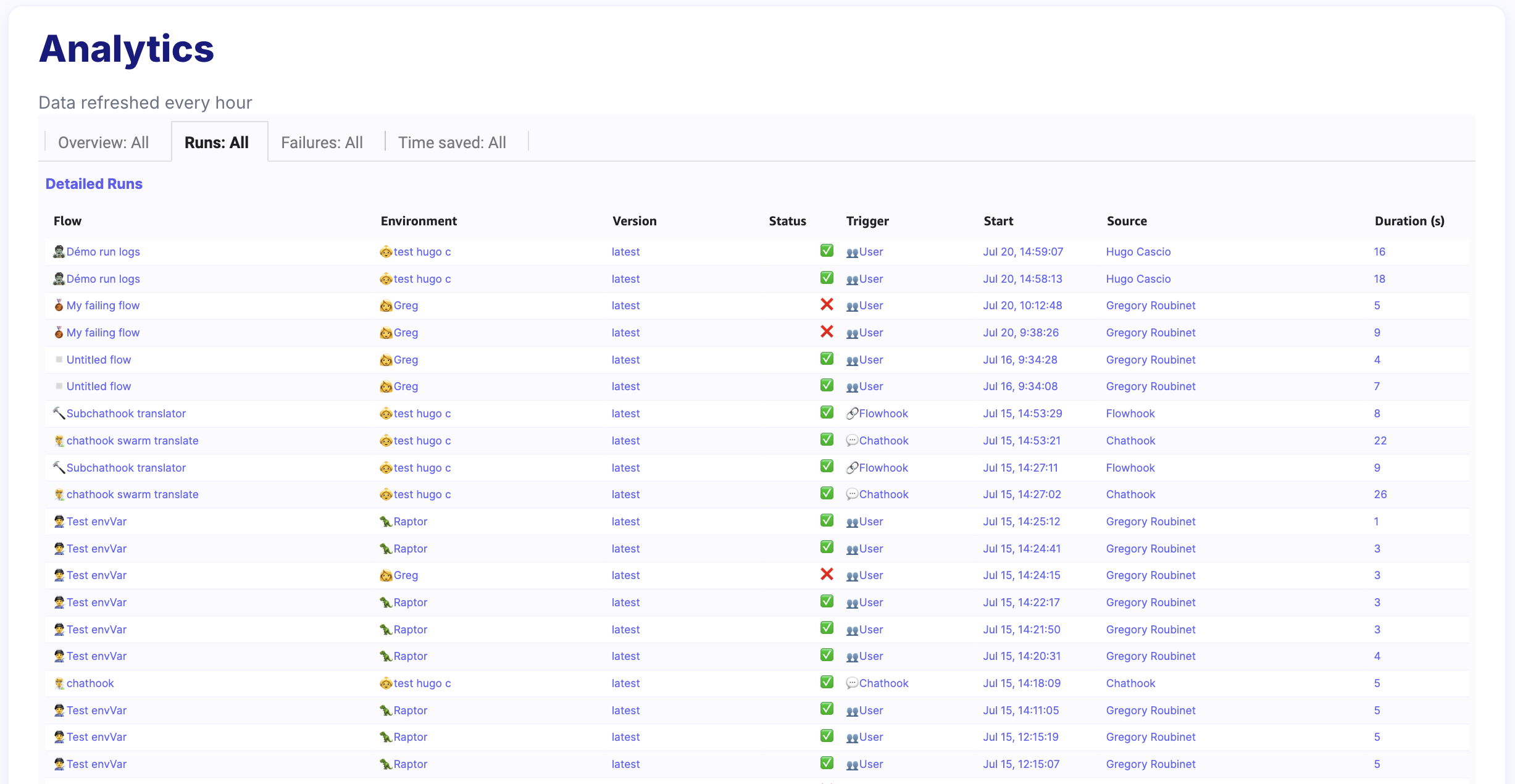
Section titled “CHANGES”Improved analytics 📊
Section titled “Improved analytics 📊”Ref: #11910 #11852
The analytics environment has been refreshed with a cleaner, more intuitive interface. Flow and version selections are now consolidated for quicker navigation, filters are neatly arranged in a single-line layout, and terminology is consistent throughout. Tables, labels, KPIs, and other components are better aligned and visually balanced, while empty states now display clear placeholders so users always know what to expect.

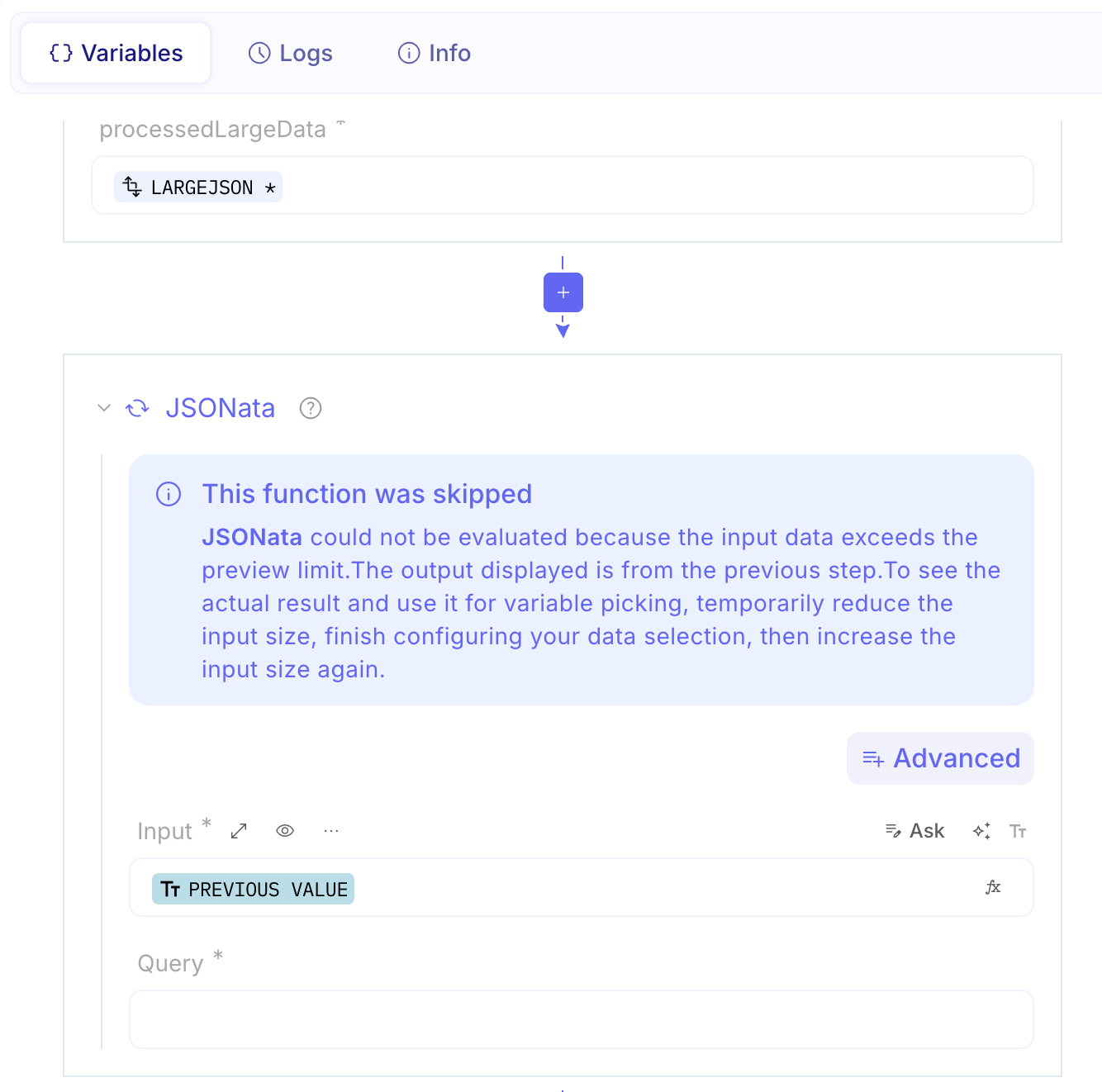
Callout for skipped JSONata 💬
Section titled “Callout for skipped JSONata 💬”Ref: #11747
The JSONata function can be resource-intensive for large JSON payloads. That’s why browser-side evaluation is disabled for large inputs. This wasn’t clear before; it’s now explained more clearly.
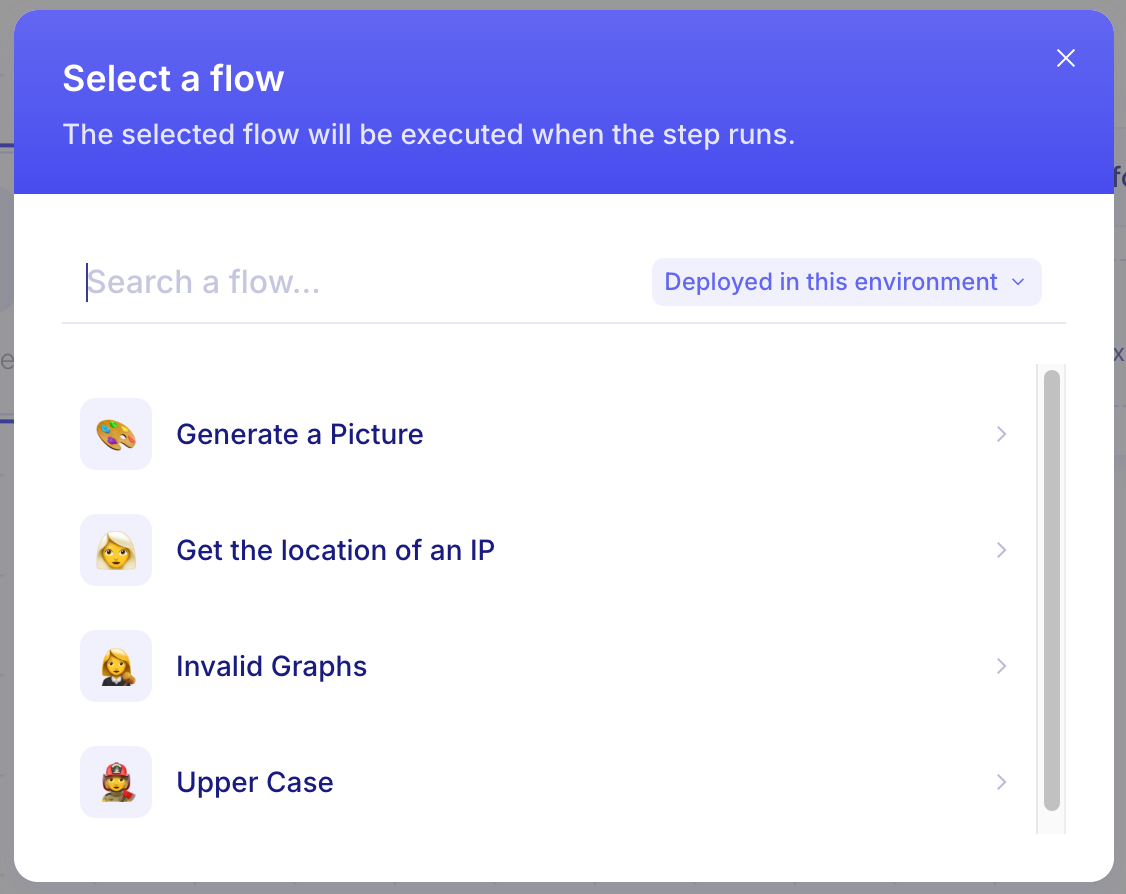
Improved “Call a flow” step 🔄
Section titled “Improved “Call a flow” step 🔄”Ref: #11732
When using the Call a flow step, you can now see only the flows that are deployed in your current environment by default, making it much easier to pick the right flow and avoid failed executions. A toggle is available if you need to browse flows from other environments.

Easier cleanup 🗑️
Section titled “Easier cleanup 🗑️”Ref: #11570
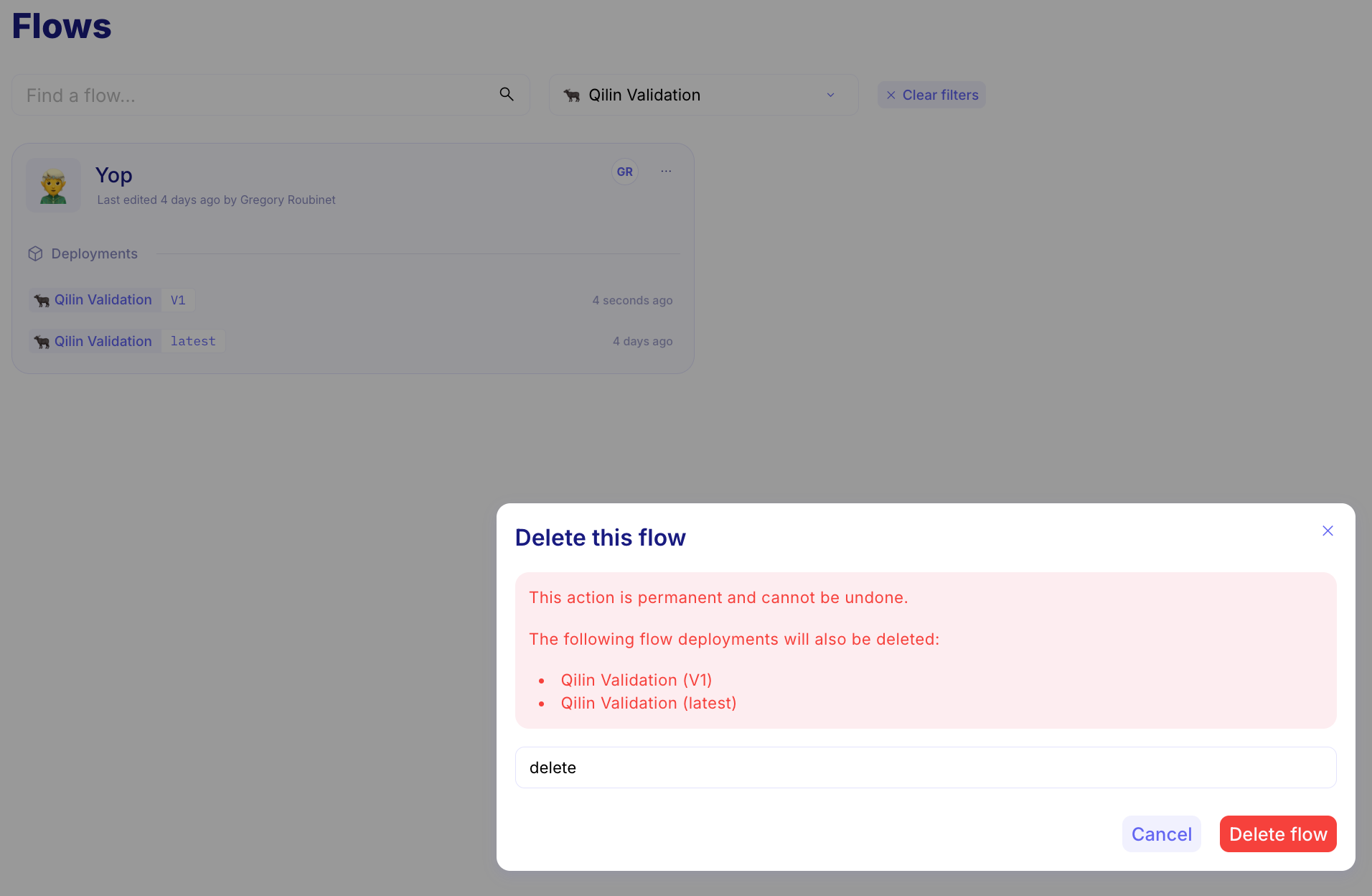
You can now delete a flow using a single, streamlined action that automatically removes all associated deployments in accessible environments. If some deployments belong to environments you do not have access to, you will receive a clear and informative error message, so you always know exactly what was deleted and what requires further attention.
New Anthropic Model available
Section titled “New Anthropic Model available”Ref: #11766
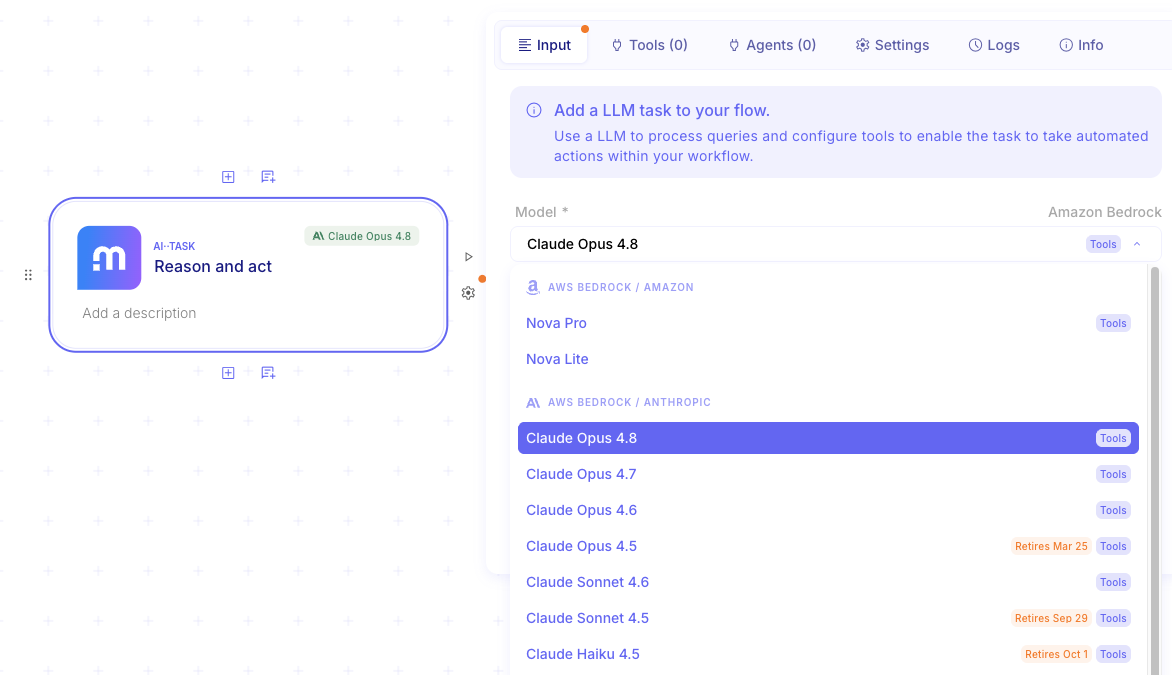
We’ve expanded our AI model offerings with a new Claude model: Opus 4.8. It builds on Opus 4.7 with improvements across benchmarks and is a more effective collaborator.
- Run logs infinitely load events are visible in some cases (#11952)
- Cannot use SFTP in AI··Rooms (#11913)
- Silae Integration: Folder List issue(#11875)
- SFTP egress issue. (#11865)
- Resume URL on Microsoft Teams with multiple buttons failed (#11797)
- AI··Task settings not affecting results or token usage. (#11740)