

Azeroth
Unveiling webhook trigger response customization, AI audit enhancements, success/failure steps, and easier rerun trigger
Section titled “Unveiling webhook trigger response customization, AI audit enhancements, success/failure steps, and easier rerun trigger”Webhook HTTP response 🌍
Section titled “Webhook HTTP response 🌍”Ref: #1221
Exciting update: You can now craft HTTP responses for your webhooks!
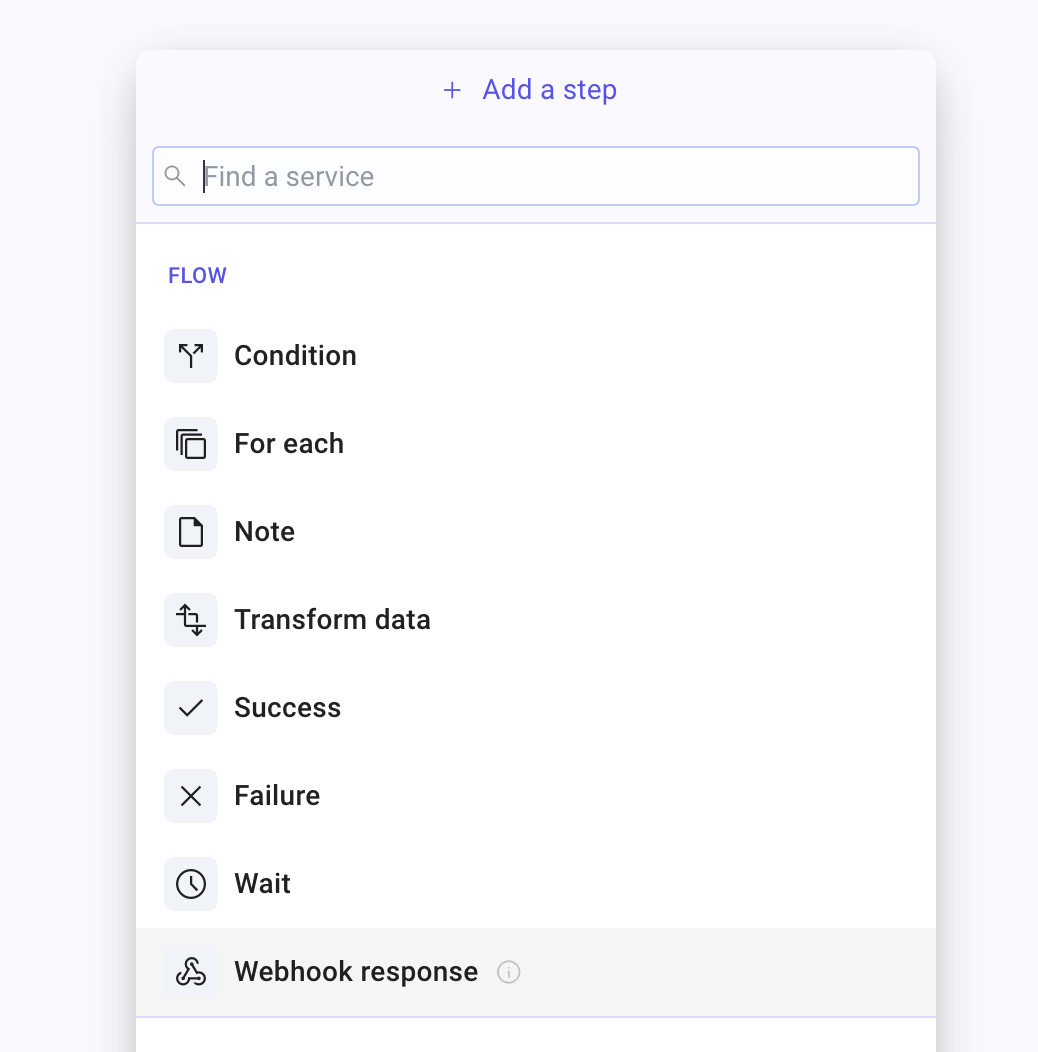
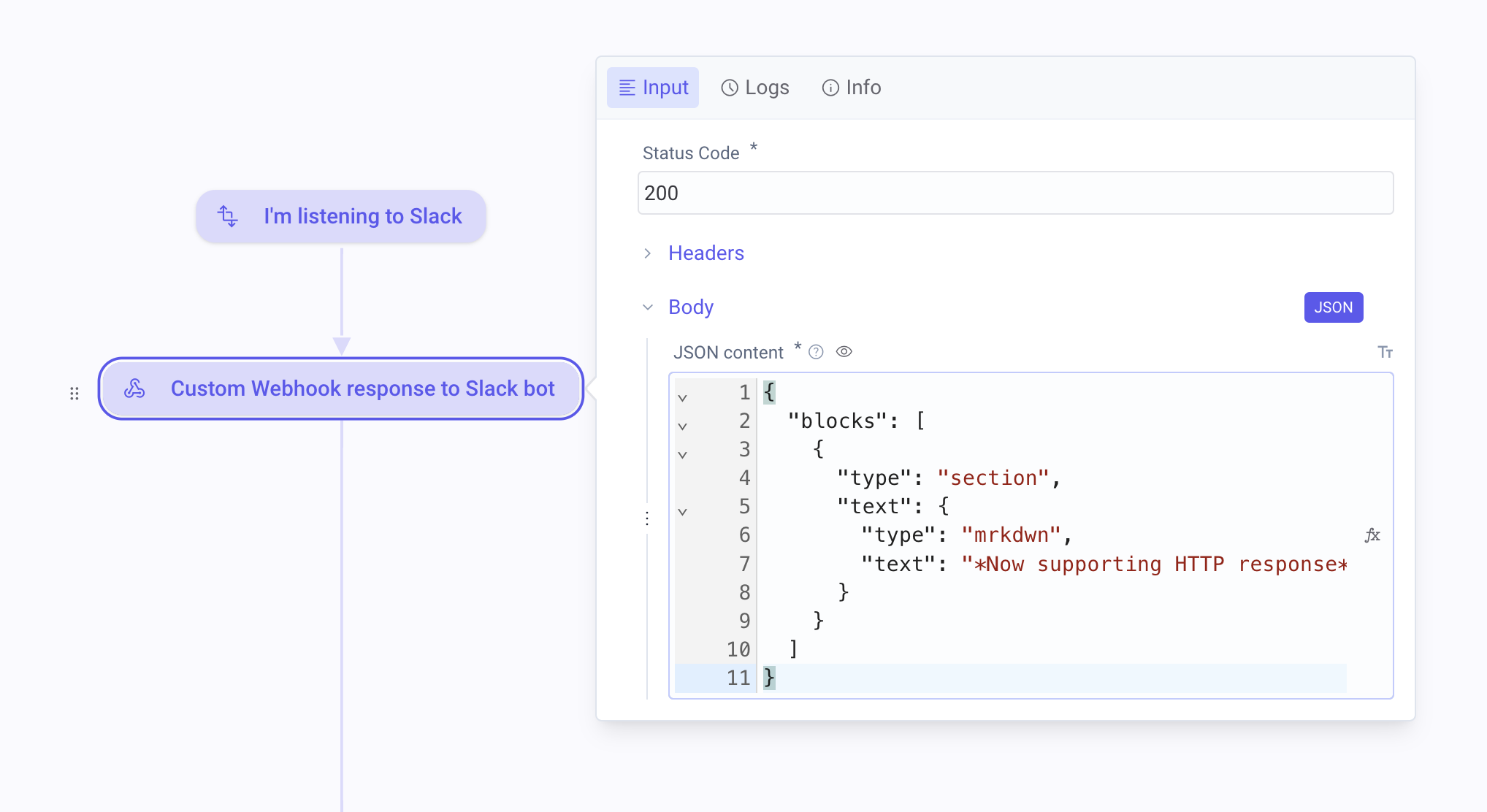
This release introduces a new webhook response step that allows you to customize key HTTP components like status code, message, headers, and body, fully integrated with data pills for dynamic content creation.
This enhancement essentially transforms Mindflow into a versatile, no-code API gateway!
You can add a webhook response step anywhere in your flow and configure the payload to return.
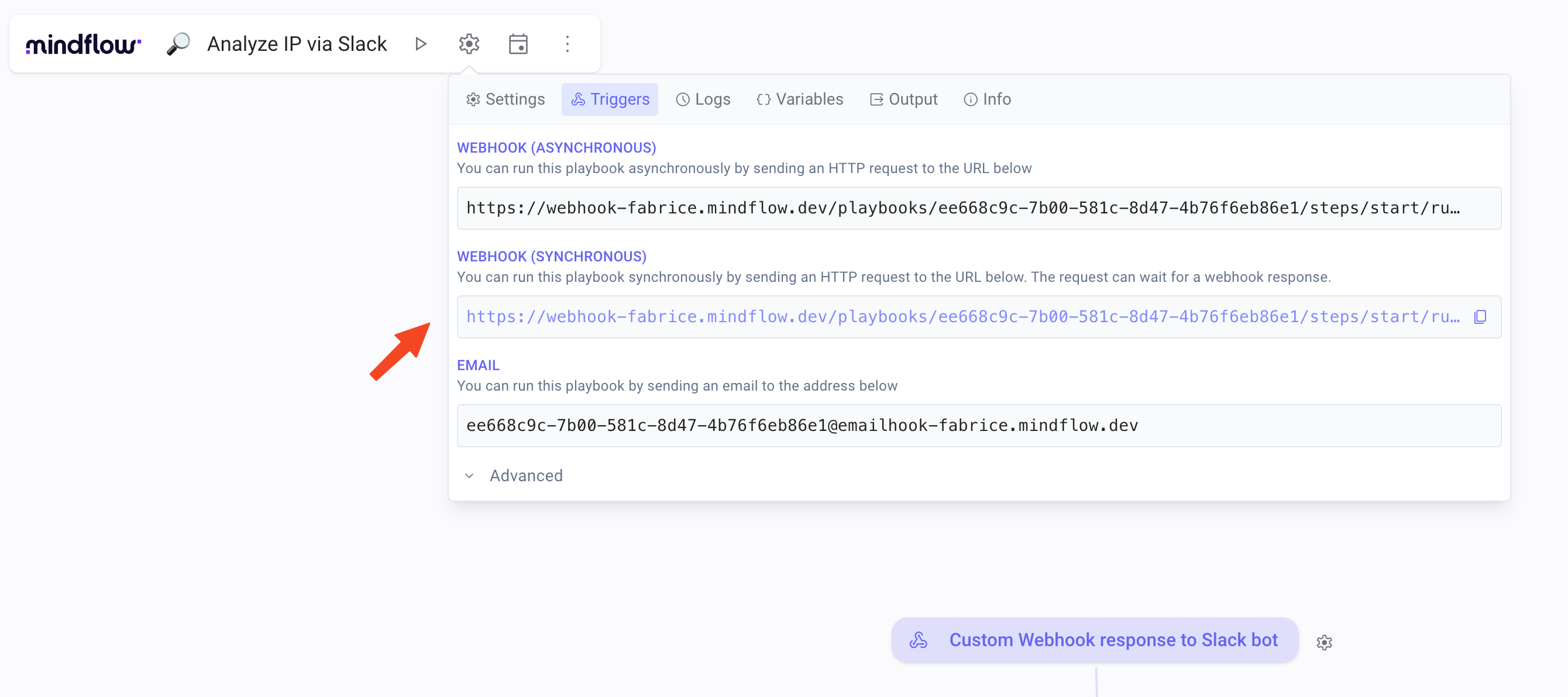
You need to use the synchronous endpoint as found in flow settings.
Keep in mind that the flow continues after sending a webhook response, allowing subsequent actions to proceed asynchronously. Enjoy!
Introducing success and failure steps (preview) ✅
Section titled “Introducing success and failure steps (preview) ✅”Ref: #756, #3127
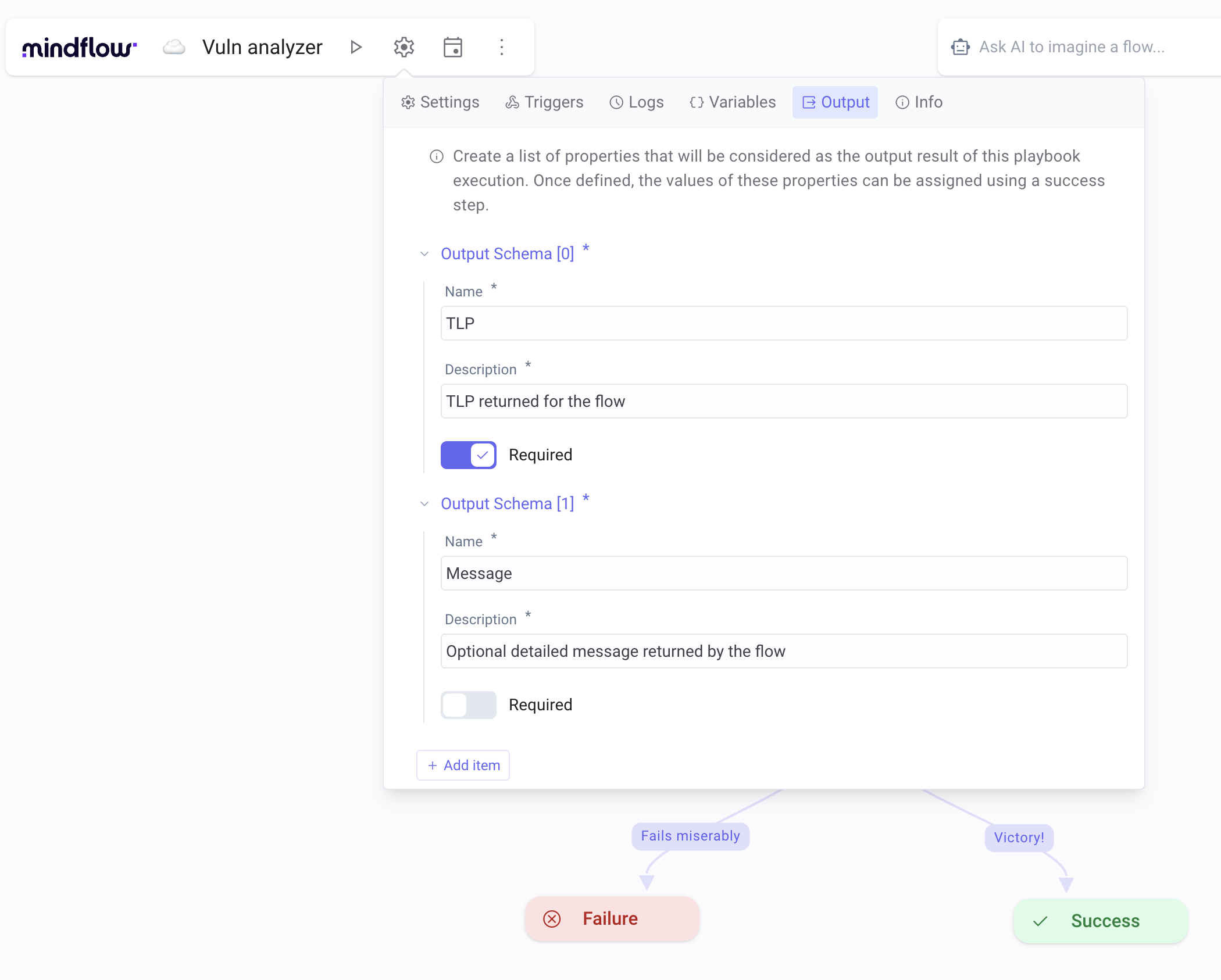
We’ve added two new steps to enhance flow management: explicit success and failure steps. Previously, a playbook was deemed successful if it reached the final step and failed if any step encountered an issue. Now, you can directly control the playbook’s overall status with these new steps.
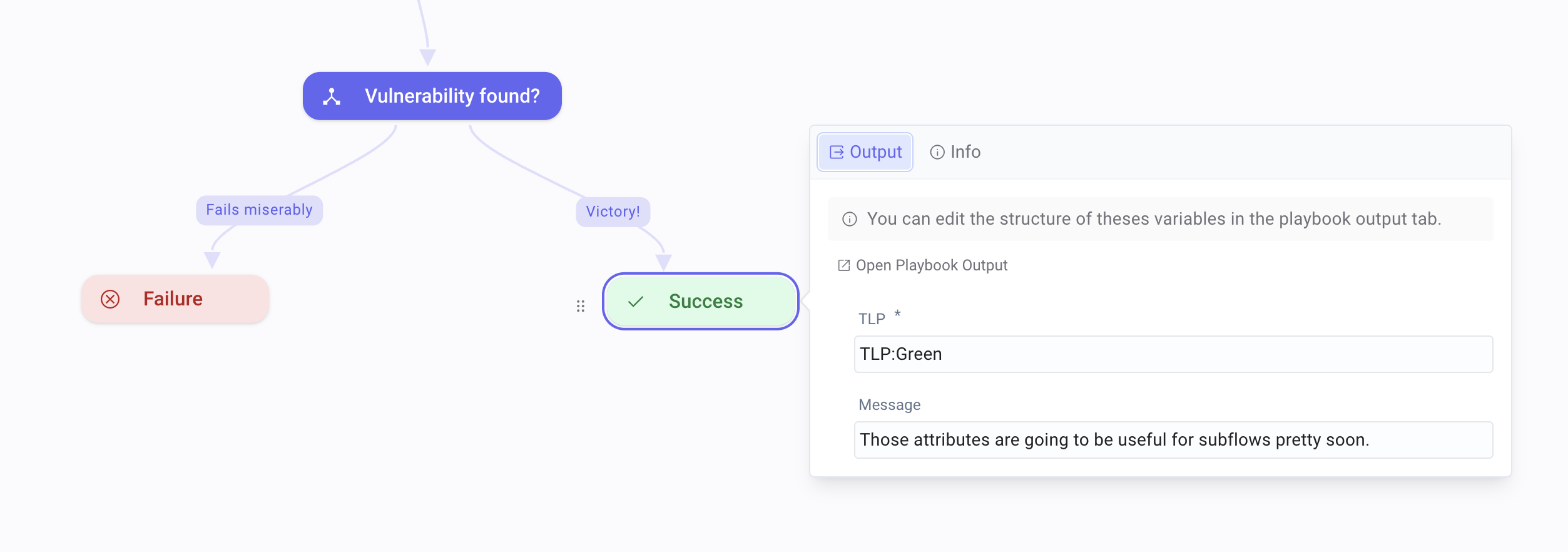
Additionally, you can tailor the flow response by setting specific output parameters. While this feature lays the groundwork for nested playbooks (scheduled for 2024), it’s already quite useful for clarifying flow processes today.
CHANGES
Section titled “CHANGES”Rerun last trigger with the Run button ♻️
Section titled “Rerun last trigger with the Run button ♻️”Ref: #3317, #3581
We’ve made building your flow triggers easier. Now, you can quickly rerun the last trigger using the Play ▶️ button in the main flow toolbar.
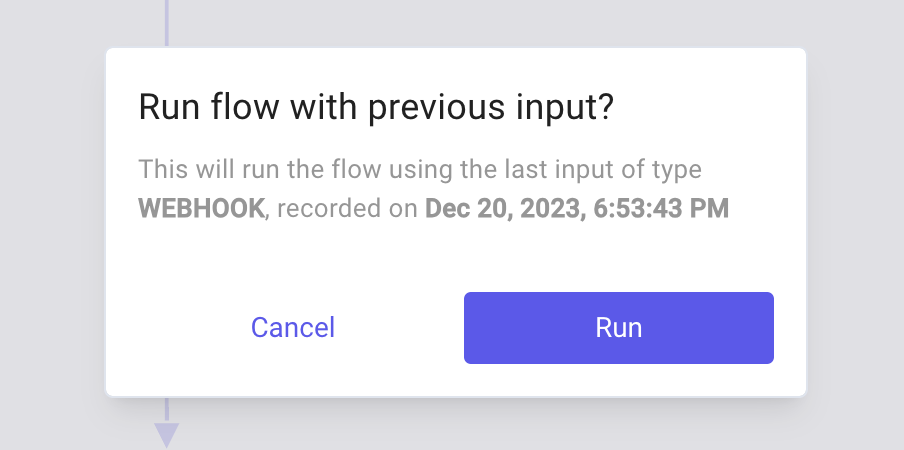
This method is much more convenient during flow creation than searching through playbook logs to find and rerun a past trigger (webhook or emailhook).
Enhanced audit logs for AI··Agents 🤖
Section titled “Enhanced audit logs for AI··Agents 🤖”Ref: #3250, #3228
We’ve upgraded our AI··Agents to provide more detailed logs:
- Now, in addition to the result, agent output includes the complete OpenAI response along with the user request.
- You can access Agent API logs to gain insights into what HTTP operations the Agent executed.
This update ensures improved diagnostics, human control, and full observability. At Mindflow, we’re dedicated to maintaining enterprise-level control over AI.
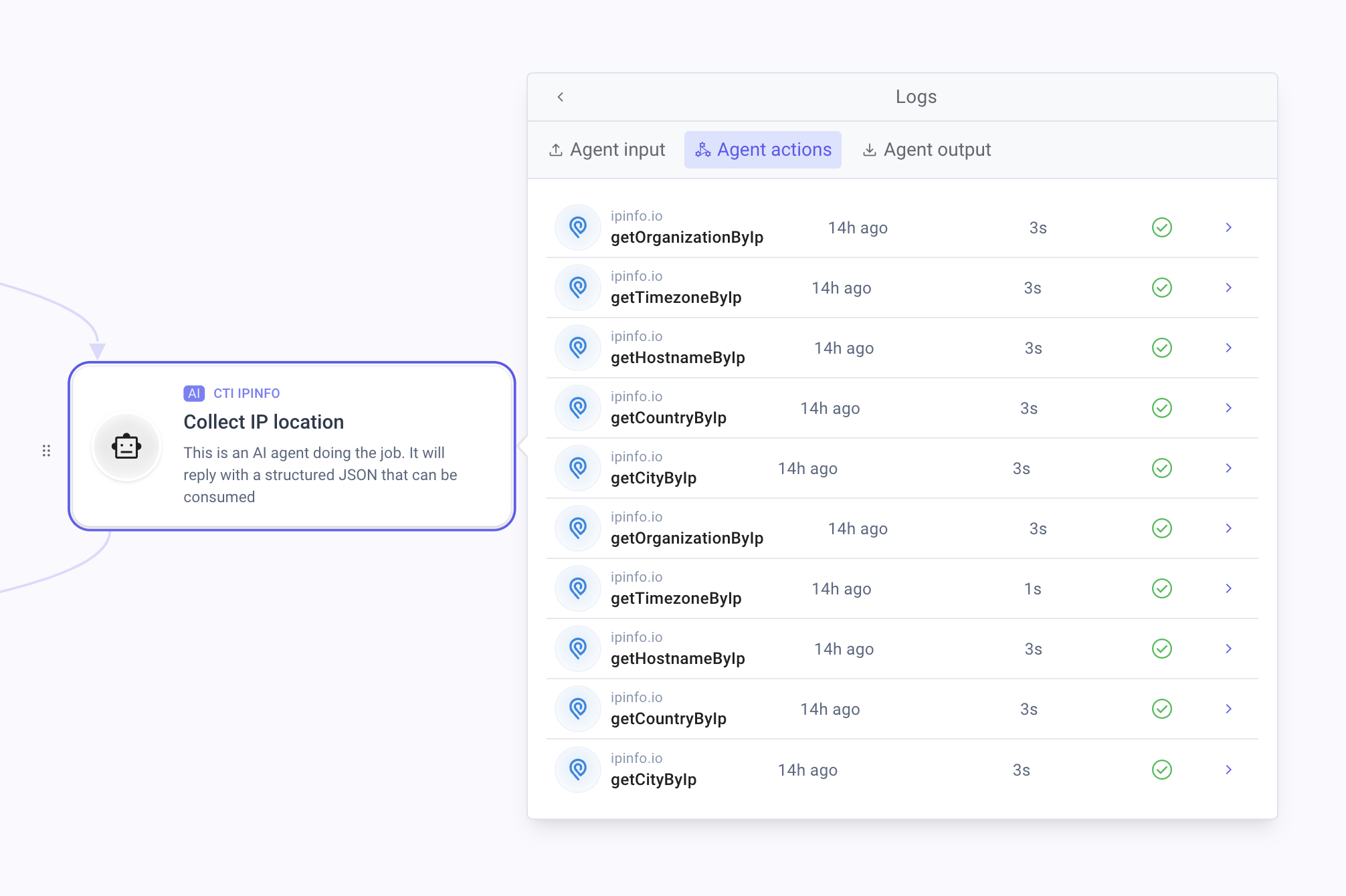
Logs of API calls driven by the agent
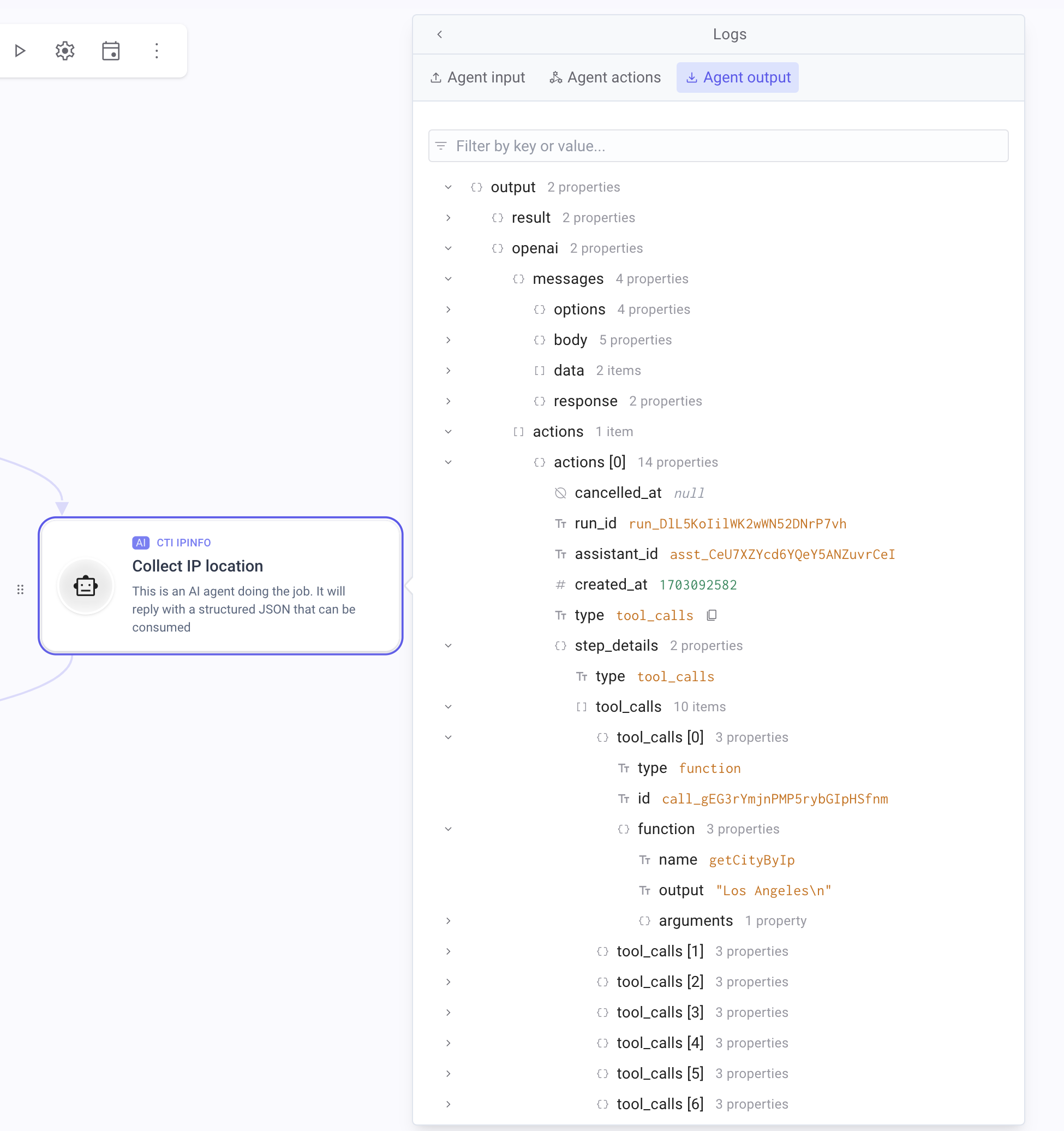
Full OpenAI payload available
Automatic AI flow documentation improved 📖
Section titled “Automatic AI flow documentation improved 📖”Ref: #3247
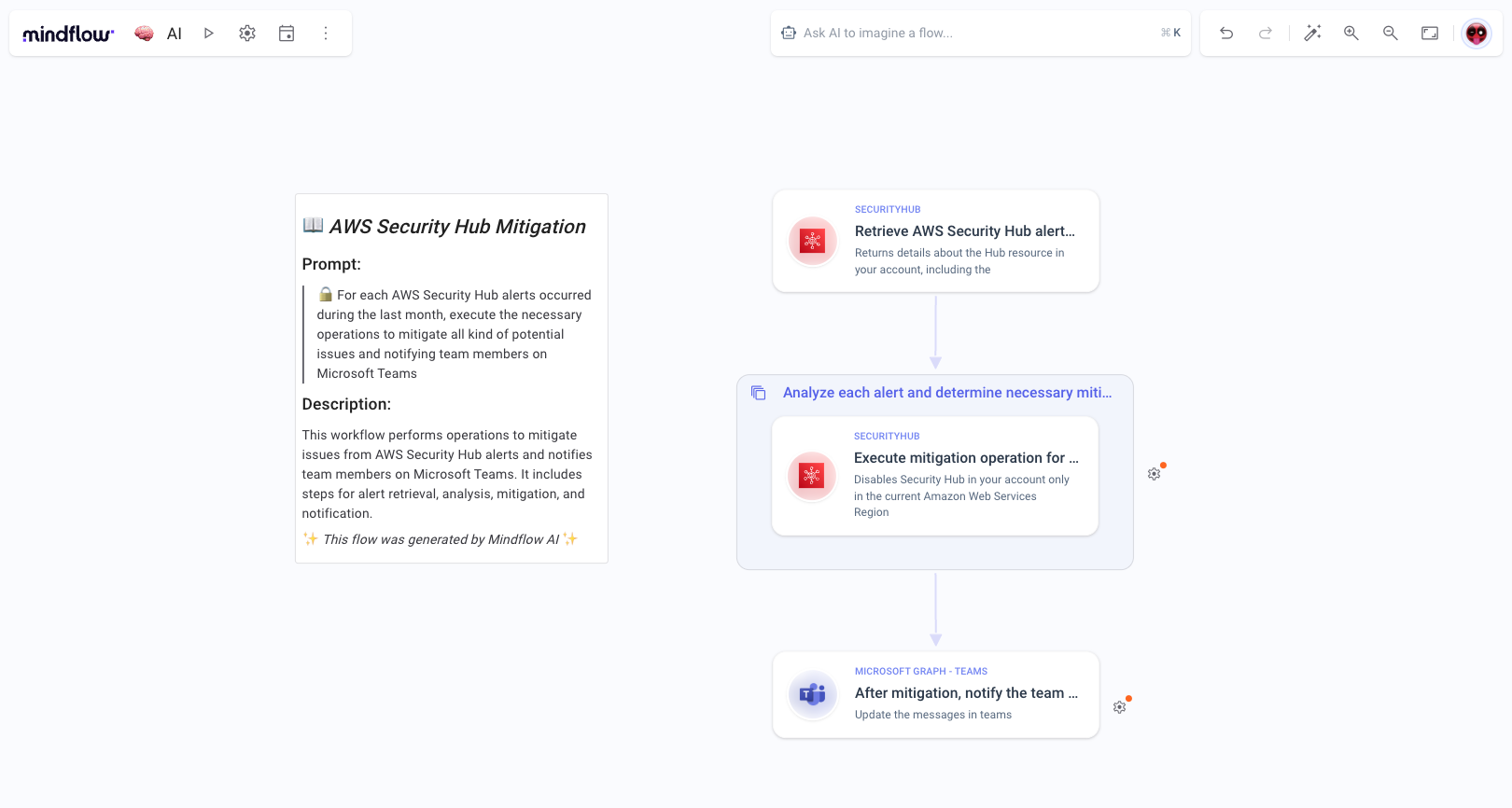
We’ve improved the notes created during AI flow generation, ensuring they more accurately illustrate the content of the generated flow.
Various 🍒
Section titled “Various 🍒”- ✨ Improved usability for step settings, data picker, and menu (#3569): Those components are now optimized for maximum screen utilization and offer smoother navigation while you’re building workflows.
- 🕒 Detailed date and time for logs (#3581): Logs now display detailed date and time information. Simply hover your cursor over the timestamp to view the exact timing in tooltips, making it easier to track executions with precision.
- 👍 Confirmation dialog when generating a flow with AI (#3216): To prevent accidental overwrites, we’ve added a confirmation dialog when generating a new flow.
- 🎨 Enhanced form aesthetics (#3505): We’ve beautified the step settings and various forms across the platform, offering a more consistent and visually appealing experience.
- 🌐 New integrations available (#2487, #3362, #3343, #3363, #3374, #2285, #3175): Rapid7 InsightOps and InsightIDR Log Search, Tenable Identity Exposure, PaloAlto Cortex XDR, Chainguard, YesWeHack, Tufin SecureTrack and SecureApp, Adaptive Shield Accounts
- Resolved AI flow generation crashes (#3290)
- Resolved problems related to success and failure steps in workflows (#3127, #3081)
- Addressed the issue with the “Continue on error” functionality (#3016)
- Fixed blinking execution badges (#3214)
- Parse DateTime does not provide Time properly (#3349)
- Resolved “Add step” menu overflow issue (#3221)
- Resolved workflow timeout handling issue (#3300)
- Fixed step name focus retention issue (#3606)
- Fixed intermittent playbook card click issue (#3585)
- Resolved audit detail loading issue when viewing logs (#3328)
- Fixed visibility of Callback URL in OAuth2 credentials form (#3293)
- Resolved scrolling issues in credentials and server list (#3215)
- Copy/paste notes cause the playbook to malfunction (#3486)
- Resolved notes showing “info” on double click (#3133)
- Under some conditions, flow updates are not saved (#3321)
- Resolved incorrect trigger type (STEP RUN) in playbook logs (#3334)
- Fixed ability to open flow in a new window using Cmd/Ctrl key binding (#3370)
- And more.