

Thanos
Evolving Workspaces and Vault into unified Environments. Introducing trigger-based log filtering alongside key bug fixes and integrations. Thanos, inspired by Darkseid, was originally modeled after Metron but later reworked by Jim Starlin to closely resemble Darkseid
Transition from vault and workspaces to environments 🗃️
Section titled “Transition from vault and workspaces to environments 🗃️”Ref: #6526
The tools previously known as Workspaces and Vault for organizing flows and managing credentials, respectively, have been redesigned and combined into a single feature called Environments.
Environments represent a major new feature that is being gradually introduced to our customers. It enables users to more efficiently manage flow deployments, as well as separate their credentials and data permissions.
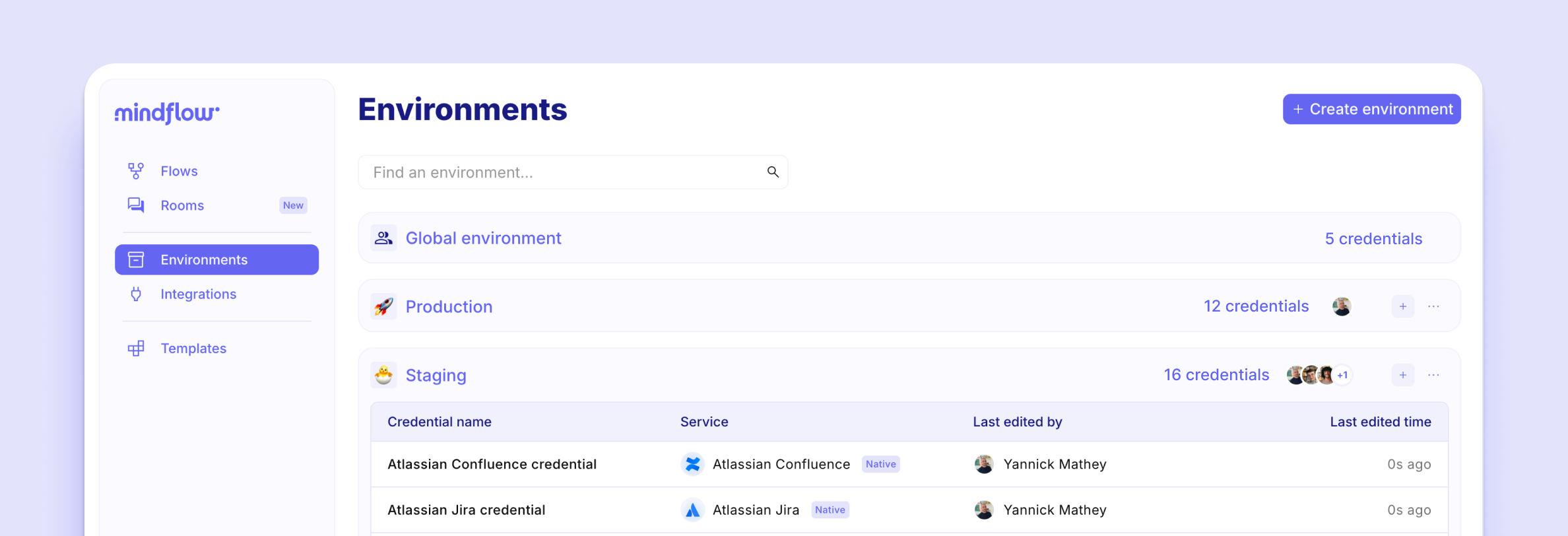
Currently, you can organize credentials within environments for different development stages and manage separate projects or teams. Following the upgrade to Thanos your workspaces will be transformed into environments, making it easier for you to browse and organize credentials.
Additionally, a global environment is available for sharing credentials across different environments. We have ensured a smooth migration so that your environments will contain the same elements as your previous workspaces.
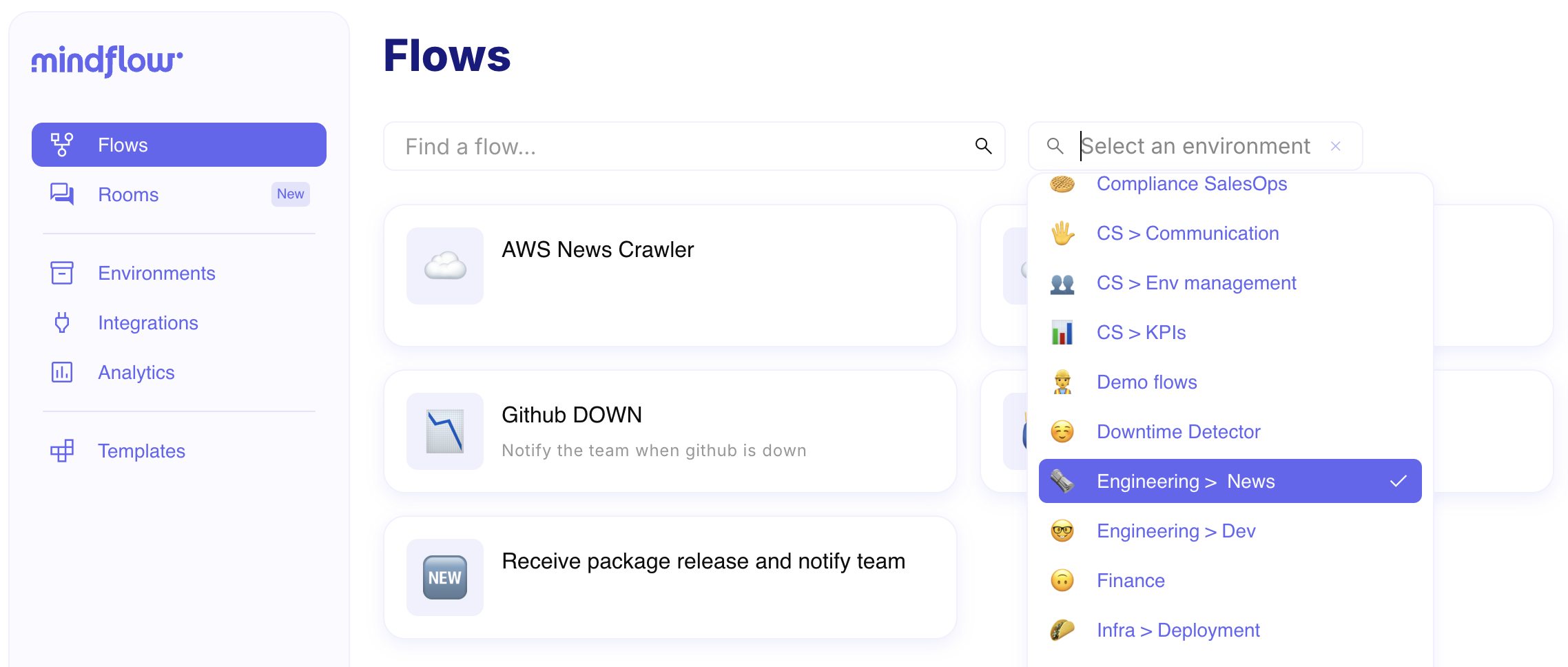
For now, it’s essentially as though workspaces have been renamed to environments. As a result, the workspace selector and management tools has moved to the flows page and environments page.
Filter logs by triggers 🏁
Section titled “Filter logs by triggers 🏁”Ref: #6796
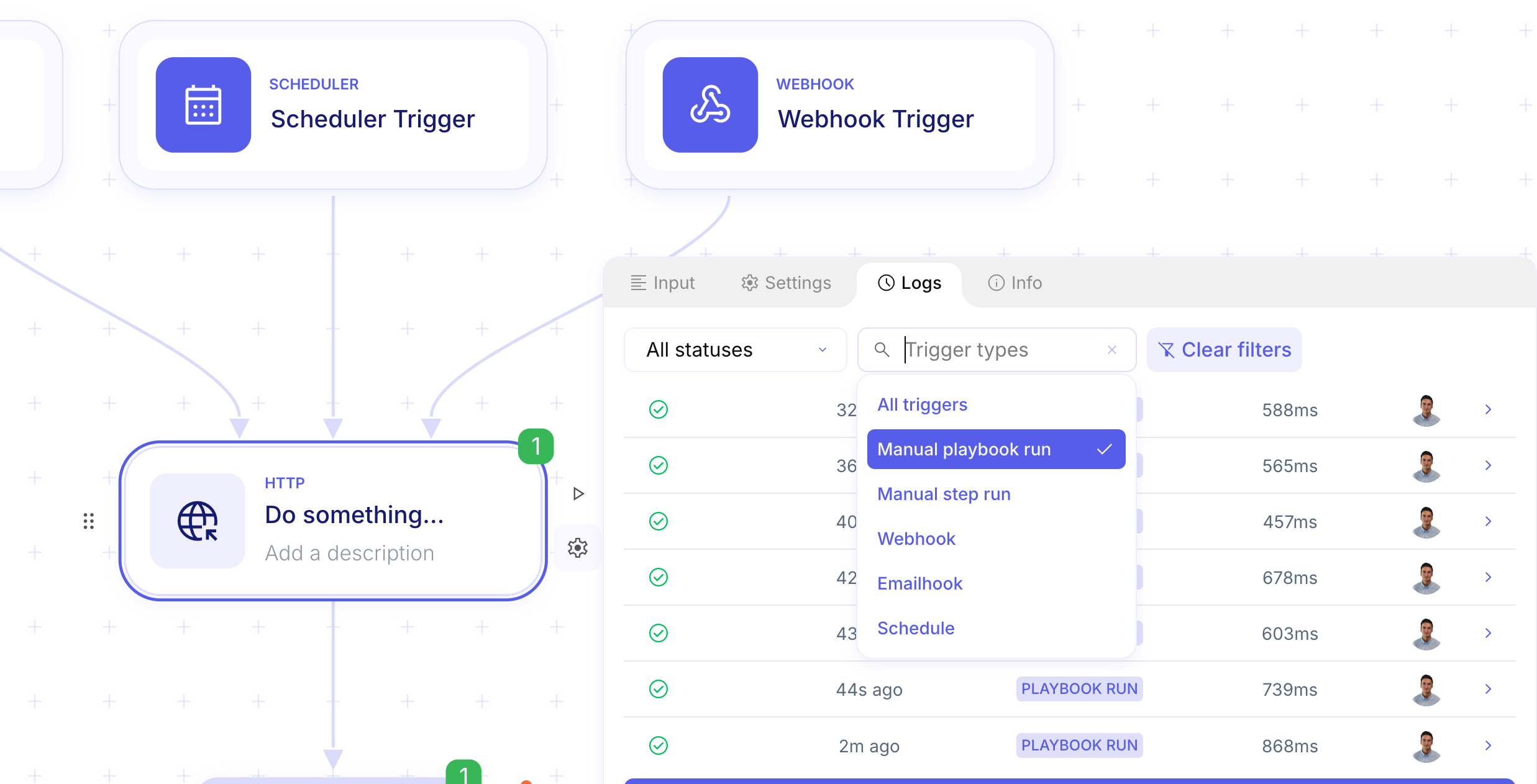
Logs can now be filtered by trigger type, allowing for more efficient data analysis and troubleshooting.
CHANGES
Section titled “CHANGES”Stop running flows from logs ⏹️
Section titled “Stop running flows from logs ⏹️”Ref: #6699
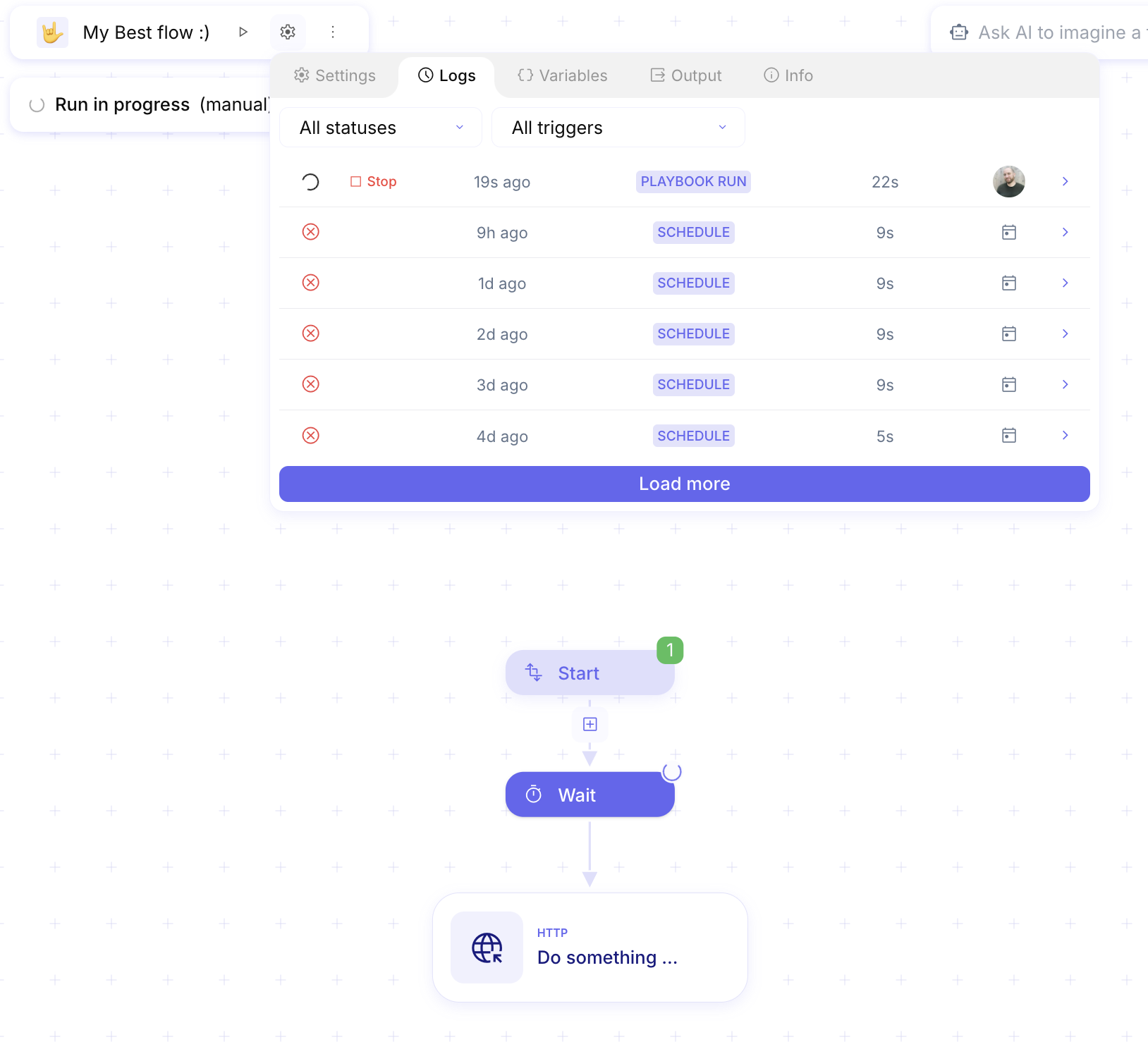
You can now stop a running flow directly from the logs.
- AI Chat pinned rooms are inaccessible (#6849).
- Suggestions should not be visible when a chatroom is archived (#6848).
- Validate credentials in chat for URL type “Any” (#6827).
- Editing JSON does not work in playbook variables (#6815).
- Unable to pick transform data variables after adding a trigger (#6812).
- Fix analytics (#6810).
- Behavior of the schedule trigger step is inconsistent with other trigger steps (#6788).
- Filter preset credentials in AI Chat (#6786).
- Next step suggestions are broken in AI Chat (#6760).
- Profile name editing desynchronization (#6758).
- Typing too fast in certain input fields causes an infinite loop (#6713).
- Dry run for “Transform Data” should be disallowed (#6696).
- Step emoji icons are not searchable (#6674).
- Clicking the copy button inside a tooltip opens the “Add Step” menu (#6670).
- Unable to select the return value of an AI··Agent or service step in the
forEachoutput (#6666). - Cannot pick data from flow variables (#6631).
- Default values for optional parameters do not appear in the audit logs input (#6619).
- Improve tooltips and information display integration (#6617).
- Incorrect padding with the
/(slash) when entering a value due to the “not set” placeholder (#6614). - HTTP request step inspector crashes (#6580).
- Step paths are displayed incorrectly in documentation (#6577).
- Hide arrows on number inputs for the Mindflow 2FA (#6572).
- When all form fields are required, hide the “Advanced” button (#6564).
- Manual flow runs show a confirmation popup unnecessarily (#6540).
- Clicking multiple items quickly in the optional field menu causes bugs (#6511).
- Improve data storage mechanism for “Transform Data” (#5399).
- Issue overwriting
requestBodyvia the Vault’s Body Secret (#5257). - 2FA activation UI issues (#4908).
- Service icons are not cached during copy-paste (#3666).
- Paste shortcut pastes after instead of between when the step is already linked (#2813).
INTEGRATIONS
Section titled “INTEGRATIONS”- Elastic Suite APIs
- Elastic Cloud
- Elastic Cloud Billing
- Elastic Cloud Enterprise
- Elastic Cloud Serverless
- Elasticsearch
- Elasticsearch Serverless
- Kibana
- Kibana Serverless
- Logstash
- Observability Intake Serverless