

Fenrir
Unleash the power of AI··Agents, service quotas, enhanced analytics tracking time saved, BYOLLM support, flow locking for ultimate protection, new integrations, and countless fixes. In Norse mythology, Fenrir is a giant wolf who is prophesied to kill the god Odin during the events of Ragnarök, the end of the world. Despite his fearsome reputation, Fenrir was initially raised by the gods themselves, who underestimated his potential for destruction
- Listen on your favorite platform
AI··Agents 🤖
Section titled “AI··Agents 🤖”Ref: #8641
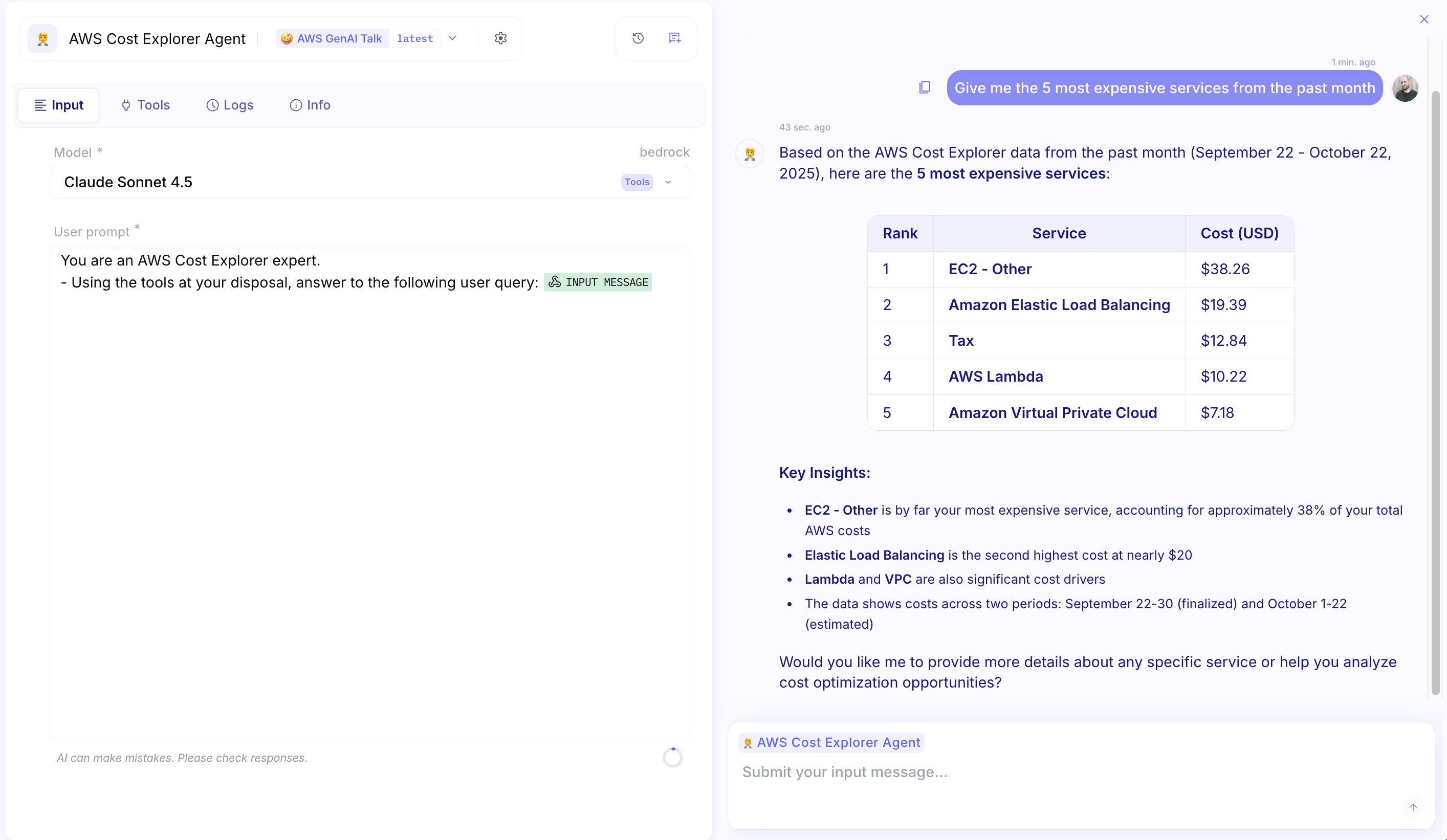
Meet AI··Agents: a simple way to automate tasks using AI. Instead of building advanced workflows, you define what you want the agent to do in plain language (a prompt), choose a LLM model to power it, and optionally give it tools to work with. AI··Agents are easy to set up, but they’re still built for the enterprise: they include versioning, deployment controls, audit trails, and all the same safeguards as traditional flows.
Here’s how to configure your AI··Agent:
-
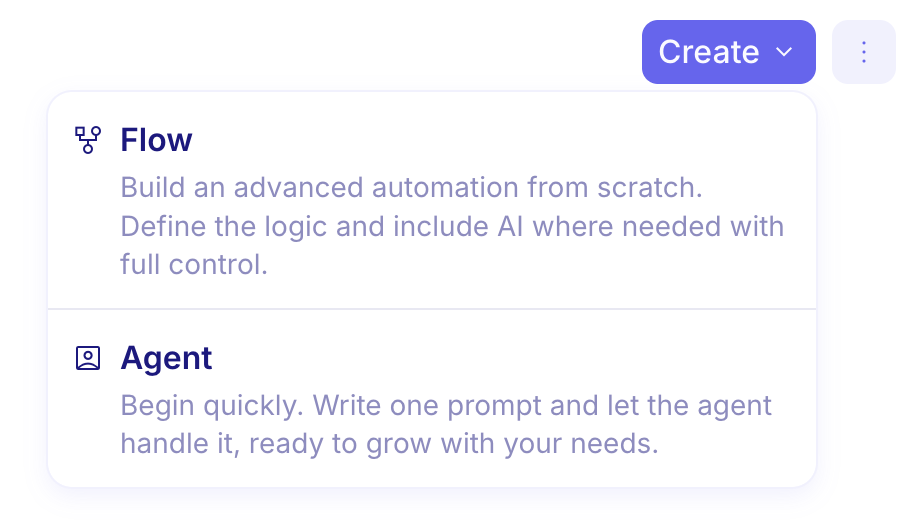
You can create an AI··Agent in the same place where you create a Flow, making it easy to add intelligent automation alongside your existing workflows.
-
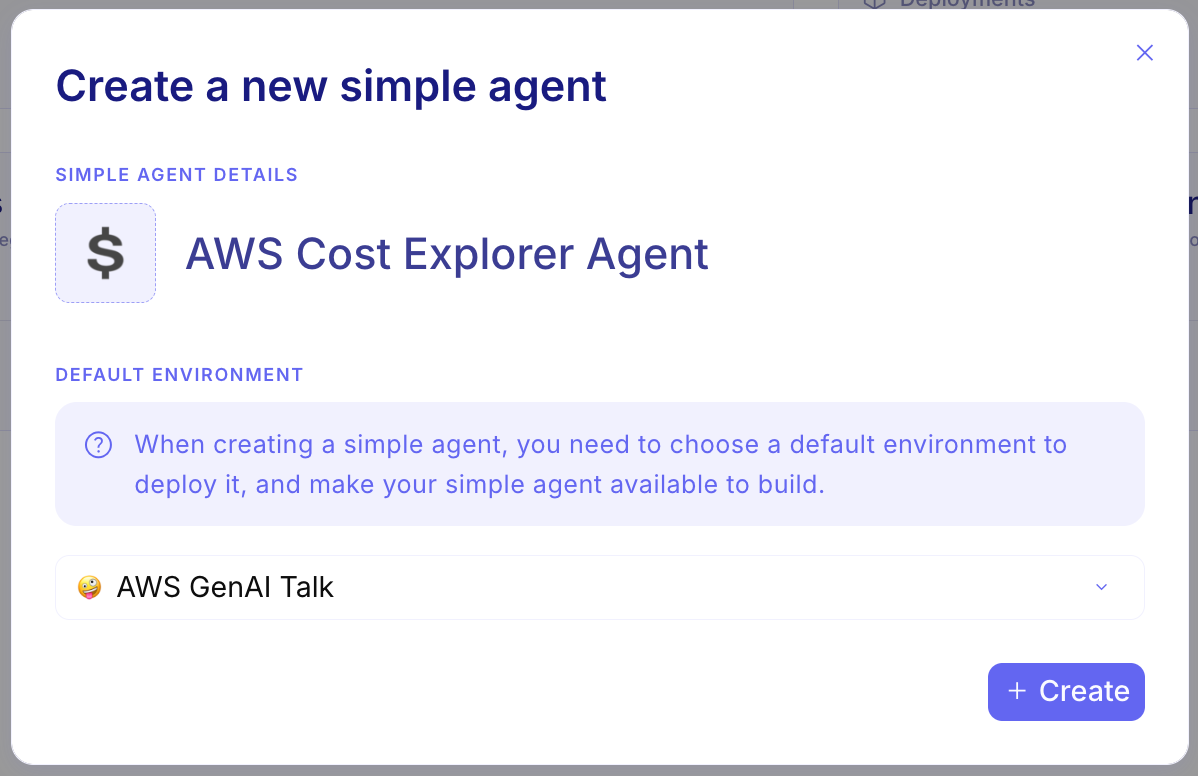
Set a name and an environment, which defines the credentials available to the agent’s tools.
-
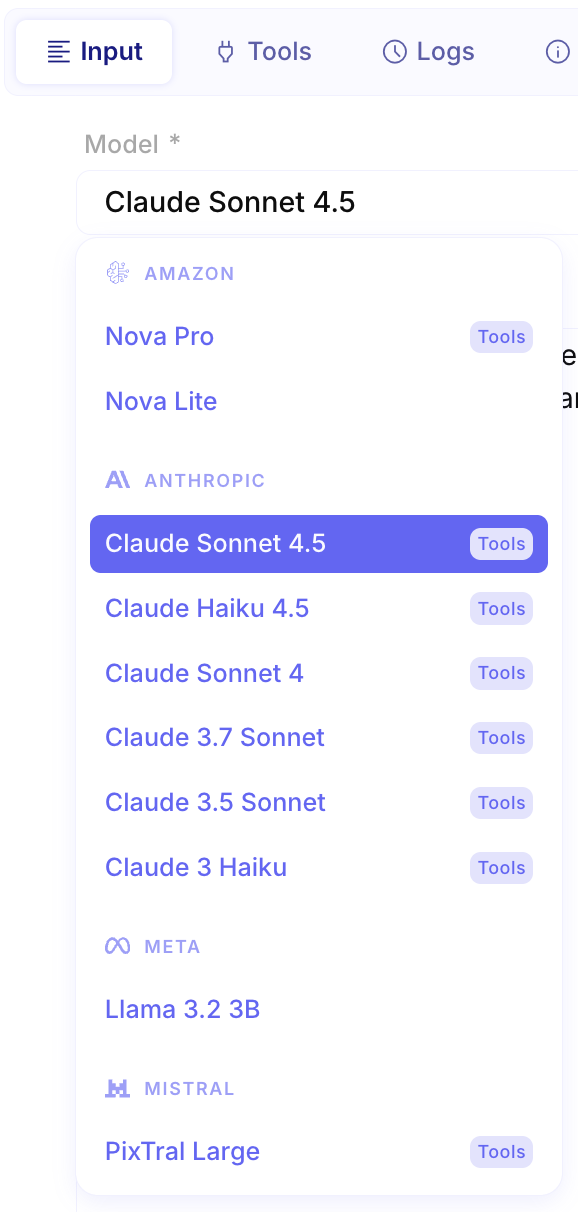
Choose a model to power it, from fast and simple to advanced and sophisticated.
-
Define its mission using a prompt combined with an input message. The prompt describes the agent’s purpose and behavior, while the
INPUT MESSAGEfield represents the user input that will be sent to the agent when conversing with it. This is where users will ask questions or provide instructions to the agent.
-
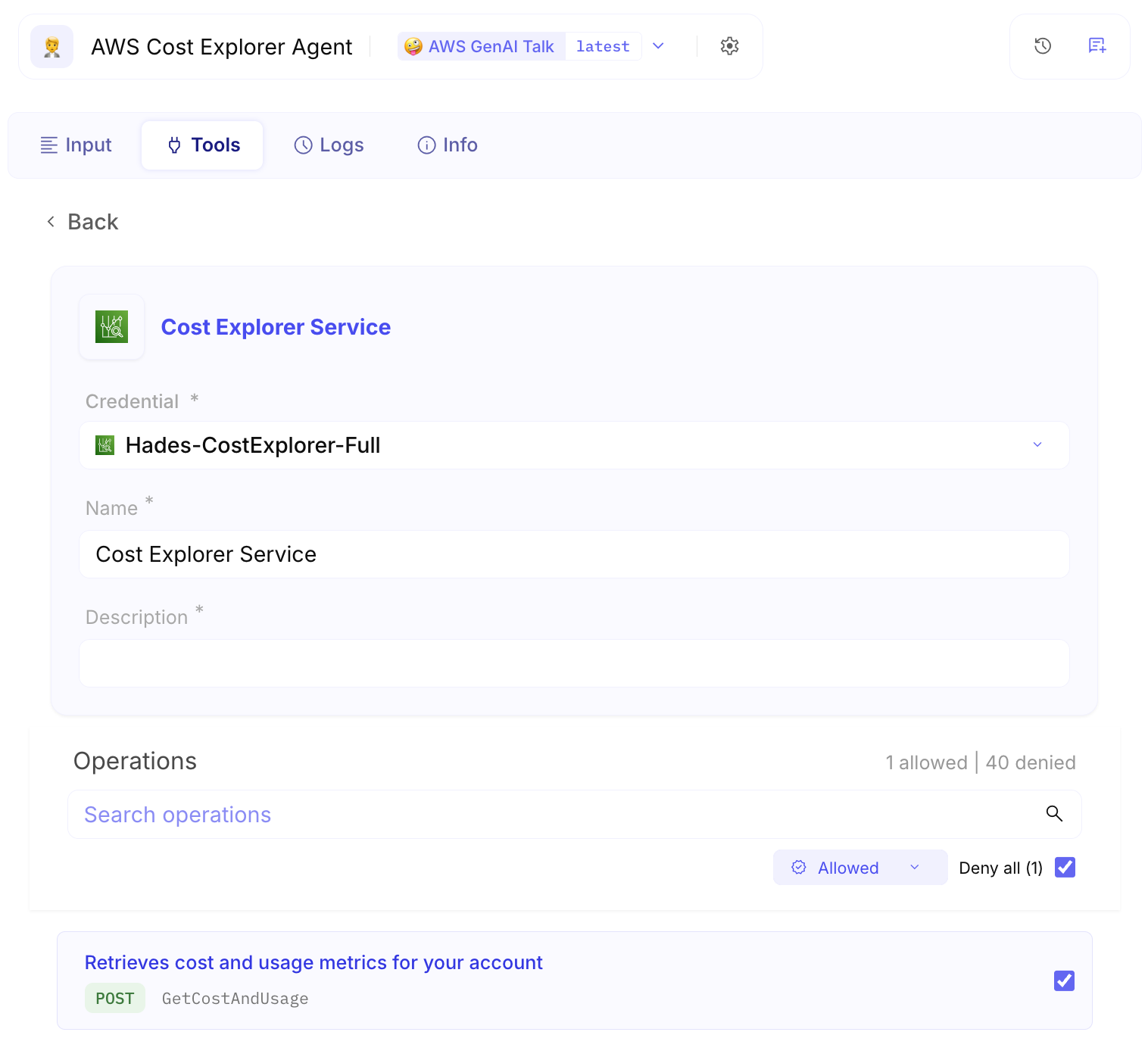
Optionally, provide it with a set of tools to extend its capabilities. These tools enable the agent to fulfill its mission by performing specific actions through their APIs. The agent uses the prompt to intelligently decide when and how to call these tools, authenticating each request using the credentials available in the selected environment.
-
Test your AI··Agent immediately in the chat panel on the right side of the screen by sending it prompts directly.
-
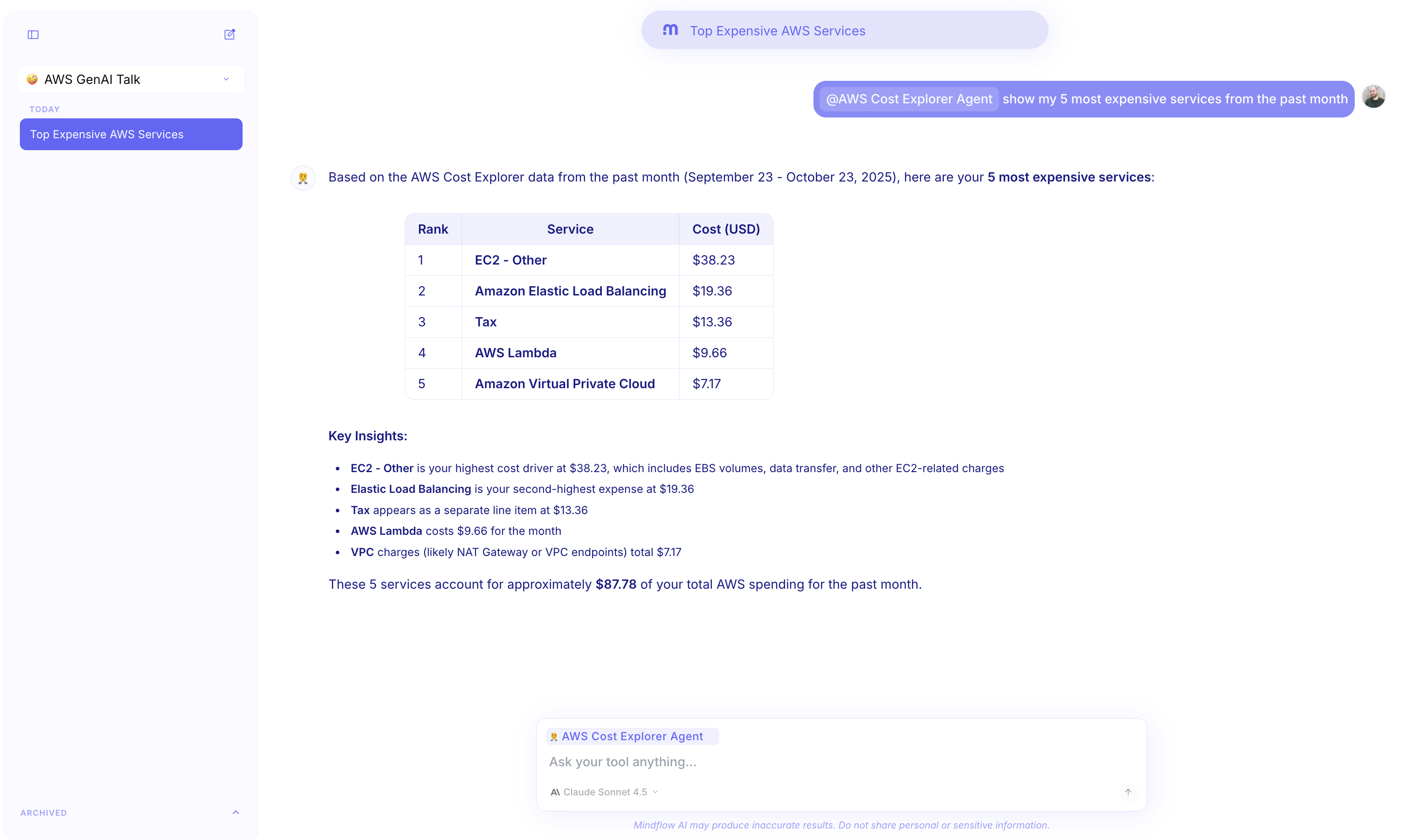
Your AI··Agent is now ready to use in AI··Rooms.
Service quotas 📊
Section titled “Service quotas 📊”Ref: #8850
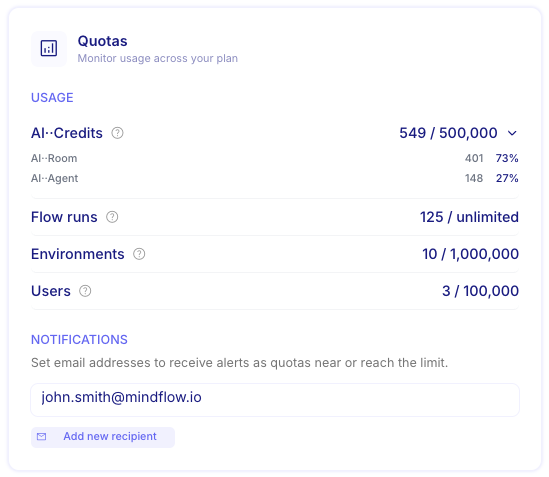
You can now view key quota counters and limits based on your pricing plan. You can monitor your consumption and usage in real-time. Additionally, you can configure email addresses to receive notifications when you are approaching each limit.
Analytics: Faster load & Time saved tracking 📈
Section titled “Analytics: Faster load & Time saved tracking 📈”Ref: #1980
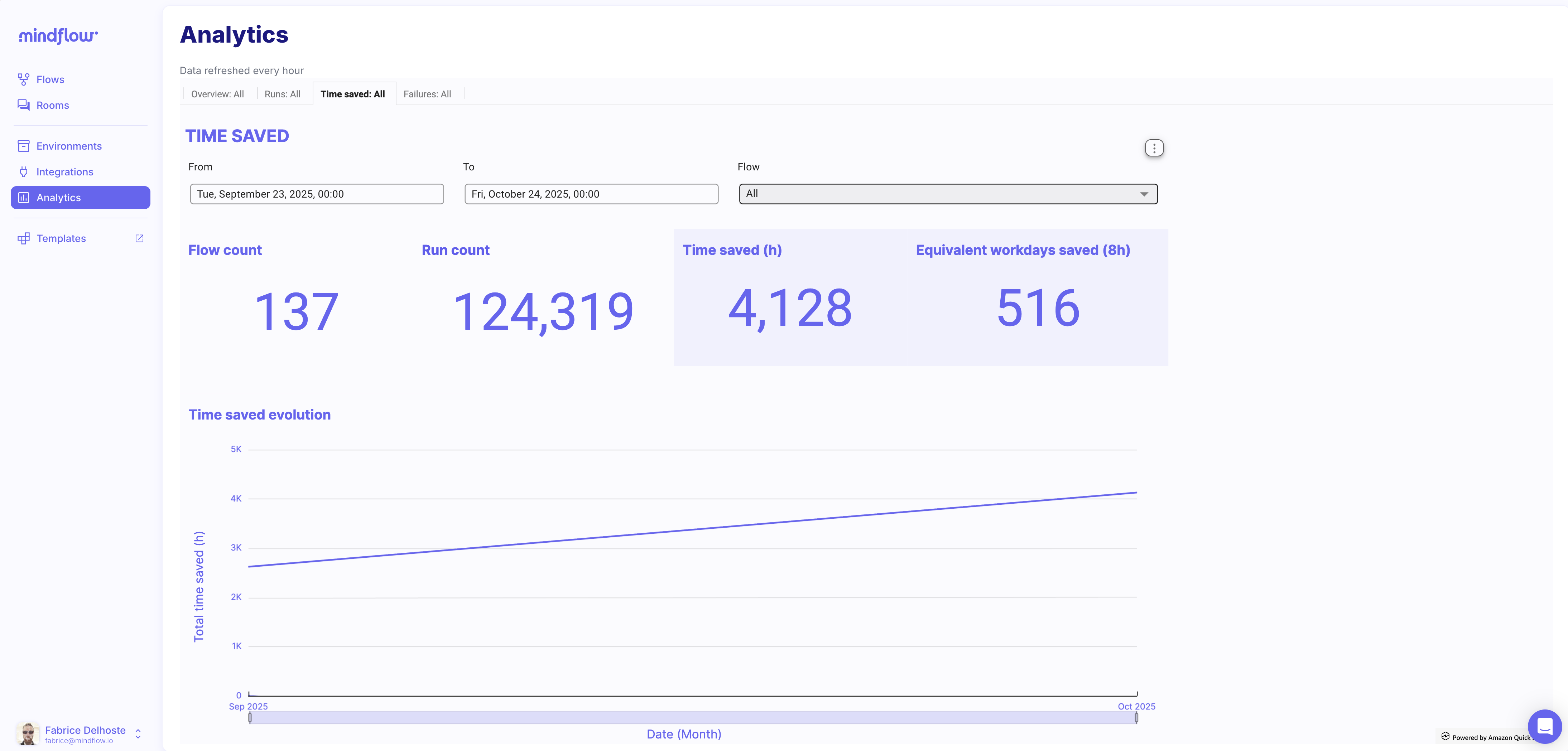
First, the analytics page now loads significantly faster thanks to a new caching mechanism with a 1-hour delay.
In addition to faster load times, we’ve introduced a powerful new way to measure the impact of your automations: Time saved tracking.
You can set the “Time saved” value in the flow settings. When you configure this value, the system will automatically calculate the total time saved based on how many times the flow executes, helping you measure the ROI of your automation.
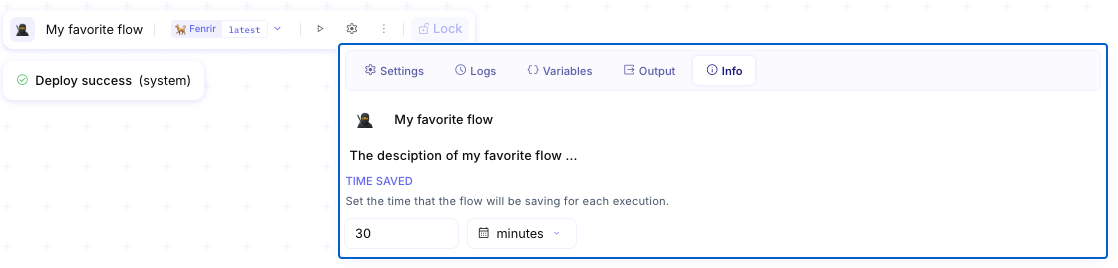
The system automatically tracks total time saved based on execution count, giving you concrete metrics to demonstrate the business value of your automations. This helps justify investments, identify high-impact workflows, and quantify productivity gains across your organization.
Bring your own LLM infrastructure 🔧
Section titled “Bring your own LLM infrastructure 🔧”Ref: #8672
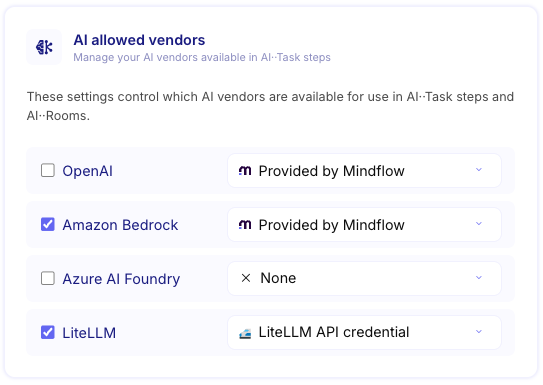
You can now connect your own LLM infrastructure to Mindflow.
Administrators can select which LLM model vendors are available to all users in the organization menu and configure their own credentials for those vendors. This means the LLM configuration and associated costs are managed entirely by your organization, giving you complete control over your AI infrastructure.
This is particularly useful for companies that already have an LLM infrastructure in place.
Edit and lock flows 🔒
Section titled “Edit and lock flows 🔒”Ref: #8883
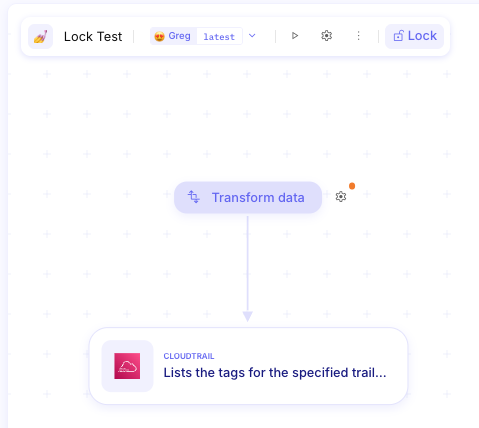
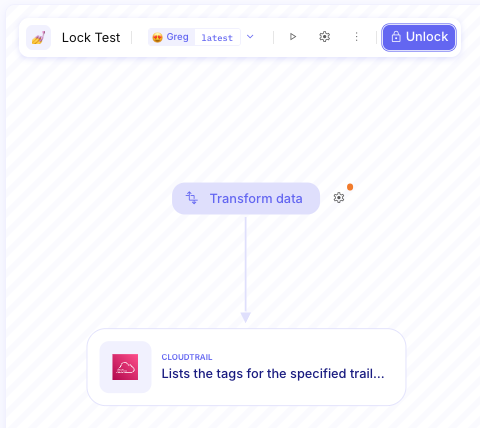
To prevent accidental modifications to sensitive flows, we’ve introduced a Lock/Unlock feature. This is a personal convenience tool that allows you to view flows in read-only mode, protecting critical configurations from unintended changes. Note that this lock is private to each user and does not affect permissions or restrict other users from editing the flow.
The lock is enabled by default for your protection. If you choose to unlock a flow, it will remain unlocked until your next login session.
CHANGES
Section titled “CHANGES”New AI integrations: Claude Sonnet 4, Azure AI Foundry, and LiteLLM 🤖
Section titled “New AI integrations: Claude Sonnet 4, Azure AI Foundry, and LiteLLM 🤖”Ref: #8771
We’re continuing to bring the best AI models to our product.
This release introduces support for Anthropic Claude Sonnet 4, Azure AI Foundry and LiteLLM, expanding your options for integrating AI models into your workflows:
- Anthropic Claude Sonnet 4 is now available. (Sonnet 4.5 coming soon!)
- Azure AI Foundry is Microsoft’s comprehensive platform for building, deploying, and managing AI applications. It provides access to a wide range of AI models, including both Microsoft’s own models and third-party offerings, with enterprise-grade security, compliance, and governance features built in.
- LiteLLM is an open-source gateway that provides a unified interface for calling 100+ LLM APIs using the OpenAI format. It acts as a translation layer between your applications and various AI providers, standardizing authentication, request/response formats, and error handling. This makes it easy to switch between providers, compare models, or implement fallback strategies.
As a reminder, Mindflow also supports the following specialized integrations:
- OpenAI is the AI company that develops the GPT language model series.
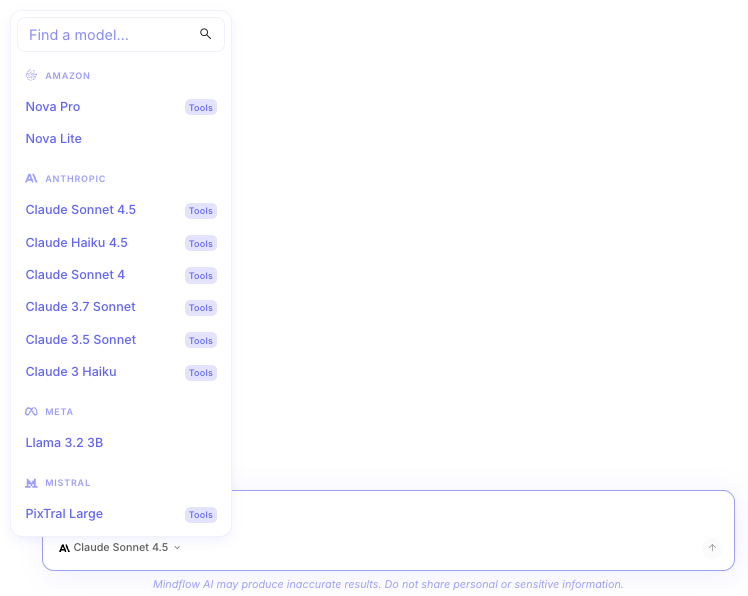
- Amazon Bedrock is AWS’s fully managed service that provides access to foundation models from leading AI companies. It offers enterprise-grade security, privacy, and responsible AI features. Models available through Amazon Bedrock include Amazon Nova, Anthropic Claude, Meta Llama, and Mistral models.
All those providers offer different latency characteristics, and compliance features to suit various enterprise needs.
Pick the model in AI··Rooms, AI··Task, and AI··Build 🧠
Section titled “Pick the model in AI··Rooms, AI··Task, and AI··Build 🧠”Ref: #8798
You can now choose the right LLM across all our AI features: AI··Rooms, AI··Task, AI··Build, and AI··QuickEdit (Ask/Guess).
Bearer Token credential 🔑
Section titled “Bearer Token credential 🔑”Ref: #533
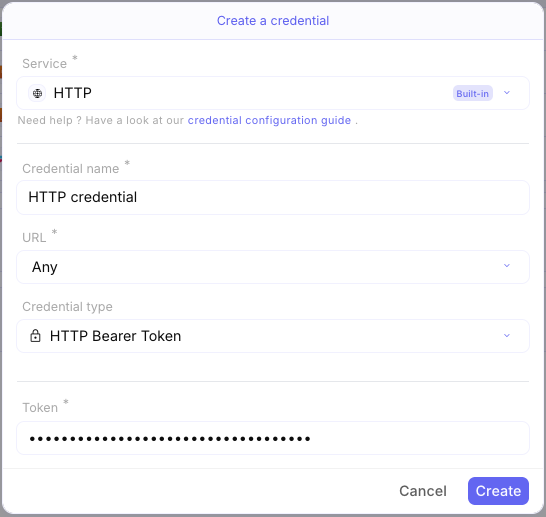
A bearer token is an access token used for API authentication. For convenience, we’ve added a dedicated “Bearer token” credential type that securely stores your token and automatically adds it to the Authorization header with the correct Bearer prefix - no manual configuration needed.
- Avatars are not displayed when SSO is not configured (#8577)
- Failed to create new CrowdStrike credentials (#8644)
- Changing the credential type doesn’t update the UI configuration (#8895)
- A trigger step should not be created within a For Each loop (#8984)
- Date picker not available for a valid JSON file (#8992)
- OpenAI Assistants API text length limit (#9019)
- Fixed a memory leak in the studio caused by buffer time in audit logs (#9036)
- Cannot see all operations in AI··Task (#9109)
- Fixed UI glitches in AI··Task (#9332)
- Fixed step inspector crash when deleting description in AI··Task (#9387)
- Fixed step inspector crash when using a function in the description (#9413)
- The ‘MSG to JSON’ function doesn’t work with Outlook-formatted messages (#9359)
- Undo/redo during text editing is not working (#8746)
- AI··QuickEdit (Ask & Guess) is missing function context (#9395)
- Fullscreen windows don’t close on outside click (#8901)
- Added Get sensor “sort” parameter for Cybereason (#9388)
- Fixed query parameter in CrowdStrike Identity Protection GraphQL API (#9033)
INTEGRATIONS
Section titled “INTEGRATIONS”- Cyber Astute Defense (version: v1)
- Fortify SSC (version: 1.25.2)
- HPE GreenLake Device Management (version: v1)
- Phishing Hunter (version: 1.0)
- Push Security (version: v1)
- Rosti (version: 2.3.2)
- Riskerra (version: 1.0.0)
- Salesforce Lightning Platform (version: 65.0)
- Servicenow Service Catalog (version: v1)
- Siemplyfier (version: v1)
- SonicOS (version: 7.0.1-12)
- Teramind Dashboard (version: v1)
- ViewDNS.info(version: 1.0.0)
KNOWN LIMITATIONS
Section titled “KNOWN LIMITATIONS”- Currently, the usage of credentials within AI··Task operations is not yet reflected in the Environments page, although all audit events are captured and stored in our platform. The Environments page is particularly valuable for tracking when and which flows last accessed specific credentials, providing essential visibility for security and compliance monitoring. We recognize the importance of this feature for comprehensive credential management and are committed to addressing this limitation in the next release, ensuring complete coverage of credential usage across all Mindflow features.