

Hippogriff
Introducing AI··Swarm: orchestrate multiple AI··Agents using your flows as tools, plus improved environment filtering, updated deletion shortcuts, bug fixes, and 14 new integrations including Snowflake, Reddit, and Google security products.__Hippogriffs are mythical creatures that are part horse and part eagle, and they are known for their incredible speed and ability to fly. In mythology, they are said to be born from the union of a mare and a griffin, and they symbolize the impossible becoming possible
- Listen on your favorite platform
AI··Swarm 🐝
Section titled “AI··Swarm 🐝”Ref: #9547
AI··Task can now orchestrate swarms of AI··Agents (AI··Swarm) that work together using your existing flows as tools, in addition to services. Multiple specialized agents can collaborate, leveraging the automations you’ve already built to accomplish complex goals through distributed intelligence and coordinated task execution.
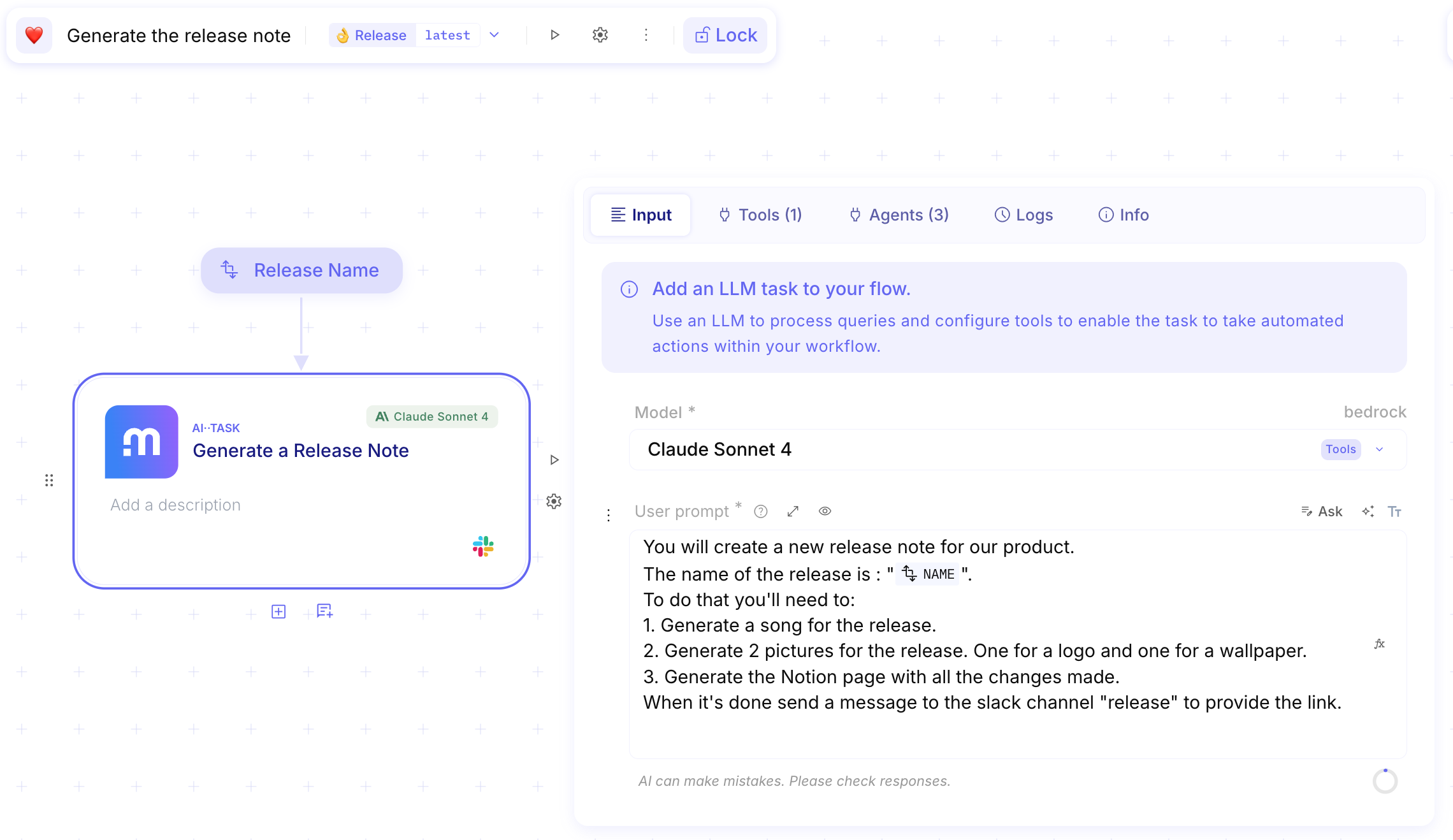
Here’s an example of how to build a swarm to generate this release note. This flow demonstrates AI··Swarm in action: a supervisor AI··Task coordinates multiple specialized agents, each handling different aspects of the release note creation process—from drafting content to communicating with the team to performing complex formatting and organization tasks.
-
A supervisor AI··Task orchestrates the process by delegating work to specialized flows. The supervisor agent receives a prompt that defines the expected outcomes and guides the overall coordination.
-
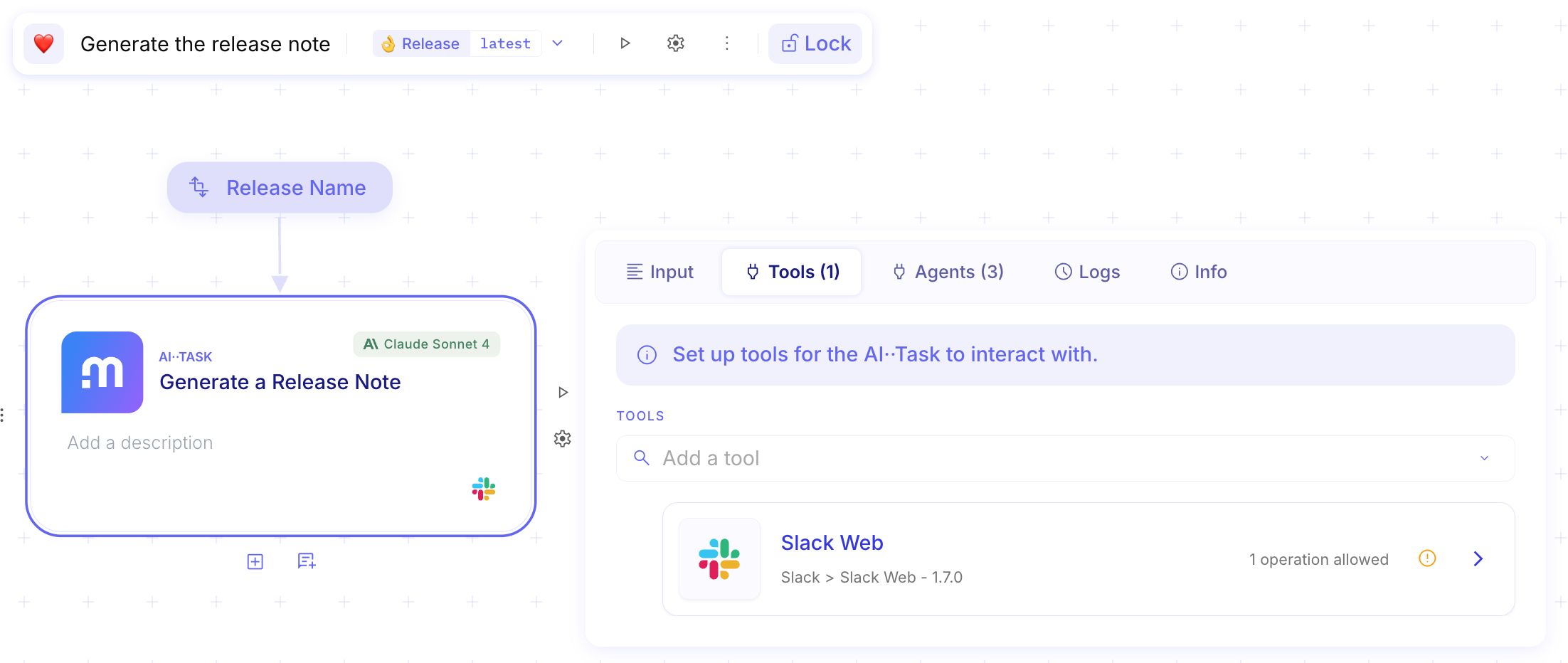
You can attach a vendor service to this supervisor AI··Task, as already supported by Mindflow. Here’s an example using Slack so the supervisor can send the final message.
-
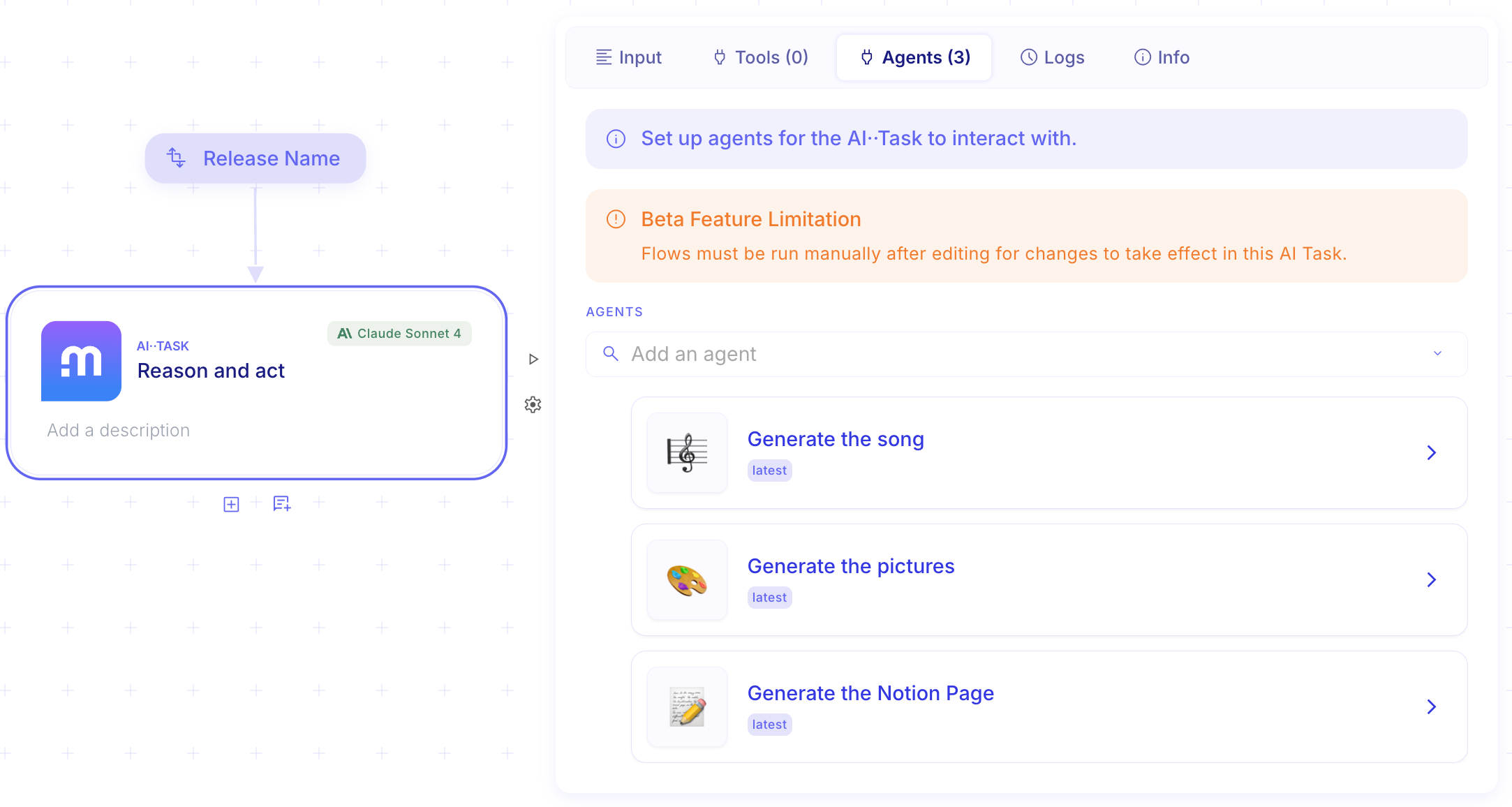
New: You can now add flows—whether no-code or agentic—as tools for agents to accomplish their mission as defined in the prompt. Here’s an example with three underlying AI flows deployed to the same environment.
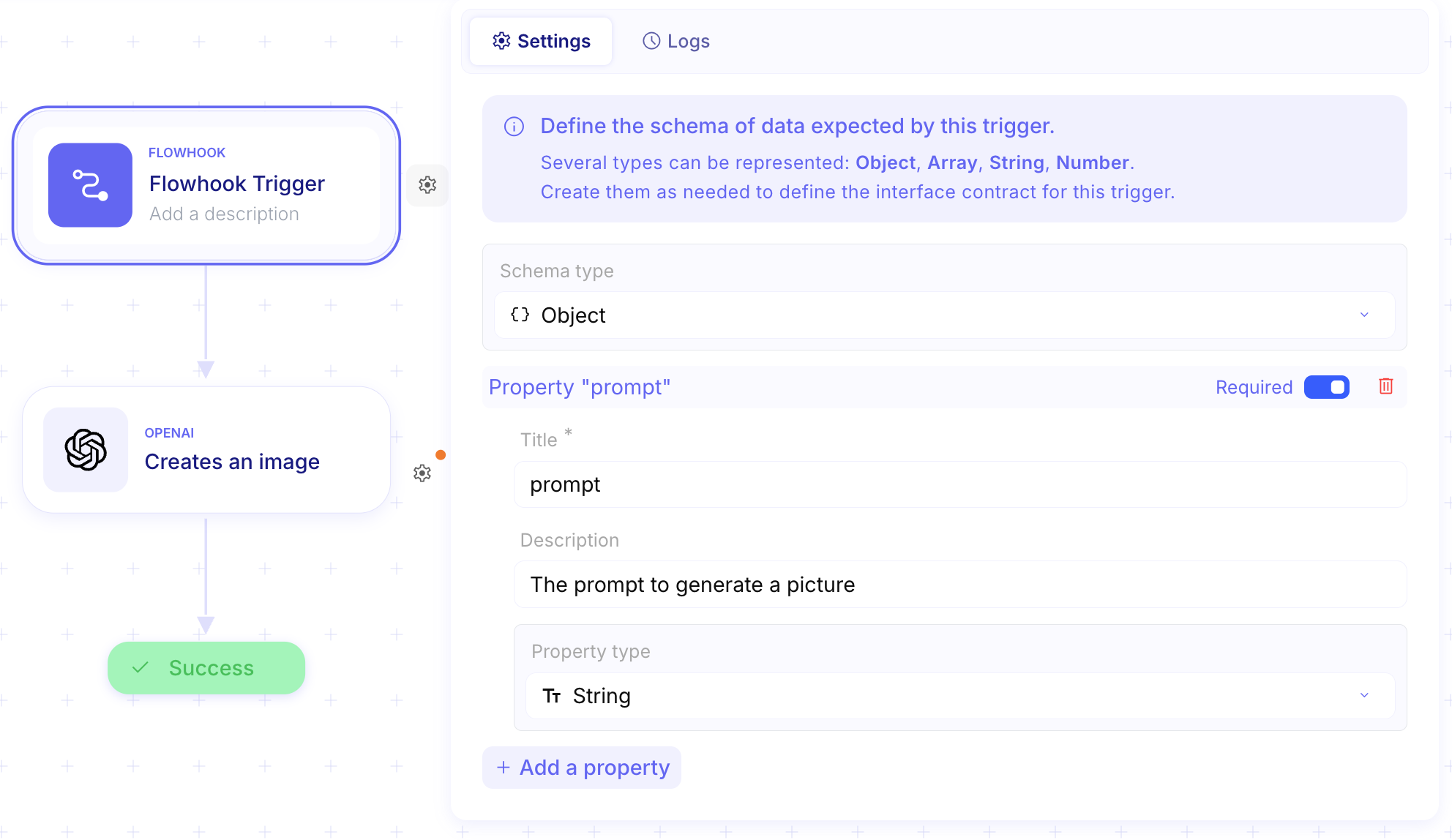
To enable your flow to be called by an AI··Task, it needs:
-
A name and description. This is important for AI inference.
-
A Flowhook Trigger to define the expected input data. Choose your property names and descriptions wisely for better results.
-
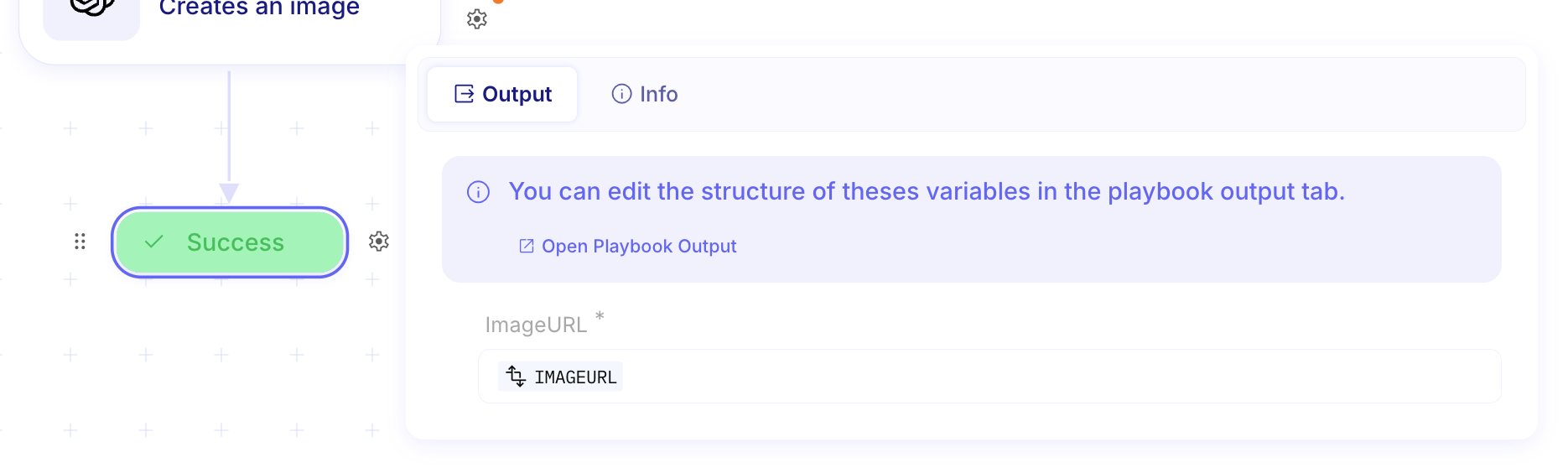
A Success Step to define the output of the flow
CHANGES
Section titled “CHANGES”End of life for Node.js 18 in Run Script step (6 months notice) ⚠️
Section titled “End of life for Node.js 18 in Run Script step (6 months notice) ⚠️”Node.js 18 will be deprecated in the Run Script step in 6 months. Upgrade now to Node.js 22 to ensure continued support and access to the latest features and security updates.
Existing workflows using Node.js 18 will continue to run during this transition period. We recommend upgrading to Node.js 22 before the end of this grace period to ensure uninterrupted operation.
Required actions
Section titled “Required actions”- Review existing Run Script steps that use Node.js 18.
- Make a copy of your existing script (or use the versioning)
- Test your scripts with Node.js 22 to identify compatibility issues.
- Check for breaking changes between Node.js 18 and 22 that might affect your code and update deprecated APIs or syntax that may no longer be supported.
- Migrate your scripts to Node.js 22 before the deprecation deadline.
Enhanced environment filter 🔍
Section titled “Enhanced environment filter 🔍”Ref: #9753
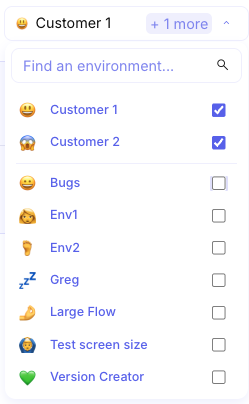
Selected environments will now stay on the top of the list, making it much more convenient to quickly access and work with your most frequently used environments.
Delete shortcut now requires Ctrl/Cmd ⌨️
Section titled “Delete shortcut now requires Ctrl/Cmd ⌨️”Ref: #10403
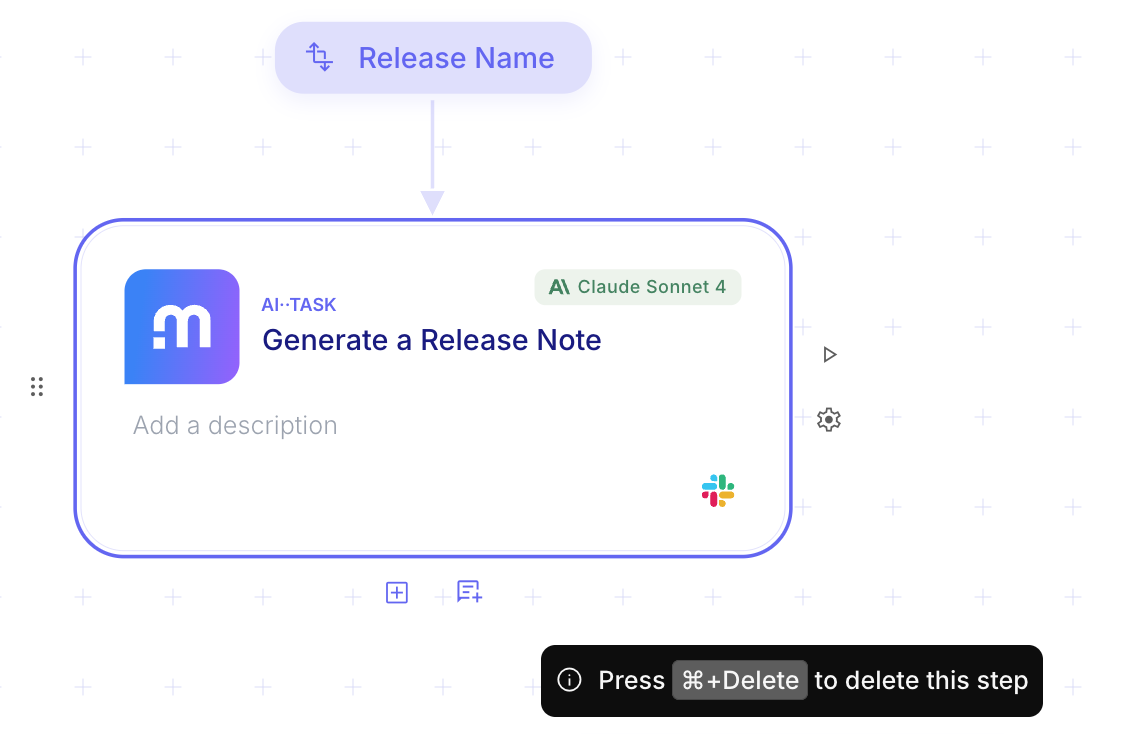
To prevent accidental deletions, the delete shortcut now requires Ctrl+Delete (Windows) or Cmd+Delete (macOS), whereas previously only the Delete key was needed.
AWS Assume role credential supports External ID
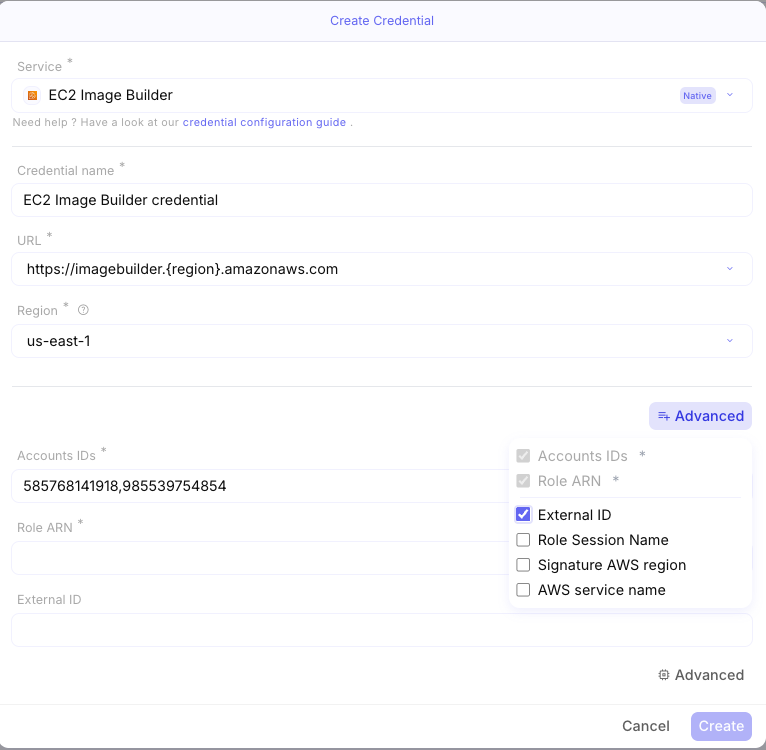
Section titled “AWS Assume role credential supports External ID”Ref: #718 To strengthen security when assuming AWS roles, we have added support for External ID in the AWS assume role credential.
- HTTP body and other data not visible in read-only/viewing mode. (#9020)
- The ‘Ask AI’ feature in the transform data step continues thinking indefinitely. (#9709) (#9709)
- AI credentials cannot be reset to their default values on the organization page. (#9720)
- Creating a credential with the advanced button incorrectly redirects to the
Connectioncredential type. (#9713) - The ↑ (
Up) arrow no longer retrieves the previous prompt in AI··Rooms. (#10107)
INTEGRATIONS
Section titled “INTEGRATIONS”- Atlassian Confluence Data Center (version: 10.2.0)
- Billing Platform (version: 1.0)
- Cisco Secure Orbital (version: 0.0.1)
- Egencia (version: v1)
- Google Attack Surface Management (version: 1.0)
- Google Digital Threat Monitoring (version: 1.0)
- Grain Personal (version: 10-07-2025)
- Grain Workspace (version: 10-07-2025)
- Nanitor (version: 1.2.0)
- NocoDB (version: v3)
- Onyx (version: 2025.11.12-0128)
- Reddit (version: 1.0.0)
- Rootly (version: v1)
- Snowflake (version: 0.0.1)
- Vectra (version: v2.5)