

Minotaur
Major release introducing AI··Tasks with persistent memory, flow-to-flow invocation, seamless deployments, custom credential management, simplified IP management, Gemini AI models integration, improved security features, and numerous workflow reliability fixes. The Minotaur’s labyrinth on Crete was said to be so complex that even its creator, Daedalus, could barely escape it himself - making it history’s ultimate example of overengineered architecture
- Listen on your favorite platform
AI··Tasks now remember context across executions 🧠
Section titled “AI··Tasks now remember context across executions 🧠”Ref: #10979,#11148
Your AI··Tasks can now maintain persistent memory across multiple executions, enabling them to remember important information and build upon previous conversations. Each AI··Task run also indicates whether that job will write updates back to memory.
Memory configuration options
Section titled “Memory configuration options”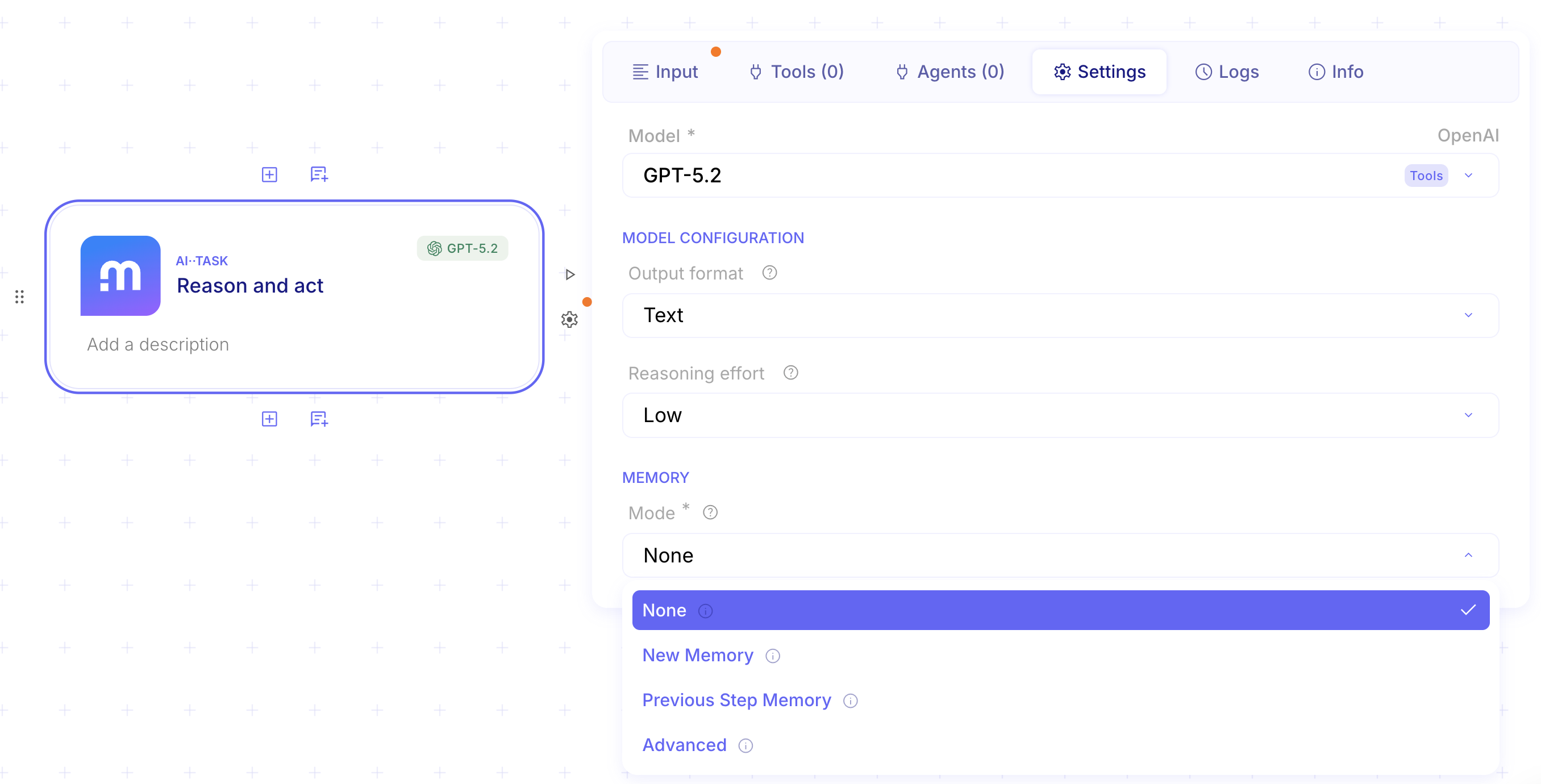
-
None: No memory is stored between runs.
- Use case: One-off transformations like summarizing a single email or extracting fields from one document, where prior context could be noisy or risky.

-
New Memory: Creates a fresh memory context for this task run.
- Use case: Kick off a new project thread, such as onboarding a new customer, where you want continuity within that project but separation from everything else.

-
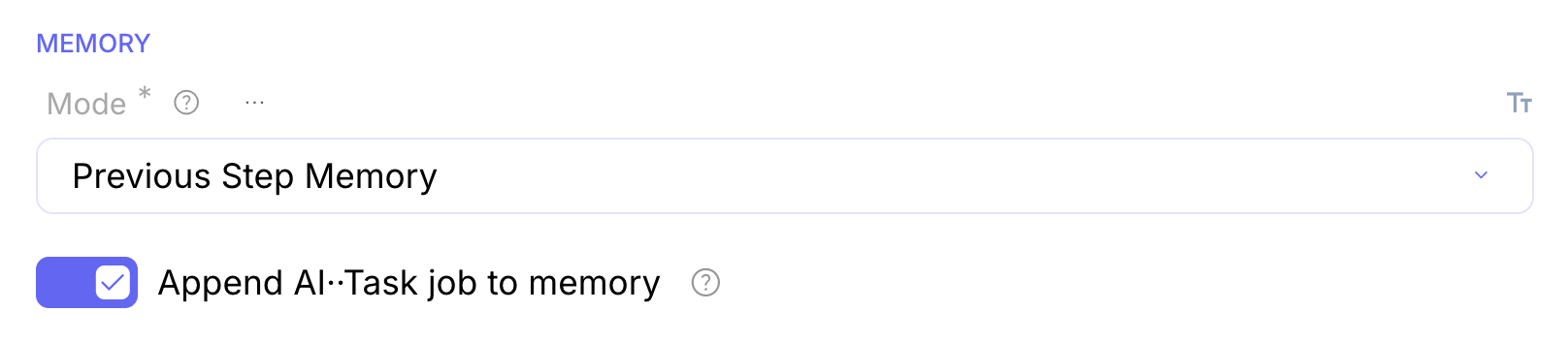
Previous Step Memory: Reuses the memory context created earlier in the same flow execution.
- Use case: Multi-step flows where earlier steps capture requirements and later steps draft outputs, so the task stays consistent without re-passing the full context each time.
-
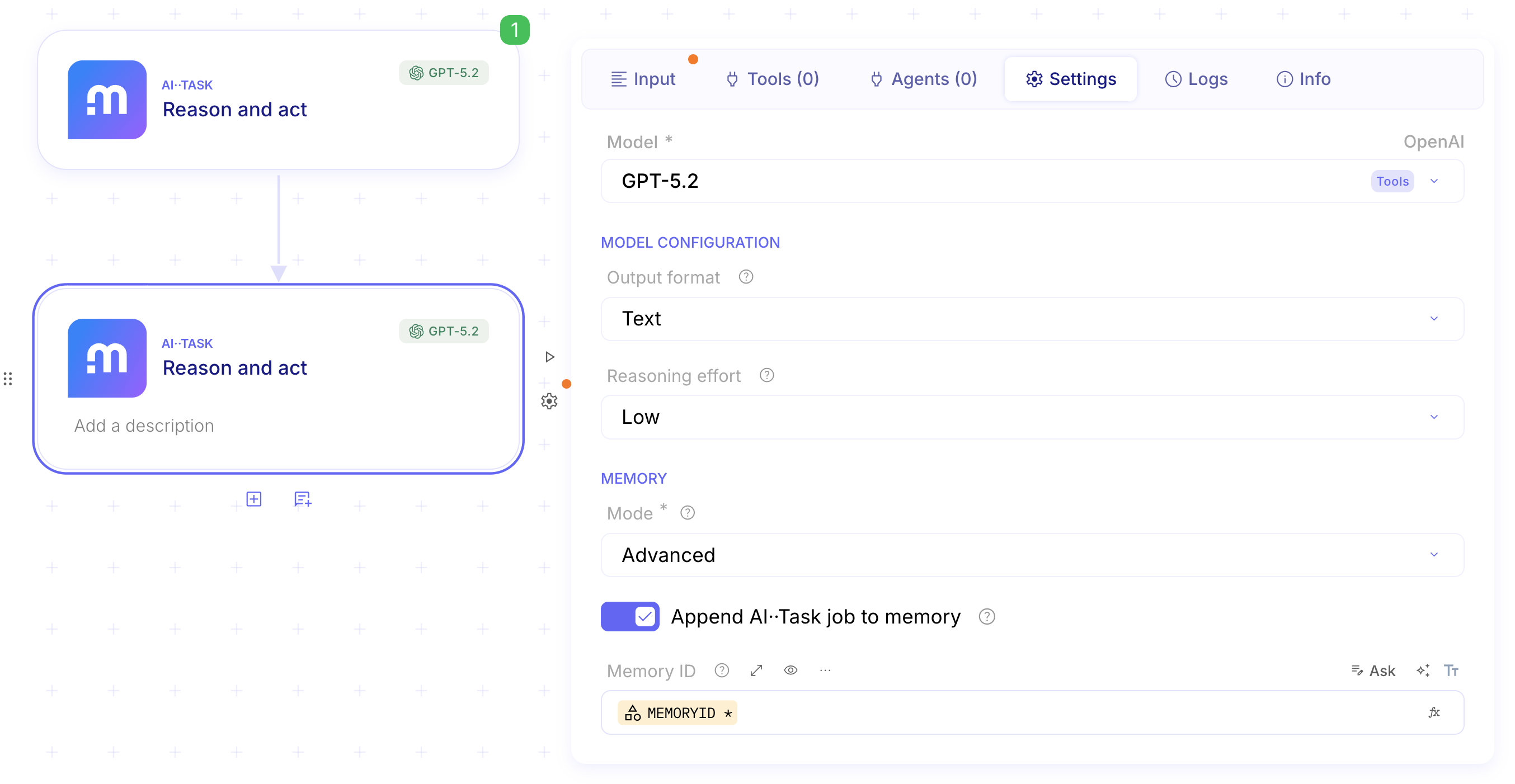
Advanced: Select or control memory behavior explicitly, such as choosing a specific memory context.
- Use case: Shared but scoped assistants, like an internal IT helper that uses a per-team memory context while keeping other teams fully isolated.*
Invoke flows from other flows 🔗
Section titled “Invoke flows from other flows 🔗”Ref: #10980,#10996
You can now call one flow from another flow, enabling you to create more modular and reusable automation workflows. This powerful feature allows you to break down complex processes into smaller, manageable components and chain them together seamlessly.
In the following example we will create a “child flow”
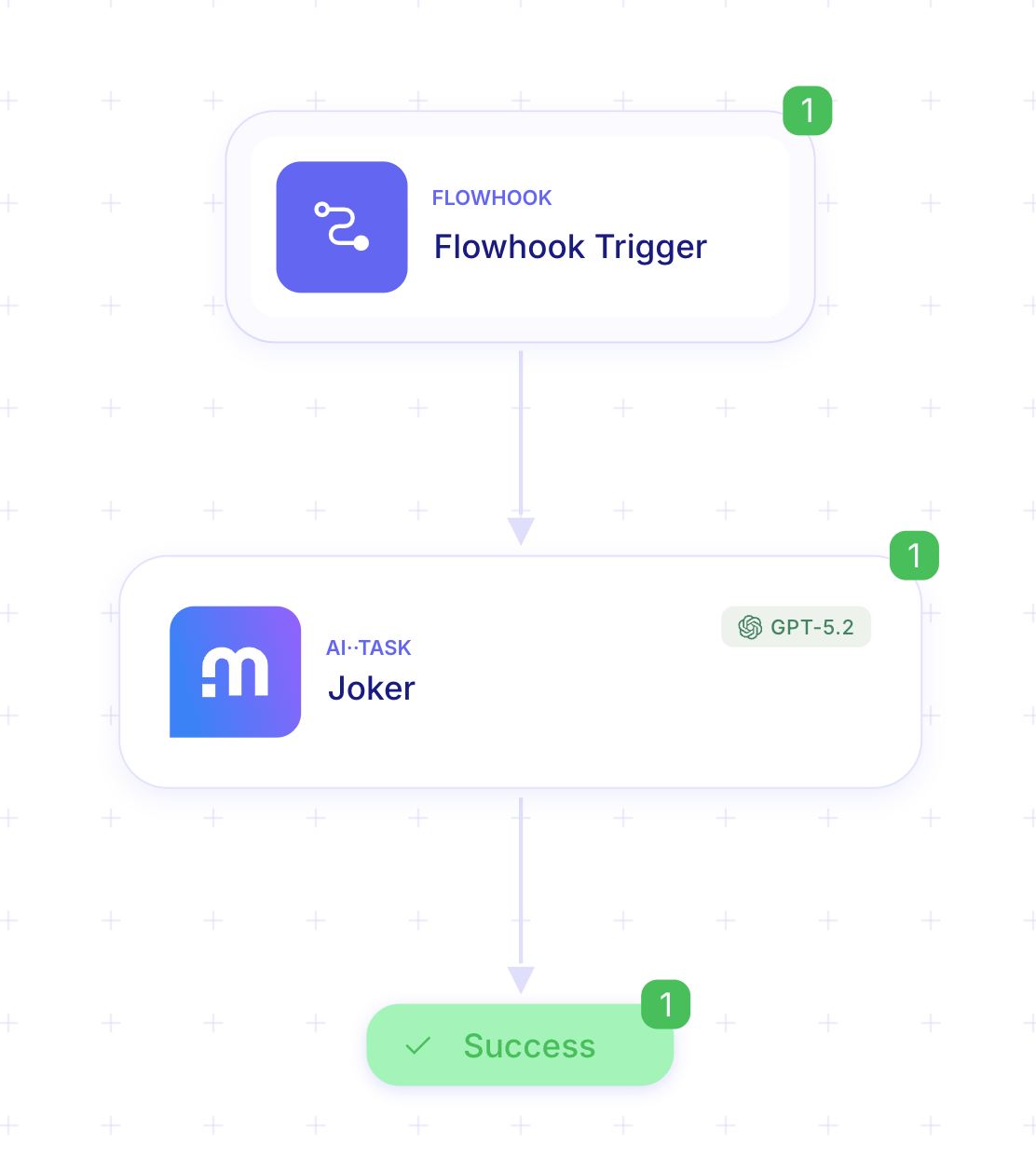
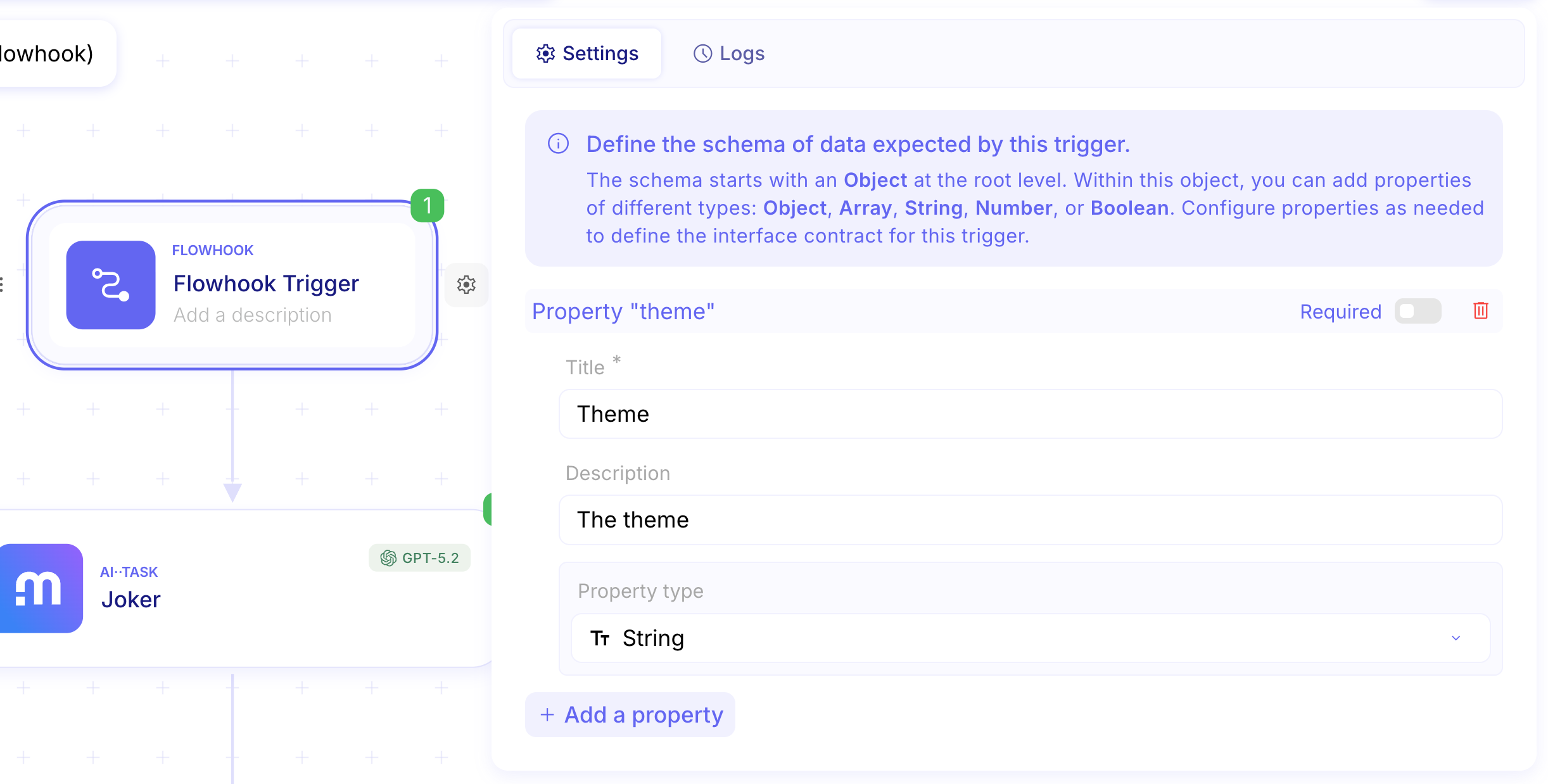
What makes this flow callable by another flow is the first step. The Flowhook Trigger.
This step allows you to set up the expected data for a call.
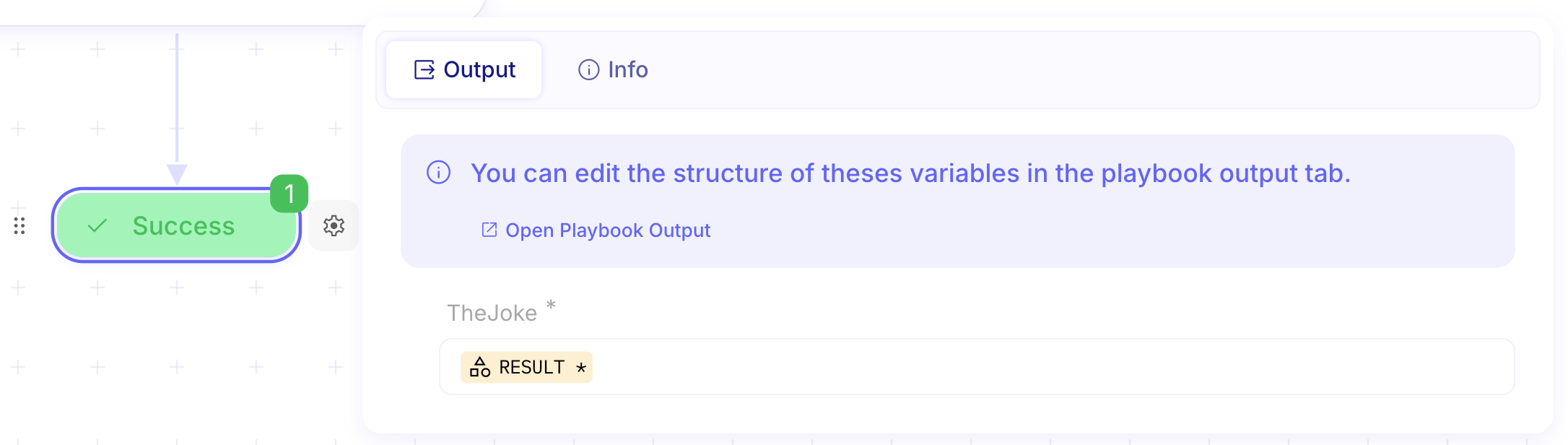
The last step, Success, lets you set up the flow’s output data.
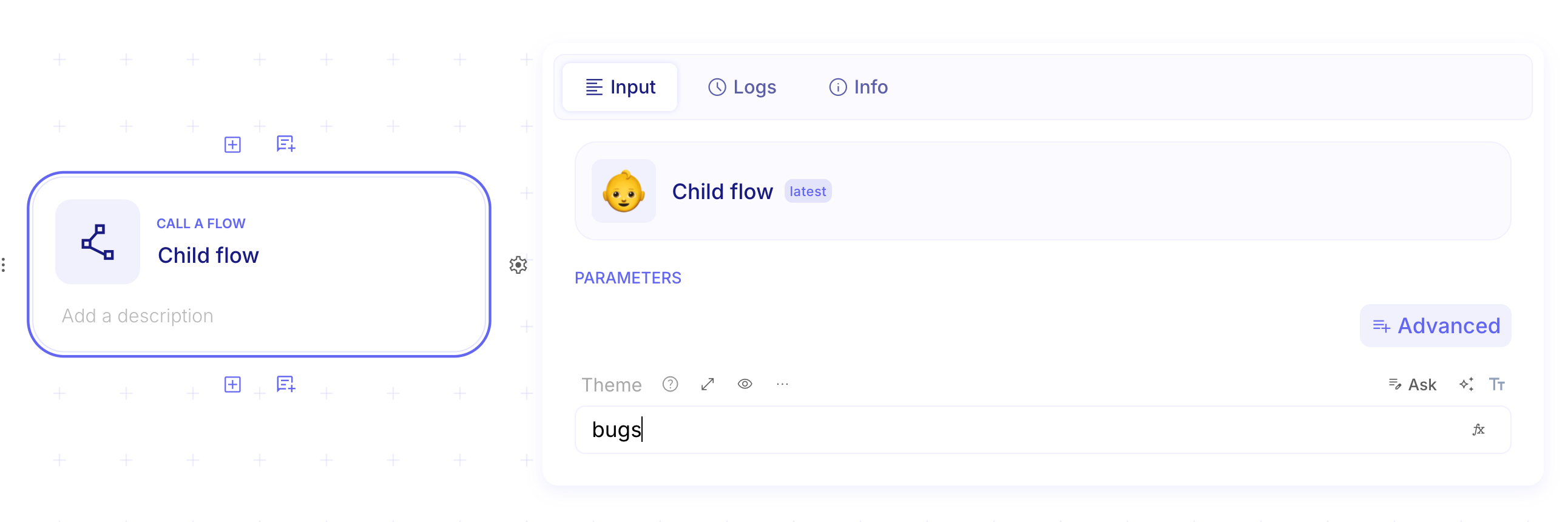
From the parent flow, add a Call a Flow step and search for the Child flow.

IP Whitelisting 🔒
Section titled “IP Whitelisting 🔒”Ref: #11260,#9229
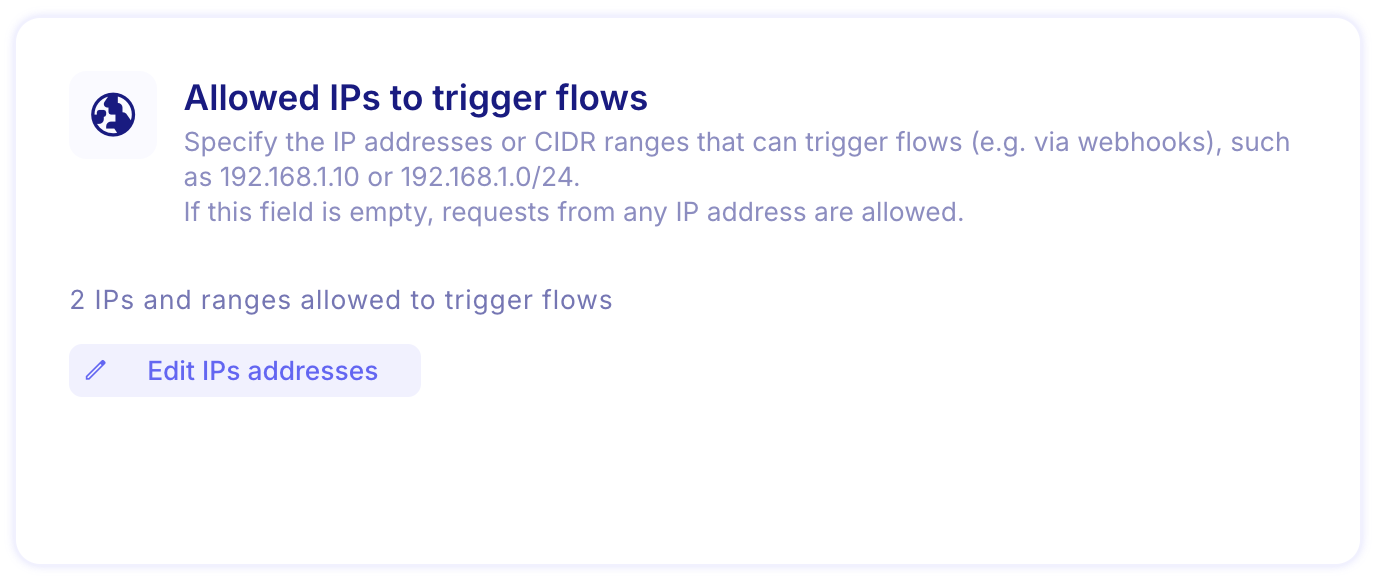
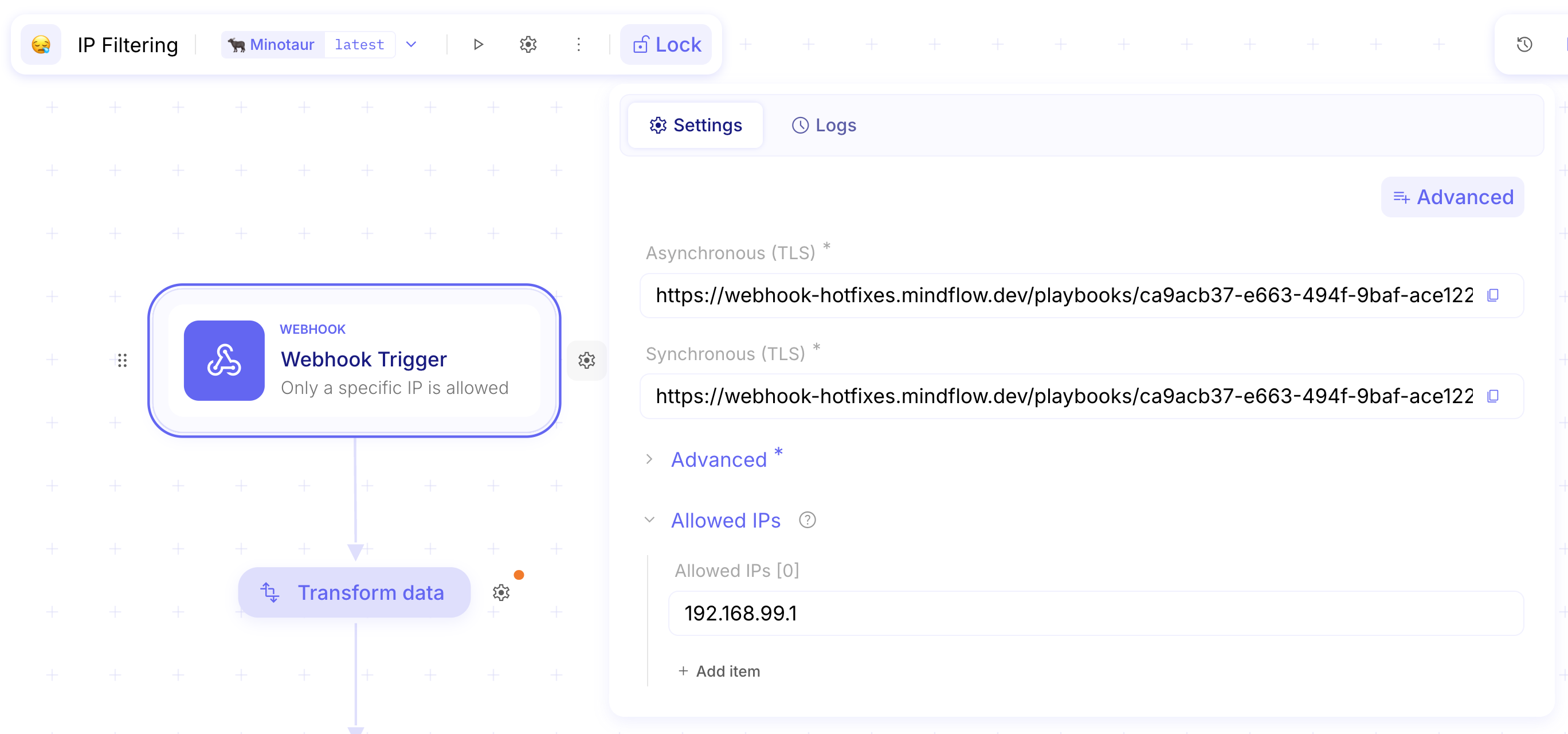
You can now manage IP filtering at two levels. Organization-level IP filtering is configured by an Admin in organization settings. Flow-level IP filtering is configured by the flow builder and can only further restrict access within the organization-level rules, never expand them. When configuring IP allowlists, you can provide a single IP, an array of IPs, or a CIDR range, making IP management more accessible and efficient.
-
Configuration at the organization level
-
Configuration at the flow level
Gemini AI models now available for your applications 🤖
Section titled “Gemini AI models now available for your applications 🤖”Ref: #11303
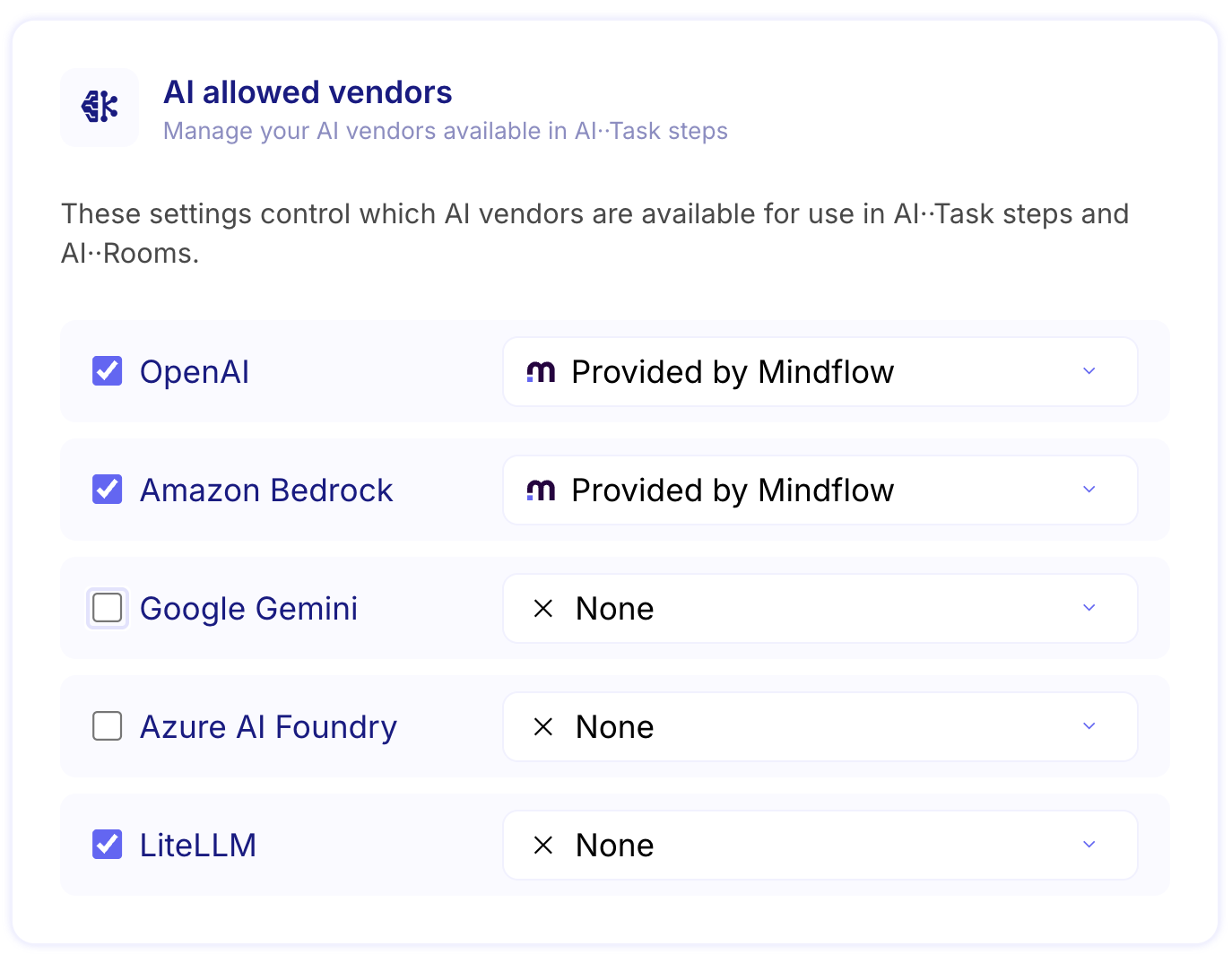
You can now create and select Google’s powerful Gemini large language models directly within your AI-powered applications. This integration expands your model options, giving you access to Gemini’s advanced capabilities for enhanced AI··Task performance across various use cases. **
CHANGES
Section titled “CHANGES”Improved support for BMC Helix ITSM 🔐
Section titled “Improved support for BMC Helix ITSM 🔐”Ref: #11222
A custom BMC Helix ITSM credential has been added to improve usability.
Enhanced email whitelisting with wildcard support 📧
Section titled “Enhanced email whitelisting with wildcard support 📧”Ref: #9228
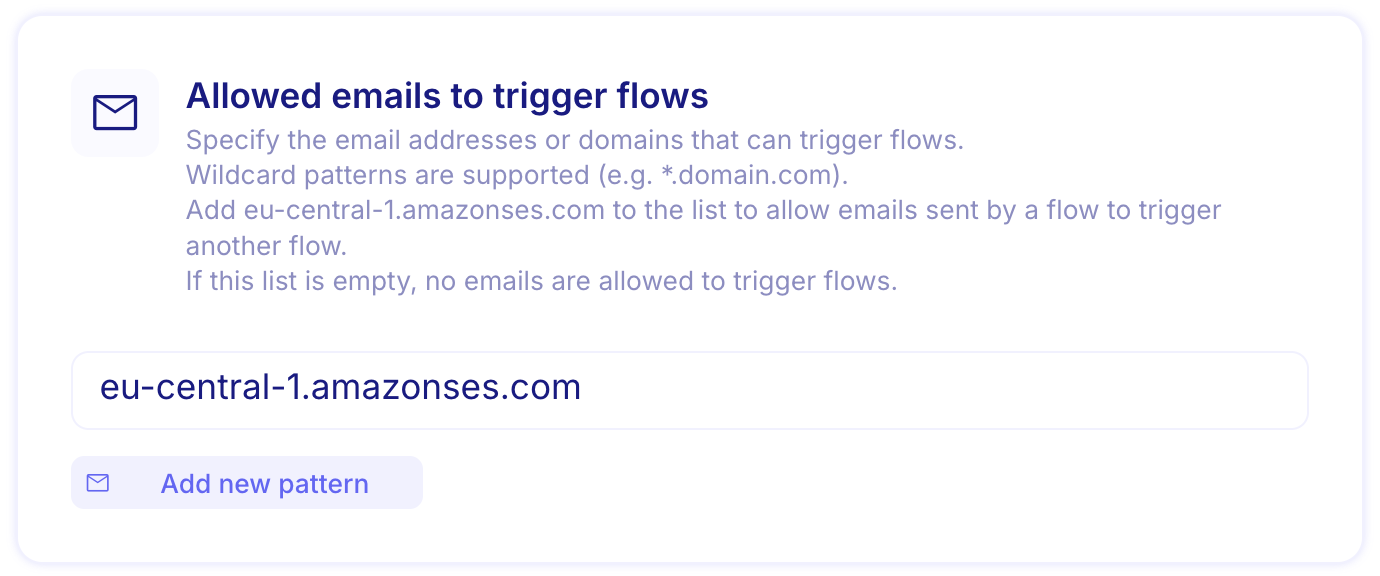
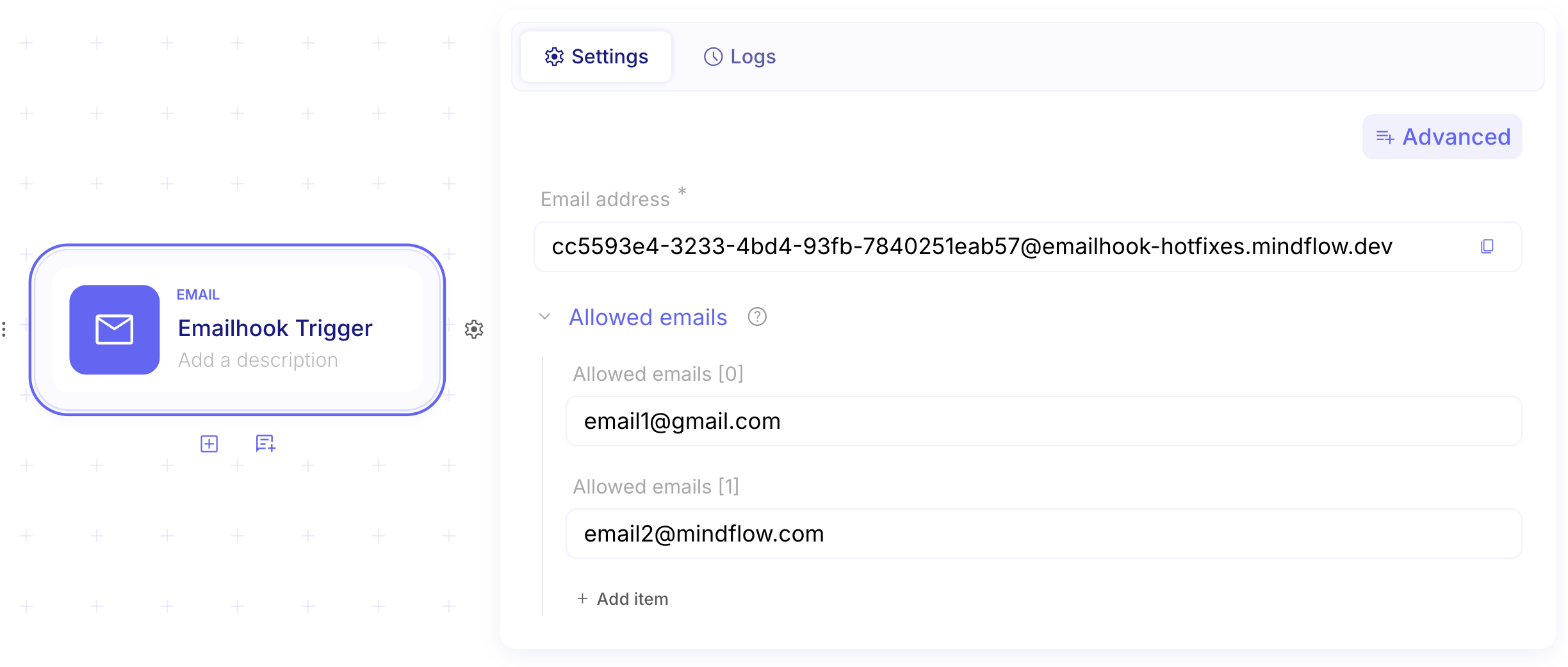
You can now create more flexible email whitelists to trigger your flows with support for wildcards. This enhancement allows you to specify email patterns (like @company.com) to automatically accept emails from entire domains or specific email formats, giving you greater control and convenience when managing which emails can activate your automated workflows.*
-
Configuration at the organization level
-
Configuration at the flow level
Flow reruns now work consistently across all trigger types 🔄
Section titled “Flow reruns now work consistently across all trigger types 🔄”Ref: #10653
You can now reliably rerun flows that were originally triggered by webhooks or email hooks. Previously, reruns only worked for manually executed flows, but we’ve improved the system to properly reuse the original payload data, ensuring consistent behavior regardless of how your flow was initially triggered.
Enhanced data handling for Success steps 🚀
Section titled “Enhanced data handling for Success steps 🚀”Ref: #11184
Success steps can now handle and return large datasets more efficiently. You can process bigger data volumes in your flows while keeping Flow hooks, Success, and HTTP Request steps responsive, regardless of data size.
Improved AI service reliability and stability 🛡️
Section titled “Improved AI service reliability and stability 🛡️”Ref: #11331
We’ve enhanced the reliability of AI features by implementing automatic retry mechanisms that handle temporary service interruptions. This improvement ensures that AI-powered functionality works consistently without disruptions, providing you with a smoother and more dependable experience when using AI capabilities.
Enhanced error messaging for better troubleshooting 🔧
Section titled “Enhanced error messaging for better troubleshooting 🔧”Ref: #11354
Error messages from external vendors are now clearer and more informative, making it easier to understand what went wrong and where the issue originated. When something doesn’t work as expected, you’ll receive more detailed explanations that help you quickly identify and resolve problems, reducing troubleshooting time and improving your overall experience.
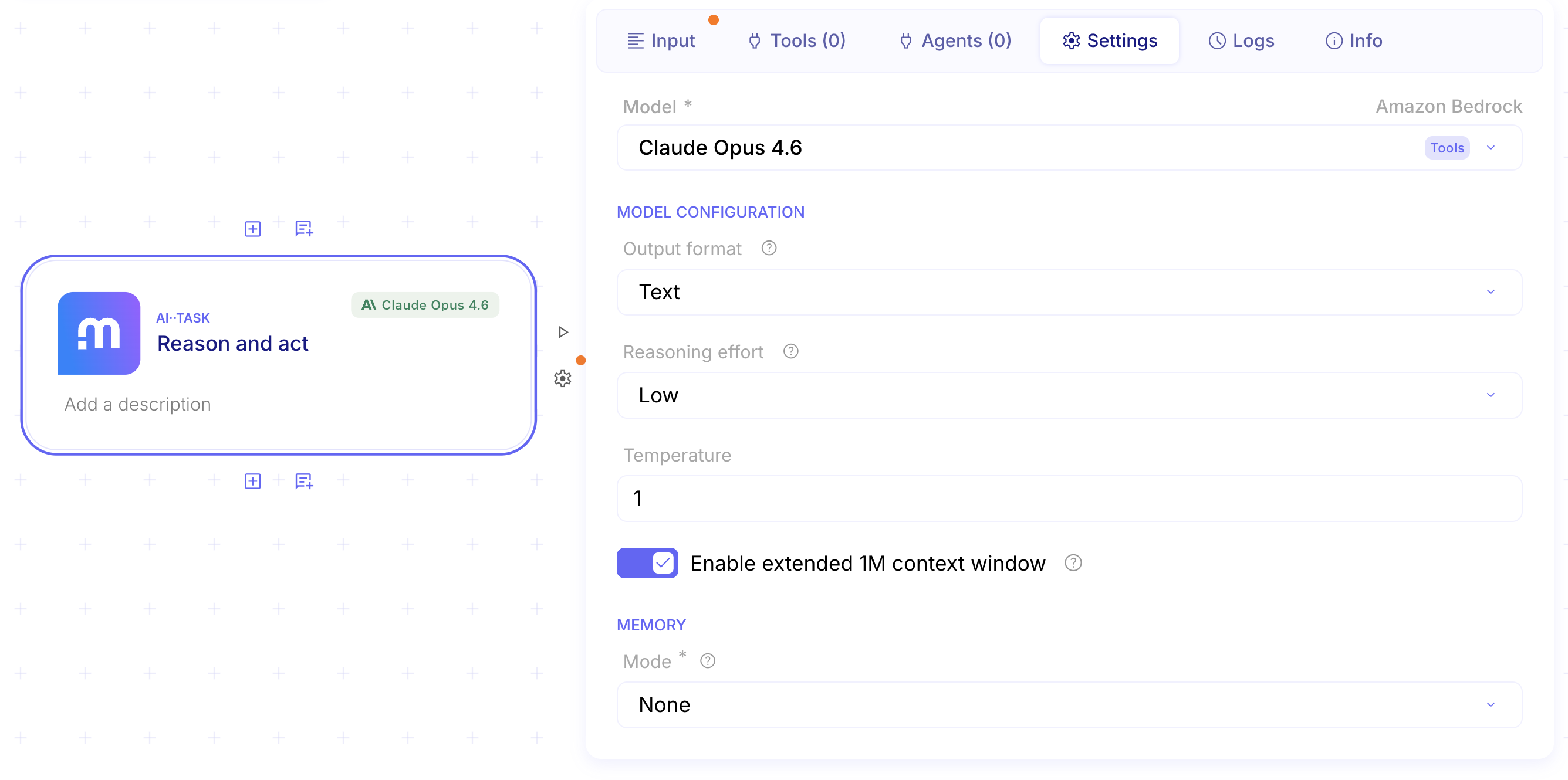
Extended 1M context window support for Bedrock Claude models 🧠
Section titled “Extended 1M context window support for Bedrock Claude models 🧠”Ref: #11376
You can now leverage an extended 1 million token context window with Bedrock Claude Opus 4.6 and Sonnet 4.6 models. This enhancement allows you to process significantly larger documents, maintain context across longer conversations, and work with more complex multi-part queries without losing important details. Perfect for analyzing extensive reports, lengthy codebases, or conducting in-depth research sessions where maintaining full context is crucial.
- Fuzzy search functionality is not performing as expected (#11006)
- Crash in inspector when searching for strings in functions (#11016)
- Fail to enforce AI··Task output format. (#11064)
- Credentials disappear when updating credential mapping (#11111)
- Audit Log Freezing Issue on Jira/Confluence Steps (#11151)
- Page should not refresh when updating role on organization page (#11179)
- Tooltip Scrolling and Screen Overflow Issue (#11169)
- Failed to interpolate URL (#11181)
- Conditional Step Bug - Parent Step Linking and Missing Steps (#11186)
- Data picker source step effect persists after closing step inspector (#11187)
- Too long names in the conditional step (#11219)
- Large payloads become inaccessible after a few days despite TTL being set to 1 week (#11224)
- Pill evaluation in foreach loops (#11231)
- Fixed maximum size of popover search environment (#11244)
- Notification quota emails are resent when new delivery (#11237)
- Display step name in duplicate link error messages (#11236)
- AI··Build Chat - Suggestion Button Click Issues (#11268)
- Canvas Zoom Speed Issue (#11269)
- Scheduler validation regression for dates close to current time or in the past (#11295)
- Credential Presets and Vendors can be called in AI··Rooms (#11305)
- The Run Script step showed Node.js in the UI but ran Python instead. (#11311)
- Functions are not persisting in the memoryId field of AI··Task (#11312)
- Agent logs showed a storage handle instead of the input data. (#11333)
- Display credential version (#11336)
- AI··Task could time out and fail the workflow. (#11347)
- Steps with resume functionality can now be executed within ForEach loops (#11441)