

Neo
Supercharge your flows with enhanced security, fresh templates, and robust data handling. Fun fact: The character Neo, played by Keanu Reeves in ‘The Matrix’ series, was originally offered to Will Smith, who turned it down to star in ‘Wild Wild West’
Ease of use and enhanced security with credential URL management 🔐
Section titled “Ease of use and enhanced security with credential URL management 🔐”Ref: #4240
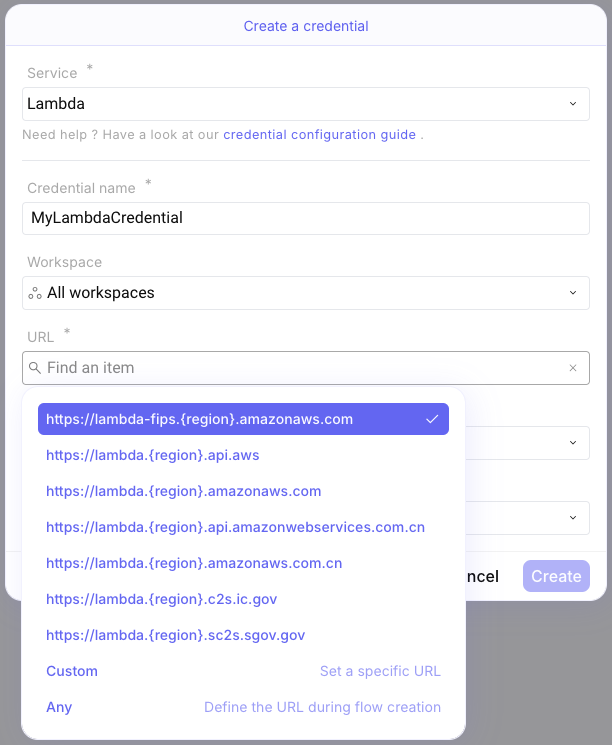
When creating a credential, you now have additional options to enforce a URL to be used with the credential.
As shown in the screenshot below, there are three options:
Vendor-provided URLs: Enforces the use of the specified URL with the credential.Custom: Allows you to enter and enforce the URL of your choice with the credential.Any: Places no restriction on the URL, meaning the credential can be configured with any targeted URL in flows using this credential.
These options bring significant security and convenience enhancements:
- Security: By enforcing specific URLs, you reduce the risk of credentials being misused on unauthorized or malicious servers. This helps ensure that your credentials are only used with trusted and intended services when configuring steps in your flows.
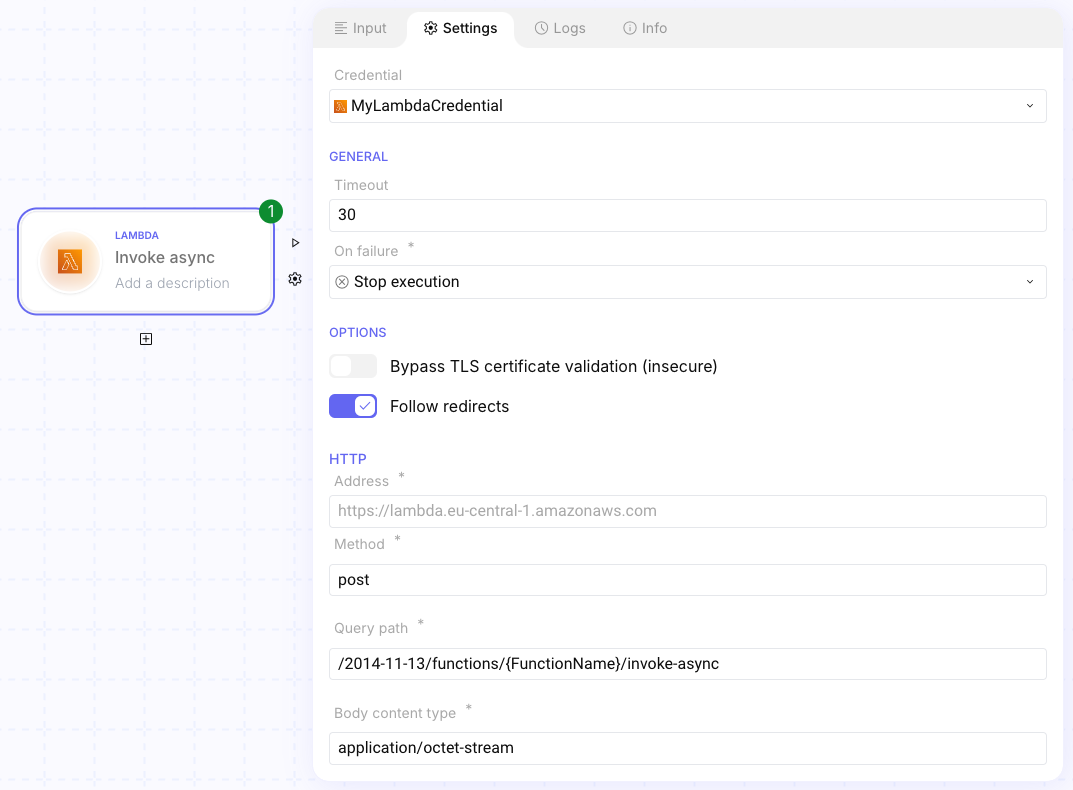
- Convenience: It avoids the need to repeatedly configure URLs for multiple steps in a flow. Once the URL is set in the credential as vendor-provided or
Custom, it applies to all concerned steps, saving time and reducing the chance of configuration errors.
Here is an example with AWS Lambda service:
Catalog of templates 🗃️
Section titled “Catalog of templates 🗃️”Ref: #4883
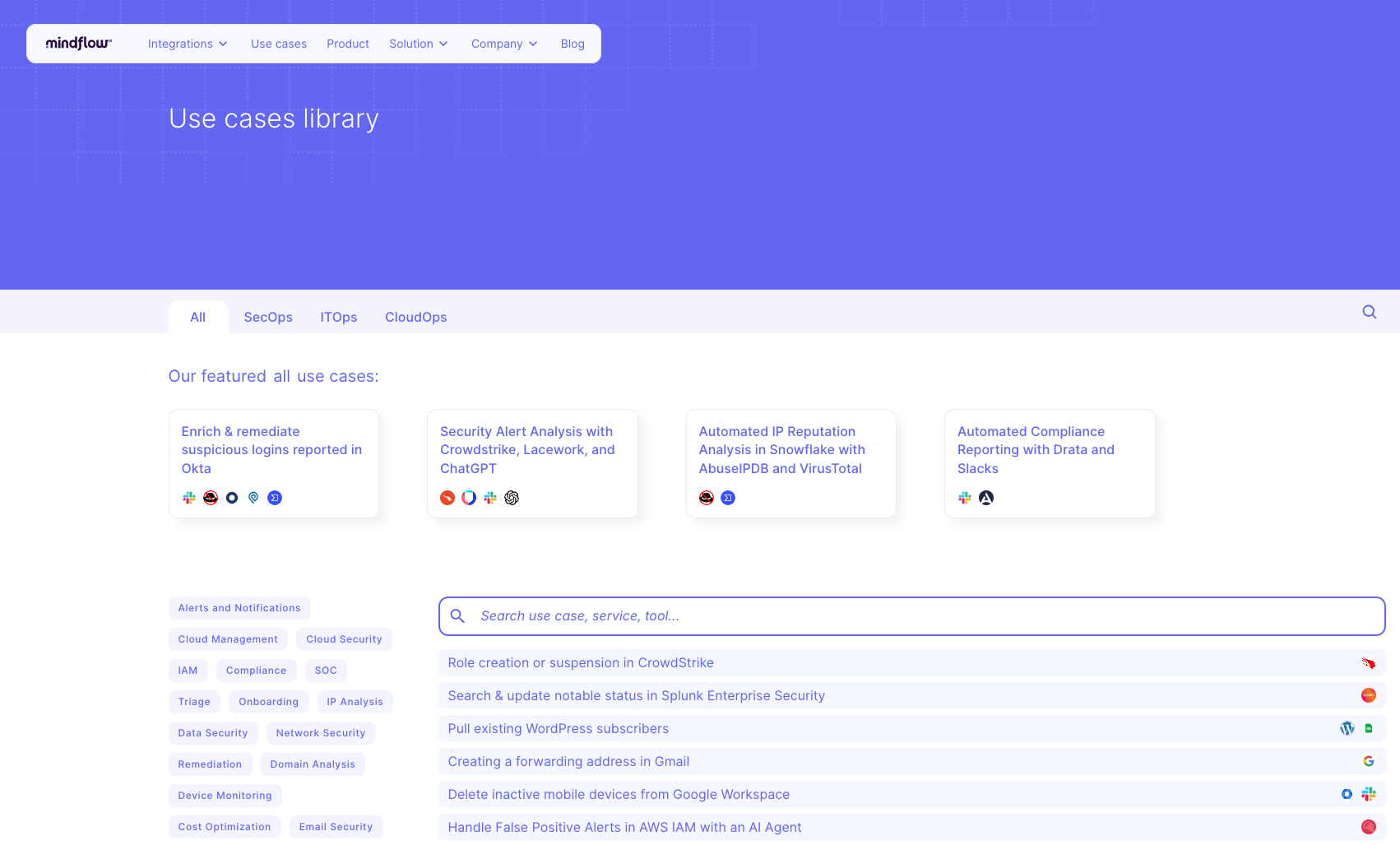
In the navigation bar, a new button labeled Templates is now available.

It redirects you to our library of templates:
From here, you can search for what you need and open it to see the flow:
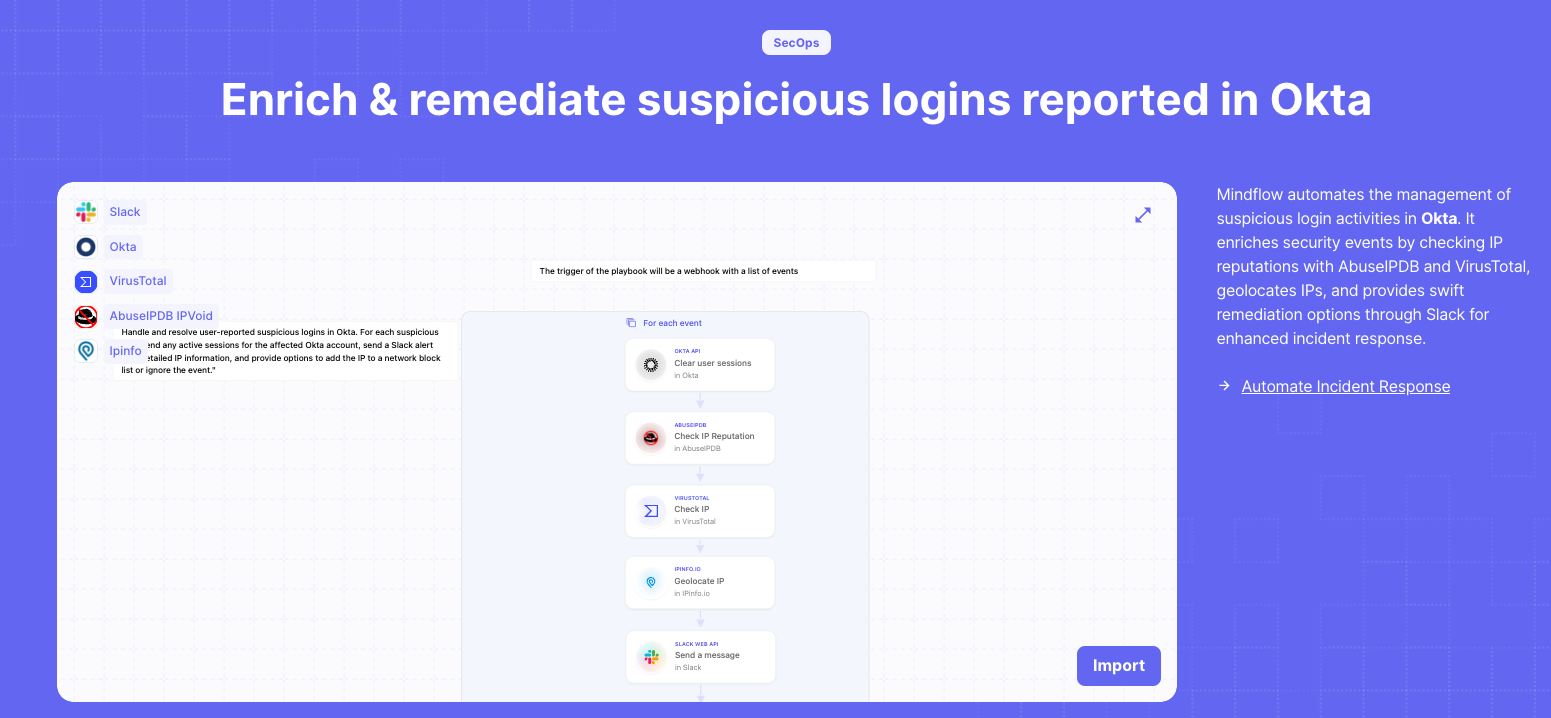
If you like what you see, just click the Import button and paste it into your workspace.
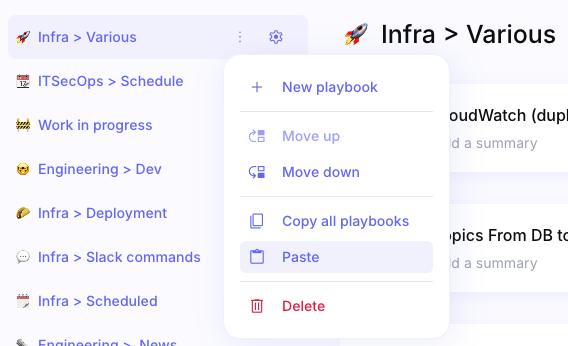
This can help you efficiently bootstrap your flow!
CHANGES
Section titled “CHANGES”Large data enhancements 📈
Section titled “Large data enhancements 📈”Ref: #3881
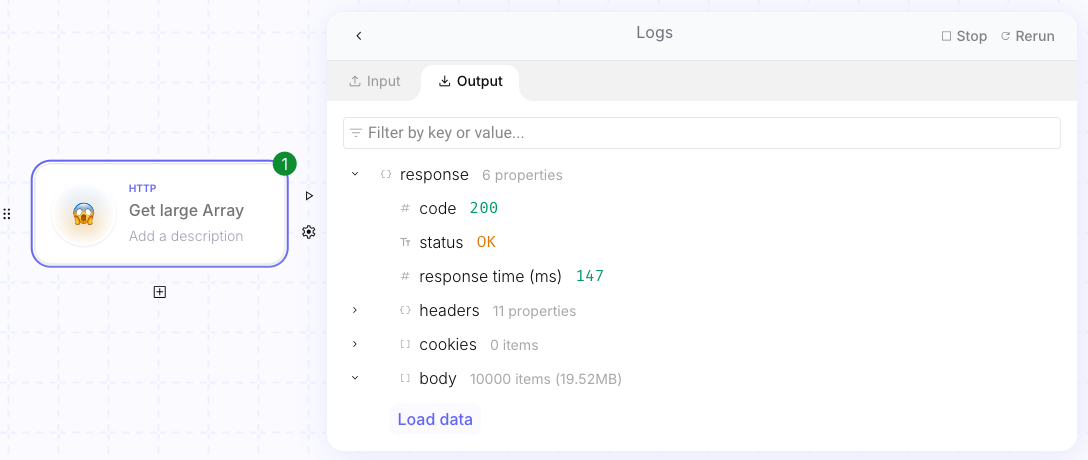
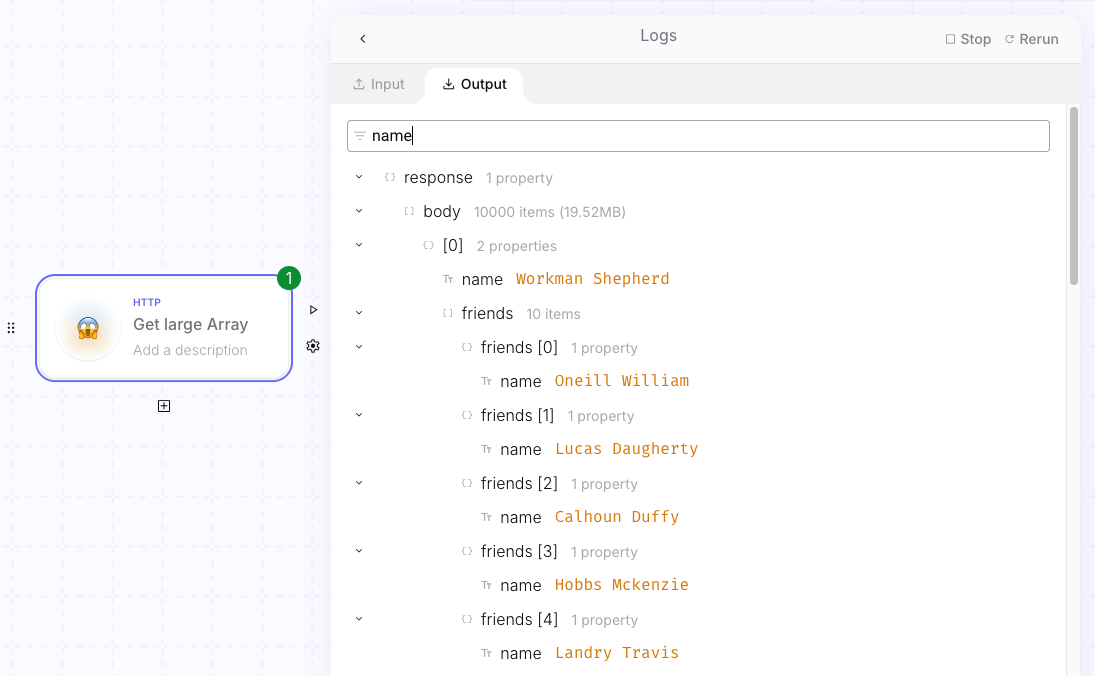
We’ve made improvements for handling large datasets. You can now see the count of items in your dataset and perform searches within the data.
- Resolved UI glitches and improved readability in credential creation (#4839).
- Fixed blank page issue when editing a credential (#4865).
- Corrected broken logos for large services (#4864).
- Fixed issue preventing preview of a script step’s pill (#4782).
- Resolved problem where copying and pasting a step after a condition didn’t work (#4764).
- Fixed formulas not working for a For each loop source (#4697).
- Enabled scrolling over the conditions popup with multiple branches (#4683).
- Fixed issue preventing webhook-triggered flows with XML body (#4672).
- Fixed step name length issue in condition editing box (#4551).
- Resolved visual issue when adding permissions to a workspace (#4373).
- Fixed duplicated items in the workspace list during credential creation (#4258).
- Fixed wrong display of HTTP “follow redirect” setting (#4253).
- Fixed focus issue on the workspace deletion confirmation button (#4665).
- Corrected tooltip display for integration buttons (#4579).
INTEGRATIONS
Section titled “INTEGRATIONS”- SentinelOne (version: 2.1)
- Eset Connect (version: 1.0.0)
- Eset ESA (version: v2)
- Snyk (version: 2024-06-10)
- Zendesk Help Center (version: 2.0.0)
- Zendesk Support (version: 2.0.0)
- SAP Success Factors (version: 1.0)
- SAP Concur (various integrations with multiple versions)
- Akamai (version: v1)
Upgraded
Section titled “Upgraded”- Microsoft Graph (version: 1.0)
- Powerdmarc (version: 1.0.0)
- Workday (version: v1)