

Plan before you build
Before you design a flow, outline the scenario, the tools you need, and the credentials you must obtain. Then activate the integrations and create credentials in the environment where the flow will run. Detection and response plans are a useful starting point for security use cases.
When to use
Section titled “When to use”- You are about to build a new flow and need a clear scenario, tool list, and credential plan first.
- Credential requests in your organization take time—you want to start them during ideation, not after the designer is done.
- Prefer Activate an integration when the scenario is settled and you only need to turn a service on.
- Prefer Create and manage credentials when integrations are already active and you only need to store secrets.
- Prefer Flows and agents when you are ready to create a flow or agent and open the designer.
Before you begin, confirm you can open Studio and that you know who in your organization issues API keys, OAuth clients, or service accounts for the vendors you will call.
Write a scenario
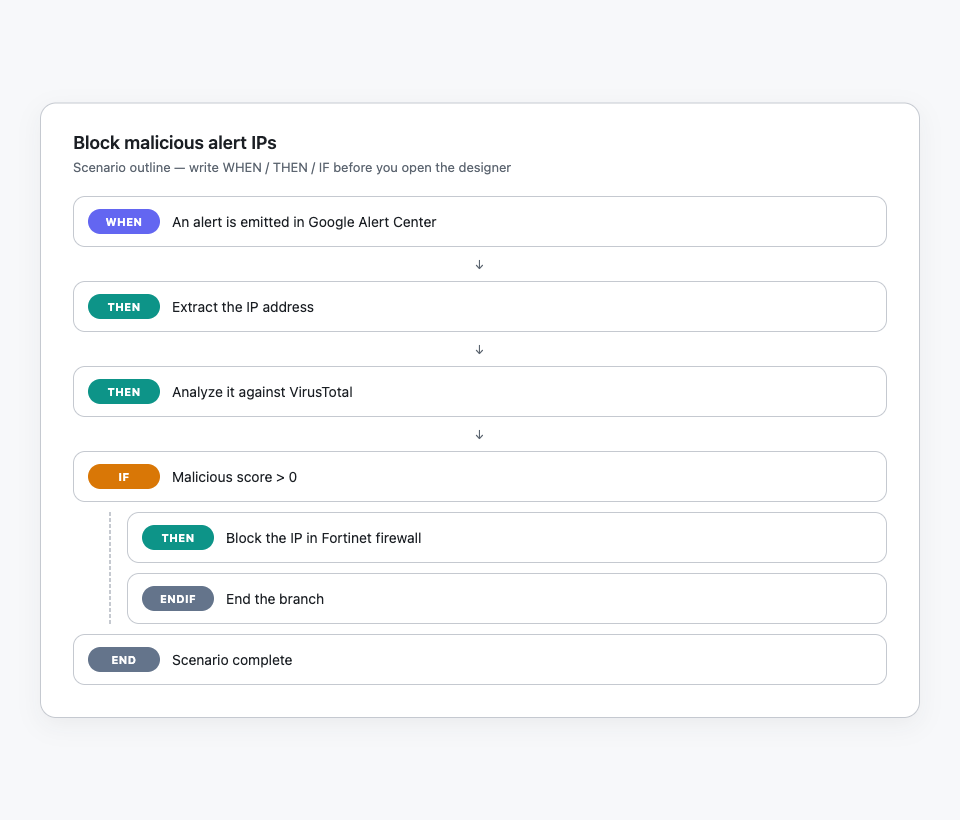
Section titled “Write a scenario”A scenario is a short, step-by-step outline of the outcome you want. Write the objective first, then break the work into WHEN, THEN, and IF branches so exceptions and decision points show up before you open the designer.
-
State the objective. One sentence for the outcome—for example block a malicious IP after an alert.
-
List the steps in order. Use WHEN for the trigger, THEN for each action, and IF / ENDIF for branches. Keep each line to one action so you can map it to a Studio step later.
-
Call out exceptions early. Note timeouts, empty results, and “do nothing” paths so the flow stays short and complete.
A clear scenario produces a shorter flow and surfaces branches before you add steps on the canvas.
List the integrations and operations
Section titled “List the integrations and operations”After the scenario is drafted, name each vendor and the specific operations you need. Prefer requesting only those operations from each vendor’s access matrix instead of broad “full admin” rights—that speeds credential requests and limits risk.
- Map each scenario line to a vendor. Note which tool owns the trigger, lookups, enrichment, and actions.
- List the operations you will call. Use the vendor’s access matrix or API docs so the credential request matches the flow—not a full admin role.
- Prefer native integrations. When Mindflow ships a native connector for that job, plan to activate it instead of a generic HTTP call. See Call native integrations.
Collect credentials from your organization
Section titled “Collect credentials from your organization”Credential collection often takes the longest. Start it while you still outline the scenario so secrets arrive before you finish the designer work.
- Identify the owners. Find who issues API keys, OAuth clients, or service accounts for each vendor on your list.
- Request least privilege. Ask only for the operations you listed—not full admin—unless a vendor requires a broader role.
- Track where each secret will live. Credentials in Mindflow are scoped to an environment; plan which environment (for example Docs or production) will hold each one.
Prepare Mindflow
Section titled “Prepare Mindflow”With the scenario and credential requests under way, activate each service in Integrations, then create credentials in the environment where the flow will run. Full walkthroughs live on the sibling pages linked below.
-
Activate each service. Open Integrations, search for the vendor, and turn on the services your scenario needs. Prefer a Native service when one exists.
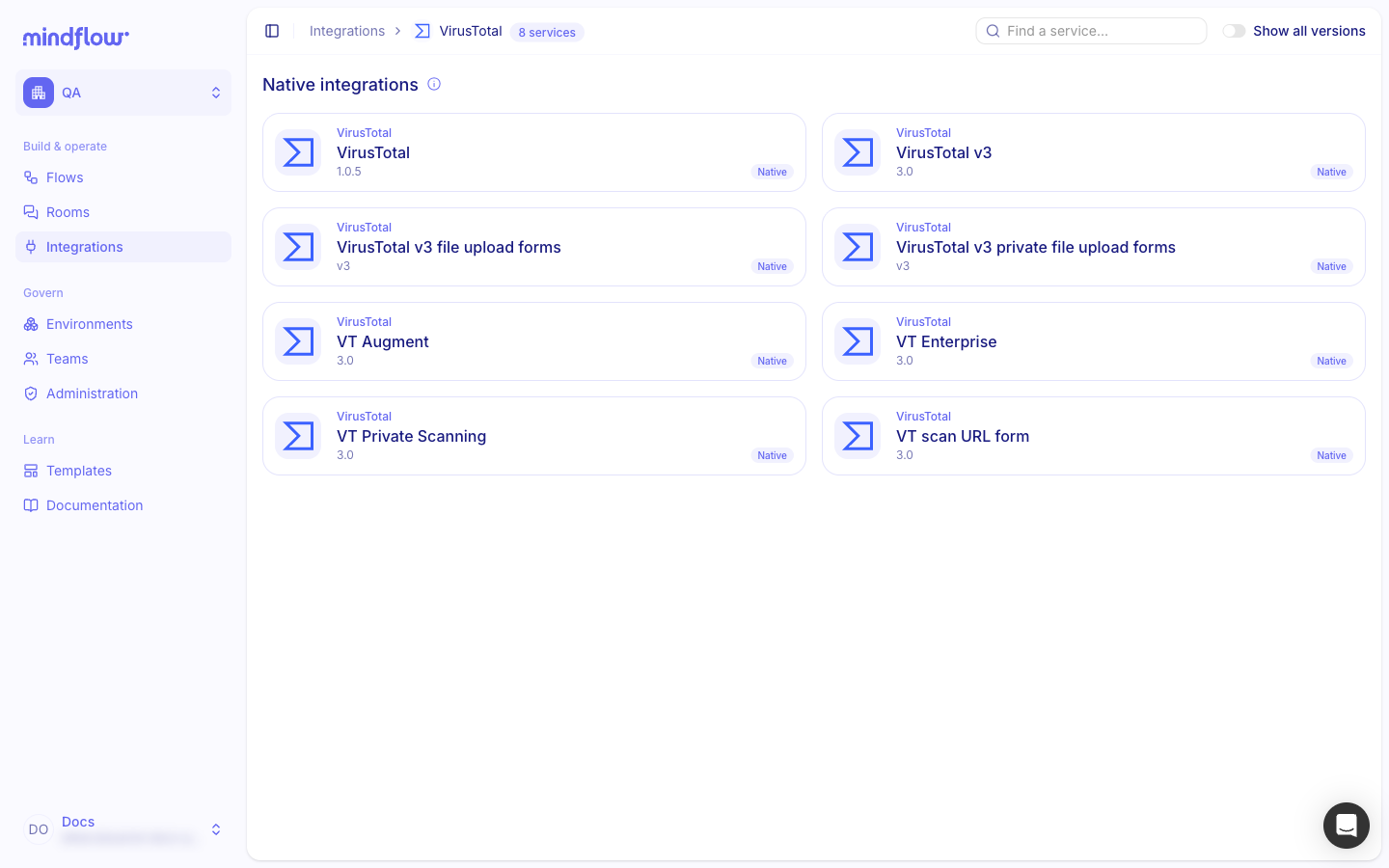
For the full path, see Activate an integration.
-
Create credentials in the target environment. Open Environments, select the environment where the flow will run, and choose Create credential (or Add credential when the list already has items). Pick the service and fill the required fields.
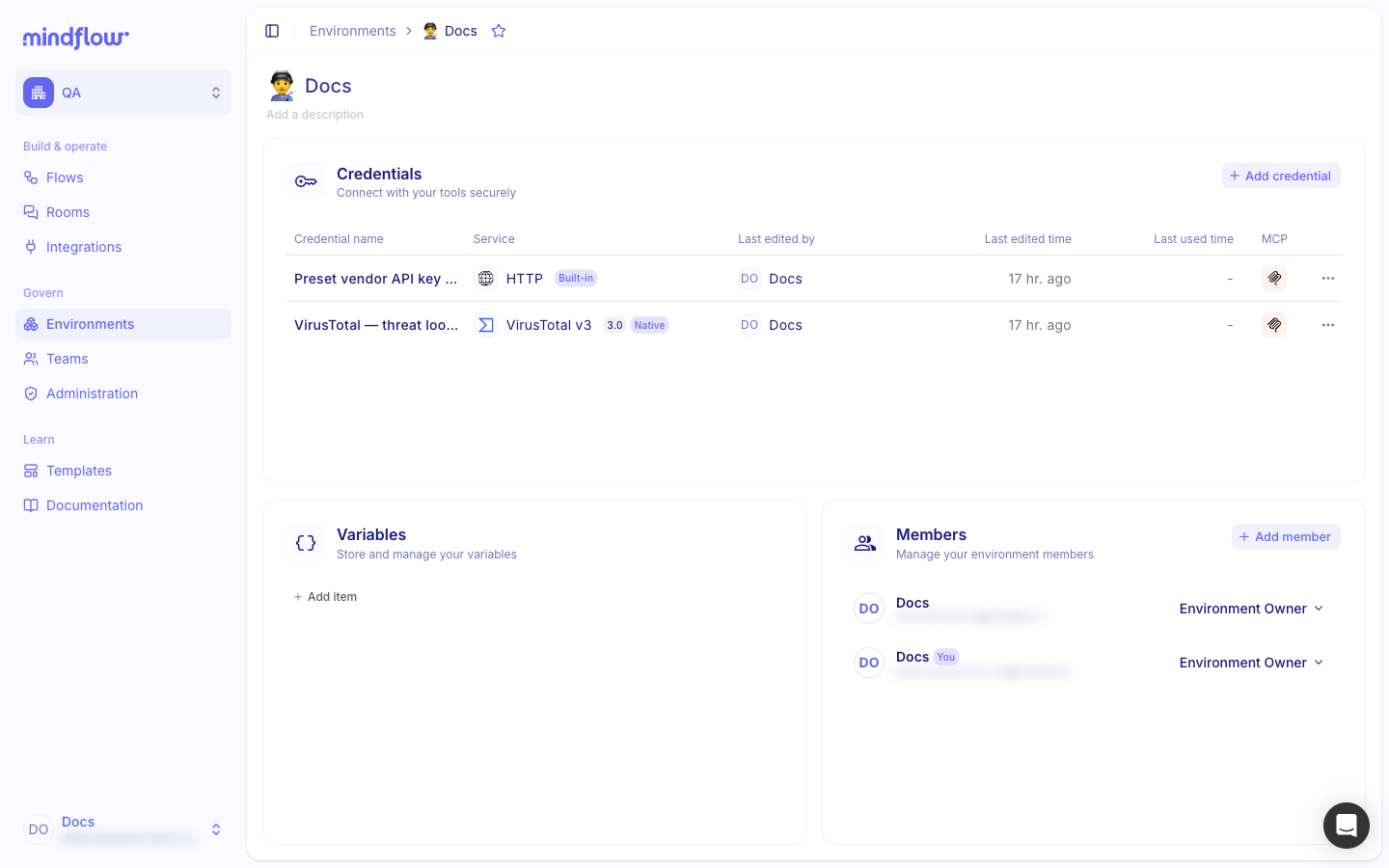
For field-by-field setup and attaching a credential on a step, see Create and manage credentials.
-
Translate the scenario into steps. Open the designer, add steps that match your WHEN / THEN / IF outline, and select the credentials you created. See Flows and agents.
Example
Section titled “Example”A security analyst wants to block malicious IPs from Google Alert Center alerts. The outline below is the same story the screenshots illustrate (VirusTotal activated; credentials created in the run environment).
-
Write the scenario.
- WHEN: an alert is emitted in Google Alert Center
- THEN: extract the IP address
- THEN: analyze it against VirusTotal
- IF: malicious score > 0 THEN: block the IP in Fortinet firewall
- ENDIF
- END
-
List tools and operations. Google Alert Center (read alerts), VirusTotal (IP reputation), Fortinet (block IP). Request only those operations from each vendor.
-
Start credential requests. Ask internal owners for Alert Center, VirusTotal, and Fortinet access while the outline is still in review.
-
Prepare Mindflow. Activate VirusTotal (and the other vendors) on Integrations, create each credential in the environment where the flow will run, then build the flow from the outline.
Keep in mind
Section titled “Keep in mind”- Credential lead time: Start secret requests during ideation; they often block the designer longer than writing steps.
- Least privilege: Prefer operation-scoped access over full admin roles when the vendor allows it.
- Environment scope: Credentials belong to the environment where you create them (unless you use the global environment for shared secrets).
- Native first: Prefer native integrations when Mindflow offers one for the job.
Related
Section titled “Related”- Activate an integration — turn on vendor services before you create credentials.
- Create and manage credentials — store secrets in an environment and attach them on steps.
- Create flows and agents — create a flow or agent and open the designer.
- No-code best practices — keep flows short and readable from the first draft.